Class 377, 379 & 387 'The Govia Thameslink Railway Robbery'
- by Ash992478
- 4 upvotes
- Downloaded 4,186 times
Description
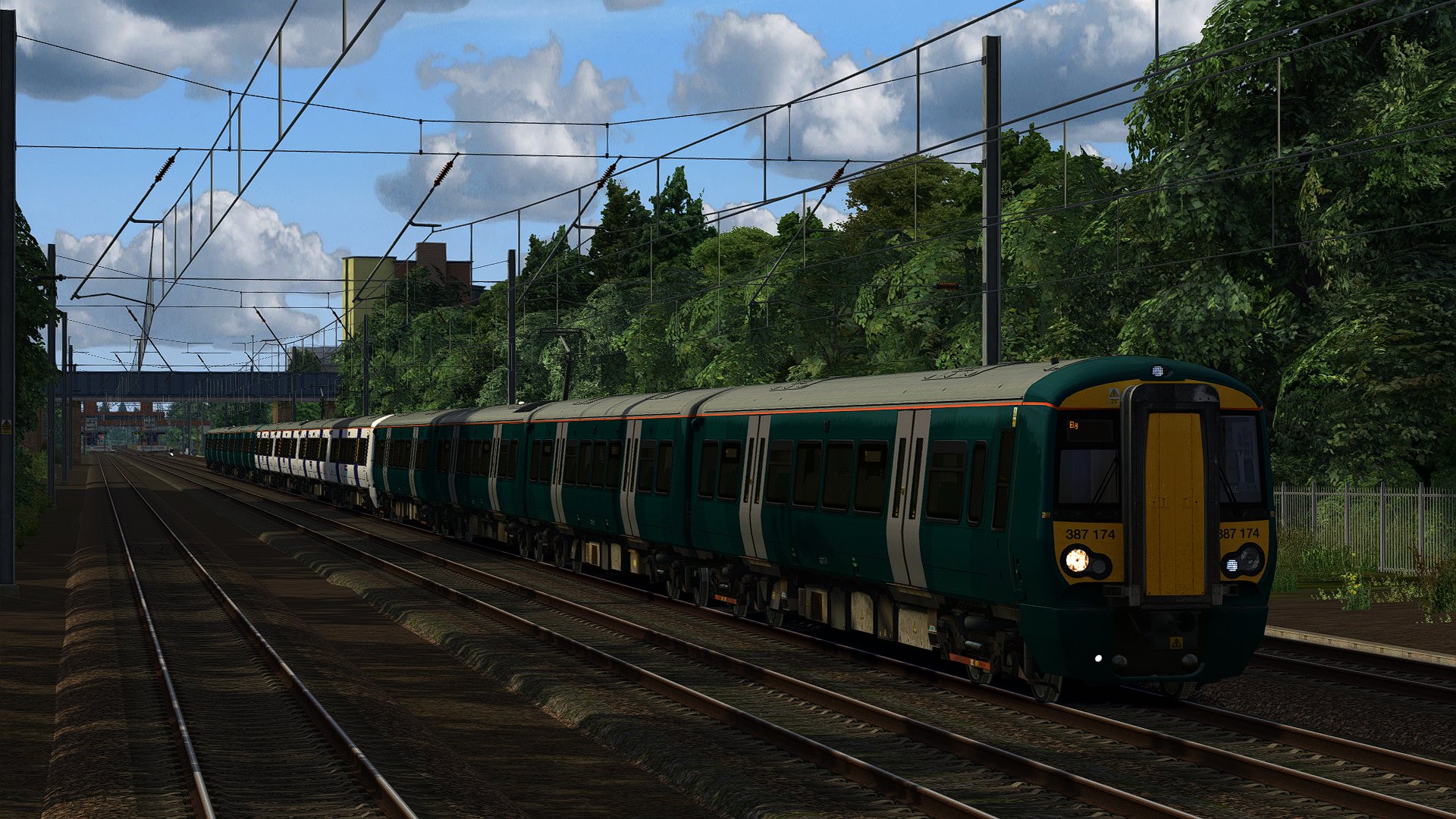
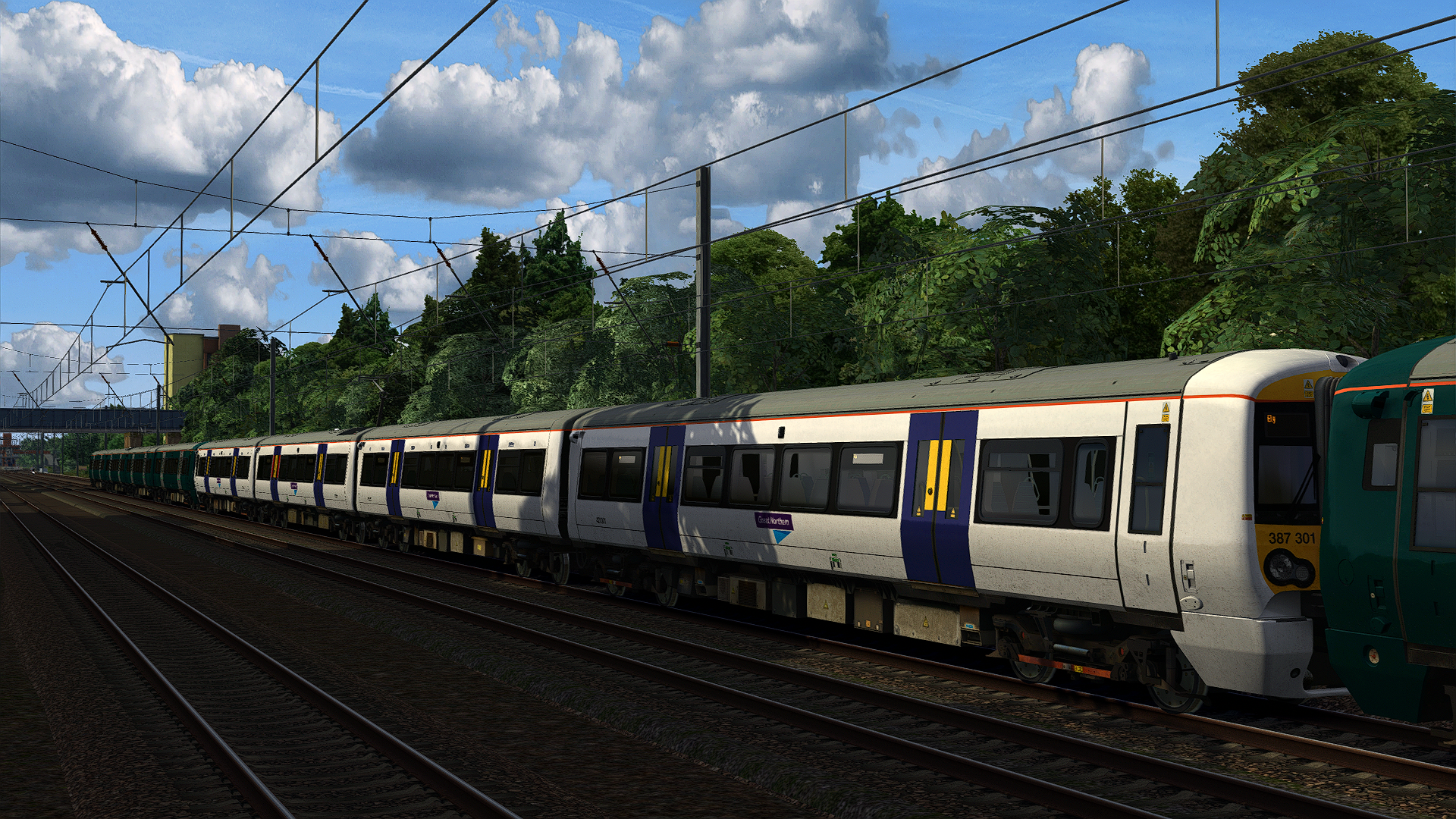
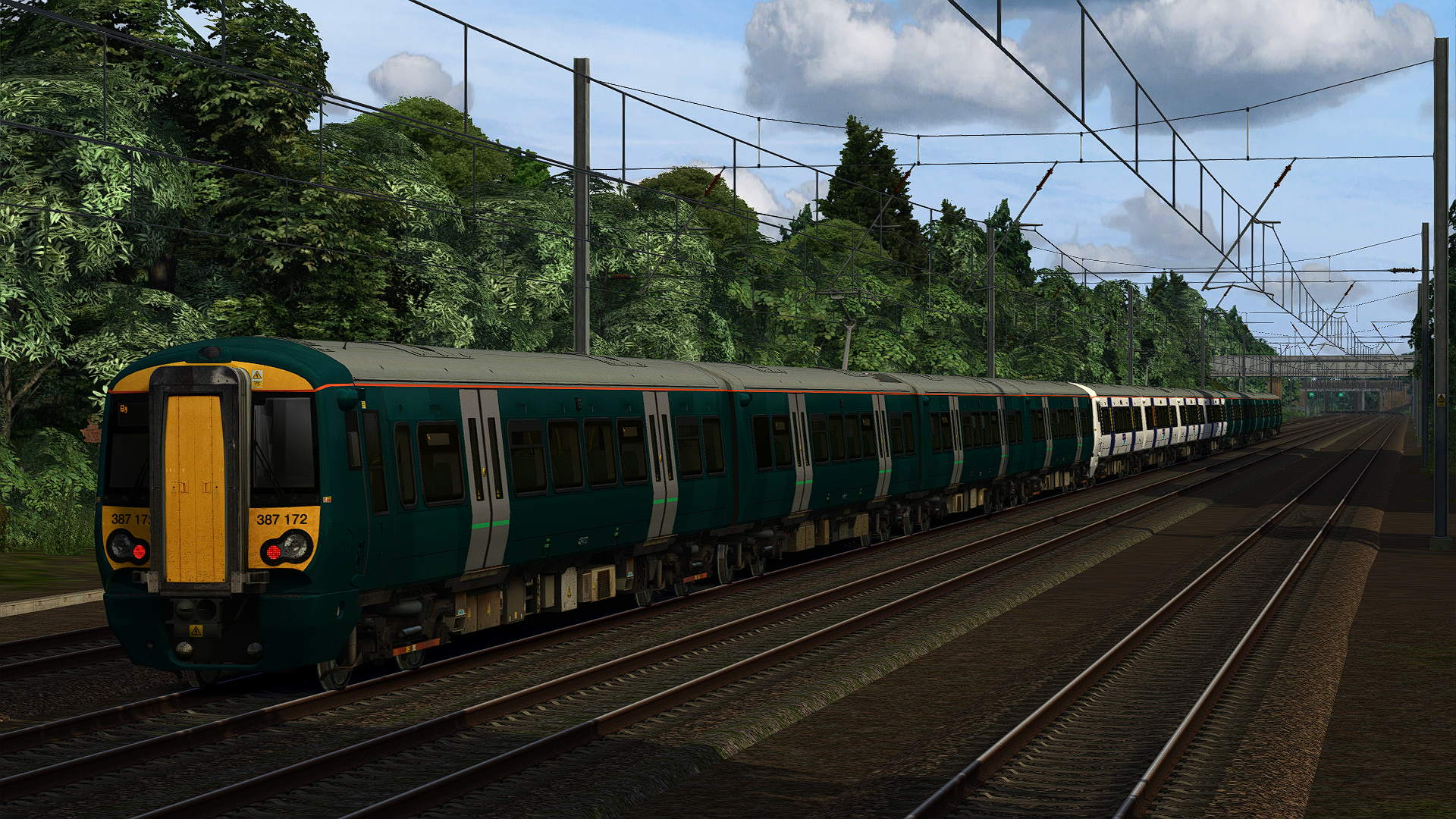
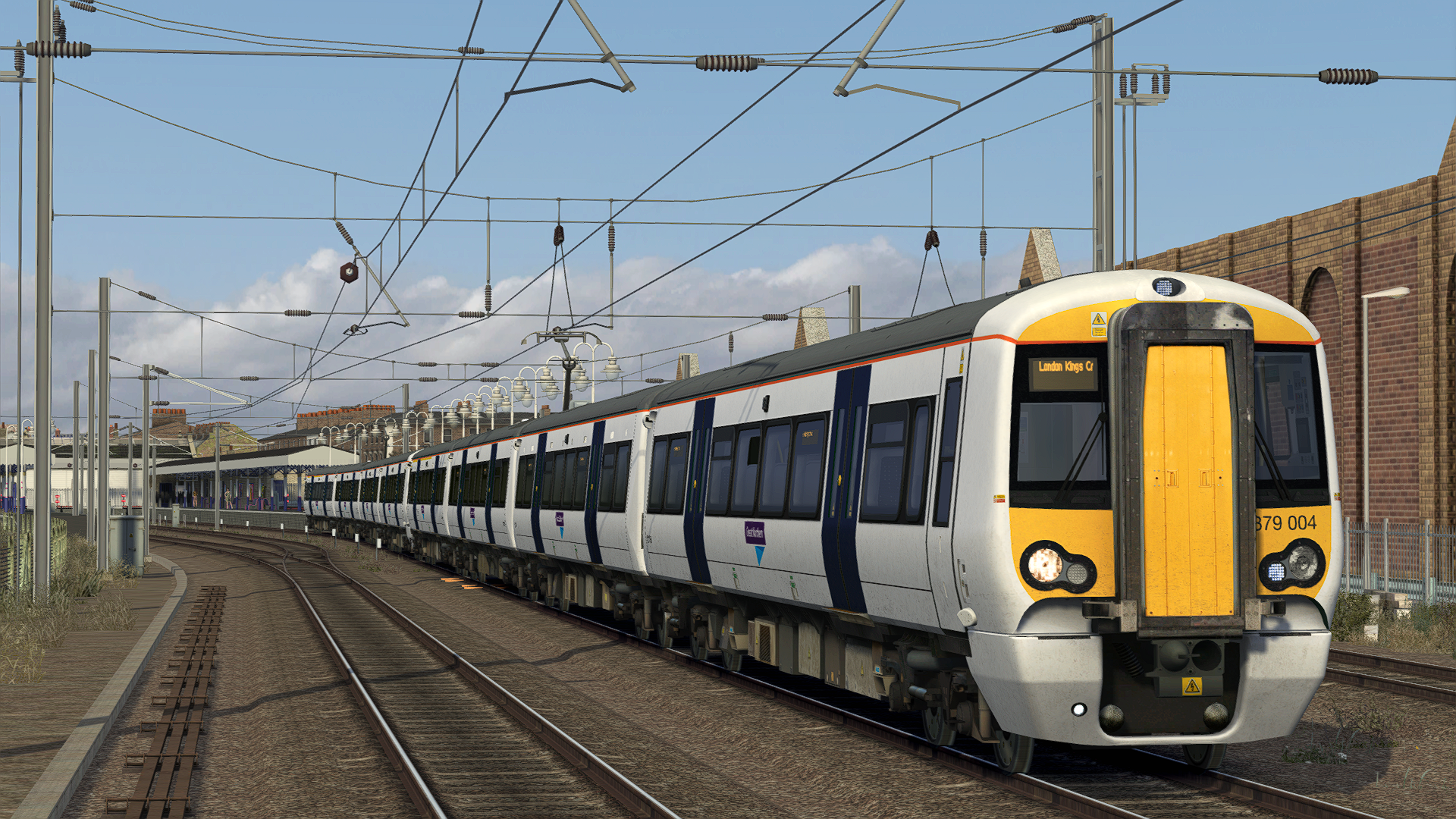
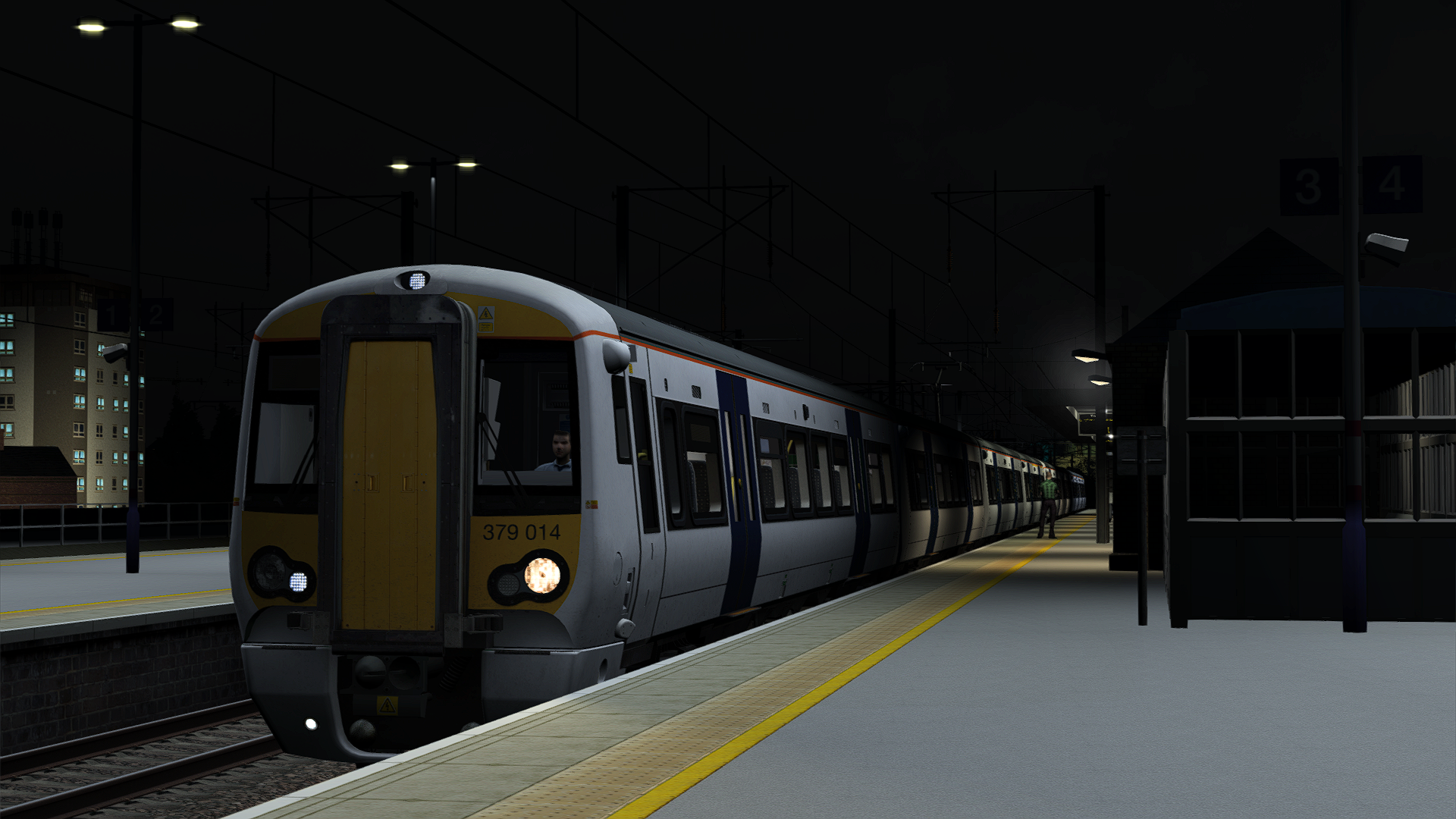
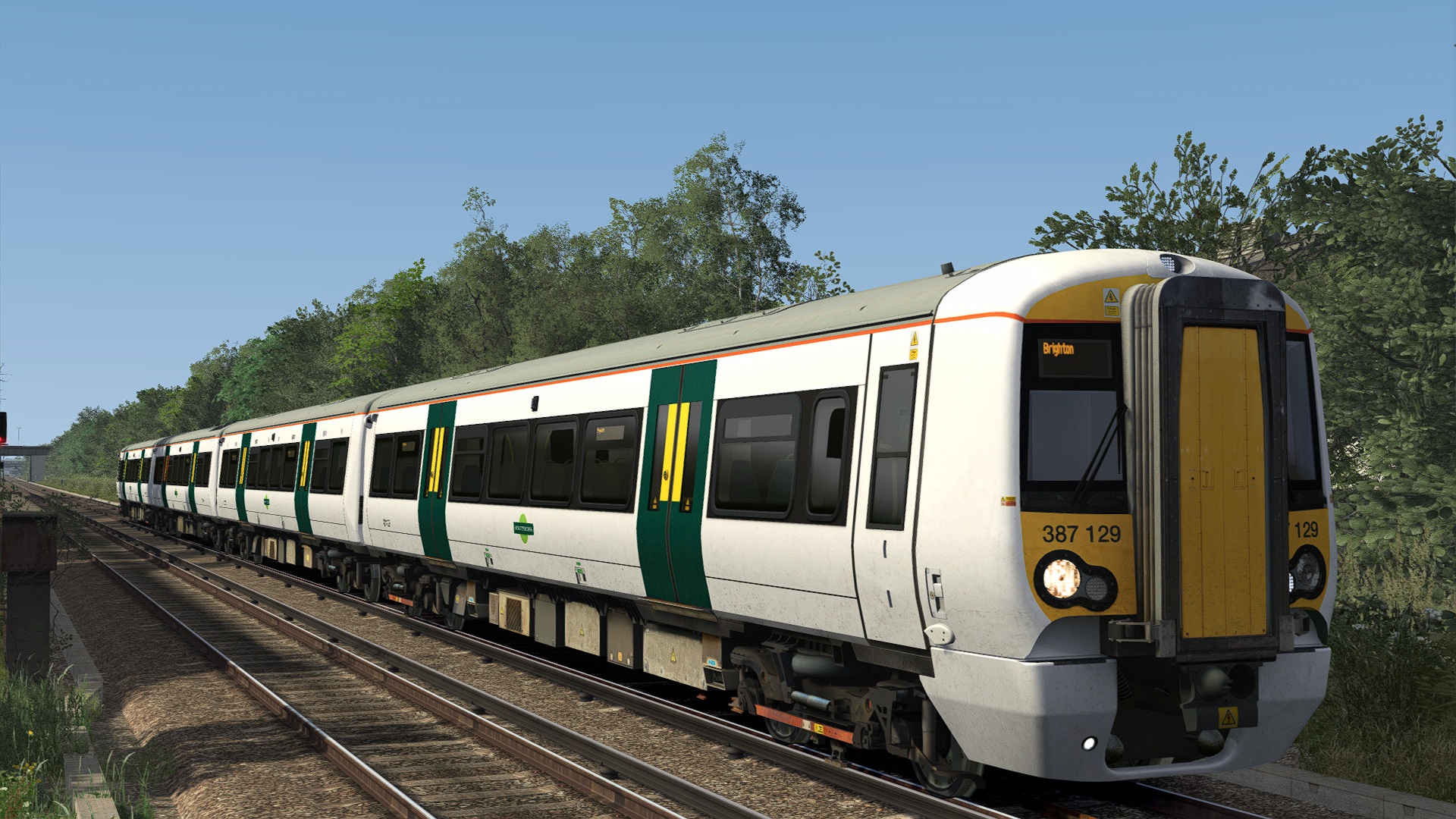
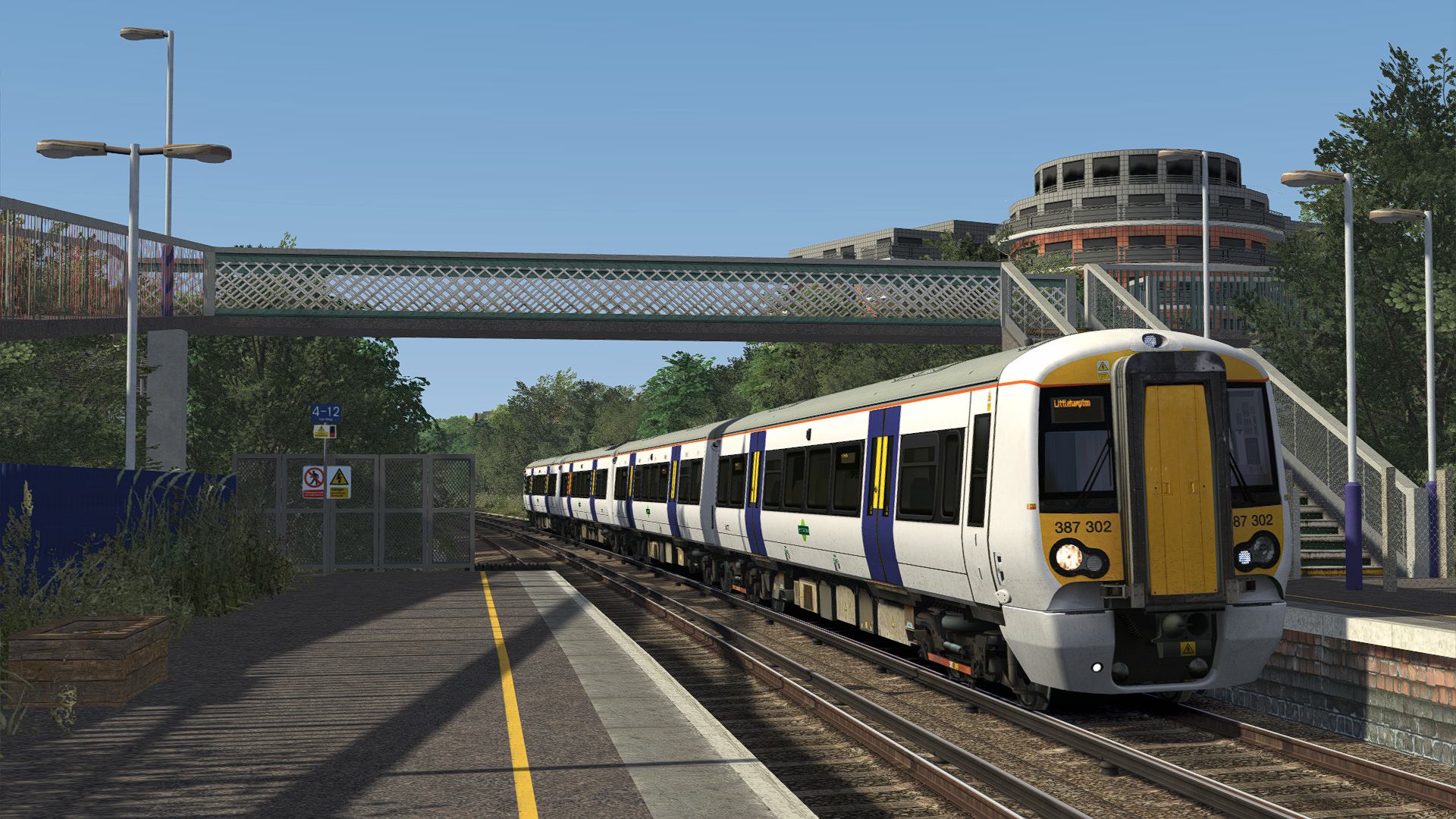

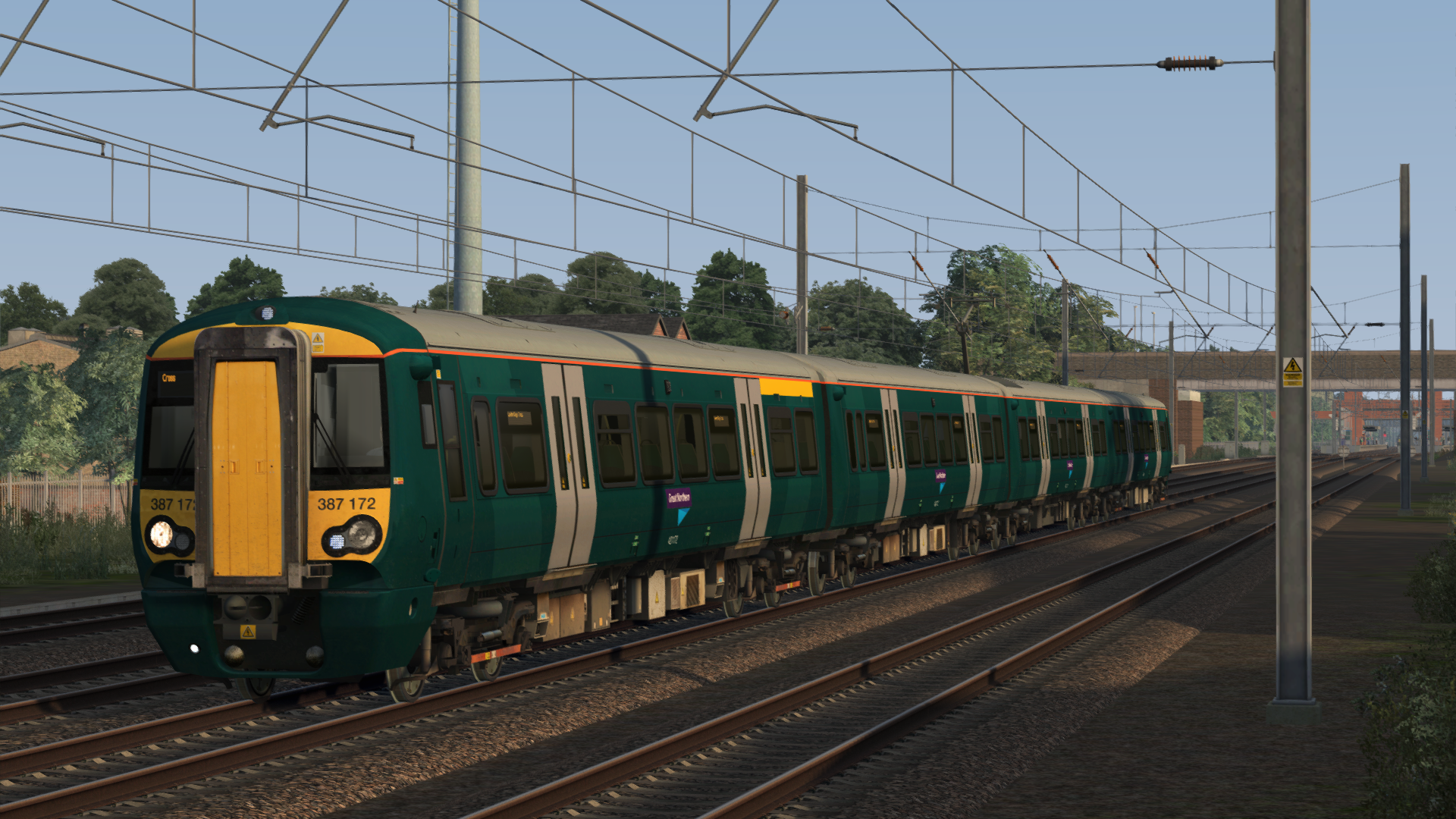
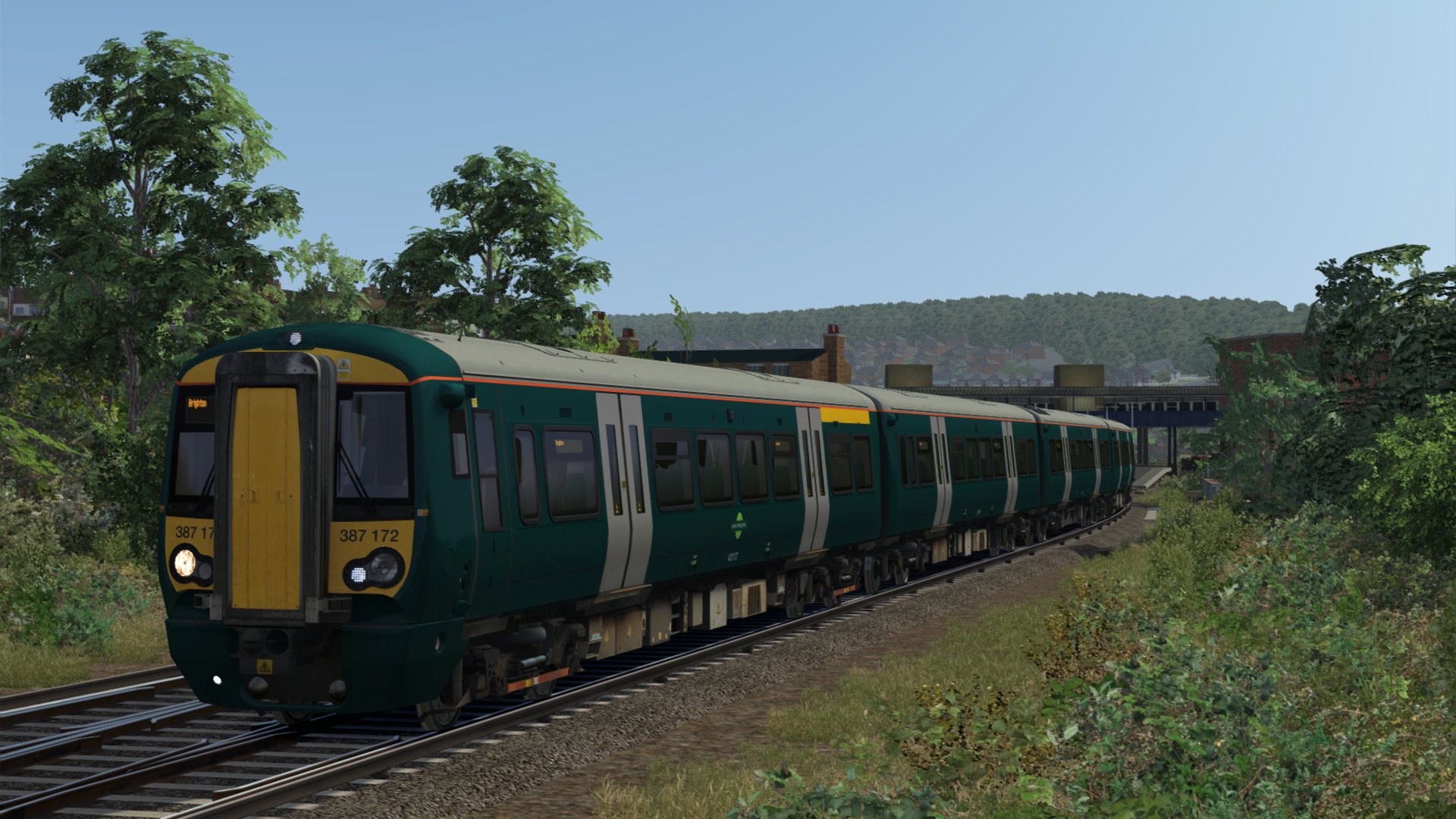
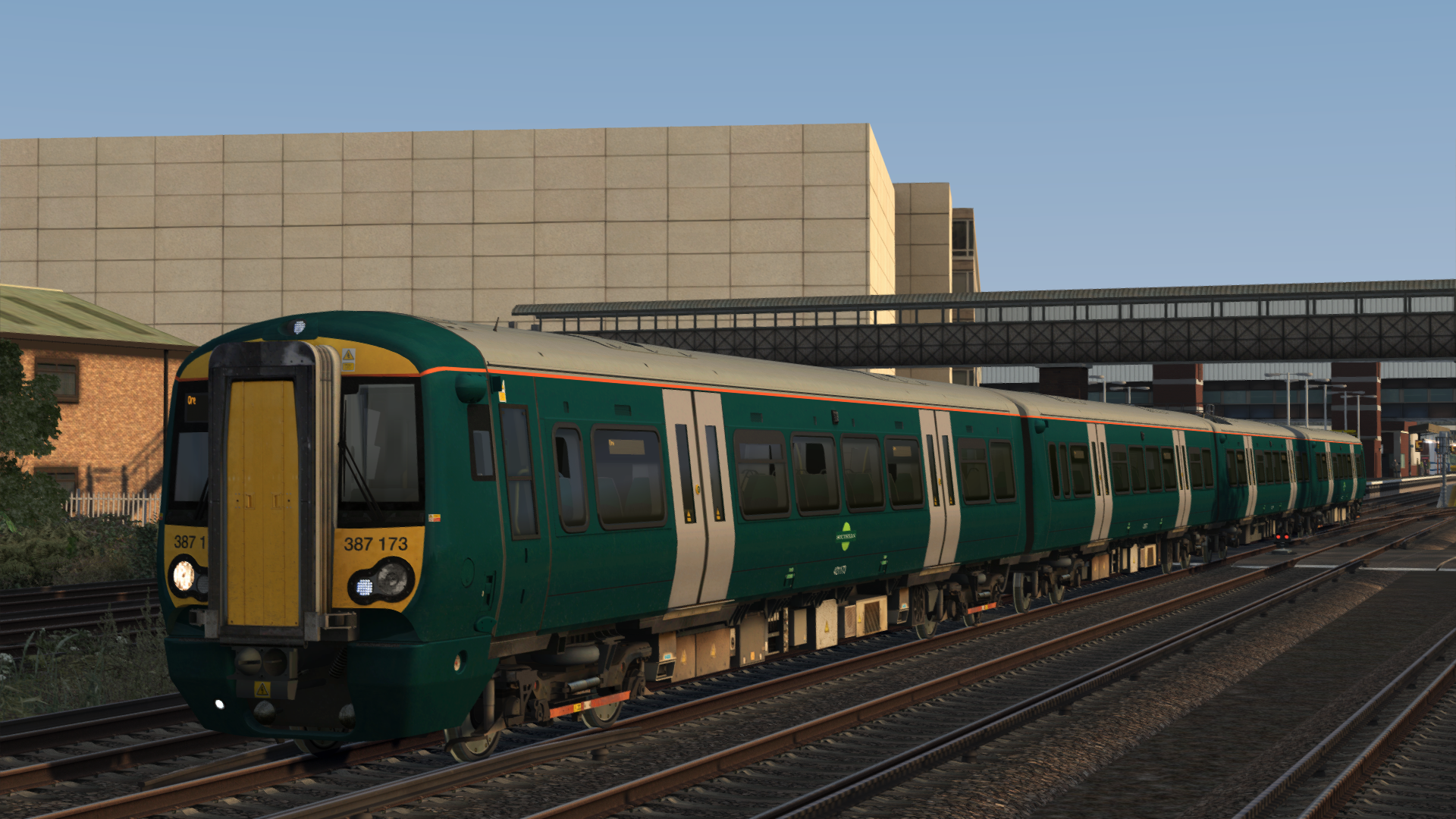
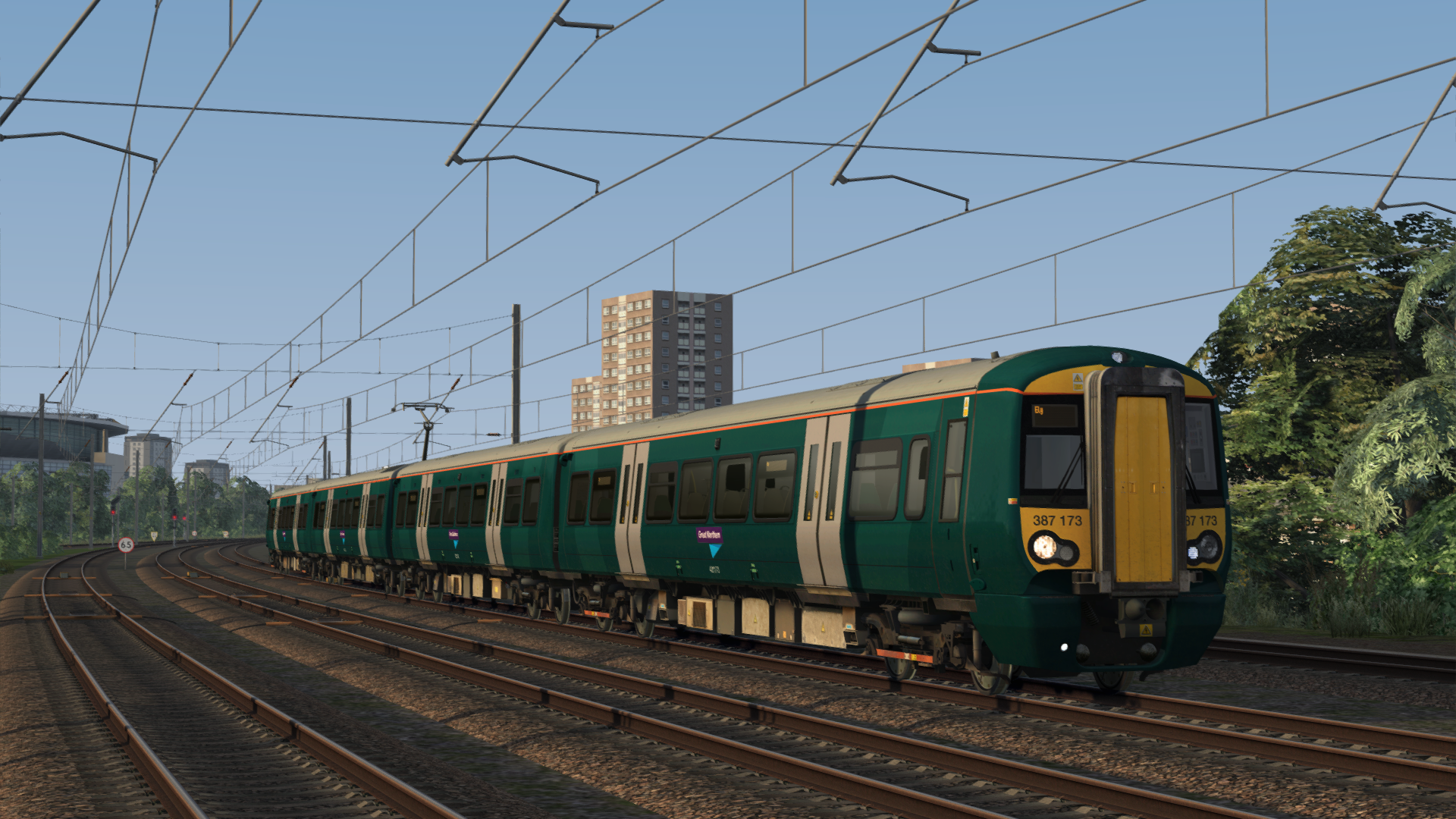
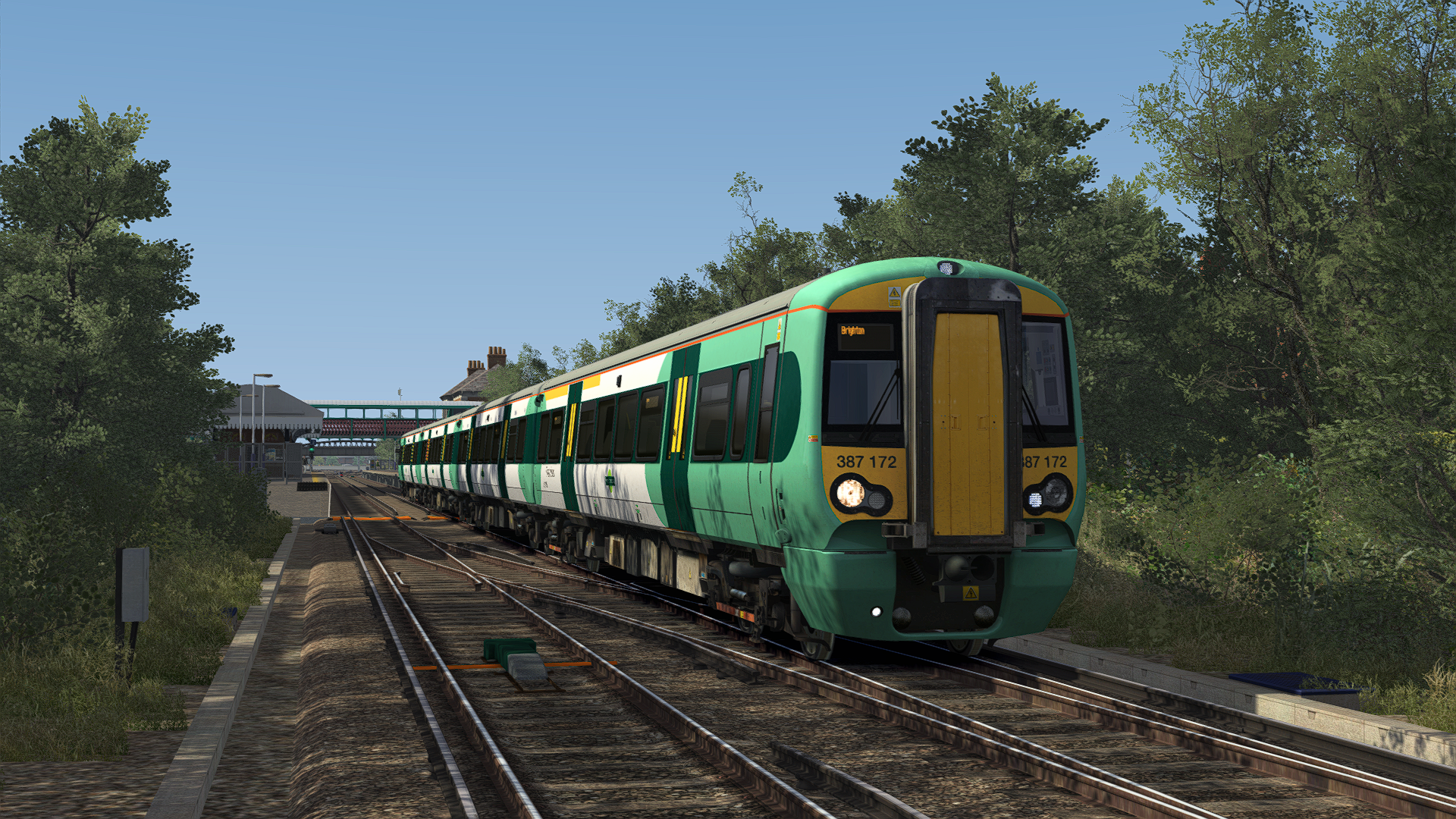
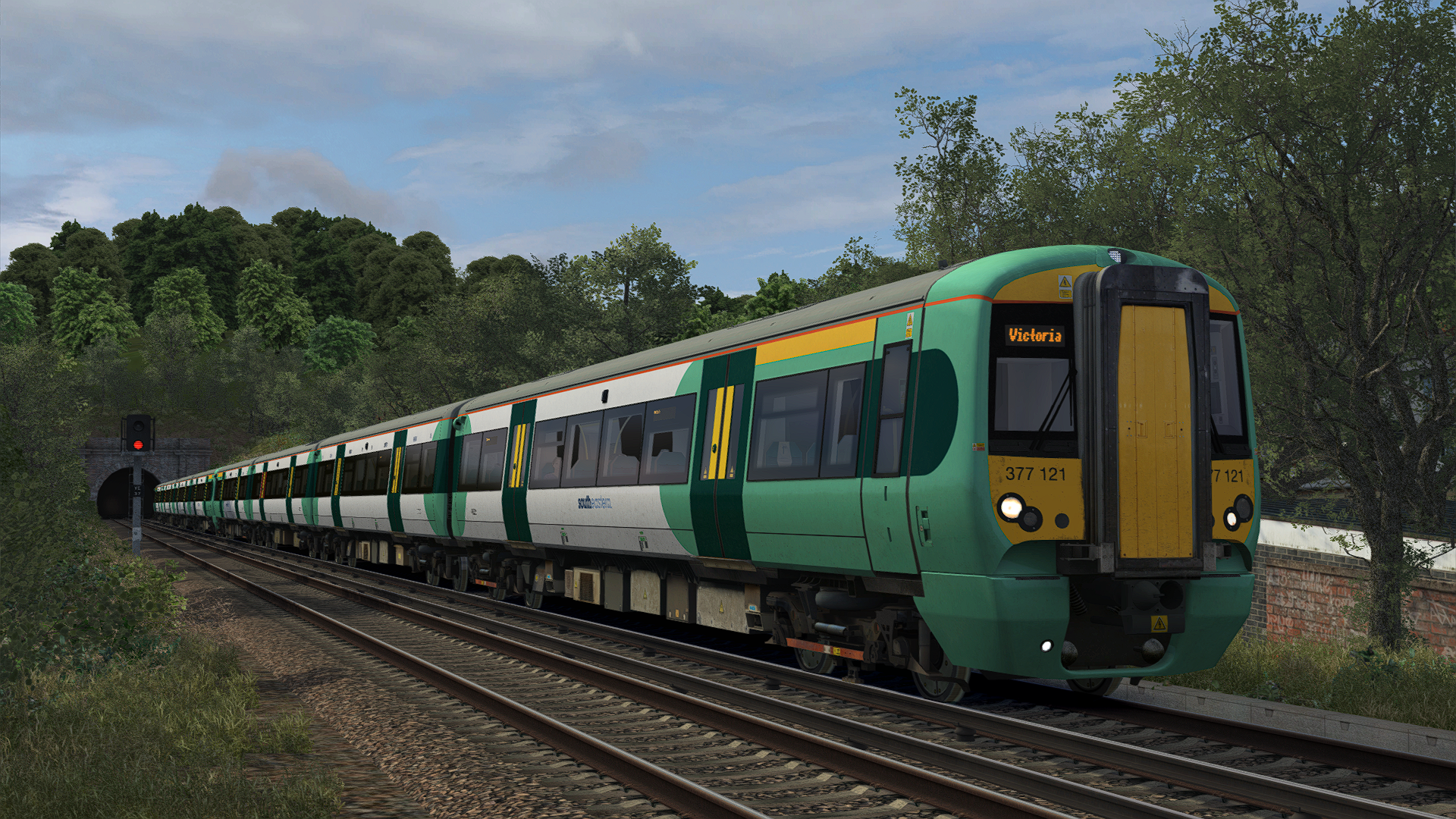
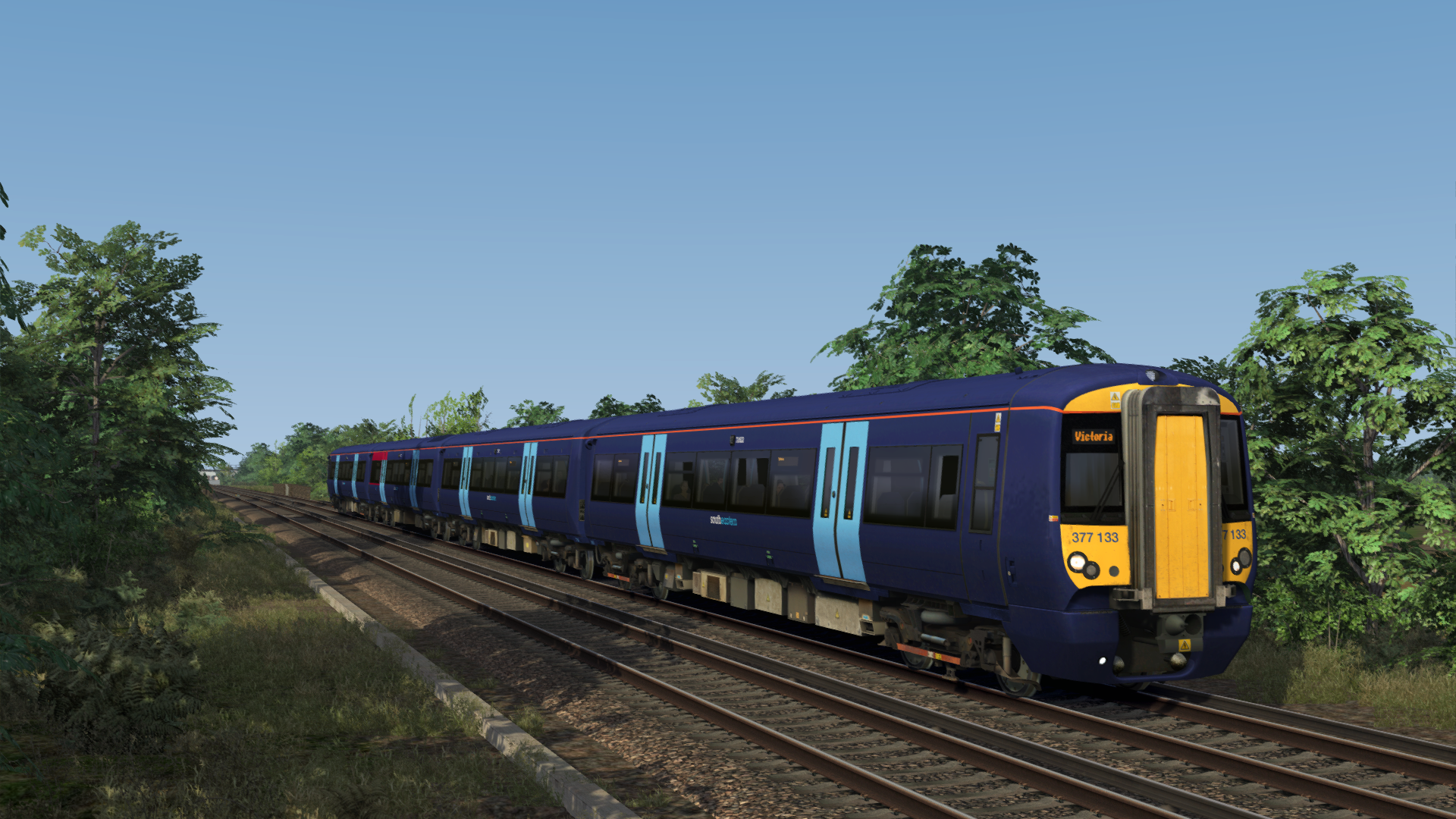
This reskin pack depicts the various Class 377s, 379s & 387s which have been transferred to, from, and within Govia Thameslink Railway.
What's included?
Ex SN 377121-377133 and Ex SN 377163/377164 (both 377163 and 377164 have since returned to Southern)
Ex SN 377121-377133 in Southeastern Blue Livery* (will be modified if required once the first unit has been repainted)
Ex GA 379001-379030 in their state with Great Northern with and without GN Logos
Ex GWR 387172, 387173 and 387174 in their state with Great Northern and Southern
Ex C2C 387301-387306 in their state with Great Northern and Southern
Southern Liveried Class 387* (will be modified if required once the first unit has been repainted)
Included are quick drive consists featuring each Class 387 variant in a 4 car formation. Apologies, but due to there being so many different combinations available, I thought this would be the best solution, opposed to cluttering your Train Simulator with numerous quick drive consists. The Class 377s however have 2 quick drive consists in a 4 and 8 car formation, and the Class 379s have 6 quick drive consists in a 4, 8 and 12 car formation, with and without Great Northern branding.
Big thanks goes to Luca Whatling of LW Reskins for assistance in making the Class 379 more realistic by helping with removing the third rail shoe, and providing new cab steps.
Tags: c2c class379 class387 great-northern great-western-railway gtr southern uk
Requirements
NOTE: Only ONE of the above routes is required. It is also not an issue if you own two of them, or all three of them.
Dependencies


Installation Instructions
How to Install the Pack Manually:
Copy the Assets Folder to: Steam/steamapps/common/Railworks
Then run the 'InstallGN387s' BAT file to complete the installation. If for some reason it does not work or you don't wish to use it, refer to the instructions below.
Copy 375_DMOC3.GeoPcDx from Assets\DTG\LondonGillingham\RailVehicles\Electric\Class375\GWR_387_AP
Paste the GEO file in the following folders:
Assets\DTG\LondonGillingham\RailVehicles\Electric\Class375\Ex-GWR_387
Assets\DTG\LondonGillingham\RailVehicles\Electric\Class375\Ex-GWR_387_2
Assets\DTG\LondonGillingham\RailVehicles\Electric\Class375\Ex-GWR_387_3
Assets\DTG\LondonGillingham\RailVehicles\Electric\Class375\Ex-GWR_387_4
Assets\DTG\LondonGillingham\RailVehicles\Electric\Class375\Ex-GWR_387_5
Copy 375_MOSL.GeoPcDx from Assets\DTG\LondonGillingham\RailVehicles\Electric\Class375\GWR_387_AP
Paste the GEO file in the following folders:
Assets\DTG\LondonGillingham\RailVehicles\Electric\Class375\Ex-GWR_387
Assets\DTG\LondonGillingham\RailVehicles\Electric\Class375\Ex-GWR_387_2
Assets\DTG\LondonGillingham\RailVehicles\Electric\Class375\Ex-GWR_387_3
Copy 375_PTOSL.GeoPcDx from Assets\DTG\LondonGillingham\RailVehicles\Electric\Class375\GWR_387_AP
Paste the GEO file in the following folders:
Assets\DTG\LondonGillingham\RailVehicles\Electric\Class375\Ex-GWR_387
Assets\DTG\LondonGillingham\RailVehicles\Electric\Class375\Ex-GWR_387_2
Assets\DTG\LondonGillingham\RailVehicles\Electric\Class375\Ex-GWR_387_3
Copy ptosl-fix.GeoPcDx from Assets\AP\C375EP\Decals\GWR_387
Paste the GEO file in the following folders:
Assets\AP\C375EP\Decals\Ex-GWR_387
Assets\AP\C375EP\Decals\Ex-GWR_387_2
Assets\AP\C375EP\Decals\Ex-GWR_387_2
Copy 375_DMOC3.GeoPcDx from Assets\DTG\LondonGillingham\RailVehicles\Electric\Class375\SE5_AP
Paste the GEO file in the following folders:
Assets\DTG\LondonGillingham\RailVehicles\Electric\Class375\SEB_377
Copy 375_MOSL.GeoPcDx from Assets\DTG\LondonGillingham\RailVehicles\Electric\Class375\SE5_AP
Paste the GEO file in the following folders:
Assets\DTG\LondonGillingham\RailVehicles\Electric\Class375\SEB_377
Copy 375_TOSL.GeoPcDx from Assets\DTG\LondonGillingham\RailVehicles\Electric\Class375\SE5_AP
Paste the GEO file in the following folders:
Assets\DTG\LondonGillingham\RailVehicles\Electric\Class375\SEB_377
How to Install the Pack Automatically:
Simply run the installer and off you go!
Additional Comments
Please note, I will NOT be providing any support.
Changelog
V1.0: Release
V1.1: Added Class 379s
V1.2: Added Ex GWR Class 387s with Southern Branding and Destinations.
V1.3: Added Ex GN and Ex C2C Class 387s with Southern Branding and Destinations. Also added Southern Liveried Class 387s which will be modified in the future if required.
V1.4: Removes extra logos from intermediate coaches on the Southern variants. Hopefully this will be the last update for now!
V1.5: I jinxed it, adds GN Logos to the Ex GWR 387172 which is going back to Great Northern.
V1.6: Adds Ex Southern Class 377s which have transferred to SouthEastern.
V1.7: Fixes a minor bug on the Class 379s, thanks to CrankyBot for finding this and pointing it out to me.
V1.8: Added in 387306 which has Southern Logos on all of it's coaches.
V1.9: Fixed mis-type with 387172/387174 in the Quick Drives. Also shortened the Quick Drive Names to aid scenario creation. Added 387172 with it's yellow first class stripe with Southern branding. Whilst now moved on to Southern, added 387173 and 387174 with Great Northern Logos, and added 387172s yellow first class stripe.
V1.10: Added Ex Southern 377163/164 which I accidentally left out of V1.9.
V1.11: Now updated for the latest AP Class 375/377EP and AP Class 377/379/387EP updates which changed how destinations where assigned to the units.
V1.12: Added Southeastern Blue Class 377/1. Fixed a minor scripting conflict which was causing some liveries not to work correctly after the last update. Also contains shorter Pre-Load names to aid Scenario Developers.
Files
Comments
About this mod
- Created
- 13 Jun 2023
- Updated
- 28 Mar 2026
- Era
- Present Day (1995 – Present)
- Game
- Train Simulator Classic
- Type of content
- Reskin


Loading comments…