SS Narrow Font K5L For the Ex BCOL 4647 Dash 9-44CWL
- by Mikiwikistown
- Downloaded 204 times
Description
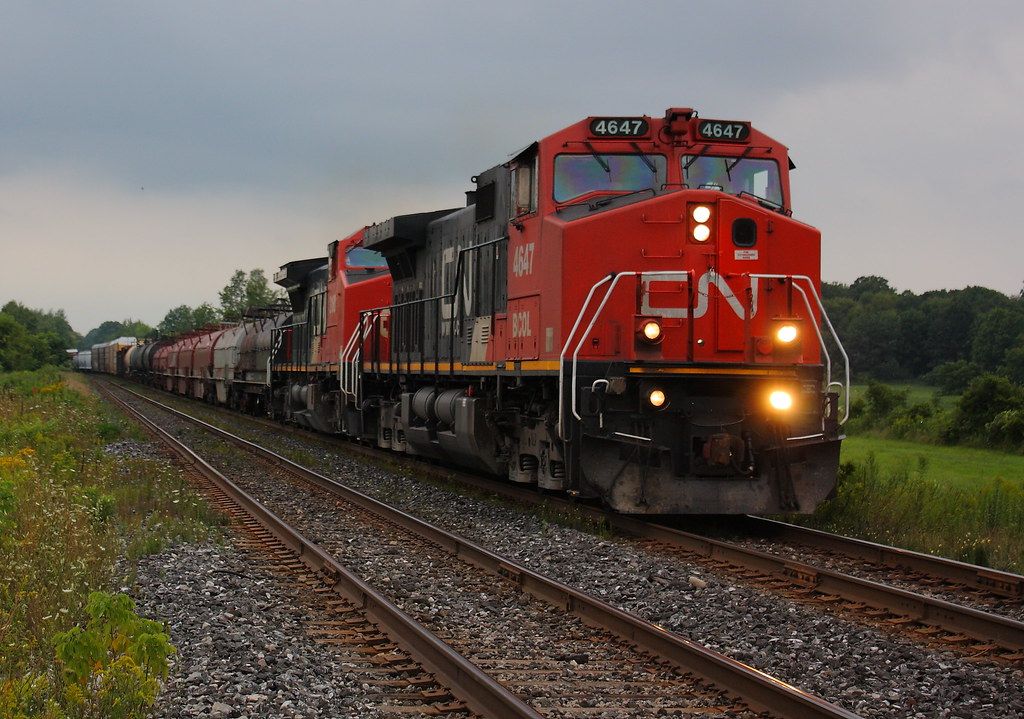
Enjoy this K5L! And the bell too! (NOTE: You can put this horn in the Dash 8 CSX, In locomotives of CN whatever you feel best to put the K5L) But you already have a repaint of the Ex BCOL is right here: https://www.trainsimcommunity.com/mods/c1-train-sim-classic/c10-reskins/c25-north-american/c27-locomotives/i206-bcol-cn-dash-9-4647
Installation Instructions
Now it is easier to install the Horn in my folder you will find a folder called SearchlightSimulations you are going to paste it inside the Assets folder you have to go like this Program Files (x86)\Steam\steamapps\common\RailWorks\Assets\ and then you open my folder and then you extract the folder called SearchlightSimulations you extract it in Assets Now for change the horn is easy and for example you put Dash9 Horn Horn In the Folder calls NF_K3L_CN You have a proxyml and on that proxyml you put for example Dash9 Horn you need to change the name then once you have changed the name you copy the proxyml and then you go here is an example Assets\RSC\Dash9Pack01\Audio\RailVehicles\Diesel\Dash9\Cab and then paste the proxyml and it should work Have a very Good Day! And another thing is if you have the Searchlight Simulations FDL16 Youre gonna go to Assets\MLWAudio\GE-FDL16\FDL16\Horn-Bell and for example my file calls is the xml K5L_HornControl you gonna change the name and then once you already change the name you are gonna copy the xml my (notepad) and youre gonna putted for example in the K5L_HornControl on inside of the pack on this location: Assets\MLWAudio\GE-FDL16\FDL16\Horn-Bell youre gonna paste in inside of Horn-Bell and thats it! and if you wanna putted in the C44-9W CN its here: Assets\MLWAudio\GE-FDL16\FDL16\Horn-Bell is the same process, you need to change my notepad name but now put K5L_HornControl and then paste it.
Here is another example of how to install the horn if you didnt understand the first one:
Start by dragging the Assets folder into the Railworks directory
Then locate that horn mods directory in assets/searchlightsimulations/(horn mod name) and then copy paste that proxy into your desktop
Then locate the horn section of the locomotive you want to install this ss horn to
Copy paste the original name of the proxy from the locomotive and replace the ss horn proxy name to the original loco dlc horn name. Replace the old proxy with the new ss proxy.
If you dont undertsand the instructions, here is a video example of how to install my SS K5L: https://youtu.be/-nKzYye18Tk
Files
Comments
About this mod

- Created
- 9 Jul 2025
- Updated
- 9 Jul 2025
- Game
- Train Simulator Classic
- Type of content
- Sound


Loading comments…