TSCM-Edit - BIN/XML File Editor
- by FastLeg
- 3 upvotes
- Downloaded 79 times
Description
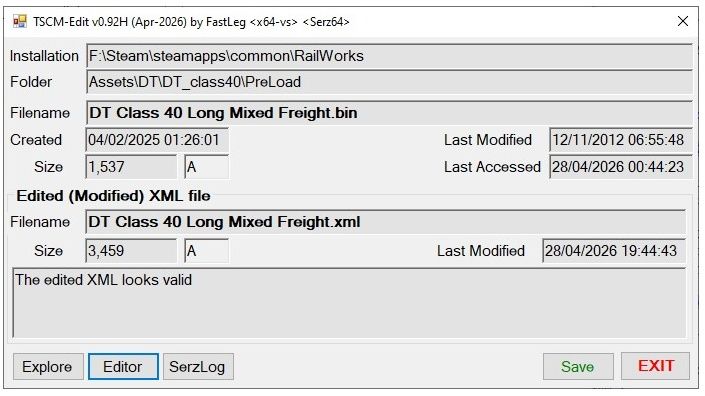
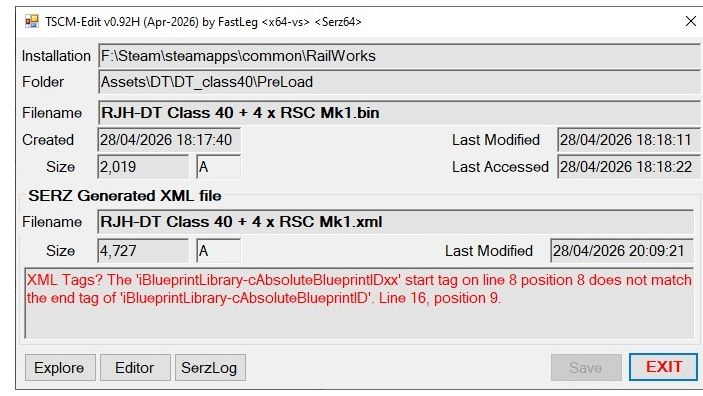
TSCM-Edit by FastLeg v0.92H
Part of a larger project (TSC-Manager) TSCM-Edit is a standalone utility for editing TSC-Railworks BIN files. It uses an existing (i.e. your favourite) editor for actually editing the XML files (notepad++ is recommended) but auto-detects changes made in your editor and will update the BIN file when and if required, automating the SERZ process for you.
Additionally, the generated/edited XML file is validated for obvious errors (e.g. corruption, mis-matched tags etc.).
Functionality
- Run TSM-Edit for a BIN file - either by Windows “Open With” or drop the BIN onto the .exe.
- This will automatically generate a new XML file for the BIN (in same folder).
- The XML will be validated and highlight any obvious errors.
- It will then run your chosen XML editor (notepad++ is recommended).
- Do any edits required to the XML and save in editor.
- TSCM-Edit will auto-detect the XML has changed, re-load and validate the edited XML.
6a) Edit again if required and new changes will be auto-detected. - The "Save" option will generate a new BIN file via SERZ from the updated XML.
7a) Original BIN file can be backed-up first (optional). - Any XML files generated are automatically removed on exit.
Best option is to use Windows "Open With" set for BIN files, then simply dbl-clicking on a BIN file will open it within TSCM-Edit...
... OR you can drag a BIN file onto the TSCM-Edit.exe...
... OR for permanant access to a specific BIN file, setup a shortcut to TSCM-Edit.exe and in "Properties" set the runtime parameter as the full BIN pathname (in double quotes)
IF YOU FIND IT USEFUL, A THUMBS-UP IS APPRECIATED.
FastLeg 28-Apr-2026 - No warranty is implied or given
Requirements
System Requirements
64bit Windows (a 32bit version of TSCM-Edit can be made available if needed)
Windows .Net Framework 4.8 (circa 2018)
A valid RailWorks system with SERZ – uses SERZ64.exe by default
A standalone .exe – no other files required – does not use registry etc.
Installation Instructions
NOTE: For existing TSC-Manager users the below installation is not needed as TSCM-Edit will use your existing TSC-Manager settings, so simply unzip into the TSC-Manager folder (say) and start using it. Otherwise...
- Unpack the install zip to desktop (say) and run the TSCM-Edit64.exe
- Select the default RailWorks folder to use (for SERZ etc.)
- Select the XML editor to use (notepad++ is recommended)
Once installed, best option is use the Windows right-click "Open With" on a BIN file and set it to "always use", then you can just dbl-click on any BIN file and off you go...
Files
Comments
About this mod

- Created
- 1 May 2026
- Updated
- 1 May 2026
- Game
- Train Simulator Classic
- Type of content
- Other


Loading comments…