.INI tweaks for low-spec Gaming Laptops/PC's (DX12) [WIP]
Description
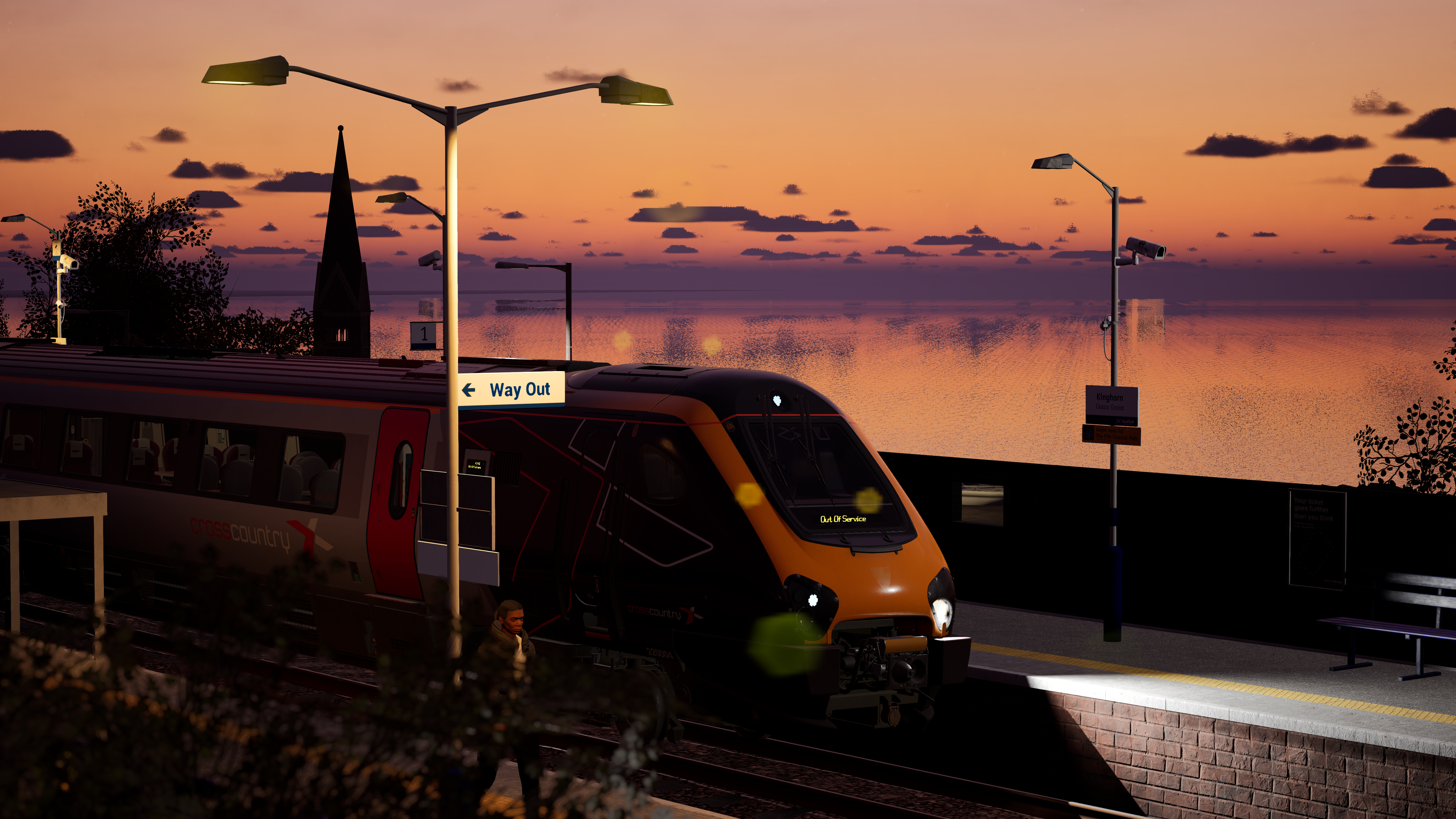
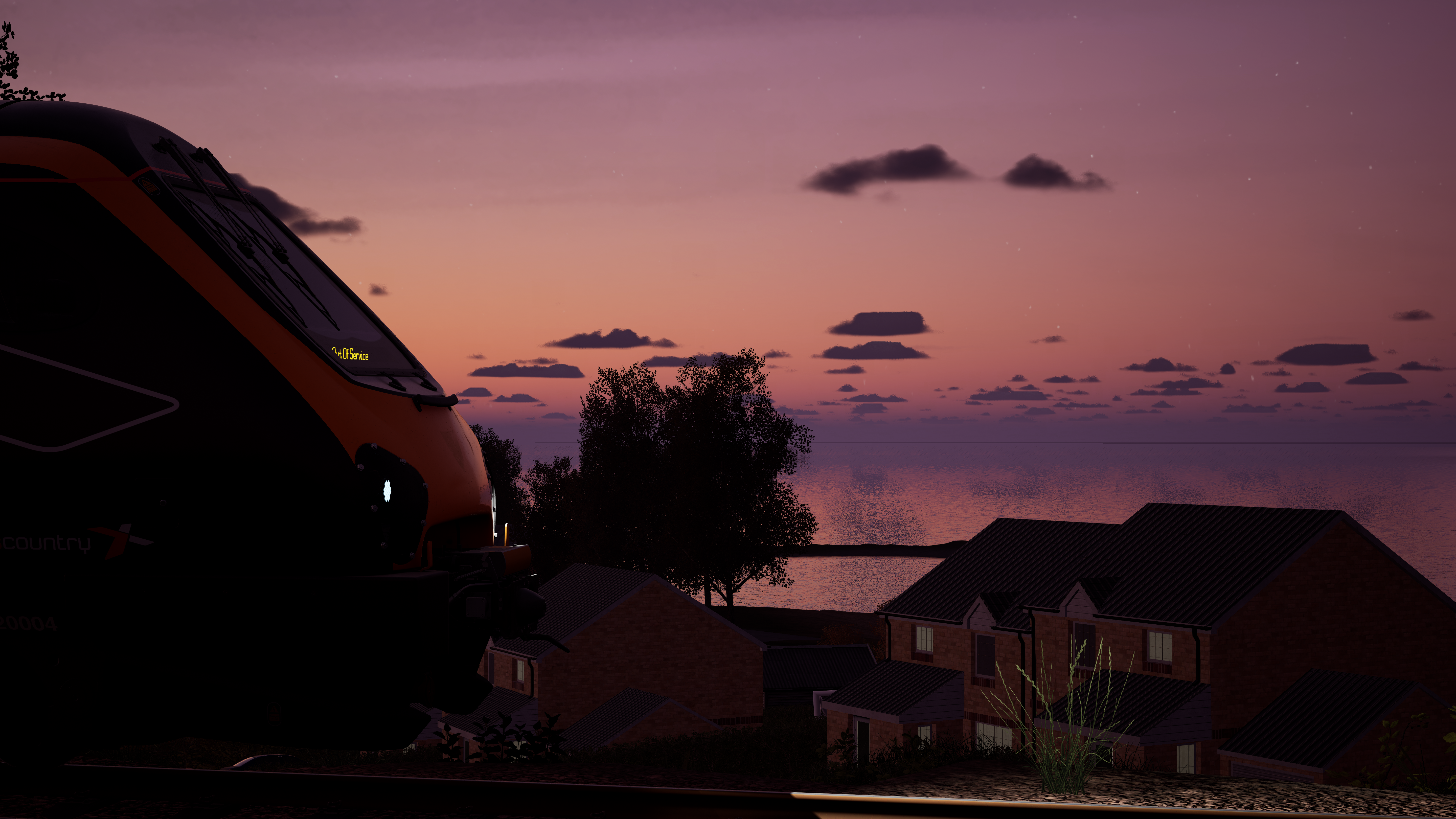
Hello! First of all, I would like to announce this is my first ever mod for TSW, so please bare with me since i'm completely new to this. I'd also like to thank Centi for helping me test the engine.ini, they've been brilliant <3. I would also like to thank  JetWash for allowing me to use his .ini for inspiration. :D
I've decided to create an engine.ini that allow players who have a low-spec gaming laptop or PC to fully enjoy TSW without having to deal with low FPS's when running DX12. I have also tried to make it so that the visual quality of the game does not decrease. I originally made this .ini for myself, since my specs are:
- ASUS TUF GAMING 15
- NVIDIA GeFORCE RTX 2050
- AMD RYZEN 7 7435HS
- 16GB
So yeah, not the best gaming laptop in the world, especially for TSW5, but I cannot run TSW in DX11 due to the amount of stuttering it causes, and enabling DX12 on it's own, or with Jetwash's or IMMY's .ini changes, I average at around 15-20 fps.
This Engine.ini is still in WIP, and I will constantly update it to suit mine, and hopefully, your needs. Please, ANY feedback is appreciated, and will (obviously) be considered whenever I do update it next.
WARNING: PLEASE back up your current .INI file , just in case this .ini isn't for you. I understand that this .ini file isnt for everyone. If you DO have a really good PC/Gaming Laptop, I DO NOT recommend these .ini settings.. unless of course, you just wanna try it out.
TO GET THE MOST OUT OF THIS .INI:
IN-GAME SETTINGS
- Make sure that your in-game Graphic Preset is set to Ultra.
- Foilige Quality: Ultra
- Shadow Quality: High
- Effects Quality: High
- Sky Quality: Ultra
- Fog Quality: High
- Post Process Quality: Ultra
- View Distance Quality: Ultra
- Texture Quality: High
- Max FPS: 60
- AntiAliasing: TAA
- Vsync: Off
- Screen Percentage: 100
- Make sure Volumetric Fog is disabled
- Make sure Motion Blur is off
NVIDIA CONTROL PANEL SETTINGS
Go to Manage 3D Settings > Program Settings > Add > TrainSimWorld5
- Anistropic Filtering = 16x
- Antialiasing - FXAA = Off
- Antialiasing - Gamma correction = On
- Antialiasing - Mode = Application-controlled
- Antialiasing - Transparency = Off
- Background Application Max Frame Rate = Off
- CUDA - GPUs = All
- CUDA - System Fallback Policy = Driver Default
- Low Latency Mode = On (or Ultra)
- Max Frame Rate = 60
- Multi-Frame Sampled AA (MFAA) = Off
- OpenGL GDI compatibility = Auto
- OpenGL Rendering GPU = Your GPU
- Power management mode= Prefer maximm performance
- Preferred refrresh rate = Highest available
- Texture Filturing - Anisotropic Sample Optimisation = Off
- Texture Filturing - Negative LOD bias= Clamp
- Texture Filturing - Quality = Quality (or Performance)
- Texture Filturing - Trilinear Optimisation = On
- Threaded Optimisation = On
- Triple Buffering = Off
- Vertical Sync = Off
Thank you a lot!
UPDATE 1.6
Long overdue.. Of course.. any issues, let me know.
TL;DR:
- • View distance + LODs increased
- • Shadows extended and refined [Still working on this..]
- • Texture MipBias increased
ADDED
r.TemporalAACurrentFrameWeight=0.15
r.TemporalAASamples=16
r.TemporalAAFilterSize=1.0
r.TemporalAA.Upsampling=1
r.SpecularHighlights=1
r.MinRoughness=0.3
foliage.DitheredLOD=0
r.Shadow.CSM.TransitionScale=1.3
r.Shadow.FilterMethod=1
r.VolumetricFog.GridPixelSize=12
r.MaxAnisotropy=16
r.GTSyncType=1
CHANGED
r.PostProcessAAQuality=4 --> r.PostProcessAAQuality=6
r.TemporalAASharpness=0.9 --> r.TemporalAASharpness=0.5
r.ToneMapper.Sharpen=0.35 --> r.ToneMapper.Sharpen=0.2
r.ViewDistanceScale=1.0 --> r.ViewDistanceScale=1.3
r.StaticMeshLODDistanceScale=0.9 --> r.StaticMeshLODDistanceScale=1.2
foliage.LODDistanceScale=0.9 --> foliage.LODDistanceScale=1.5
r.SkeletalMeshLODRadiusScale=0.9 --> r.SkeletalMeshLODRadiusScale=1.0
r.Shadow.DistanceScale=0.9 --> r.Shadow.DistanceScale=1.1
r.Streaming.MipBias=0 --> r.Streaming.MipBias=0.5
UPDATE 1.5
I made the engine.ini compatible for TSW6. If there's ANY issues, please let me know. Thanks.
UPDATE 1.4
I'm so sorry for the delay of this update. This has been a stressful few days trying to solve the stuttering and the shadow issues, but I am HOPING that this is an improvement to the [Update 1.3] Engine File. I have decided to keep the [Update1.3] Engine File just in case this. If there's ANYTHING wrong with how the game looks etc with the new engine file please let me know.. but for now i'll be taking a break from this at the moment. Hope it suit's ya'lls needs. :)
Decreased the amount of stuttering.
Improved Graphics Quality.
ADDED
r.TextureStreaming = 1 (Enables basic texture streaming optimization, minimal performance cost)
r.Streaming.Boost = 1 (Prioritizes streaming performance for smoother asset loading)
r.Streaming.NumDynamicComponentsProcessedPerFrame = 5 (Controls dynamic component processing per frame)
r.Streaming.NumStaticComponentsRetained = 50 (Retains static components in memory for faster access)
CHANGED
r.Streaming.PoolSize = 2048 --> r.Streaming.PoolSize = 1536 (Reduced VRAM pool by 25% to prevent memory overflow on RTX 2050's 4GB limit)
r.Streaming.MaxTempMemoryAllowed = 384 --> r.Streaming.MaxTempMemoryAllowed = 256 (Lower temp memory usage to reduce stuttering during asset streaming)
r.Streaming.FramesForFullUpdate = 2 --> r.Streaming.FramesForFullUpdate = 4 (Slower streaming updates but less intensive on GPU)
r.RenderTargetPoolMin = 400 --> r.RenderTargetPoolMin = 300 (Reduced render target memory allocation for RTX 2050)
r.TemporalAACurrentFrameWeight = 0.08 --> r.TemporalAACurrentFrameWeight = 0.04 (Sharper temporal AA with less blur between frames)
r.TemporalAAFilterSize = 0.6 --> r.TemporalAAFilterSize = 0.4 (Tighter AA filtering for crisper edge definition)
r.Upscale.Softness = 0.12 --> r.Upscale.Softness = 0.08 (Less softness in upscaling for sharper image quality)
r.ToneMapper.Sharpen = 0.3 --> r.ToneMapper.Sharpen = 0.6 (Doubled post-process sharpening for maximum visual clarity)
r.ShadowQuality = 2 --> r.ShadowQuality = 3 (Higher shadow quality but balanced with reduced distance)
r.Shadow.DistanceScale = 4.0 --> r.Shadow.DistanceScale = 2.0 (Halved shadow distance to improve performance while maintaining quality)
r.ContactShadows = 0 --> r.ContactShadows = 1 (Re-enabled contact shadows for better visual fidelity)
r.LightMaxDrawDistanceScale = 40 --> r.LightMaxDrawDistanceScale = 15 (Reduced light draw distance to save GPU resources)
r.ViewDistanceScale = 0.95 --> r.ViewDistanceScale = 1.0 (Slight increase in overall view distance)
r.StaticMeshLODDistanceScale = 1.1 --> r.StaticMeshLODDistanceScale = 0.9 (Objects switch to lower detail sooner for performance)
r.SkeletalMeshLODBias = -1 --> r.SkeletalMeshLODBias = 0 (Standard character model quality instead of enhanced)
r.MaxAnisotropy = 8 --> r.MaxAnisotropy = 16 (Doubled texture filtering quality for sharper textures)
r.SSR.Quality = 1 --> r.SSR.Quality = 2 (Improved screen-space reflection quality)
s.LevelStreamingComponentsUnregistrationGranularity = 10 --> s.LevelStreamingComponentsUnregistrationGranularity = 8 (Faster level streaming cleanup)
s.LevelStreamingComponentsRegistrationGranularity = 30 --> s.LevelStreamingComponentsRegistrationGranularity = 8 (Much faster level streaming registration)
r.Streaming.NumStaticComponentsProcessedPerFrame = 200 --> r.Streaming.NumStaticComponentsProcessedPerFrame = 25 (Reduced per-frame processing to prevent frame drops)
REMOVED
r.UseShaderCaching = 1 (Advanced shader caching system removed for compatibility)
niagara.CreateShadersOnLoad = 1 (Niagara particle shader preloading removed)
r.D3D.ForceDXC = 1 (DirectX shader compiler forcing removed)
r.Shaders.FastMath = 0 (Shader math precision control removed)
r.TemporalAAQuality = 1 (Advanced temporal AA quality setting removed)
r.GTSyncType = 1 (GPU-CPU synchronization type removed)
r.FlushRHIThreadOnStreamingTextureLocks = 0 (RHI thread flushing control removed)
r.Streaming.FullyLoadUsedTextures = 0 (Full texture loading control removed)
r.Shadow.FilterMethod = 0 (Shadow filtering method removed)
r.Shadow.MaxResolution = 2048 (Shadow resolution cap removed)
r.Shadow.MaxCSMResolution = 1536 (Cascaded shadow map resolution removed)
r.Shadow.CSM.TransitionScale = 0.8 (CSM transition scaling removed)
r.Shadow.CSMDepthBias = 2 (CSM depth bias removed)
r.Shadow.FadeResolution = 128 (Shadow fade resolution removed)
r.Shadow.RadiusThreshold = 0.02 (Shadow radius threshold removed)
r.Shadow.PreShadowResolutionFactor = 1.5 (Pre-shadow resolution factor removed)
r.DistanceFieldShadowing = 0 (Distance field shadowing disabled setting removed)
r.Tonemapper.GrainQuantization = 0 (Film grain removal setting removed)
r.Tonemapper.Quality = 4 (Advanced tonemapper quality removed)
r.HighQualityLightMaps = 1 (High quality lightmap setting removed)
r.FastBlurThreshold = 2 (Fast blur threshold removed)
r.TextureStreaming.MipBias = 0 (Texture streaming mip bias removed)
TimeOfDaySystem.VolumetricCloud.GroundContribution = 0 (Volumetric cloud ground contribution removed)
TimeOfDaySystem.VolumetricCloudScale.BaseNoise = 0.8 (Cloud base noise scaling removed)
TimeOfDaySystem.SkyLightPollutionLuminance = 0.6 (Sky light pollution removed)
TimeOfDaySystem.GlobalEmissiveStrength = 2.2 (Global emissive strength removed)
TimeofDaySystem.LegacyEmissiveAdjustments.EmissiveMultNonLamp = 1700 (Legacy emissive adjustments removed)
ts2.dbg.SteamParticleSpawnMultiplier = 1.6 (Steam particle debugging removed)
ts2.dbg.SteamParticleSize = 0.6 (Steam particle size debugging removed)
ts2.passenger.SpawnLimitScalerFactor = 1 (Passenger spawn limit scaler removed)
ts2.passenger.ObjectPoolUseCount = 5 (Passenger object pool use count removed)
r.BlurGBuffer = -1 (G-buffer blur setting removed)
UPDATE 1.3
Will be Keeping the UPDATE 1.2 Engine File just in case this one is too much!
Added recommended In-Game settings + Nvidia Control Panel settings
A lot of additions/changes to this engineini for the best possible visual graphics without affecting performance.
ADDED
r.Streaming.Boost = 1 (Better texture loading/sharpening, minor performance cost)
r.AmbientOcclusionRadiusScale = 0.6 (Adds subtle AO detail with a smaller radius, slight performance cost)
r.ShaderPipelineCache.StartupMode = 3 (Reduces shader hitching on startup, improves stability)
r.ShaderPipelineCache.BackgroundBatchTime = 5 (Balances CPU/GPU load on startup, reduces stutter)
r.MeshStreaming = 1 (Loads detailed geometry dynamically, improved visuals, uses more memory)
r.TemporalAACurrentFrameWeight = 0.08 (Smoother anti-aliasing with less blur, reduces ghosting)
r.TemporalAASamples = 2 (Lower AA quality for performance balance)
r.Shadow.CSM.TransitionScale = 0.8 (Smoother shadow transitions, but less than 1.0, some popping artifacts may remain)
r.Shadow.CSMDepthBias = 2 (Controls shadow bias to reduce shadow acne on surfaces)
r.Shadow.RadiusThreshold = 0.02 (Sets minimum radius for shadows to appear, helps optimize shadow rendering)
r.Shadow.PreShadowResolutionFactor = 1.5 (Improves quality of pre-shadow maps for better shadow sharpness)
r.Shadow.DistanceScale = 4.0 (Extends maximum shadow draw distance, balancing quality and performance)
r.ContactShadows = 0 (Disables contact shadows for minor performance gain)
r.CapsuleShadows = 0 (Disables capsule shadows for minor performance gain)
r.AllowLandscapeShadows = 1 (Enables shadows on landscapes, improves environmental realism)
r.LightMaxDrawDistanceScale = 40 (Increases max distance lights affect objects, enhances visuals)
r.MinScreenRadiusForLights = 0.02 (Controls light draw distance based on screen size, performance tuning)
r.LightFunctionQuality = 2 (Improves quality of light functions/effects, moderate GPU cost)
r.ParticleLightQuality = 1 (Enables basic particle lighting, minor performance impact)
r.HighQualityLightMaps = 1 (Uses high-quality lightmaps, better visuals, higher VRAM use)
r.BloomQuality = 3 (High-quality bloom effect, adds visual flair at GPU cost)
r.SceneColorFringeQuality = 0 (Disables chromatic aberration, slight visual simplification)
r.Tonemapper.GrainQuantization = 0 (Disables grain quantization, cleaner image)
r.Tonemapper.Quality = 4 (Higher tonemapper quality for better color grading)
r.DepthOfFieldQuality = 0 (Disables depth of field effect, improves performance)
r.FastBlurThreshold = 2 (Performance optimization for blur effects)
r.AmbientOcclusionLevels = 1 (Sets AO quality level, moderate visual enhancement)
r.ViewDistanceScale = 0.95 (Slightly reduces view distance for performance)
r.StaticMeshLODDistanceScale = 1.1 (Slightly increases distance before LOD reduction on static meshes)
r.SkeletalMeshLODBias = -1 (Forces higher detail LOD on skeletal meshes, higher GPU cost)
r.MipMapLODBias = 0 (Ensures no texture detail loss via mipmap bias)
r.Streaming.MipBias = 0 (No mipmap bias for streaming textures, maintains sharpness)
r.TextureStreaming.MipBias = 0 (Same as above, prevents texture blur)
r.MaxAnisotropy = 8 (Sharper textures on angled surfaces, mild GPU cost)
r.VolumetricClouds = 1 (Enables volumetric clouds for better skies, performance cost)
TimeOfDaySystem.VolumetricCloud.Density = 0.15 (Sets cloud density, visual detail)
TimeOfDaySystem.VolumetricCloud.LightScattering = 0.1 (Light scattering effect in clouds)
TimeOfDaySystem.VolumetricCloud.GroundContribution = 0 (Disables ground reflection on clouds)
TimeOfDaySystem.VolumetricCloudScale.BaseNoise = 0.8 (Cloud noise scale for detail)
TimeOfDaySystem.SkyLightPollutionLuminance = 0.6 (Simulates light pollution effect on skylight)
TimeOfDaySystem.BloomIntensity = 0.1 (Light bloom intensity)
TimeOfDaySystem.GlobalEmissiveStrength = 2.2 (Boosts global emissive light strength)
TimeOfDaySystem.SunIntensity = 40000 (Sun light intensity)
TimeOfDaySystem.StarIntensity = 60 (Star light intensity)
TimeOfDaySystem.MoonIntensity = 6 (Moon light intensity)
TimeOfDaySystem.AutoExposure.ExposureBias = -0.6 (Exposure bias for auto exposure)
TimeOfDaySystem.AutoExposure.MinBrightness = 3.6 (Minimum auto exposure brightness)
TimeOfDaySystem.AutoExposure.SpeedUp = 10 (Speed of exposure increasing)
TimeOfDaySystem.AutoExposure.SpeedDown = 5 (Speed of exposure decreasing)
TimeofDaySystem.LegacyEmissiveAdjustments.EmissiveMultNonLamp = 1700 (Legacy emissive multiplier for non-lamp lights)
s.ForceGCAfterLevelStreamedOut = 0 (Disables forced garbage collection after streaming, performance tuning)
s.ContinuouslyIncrementalGCWhileLevelsPendingPurge = 0 (Disables continuous GC while unloading levels)
s.LevelStreamingComponentsUnregistrationGranularity = 10 (Fine-grained unregistration for streamed components)
s.LevelStreamingComponentsRegistrationGranularity = 30 (Fine-grained registration for streamed components)
r.Streaming.NumStaticComponentsProcessedPerFrame = 200 (Controls streaming workload per frame)
gc.TimeBetweenPurgingPendingKillObjects = 200 (Garbage collection timing)
ts2.dbg.SteamParticleSpawnMultiplier = 1.6 (Increases steam particle spawn for visual effect)
ts2.dbg.SteamParticleSize = 0.6 (Adjusts steam particle size)
ts2.passenger.DensityScale = 0.3 (Passenger density control)
ts2.passenger.DensityScaleNew = 0.3 (New passenger density control)
ts2.passenger.MaxPlatformPassengers = 3 (Limits max passengers on platform)
ts2.passenger.SpawnLimitScalerFactor = 1 (Scaling for passenger spawn limits)
ts2.passenger.UseLOD = 1 (Enables LOD for passenger models)
ts2.passenger.ObjectPoolSize = 200 (Pool size for passenger objects)
ts2.passenger.ObjectPoolUseCount = 5 (Use count for object pool recycling)
r.PakFileCache = 1 (Enables pak file caching for faster loading)
r.BlurGBuffer = -1 (Disables G-buffer blur, improves performance)
r.LandscapeLOD0DistributionScale = 3 (Adjusts landscape LOD distribution for detail/performance balance)
CHANGED
r.Streaming.MaxTempMemoryAllowed = 512 --> r.Streaming.MaxTempMemoryAllowed = 384 (Reduced VRAM temp memory to lower stutter risk from big asset swaps.)
r.Streaming.FramesForFullUpdate = 1 --> r.Streaming.FramesForFullUpdate = 2 (Gives textures extra time to load — smoother streaming at minor responsiveness cost.)
r.TemporalAACurrentFrameWeight = 0.2 --> r.TemporalAACurrentFrameWeight = 0.08 (Keeps sharper image by relying more on previous frame data — less blur.)
r.TemporalAASamples = 4 --> r.TemporalAASamples = 2 (Fewer samples for less GPU cost — slight aliasing increase.)
r.ToneMapper.Sharpen = 0.6 --> r.ToneMapper.Sharpen = 0.3 (Reduced sharpening to avoid shimmering on fine patterns.)
r.Shadow.MaxCSMResolution = 2048 --> r.Shadow.MaxCSMResolution = 1536 (Slightly smaller sun shadow maps for better performance.)
r.Shadow.CSM.TransitionScale = 1.0 --> r.Shadow.CSM.TransitionScale = 0.8 (Smaller cascade transition range — fewer cascades drawn.)
r.Shadow.RadiusThreshold = 0.03 --> r.Shadow.RadiusThreshold = 0.02 (More small objects can cast shadows without big cost.)
r.ContactShadows = 1 --> r.ContactShadows = 0 (Removed small-object contact shadows to save GPU load.)
TimeOfDaySystem.VolumetricCloud.Density = 0.5 --> TimeOfDaySystem.VolumetricCloud.Density = 0.15 (Lower density for lighter volumetric clouds.)
TimeOfDaySystem.VolumetricCloud.LightScattering = 0.5 --> TimeOfDaySystem.VolumetricCloud.LightScattering = 0.1 (Reduced complex lighting inside clouds.)
r.ViewDistanceScale = 1.25 --> r.ViewDistanceScale = 0.95 (Shorter object draw distance to save CPU/GPU.)
r.StaticMeshLODDistanceScale = 1.0 --> r.StaticMeshLODDistanceScale = 1.1 (Slightly less aggressive LOD swap to keep objects sharper.)
r.SkeletalMeshLODBias = 0 --> r.SkeletalMeshLODBias = -1 (Increased detail on moving meshes.)
r.MaxAnisotropy = 16 --> r.MaxAnisotropy = 8 (Lower anisotropic filtering to save GPU bandwidth.)
UPDATE 1.2
Improves the graphics, roughly keeping the same FPS :)
Added
r.StreamingBoost = 1 (Better texture loading/sharpening, minor performance cost)
r.AmbientOcclusionRadiusScale = 1.0 (Adds subtle AO detail, slight performance cost)
r.ShaderPipelineCache.StartupMode = 3 (Reduces shader hitching on startup, improves stability)
r.ShaderPipelineCache.BackgroundBatchTime = 5 (Balances CPU/GPU load on startup, reduces stutter)
r.MeshStreaming = 1 (Loads detailed geometry dynamically, improved visuals, uses more memory)
r.TemporalAACurrentFrameWeight = 0.2 (Smoother anti-aliasing, slightly more blur, reduces ghosting)
r.TemporalAASamples = 4 (Higher AA quality at a performance cost)
r.Shadow.CSM.TransitionScale = 1.0 (Smoother shadow transitions, reduces popping artifacts)
r.Shadow.FadeResolution = 128 (Helps performance and smooth fading of shadows at distance)
r..ReflectionEnvironment = 1 (Better reflections, moderate GPU cost)
r.TonemapperGamma = 2.2 (More natural color output, no performance impact)
r.MipMapLODBias = 0 (Ensures full texture detail, uses more VRAM)
r.MaxAnisotropy = 8 (Sharper textures at slanted, mild GPU cost)
r.SSR.Quality = 1 (Adds reflections, moderate GPU cost)
Changed
r.ToneMapper.Sharpen = 0.3 --> r.ToneMapper.Sharpen = 0.6 (Sharper image, enhances details.)
r.Shadow.MaxResolution = 1024 --> r.Shadow.MaxResolution = 2048 (Much sharper shadows, high GPU cost)
r.Shadow.MaxCSMResolution = 1024 --> r.Shadow.MaxCSMResolution = 2048 (Improved directional shadow quality, high GPU cost)
r.ContactShadows = 0 --> r.ContactShadows = 1 (Adds realistic shadows at object contacts, moderate GPU cost)
r.BloomQuality = 1 --> r.BloomQuality = 3 (More natural glow effects, moderate performance impact)
r.AmbientOcclusionLevels = 0 --> r.AmbientOcclusionLevels = 1 (Adds shading realism, some performance hit)
sg.ShadingQuality = 1 --> sg.ShadingQuality = 2 (Better lighting and shading, moderate cost)
sg.EffectsQuality = 1 --> sg.EffectsQuality = 2 (Richer effects, some GPU/CPU cost)
sg.FoliageQuality = 0 --> sg.FoliageQuality = 2 (Denser, more detailed foliage, moderate cost)
sg.PostProcessQuality = 0 --> sg.PostProcessQuality = 1 (Adds mild effects like tone mapping, minor cost)
r.ViewDistanceScale = 1 --> r.ViewDistanceScale = 1.25 (Objects visible farther away, moderate performance cost)
r.TextureStreaming.MipBias = 1 --> r.TextureStreaming.MipBias = 0 (Sharper textures, higher VRAM use, small performance cost)
r.SkeletalMeshLODBias = 1 --> r.SkeletalMeshLODBias = 0 (Better model detail, possible slight performance hit)
r.StaticMeshLODDistanceScale = 1.25 --> r.StaticMeshLODDistanceScale = 1.15 (Slightly shorter LOD distance, balances detail and performance)
This may seem like it'll impact your performace, but when I have tested it out, on multiple different routes, i only lose about 2-3 fps. Sometimes even non! But if it feels like this is a bit TOO much, I will keep the original Engine.ini file so you can go back to it :D!!
UPDATE 1.1
r.Streaming.FullyLoadUsedTextures = 1 --> r.Streaming.FullyLoadUsedTextures = 0 (Less stutter and more efficient texture streaming)
r.CreateShadersOnLoad = 0 --> r.CreateShadersOnLoad =1 (Less stutter — shaders load during boot)
r.UseShaderPredraw = 0 --> r.UseShaderPredraw = 1 (Smoother transitions and fewer hitches)
r.ViewDistanceScale = 0.5 --> r.ViewDistanceScale = 1 (Distant scenery visible)
r.TextureStreaming.MipBias = 2 --> r.TextureStreaming.MipBias = 1 (Crisper texture detail)
r.SkeletalMeshLODBias = 2 --> r.SkeletalMeshLODBias = 1 (Higher-quality AI trains)
r.StaticMeshLODDistanceScale = 2.5 --> r.StaticMeshLODDistanceScale =1.25 (Better consistency in distant visuals)
Tags: engineini
Dependencies


Installation Instructions
YOU MUST ENABLE DX12 IF YOU WANT TO USE THIS .INI!!!!!
Download the .ini then go to:
Documents < My Games < TrainSimWorld5 < Saved < Config < WindowsNoEditor
and place the Engine.ini there. :)
Files
[Update 1.3]
[Update 1.5]
[Update 1.4]
(NEW) [Update 1.6]


![[CENTI] 1X21 10:05 Leeds - Kings Cross](https://images.trainsimcommunity.com/dvHXEfzv17MlFPQVjx-cM7aXNzQ=/64x36/tscmr-prod/images/1465171065778192384.png)
![[Centi] MARC AEM-7 Reskin Pack 1](https://images.trainsimcommunity.com/z-6ZjEGb9ejgg0o7pc0NF-x3XPo=/64x36/tscmr-prod/images/1435425970580705280.png)

![[RobinH] 2K04 05:28 Welwyn Garden City to Moorgate](https://images.trainsimcommunity.com/yMll-Xv0qgDGCCt8ciO3cClzx8w=/64x36/tscmr-prod/images/1450567362767060992.jpg)
![[RobinH] 1B04 17:40 London Liverpool Street to Stansted Airport](https://images.trainsimcommunity.com/1bORp7IKwWQePdfQPTAtOOWbXr8=/64x36/tscmr-prod/images/1449805753337610240.jpg)
Loading comments…