TSW: God Mode - Alpha 0.7.0
- by Foobian
- 199 upvotes
- Downloaded 108,644 times
Description
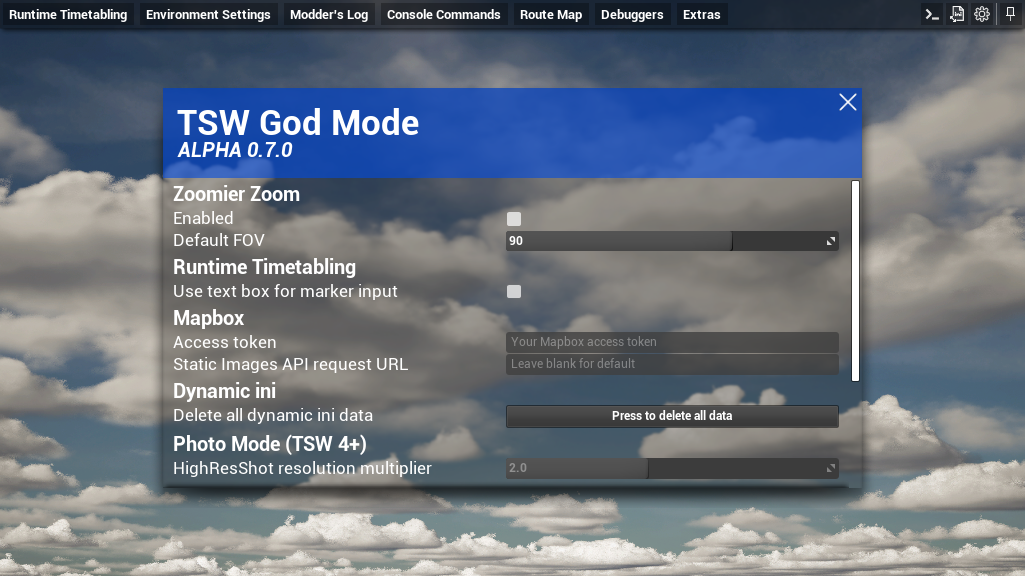
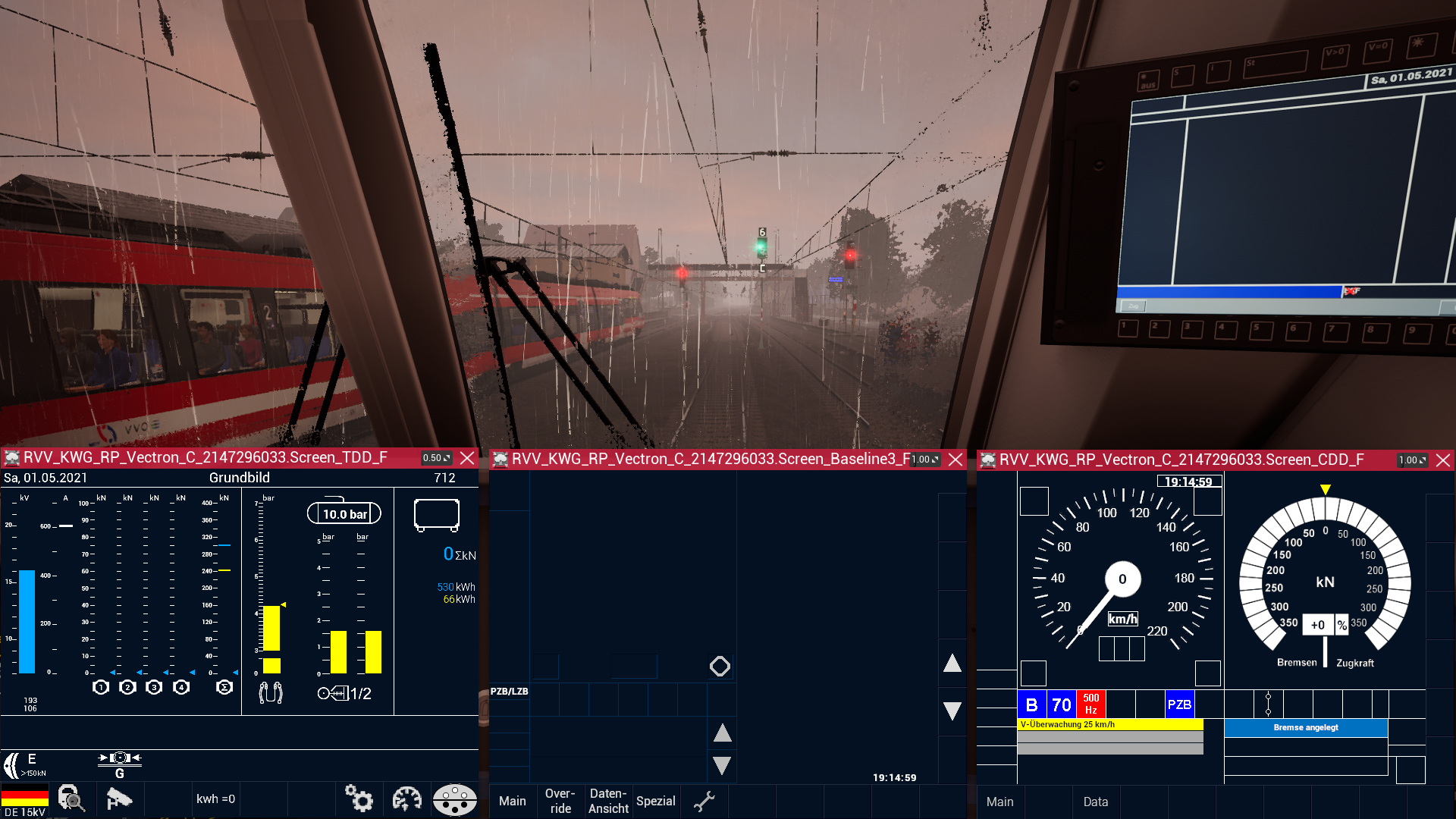
TSW God Mode, currently still in alpha, aims to be a utility inside TSW itself in form of a pak mod, accessed by moving your mouse to the top edge of your screen while driving, to help modders with creating their own mods or anyone with just having a bit of fun!
Features
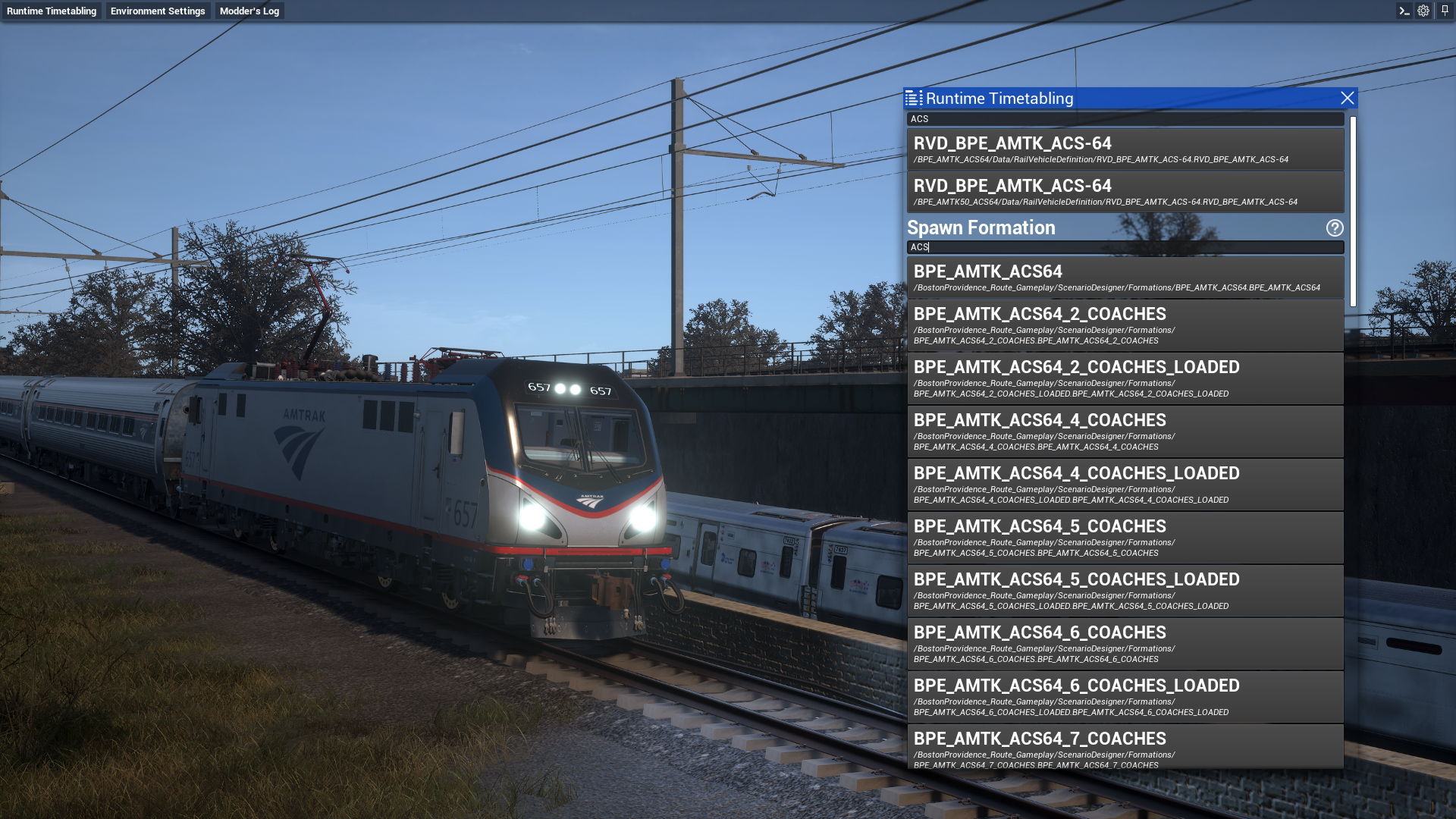
Runtime Timetabling
A UI for some of the ts2.rtt console commands allowing you to spawn any Formation or RVD (Rail Vehicle Definition = a single rail vehicle) at will and routing yourself to a marker or portal
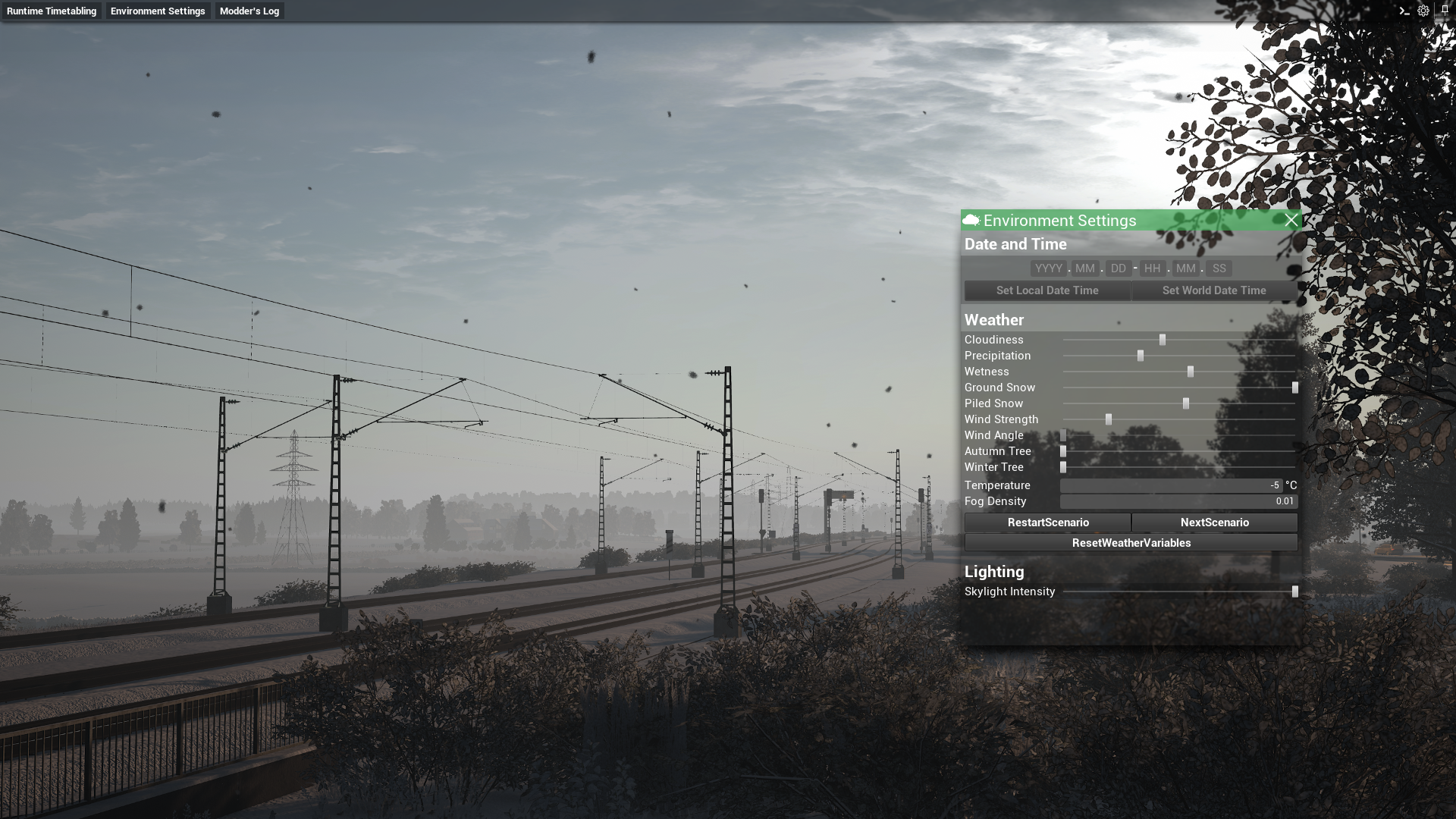
Environment Settings
A UI for controlling most TSW Environment variables like Date & Time, Cloudiness, Precipitation, Wetness, Ground & Piled Snow, Wind Strength, how autumn- or winter-like the vegitation is, the temperature and Fog Density. Additionally you can control the Legacy Emissive Adjustments and skylight intensity.
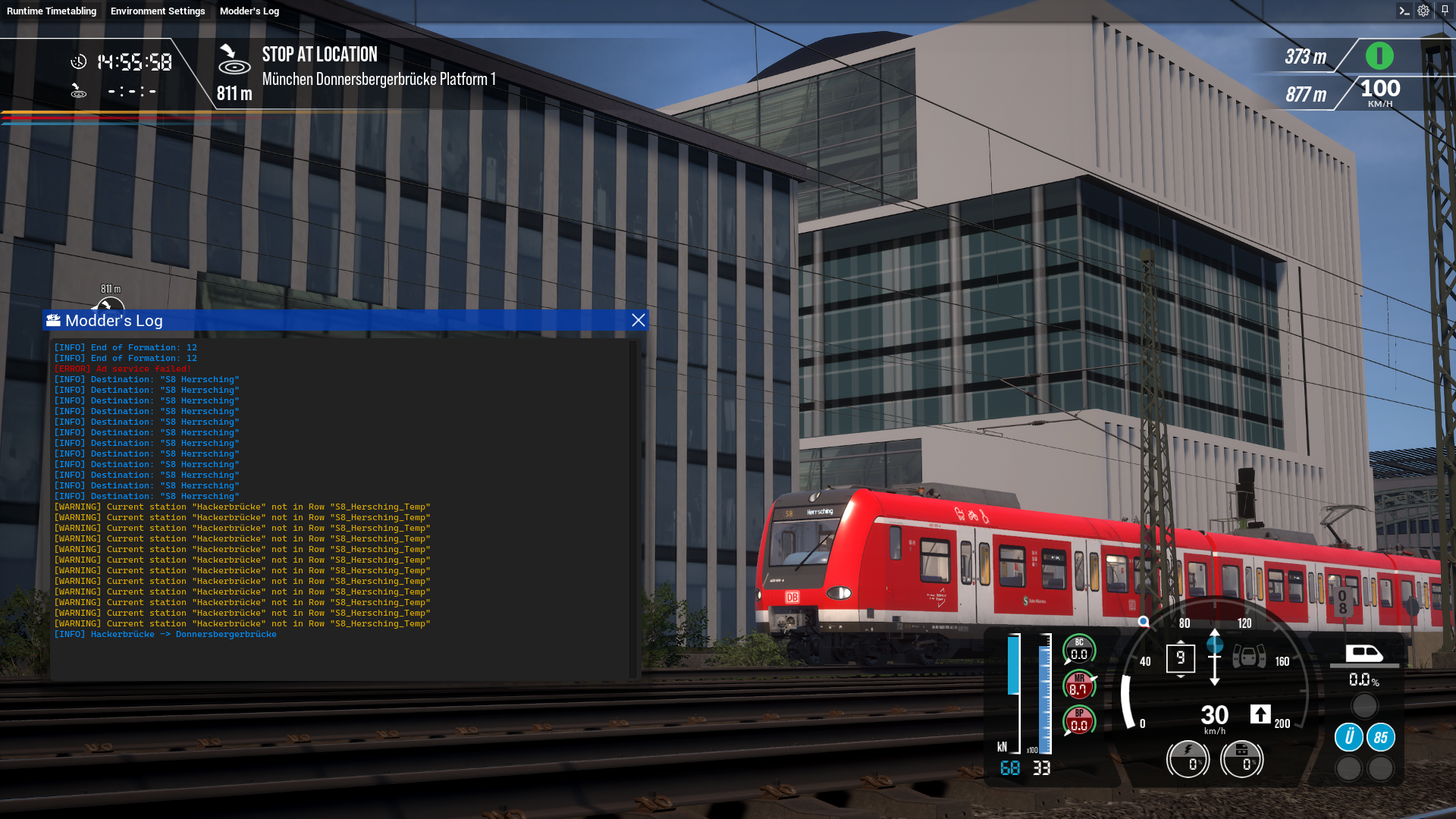
Modder's Log
Because of Unreal Engine stripping all debugging features, including everything logging related, when TSW is getting cooked for you, the end user, modders have it hard to debug their own Blueprint-based mods. This mod introduces it's own log system to make the process of creating such mods a little easier.
Get the files required in the Editor on GitHub here!
Console Commands
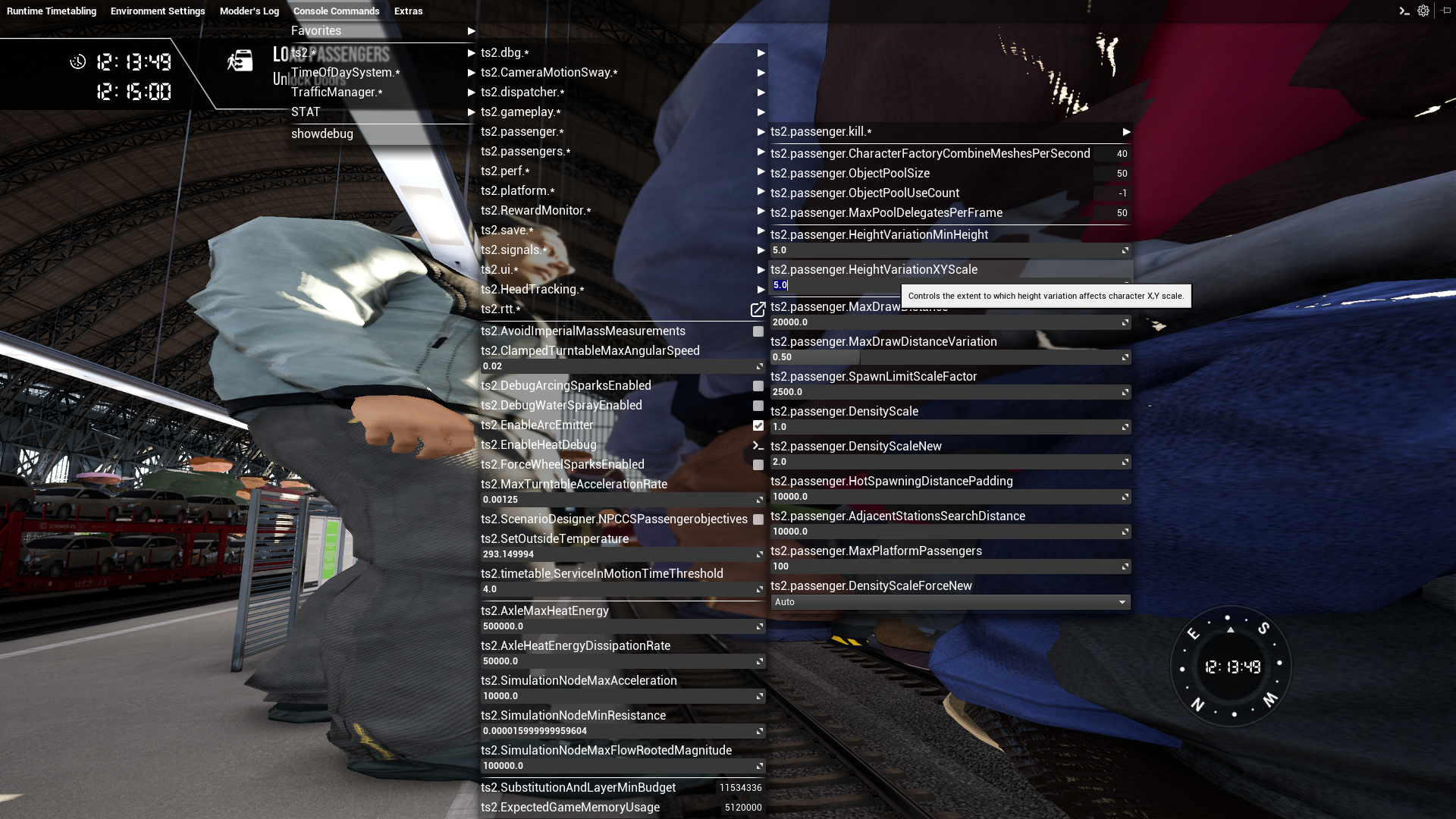
With Alpha 0.2.0 a UI for all Train Sim World specific console commands (and some STAT-commands) has been added, with value previews for Console Variables, and special UIs for ts2.dbg.LoadTimetable and ts2.dbg.ToggleDriverPermission. A few commonly-used commands have also been hard-coded in a 'Favorites' menu, which will be made customisable at a later date.
Route Map
Opens the Train Sim World Route Map accessed with the 9 key as a seperate resizable window.
Debuggers
A Blueprint solution for overlaying debugging information for Signals, the Timetable and Level Crossings over the viewport. These were inspired by the former Train Sim World showdebug commands.
Material Probe
View and edit Material Instances in real-time - Scalar Parameters, Vector Parameters, and Textures! Some textures can also be exported as a PNG file out of the game, this includes Livery Designer creations. Any texture can be replaced with a PNG file from outside the game.
Extras
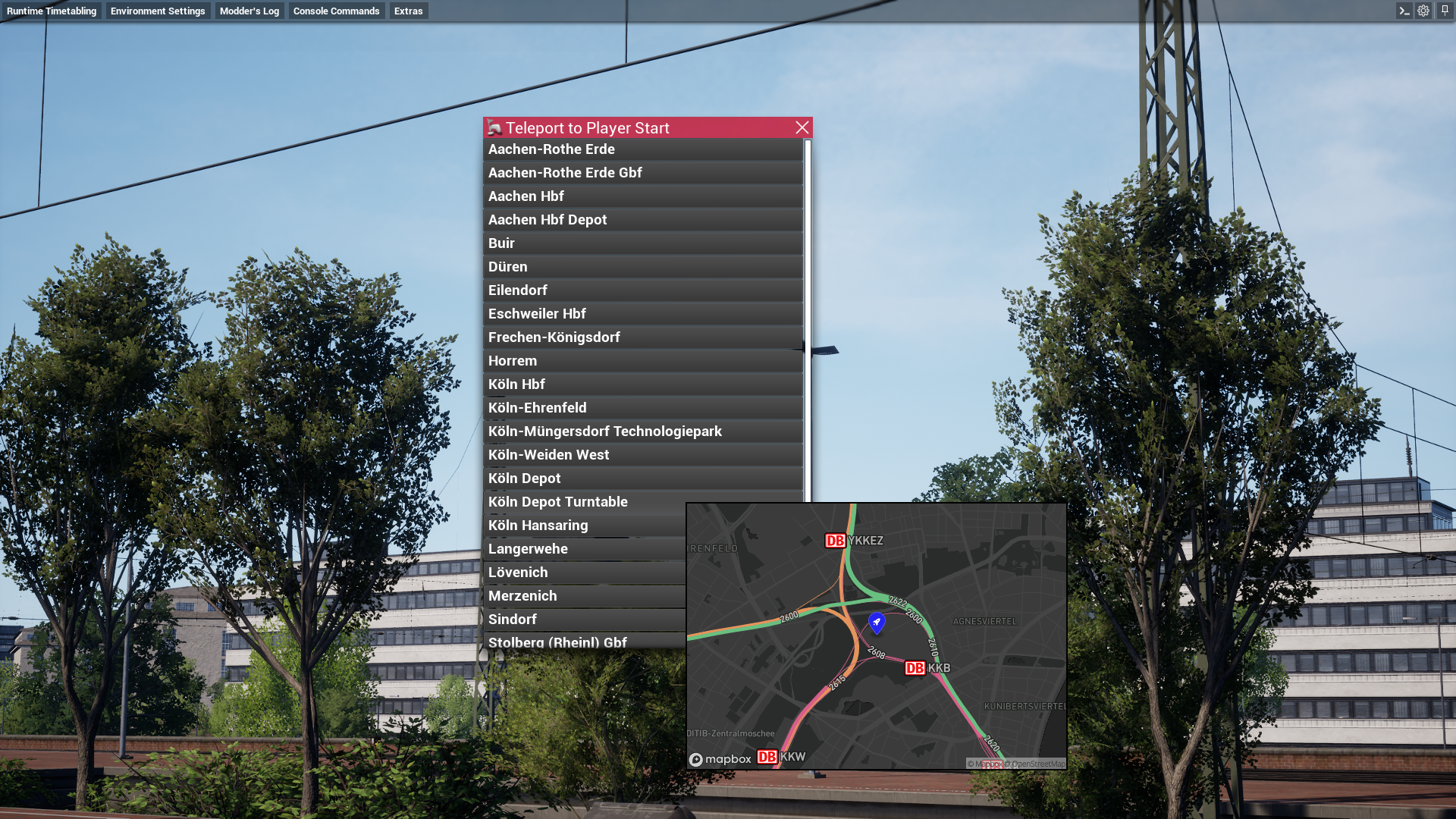
- Teleport to Player Start - Teleport to a on-foot route spawn point
- Digital Display Popout - Display a RVV's Widget Component's TextureRenderTarget as a seperate window (intended for taking screenshots of displays as this is just the widget component's output and not the widget itself)
- BitmapTextRenderer Viewer - Shows the raw return texture from all BitmapTextRenderer components in a RVV or a station DestinationDisplayBoard.
- Network Equipment Emulator - Emulate track-side equipment for TSW's simulated train safety systems
- Numbering Manager - Edit Rail Vehicles' Numbering Components at Runtime
- EIRENE Dialer - Manually start calls on Expert BR 101 + IC Cab Car EIRENE Networks
- Spawn HDX Jeep - Spawns the unlockable drivable Jeep from the Holiday Express DLC (required)
- Show all Ribbons on Route Map - Show hidden trackage on the pause menu route map
- Addon-Manager - Sub-menu containing debugging utilities regarding TSW's Addon-Manager
Console
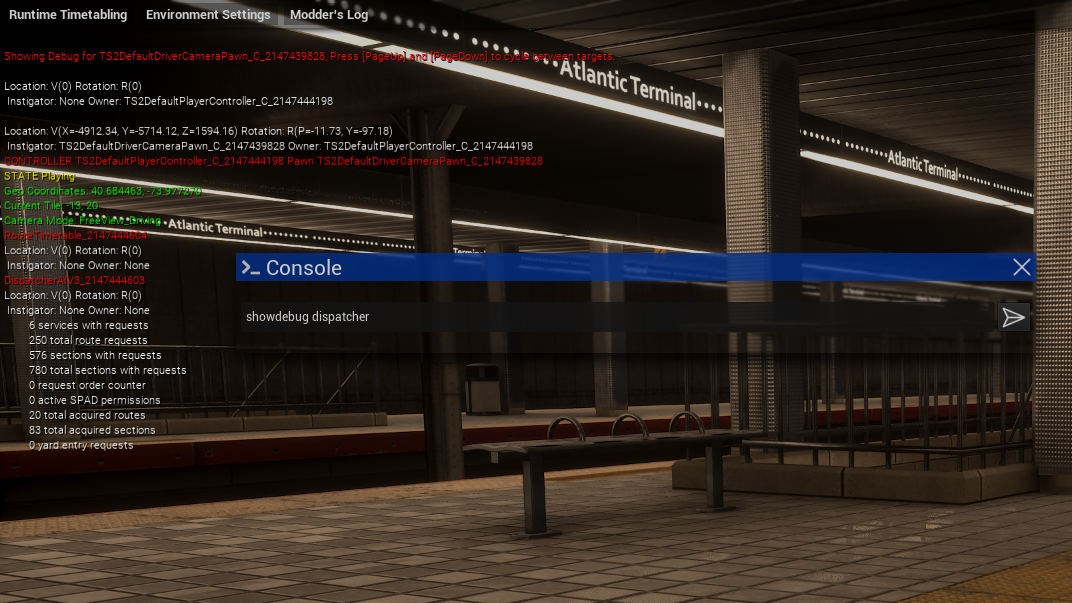
God Mode has a very basic console implemented that feeds the user's input into Unreal Engine's ExecuteConsoleCommand Blueprint node. That means that there's no console output and that SET/GET/GETALL do not work!
Dynamic ini
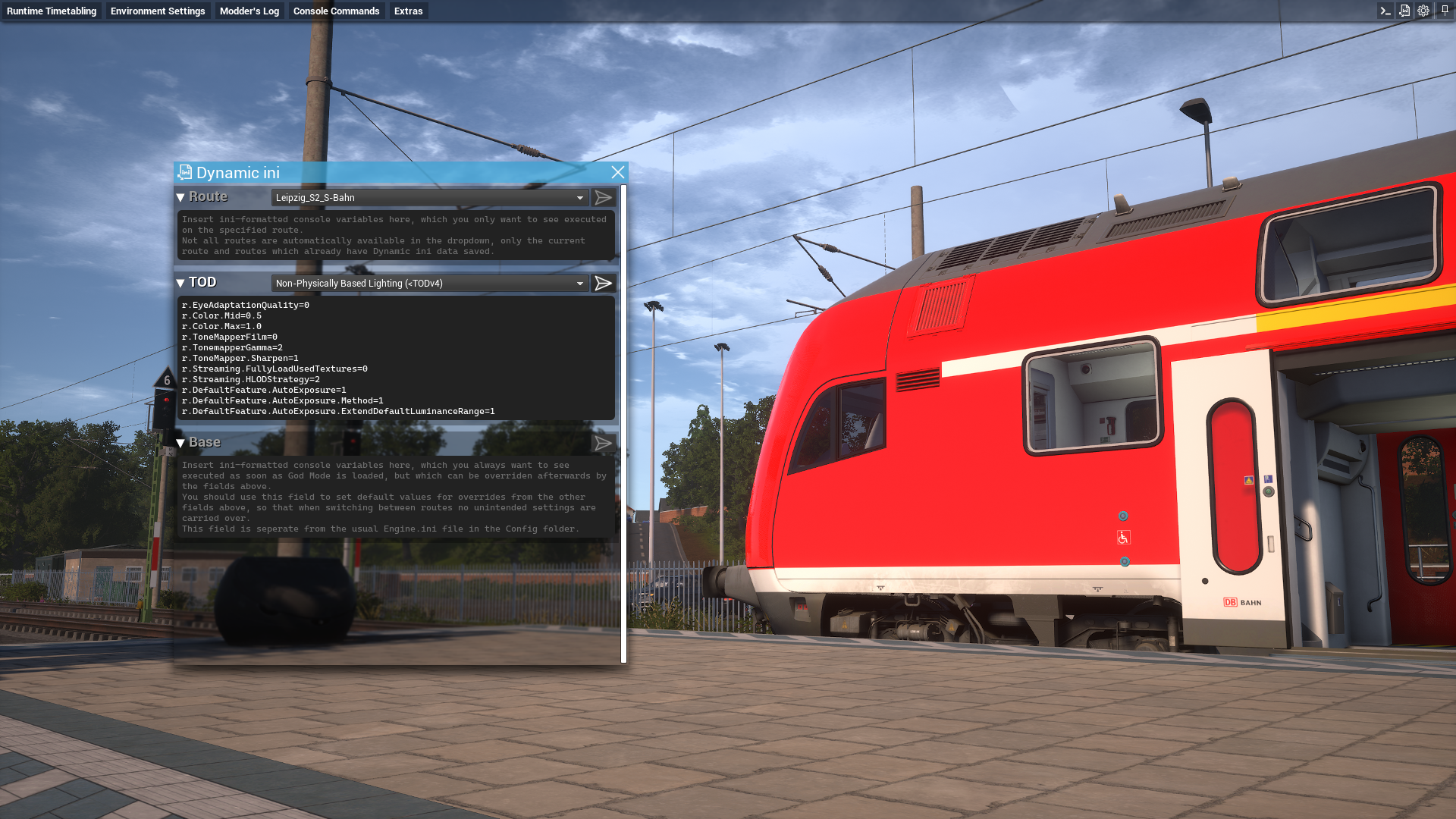
Automatically execute different console commands when loading into the world depending on what route is loaded or whether or not Physically Based Lighting is used.
Zoomier Zoom
Zoomier Zoom is a seperate zoom system that zooms a lot more than TSW's before! FOV range is between 5 and 130
Changelog
Alpha 0.7.0
- Added new "Material Probe" feature replacing the "Livery Exporter"
- Added support for God Mode in Livery Designer (not available in TSW 4 or the Microsoft Store version)
- God Mode is now universally supported on any current and future route and no longer bound to certain map files only (not supported with TSW 4)
- God Mode added to "Medway Valley Line: Strood - Tonbridge" (TSW 4 only)
- Various under-the-hood changes which hopefully have not regressed anything
Alpha 0.6.6
- God Mode added to "Northeast Corridor Metro-North: New York - Stamford"
Alpha 0.6.5
- God Mode added to "Liberec - Stará Paka" and "Sodor"
- Added LS90 to Network Equipment Emulator (currently not fully simulated vehicle side)
Alpha 0.6.4
- God Mode added to "Frankenbahn: Stuttgart - Heilbronn"
Alpha 0.6.3
- God Mode added to "Bahnstrecke Leipzig - Dresden", "Morristown Line: New York & Hoboken - Dover", "Riviera Line: Exeter – Plymouth & Paignton" and "West Coast Main Line: Birmingham - Crewe"
- Added Train Sim World 6 version detection
- Added new Train Sim World 6 console commands
- Added Train Sim World Route Map as a seperate window
Alpha 0.6.2
- God Mode added to "Manchester Airport Commuter: Manchester - Alderley Edge"
- Added sub-menu for Addon-Manager in Extras menu
- Added "Print mounted DLCs" and "Print failed pak-files" buttons
- Added "Mods detected" display for TSW 5's Addon-Manager
- Added support for listing timetables cached by Addon-Manager in Load Timetable menu
- Added ts2.dbg.RecreateViewActors to console command favorites
Alpha 0.6.1
- God Mode added to "Frankfurt S-Bahn: S1, S8 & S9"
Alpha 0.6.0
- God Mode added to "Spoorlijn Zwolle - Groningen"
- Added ATB-Vv to Network Equipment Emulator
- Added BitmapTextRenderer Viewer
Alpha 0.5.14
- God Mode added to "Cardiff City Network: Radur & Coryton – Penarth & Bae Caerdydd"
Alpha 0.5.13
- God Mode added to "Mittenwaldbahn: Innsbruck – Garmisch-Partenkirchen"
- God Mode added to "London Overground Mildmay Line: Stratford - Willesden Junction"
Alpha 0.5.12
- God Mode added to "Pfälzische Ludwigsbahn: Mannheim – Kaiserslautern"
- Added
gm.GetSimulationNodeParamandgm.SetSimulationNodeParamcommands - Fixed Debuggers staying on screen if the in-world object gets destoryed/unloaded
Alpha 0.5.11
- God Mode added to "West Coast Main Line: Preston - Carlisle"
- Added confirmation prompt when clicking on "Print Addon-Manager DLCs"
Alpha 0.5.10
- God Mode added to "MBTA Commuter: Boston - Framingham/Worcester Line"
- Added new Train Sim World 5 console commands
- Added Bernina Line announcer to Network Equipment Emulator
Alpha 0.5.9
- God Mode added to "Kinzigtalbahn: Frankfurt - Fulda", "San Bernardino Line: Los Angeles - San Bernardino" and "West Coast Main Line: London Euston - Milton Keynes"
- Add Train Sim World 5 version detection
- Add very simple EIRENE Dialer
- New "Train Sim World - Teal" theme based on the new TSW 5 teal UI accent colour
- Adjust some frontend text to match the TSW 5 compatibility
- Fix Runtime Timetabling's Route Me To dropdown alphabetical sorting
Alpha 0.5.8
- God Mode added to "LIRR Commuter: New York - Long Beach, Hempstead & Hicksville"
- Runtime Timetabling now remembers the previous search query between reopens in the PC Editor
Alpha 0.5.7
- God Mode added to "Semmeringbahn: Wiener Neustadt - Mürzzuschlag"
- Add "Numbering Manager" feature
Alpha 0.5.6
- Block windows from getting dragged off-screen
- Add Legacy Emissive Adjustment gm.* commands (
gm.LegacyEmissiveAdjustments.r,gm.LegacyEmissiveAdjustments.g,gm.LegacyEmissiveAdjustments.b,gm.LegacyEmissiveAdjustments.a,gm.LegacyEmissiveAdjustments2.r,gm.LegacyEmissiveAdjustments2.g,gm.LegacyEmissiveAdjustments2.b,gm.LegacyEmissiveAdjustments2.a) - Fix Runtime Timetabling crash on spawn
Alpha 0.5.5
- God Mode added to "Fife Circle Line: Edinburgh - Markinch via Dunfermline & Kirkcaldy"
- Add Unreal Engine 4 Editor (Unofficial Editor & PC Editor) detection, indicated by an "Editor" label in the God Mode settings
- Always regenerate the Runtime Timetabling train entries when in the editor
- Fix "Print Addon-Manager DLCs" showing in TSW 3 and 2
Alpha 0.5.4
- God Mode added to "London Overground Suffragette line: Gospel Oak - Barking Riverside"
- Fix crash to desktop during game launch for a limited user group
Alpha 0.5.3
- Extended theming system
- Add option to adjust the window background opacity
- Small tweaks to all themes
- New "Train Sim Community" theme based on the Train Sim Community website's "TSC Classic" theme
- New "European Basalt" theme based on colour specification for ETCS DMIs
- Fix "Skylight Intensity" slider snapping back to 1.00 unless the Date & Time's hour, minute, second fields were populated and the day, month, year fields were unpopulated at the same time
- Fix "Show all Ribbons on Route Map" function
Alpha 0.5.2
- God Mode added to "Bahnstrecke Salzburg - Rosenheim"
- Add "Legacy Emissive Adjustments" to Environment Settings window (TSW 3 and up)
- Add "Applied" and "Already Applied" messages to the "Show all Ribbons on Route Map" function to provide confirmation that the action has completed
Alpha 0.5.1
- Comaptibility with February 8th Train Sim World 4 core update
- February 9th: The pak file to use with Train Sim World 4 on Epic Games has changed. Please redownload the accordingly labeled pak file if you're playing Train Sim World 4 on Epic Games
Alpha 0.5.0
- God Mode added to "Berninalinie: Tirano - Ospizio Bernina"
- Debuggers feature
- Photo Mode High Resolution Screenshot resolution multiplier adjustable in settings
Alpha 0.4.3
- God Mode added to "Maintalbahn: Aschaffenburg - Miltenberg"
Alpha 0.4.2
God Mode added to "Maintalbahn: Aschaffenburg - Miltenberg"- Add automatic player RVV & RVM detection to relevant menus
- The Digital Display Popout Widget Component list now also shows uninitialized Render Targets with an appropriate message
- The Digital Display Popout Widget Component list now displays a note when a RVV does not contain any Widget Components
- Fix flat button texture (if you didn't notice there was anything wrong then good for you)
- Fix typo in
gm.AutumnTreeMultiplierandgm.WinterTreeMultiplierGod Mode commands. The commands with typos remain valid for compatibility reasons - The window title of the Network Equipment Emulator is now localised
- Blocked unnecesarry code execution for the window close action, repeating actions intended only for opening a window
Alpha 0.4.1
- Fix Zoomier Zoom sometimes overriding TSW 4 Photo Mode "Field of View" slider when accessing Photo Mode through the pause menu | (I'm getting a déjà vu here...)
Alpha 0.4.0
- God Mode added to "Blackpool Branches: Preston - Blackpool & Ormskirk"
- "Network Equipment Emulator" feature
- New
gm.AutumnTreeMuliplierandgm.WinterTreeMuliplierGod Mode commands - Dynamic ini now supports
gm.*commands - Add ability to print all DLCs detected by TSW 4's Addon-Manager to the Modder's Log
- Add ability to scale popped-out Digital Display
- Change Digital Display Popout Widget texture filtering mode to "Nearest"
- Digital Display Popout Widgets will scale themselves to their native resolution disregarding game DPI scaling
- Fix God Mode theme not being applied to newly popped-out Digital Display windows
- Fix Runtime Timetabling crashing when trying to spawn train entries unmounted by TSW 4's Addon-Manager
- Fix "Open in Console" for console commands not playing the necessary window animations
- Fix middle mouse button still being consumed by Zoomier Zoom, even when Zoomier Zoom is disabled
Alpha 0.3.3
- Fix Zoomier Zoom sometimes overriding TSW 4 Photo Mode "Field of View" slider when accessing Photo Mode through the pause menu
Alpha 0.3.2
- God Mode added to "Antelope Valley Line: Los Angeles - Lancaster", "East Coast Main Line: Peterborough - Doncaster" and "S-Bahn Vorarlberg: Lindau - Bludenz"
- High Resolution Screenshot feature for TSW 4 Photo Mode: Take a High Resolution Screenshot by pressing Ctrl+F12, like with vanilla TSW while driving, but with God Mode also while using Photo Mode
- Add ability to change "Wetness", "Winter Tree" and "Autum Tree" while in Photo Mode (the remaining weather settings are impossible to be changed while the world is paused as far as I'm aware)
- Train Sim World 4 version detection
- New "Train Sim World - Amber" theme based on the new TSW 4 amber UI accent colour
- Fix arrows in Dynamic INI menu being shown as white squares for some users
- Fix Zoomier Zoom overriding TSW 4 Photo Mode "Field of View" slider
Alpha 0.3.1
- Window open & close animations
- "Digital Display Popout" feature
- WIP "Livery Exporter" feature
- Train Sim World 4 preperations
- Tooltip for timetables in the "Load Timetable" menu now uses "✔" and "✖" instead of "true" and "false"
Alpha 0.3.0
- Dynamic ini feature
- Banished the map boy
- Add background overrides for the route backgrounds used in the "Load Timetable" menu. Higher resolution backgrounds are now used with "Tharandter Rampe: Dresden - Chemnitz", "Nahverkehr Dresden" and "Long Island Railroad"
- Remove unused and broken testing code
- Make internal TSW 2/3 detection more modular
- God Mode added to "Glossop Line: Manchester - Hadfield & Glossop"
Foob_GodMode_MGP.pak - 30.06.2023
Alpha 0.2.5
- Add Mapbox section to settings
- Mapbox integration with "Teleport to Player Start" in the form of tooltips when hovering over a Player Start
- Add "Success" log type to Modder's Log
Alpha 0.2.4
- God mode added to "Peak Forest Railway: Ambergate - Chinley & Buxton"
- Remove RTT marker debug message from Modder's Log
Alpha 0.2.3
- God mode added to "Midland Main Line: Leicester - Derby & Nottingham"
- Adjust behaviour of pull down menu sub-menu opening based on user feedback: When a menu has already been opened by hovering, clicking again no longer closes the menu
- Add Data Track infromation to timetable tooltip in "Load Timetable" menu
Alpha 0.2.2
- God Mode added to "Niddertalbahn: Bad Vilbel - Stockheim"
- Added a tooltip for timetables in the "Load Timetable" menu showing some details about the timetable
- Multi-line log entries are now automatically formatted correctly
Alpha 0.2.1
- God Mode added to "Linke Rheinstrecke"
- Markers are now gathered at runtime, which means God Mode compatibility updates with routes will become easier and faster (Known issue: The markers' alphabetical sort only sorts by the first letter. I wanted to get the update out with LFR but couldn't quite finish the sorting)
Alpha 0.2.0
- Console Commands UI:
ts2.*,TimeOfDaySystem.*,TrafficManager.*,STAT *,showdebug - Extras menu: "Teleport to Player Start", "Spawn HDX Jeep", "Show all Ribbons on Route Map"
- Pull Down Menu UI backend
- God Mode added to "Edinburgh - Glasgow", "Birmingham Cross City", "Bahnstrecke Bremen - Oldenburg", "The Holiday Express - Runaway Elf" and "New York - Trenton"
- Marker list added to "Edinburgh - Glasgow", "Birmingham Cross City", "Bahnstrecke Bremen - Oldenburg", "The Holiday Express - Runaway Elf" and "New York - Trenton"
- Changed highlight colour of the 'Train Sim World - Alpha' theme to red
Foob_GodMode_EDN-BCC-BRO-HDX.pak - 26.01.2023
Foob_GodMode_BCC-BRO-HDX.pak - 16.12.2022
Foob_GodMode_BCC-BRO.pak - 06.12.2022
Foob_GodMode_BCCPatch.pak - 20.11.2022
Alpha 0.1.2
- God Mode now can differentiate between TSW 2 and TSW 3 which is indicated via an icon in the settings window
- Added Universal Electrification and delete train UI in the Runtime Timetabling Window under "More Options" while the Console Command UI feature is still WIP
- God Mode added to "Schnellfahrstrecke Kassel - Würzbrug" and "Cajon Pass"
- Marker list added to "Schnellfahrstrecke Kassel - Würzbrug", "Cajon Pass" and "South Eastern Highspeed Extended"
- Something something hidden command
Alpha 0.1.1
- Window Resizing
- God Mode added to "Island Line 2022"
- Marker dropdown system implemented
- Marker list added to all current routes (latest release: "Island Line 2022: BR Class 484")
- Modder's Log "Event Begin Play" Fix: When log entries are made before the Widget has spawned (by using Event Begin Play) your entries will no longer be sent to the void, instead to a log buffer
- Environment Settings Skylight Intensity slider replaced with spin box
- German Localization added
Installation Instructions
Installed like any other pak-mod by being copied over to your Train Sim World 2, 3, 4, 5 or 6 \WindowsNoEditor\TS2Prototype\Content\DLC\ folder. Make sure to choose the correct download for your game below.
Files
This pak file is for TSW 2/3 on Steam and TSW 2 on Epic Games
This pak file is for TSW 4 on Steam or Epic Games
This pak file is for TSW 5/6 on Steam or Epic Games
If you're playing TSW 3 on Epic Games install one of the pak files in this zip, chosen based on one route you own (see README.txt inside the zip)
Comments
About this mod

- Created
- 10 Jul 2022
- Updated
- 9 Jun 2026
- Game
- Train Sim World
- Type of content
- Utility
- Train Sim World Version
- Train Sim World 2: Steam version (UE4 4.26), Train Sim World 2: Epic Games Store version (UE4 4.26), Train Sim World 3, Train Sim World 4, Train Sim World 5, Train Sim World 6


Loading comments…