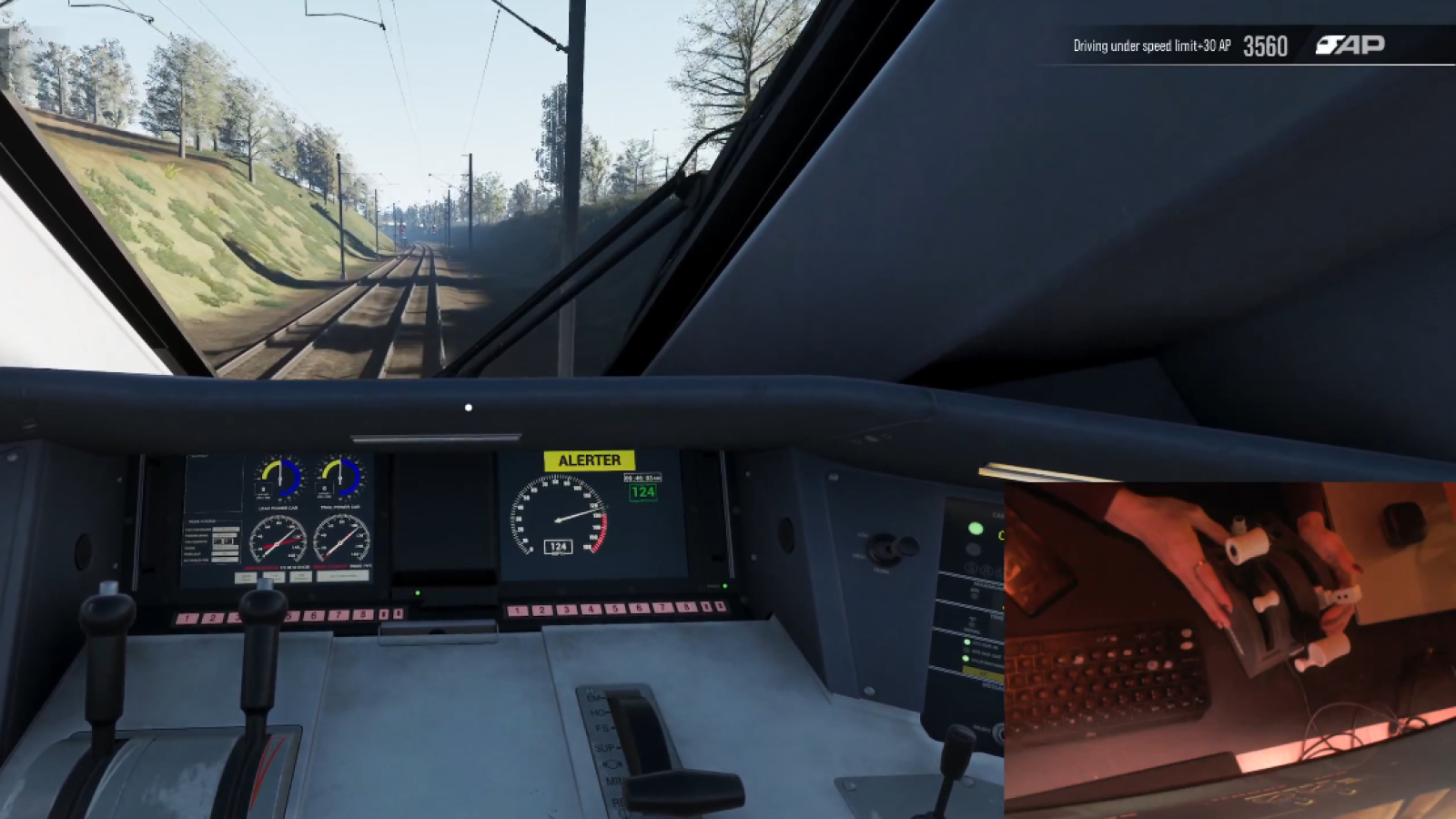
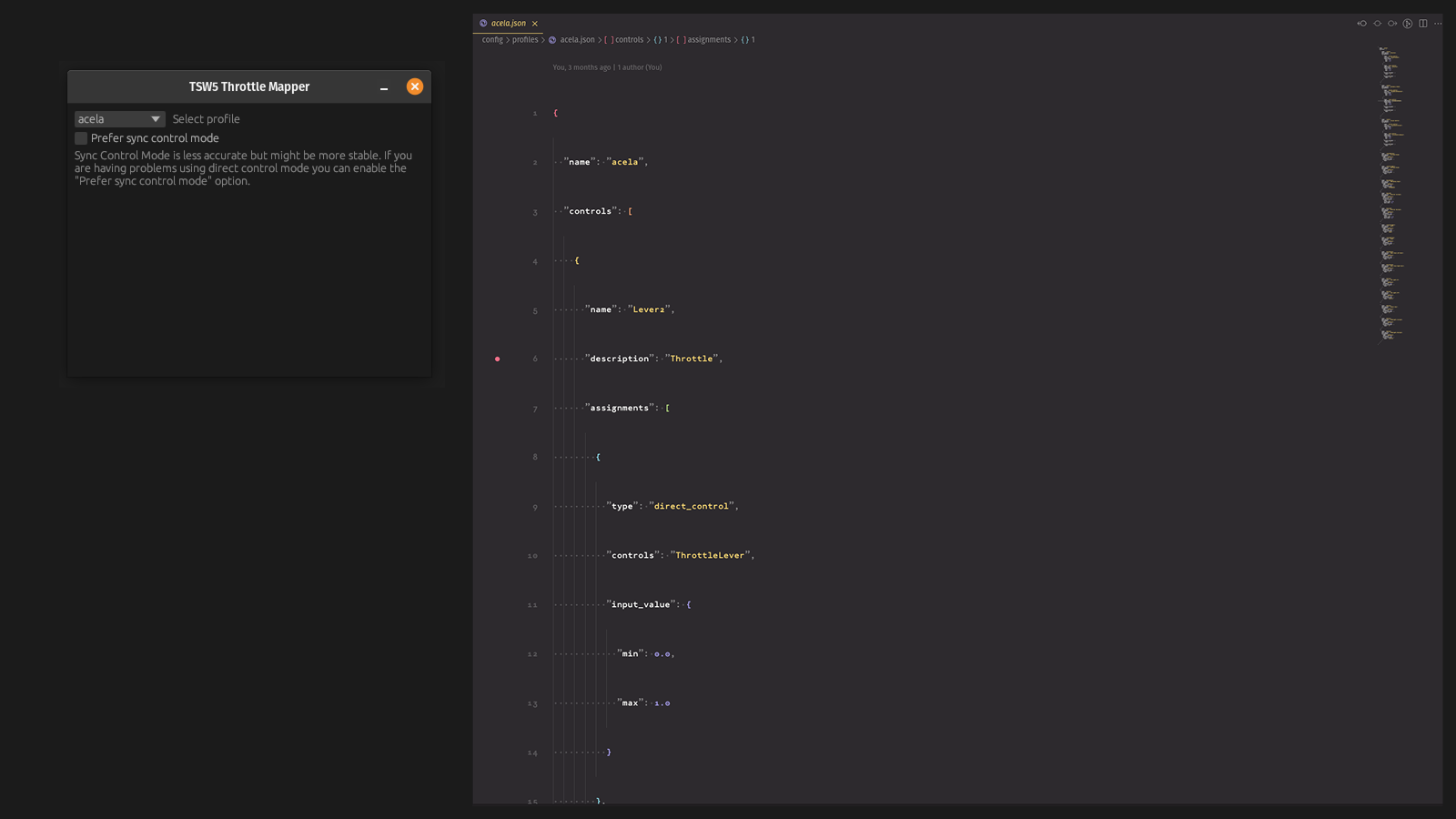
Looking for a way to drive Train Sim World, Train Simulator Classic or Wonders of Sodor using your own joystick, throttle, or custom controller setup? This open-source mod and program directly injects input into the game, giving you complete control over the train.
For installation instructions and more information you can refer to the Github page
Controller Specific Profile Selection
You can select a profile for each controller allowing for a complex multi controller set-up with different active profiles.

Cab Debugger
The cab debugger gives a real time status of the current in-game locomotive as the in game controls are changing. This is useful for configuring new train profiles and checking the relevant values.

Visual Calibration
The new 1.0.0 version also brings a completely overhauled visual calibration mode making it easier than ever to calibrate and configure existing or new controllers

Profile Builder
A graphical profile builder is now available online to help with configuring new profiles if you are not comfortable creating the JSON profiles


Shared Profiles
You can submit profiles for other users to use and download right from the app

v1.17.1 - 2026/06/11
v1.17.1 - 2026/06/10
v1.17.0 - 2026/06/04
v1.16.1 - 2026/06/01
v1.15.0 - 2026/05/30
v1.14.2 - 2026/04/12
v1.14.1 - 2026/04/11
v1.14.0 - 2026/04/09
v1.13.0 - 2026/04/07
v1.12.0 - 2026/04/01
v1.11.2 - 2026/03/31
v1.11.1 - 2026/03/21
v1.11.0 - 2026/03/20
v1.10.1 - 2026/03/15
ControlName_{SIDE:1:2}v1.10.0 - 2026/03/08
enable_api_fallback option to direct control to simplify configurationv1.9.3 - 2026/03/02
v1.9.2 - 2026/03/01
step_thresholds option for direct/api/sync control assignments which can be used to manually map lever inputs onto direct control values more accuratelyv1.9.1 - 2026/02/26
eq operator in conditionsmatch parameter to momentary and toggle assignments which can be a value of exceeds (default) or equalsv1.9.0 - 2026/02/22
v1.8.3 - 2026/02/20
v1.8.1 - v1.8.2 - 2026/02/14
v1.8.0 - 2026/02/11
Major Features
Fixes & Improvements
v1.7.1 - 2026/01/14
v1.7.0 - 2026/01/08

v1.5.3 - 2025/12/12
v1.5.2 - 2025/12/09
v1.5.1 - 2025/12/07
v1.5.0 - 2025/12/06
v1.4.2 - 2025/12/04
v1.4.1 - 2025/12/04
v1.4.0 - 2025/12/03
v1.3.6 - 2025/11/30
v1.3.5 - 2025/11/29
v1.3.3-v1.3.4 - 2025/11/28
v1.3.2 - 2025/11/27
v1.3.0-v1.3.1 - 2025/11/26
v1.2.0-v1.2.1 - 2025/11/23
v1.1.0 - 2025/11/22
v1.0.4 - 2025/11/04
v1.0.3 - 2025/11/04
v1.0.2 - 2025/11/02
v1.0.0 MAJOR NEW RELEASE - 2025/11/02
v0.2.6 - 2025/09/13
v0.2.5 - 2025/07/27
v0.2.4 - 2025/06/15
v0.2.3 - 2025/06/06
null values to act as free range zones instead of automatic interpolation zones. This makes for smoother actions between detents. Eg, the following steps value: [0.0, null, 0.5, 0.6, null, 1.0] - will snap to 0.5 and 0.6 but allow free range of motion between 0.0 and 0.5 and 0.6 and 1.0.Tags: gamepad joystick raildriver
To install the mod and program just head to the releases page and download the latest installer for your platform. Once you launch the app you will just need to use the "Install mod" action to install the latest mod into Train Sim World/Train Simulator Classic
See Github for more details (https://github.com/LiamMartens/tsw-controller-app)
Has anyone who has the new TSC-X controller ever used this software?
I can't speak for anyone else's experience but as long as it's a normal controller interface it should work
I am currently trying to get it to work, but am having issues. The buttons work, but the levers don't seem to want to work, and I am yet to work out why.
@Necron101 Feel free to message me on Reddit; I'd be happy to see if we can resolve the problem. There's also a major new release coming up which might help debug some issues
You can see a list of upcoming features here
https://github.com/LiamMartens/tsw-controller-app/blob/feat/go-rewrite/README.md
@L_ I would appreciate the help, what is your Reddit name?
@Necron101 you can find me @ JustLivingLife
Just wondering if you ever got the TSC-X controller working with this software?
@Simon Yes, I got the TSC-X working correctly. I am currently playing around with it and setting up a bunch of maps for British loco's. Once I am happy with them I will share. Now it is working it is considerably better than the windows only rail driver translation that simworkshop recomends. No only does this work on linux, so i no longer have to dual boot, but I also got the E stop to behave how you would expect the button to work, where doing the twist to release, releases the e stop in game. :)
Unfortunately, my Flight Throttle Quadrant joystick doesnt seem to be recognized. I also have the X52 joystick connected which does seem to be recognized, including buttons and all. Any idea how I can fix this? Using the game controller window by microsoft, i can see that the quadrant is connected, and is recognized my input. Also works fine with CobraOnes interface, so im not sure whats going on :(
nevermind, i figured it out. i also have sim pedals connected, and for some reason the plugin detected my throttle quadrant inputs under the sim pedals
@syndrami - good to hear you figured it out; just wanted to mention as well I just posted a more in depth guide on how to create your own profile (and a new release went out today with some updates)
https://tsw-controller-app.vercel.app/docs/creating-profile-quickstart
So, this doesn't work with the Raildriver?
There is no reason this wouldn't work with the RailDriver as long as you hide the raildriver from the game you should be able to remap the raildriver to any custom configuration; note I have not tested this because I don't own a RailDriver
Love the idea of TSW with controllers but I'm struggling to set up a working mapping with my Thrustmaster TCA Airbus Quadrant as it sends axis values from -32768 to 32767, while the game expects inputs between 0.0000 to 1.0000.
I tried defining a value step of 0.0000152587890625 (1 / (min*-1 + max + 1)) but it still only recognizes the single bit from 0 to 1 inbetween the raw range.
Is there any way to set up this kind of mapping within the profile builder?
Also, is there some way to send button values as long as the button is pressed down? Seems like it is only being sent once with key_down event.
I've set buttons to "momentary" with "Direct Control Action", and tried to include the "hold" feature, but then they are held forever.
Thank you so much for your work!
Edit: Changed the buttons to "Keys Action'", now they're in perfect sync with the controller.
Couldn't figure out how to correctly map any axis, tho. Controls in the cab are either 0 or 1, but nothing in between. I've calibrated the axis again, checked the .jsons, added the SDL mapping to the profile and compared the public profiles to what I did, but I haven't found any fix for it :(
Hi, did you calibrate the controller? When you calibrate the controller you need to move each lever from it's minimum to maximum value so it knows how to map the raw values to a 0-1 value. If you are able to you can download the logs from the logs tab and send them to me either here or upload it on the Github page in an issue and I can help from there. If you do make an issue on Github it would be helpful if you uploaded all the files (so SDL, calibration, profile you're using and logs)
https://github.com/LiamMartens/tsw-controller-app/issues
Normally you don't need to do much mapping once you have the controller calibrated, but maybe something is wrong with your calibration. (I'm also using a TCA Quadrant so..)
Once you have the calibrated controller you can just use a direct action mapping to map the normalized 0-1 value to the expected in game value which varies depending on the cab and how you want the setup to work
On a sidenote; if you want to use direct control actions to hold like a momentary switch you would need to include a deactivation action to reset the button back to it's original state; although most actions can be achieved using keyboard shortcuts as you found out (not all though - some in game controls don't have keyboard equivalents)
Hi! Yes, I did calibrate it three times and checked the range every time. I noticed another calibration file in the directory and after deleting that, it works now! I'm an idiot for not seeing that earlier :D
However, I do have similar behavior as besteap mentioned with the joystick, the ingame levers are shaking rather violently, especially close to 0 - but not when 0 (or -32768 raw). I checked the raw controller input via calibration but those values are surprisingly absolutely steady and in perfect sync with the controller's lever - since it has such a high resolution, every tiny physical move the lever does, is being transferred to the game and probably causing that shaking.
I haven't checked your code yet as TSW is so much more fun now, but do you have de-bouncing implemented or, if not, could you add a de-bouncing time or hysteresis as a setting to the profile builder? That would be awesome!
Thanks for the help and have a good one :)
@dppls hah good to hear you figured it out; I haven't implemented any debouncing in favor of precision - but the normalized values are being rounded to a few decimals as to not send any wild differences (that would prevent some of the shaking); I could reduce the number of decimals but I want to strike a balance between that and accuracy.
For my knowledge; the jittering - does it only happen near the lever extremes (either min or max)? Because I do know that a lot of controllers have a hard time properly sending the extreme values which is where you can adjust the calibration min/max values to adjust for some amount of deadzone at the ends; ie; if the raw minimul value is -32768 - it could be good to set the min value to -32000 or something to adjust for the end of range jitteriness -- let me know if that helps - I am about to push an update which by default adds some deadzone to either end when calibrating new controllers
I've done a lot of testing now and it only occurs when the controller has to match the in-game lever's notches - if they operate in free range, like the throttle or AFB lever > 0, it's precise and absolutely perfect. But as soon as there are notches to match, for example at throttle/AFB being 0 but not off, or any state of the train and dynamic brake (on BR101 or 401), it starts to jitter between two positions. I haven't tested any other trains yet, but I'd guess it would be the same.
Raw input values of the controller are very precise, they're not changing violently - the only thing that can be observed is that the physical resistance of the lever is allowing it to fall back a bit, as an example: lever is pushed from -32768 to 50 and falls back to 42 after letting it go.
Also, don't believe for a second that I don't enjoy using it like that, it's just a minor inconvenience :)
I'll try to experiment with different settings, maybe it can be reduced by setting up combinations of input thresholds and only using Direct Input where there are no in-game notches to match.
@dppls ahh that's what you mean; notches are specifically supported by applying steps to the direct control input value configuration (See the input value mapping section of https://tsw-controller-app.vercel.app/docs/profile-explainer)
There are a few ways to do this; if the in-game lever consistently steps at a rate of let's say 0.1 you can just set the "step" property to 0,1 and it will automatically step up and down.
If you the lever has irregular steps or you have a combination of free range and notches (like some master controllers) you can use the steps property.
eg: "steps": [0.0, 0.2, 0.3, 0.4, 0.5, null, 1.0],
This would have steps at 0, 0.2, 0.3, 0.4 and 0.5; and then it is free range between 0.5 and 1.0
The M7 shared profile is an example of the notched and free range combination
https://github.com/LiamMartens/tsw-controller-app/blob/main/shared-profiles/m7.tswprofile
Firstly, thank you for the great program!
I have one issue though:
I have a 1-axis joystick that I am trying to use as a throttle and combined throttle+brake under direct control.
It works fine with one exception:
Putting all of the above together, it seems that there is an issue with the program recognizing this joystick hardware correctly whenever the value of the TSW throttle / combined throttle-brake comes to 0.
In this regard, could you please explain the meaning and value of the fields "idle" and "deadzone" in the profile builder when choosing direct control. The joystick only works properly when "idle" is set to minimum value. I would expect that in the "deadzone" field two value could be defined (= min and max value of the deadzone). Instead, only one value can be entered, which does not seem to have any effect.
I started trying to set up the joystick under api control, but that doesn't seem to work. Where do I find the api-key?
I also tried setting up the joystick under sync control; However, I didn't get that to work either. I probably haven't understood how to properly define the steps yet.
B.t.w. : there are no such issues when using the joystick with CobraOne's program.
Hope you can help.
Joystick hardware will often be able to reach their raw minimum value (like -32xxx) but not stay there consistently; so you may want to override the calibrated minimum value to be not quite the actual minimum value of the joystick (in the calibration dialog you will be able to override the minimum value); so let's say the absolute minimum value for your joystick is -32678; your minimum calibrated value may be -32000 to make sure you can always hit the normalized zero value. The idle value is usually the same as the minimum value. It is possible to use a nonzero idle value in which case the range of the joystick becomes [-1, 1] instead of [0,1] which I think you had already figured out.
As for the; this value is applied to both sides of the idle value; but just acts as a deadzone of movement not a deadzone of value; so let's say your idle value is 0 (because the joystick moves from -32678 to +32678) and the deadzone is 500 then within the -500 to 500 range no values will be reported.
For API control you need to configure the API key in the Settings tab as per the Dovetail documentation, although I direct control is generally more performant
https://forums.dovetailgames.com/threads/train-sim-world-api-support.94488/
Let me know if you have any other issues - or open an issue on Github
Would it be possible to get an automatic installer for a Fedora based system? I'm on Bazzite so I can't run the .deb file (tried using distrobox, but that isn't wanting to work either), and I am making a mistake somewhere trying to do a manual install, just not sure where. If an automatic installer for a fedora based system is not possible, could we have detailed manual install instructions?
Does the linux binary work on Fedora? You would just need the 2 dependencies which are webkitgtk2 4.1 and sdl2
The binary appears to run for a moment, a window pops up, then closes. I will have to check closer and make sure I have the two dependencies installed.
@Necron101 I tried on Fedora and all I had to install was webkit2gtk4.1 (dnf install webkit2gtk4.1); looks like the Fedora version I tried already had both SDL3 and sdl2-compat installed; if you don't have those you might need to run dnf install SDL3 sdl2-compat
@L_ I have In have confirmed that webkit2gtk4.1 and SDL3 sdl2-compat are installed via rpm -q, and it is returning that they are there. I am still only getting a window pop up from a moment when i try and run the executable. it is creating a config folder in the directory the executable is in in, and that folder is empty.
@Necron101 are you able to share any terminal output if you launch the binary through the terminal? Also which variant + version of Fedora are you running?
@L_ Bellow is the terminal output.
I'm running Bazzite 43
Jono@bazzite:~/Downloads$ ./tswcontrollerapp_linux_amd64_binary
Version 1.5.3
time=2025-12-17T07:25:37.596+11:00 level=ERROR msg="[Config_ProgramConfig] could not read config file" filepath=/home/bazzite/.config/tswcontrollerapp/config/program.json
Overriding existing handler for signal 10. Set JSC_SIGNAL_FOR_GC if you want WebKit to use a different signal
time=2025-12-17T07:25:37.763+11:00 level=ERROR msg="[App] encountered error while reading configuration files" error="could not read calibration directory /var/home/bazzite/Downloads/config/calibration (&{%!e(string=open) %!e(string=/var/home/bazzite/Downloads/config/calibration) %!e(syscall.Errno=2)})"
time=2025-12-17T07:25:37.763+11:00 level=ERROR msg="[App] encountered error while reading configuration files" error="could not read SDL mappings directory /var/home/bazzite/Downloads/config/sdl_mappings (&{%!e(string=open) %!e(string=/var/home/bazzite/Downloads/config/sdl_mappings) %!e(syscall.Errno=2)})"
time=2025-12-17T07:25:37.763+11:00 level=ERROR msg="[App] encountered error while reading configuration files" error="could not read profiles directory /var/home/bazzite/Downloads/config/profiles (&{%!e(string=open) %!e(string=/var/home/bazzite/Downloads/config/profiles) %!e(syscall.Errno=2)})"
Gdk-Message: 07:25:38.069: Error 71 (Protocol error) dispatching to Wayland display.
Hmm I tried it in both bazzite gnome and kde and it seems to work - it looks like some kind of wayland error; could you try running it with
env GDK_BACKEND=x11 ./tsw-controller-app
@L_ I ran it with that command and what I am assuming is supposed to be the GUI popped up and stayed, but it was blank. below is what was returned in terminal.
Jono@bazzite:~/Downloads$ env GDK_BACKEND=x11 ./tswcontrollerapp_linux_amd64_binary
Version 1.5.3
time=2025-12-17T16:05:52.115+11:00 level=ERROR msg="[Config_ProgramConfig] could not read config file" filepath=/home/bazzite/.config/tswcontrollerapp/config/program.json
Overriding existing handler for signal 10. Set JSC_SIGNAL_FOR_GC if you want WebKit to use a different signal
time=2025-12-17T16:05:52.265+11:00 level=ERROR msg="[App] encountered error while reading configuration files" error="could not read calibration directory /var/home/bazzite/Downloads/config/calibration (&{%!e(string=open) %!e(string=/var/home/bazzite/Downloads/config/calibration) %!e(syscall.Errno=2)})"
time=2025-12-17T16:05:52.265+11:00 level=ERROR msg="[App] encountered error while reading configuration files" error="could not read SDL mappings directory /var/home/bazzite/Downloads/config/sdl_mappings (&{%!e(string=open) %!e(string=/var/home/bazzite/Downloads/config/sdl_mappings) %!e(syscall.Errno=2)})"
time=2025-12-17T16:05:52.265+11:00 level=ERROR msg="[App] encountered error while reading configuration files" error="could not read profiles directory /var/home/bazzite/Downloads/config/profiles (&{%!e(string=open) %!e(string=/var/home/bazzite/Downloads/config/profiles) %!e(syscall.Errno=2)})"
Failed to create GBM buffer of size 600x600: Invalid argument
I wonder if there is something broken in my installation of bazzite.
Hmm sounds like there's something funky going on with your wayland maybe? I'm not really sure to be honest I would have to dig into it
@L_ I have now tried with a fresh install of bazzite, and I am getting the same error when running through terminal. I think I must be installing the mod incorrectly. any chance you could release some step by step instructions for the manual install, so I can be sure I am putting everything in the correct location?
@L_ I figured it out. The wayland issue appears to be cause by a conflict in the open source Nvidia drives that bazzite is using. Running the binary in terminal using the below command appears to make it work.
WEBKIT_DISABLE_COMPOSITING_MODE=1 GDK_BACKEND=x11 ./tswcontrollerapp_linux_amd64_binary
@L_, thanks for such a useful mapper! This might be a silly question, but I’m out of ideas on how to achieve one specific thing, and searching the Discord/TS community hasn't helped at all.
Is it possible to set a hotkey for "Insert Reverser Handle"? I’m also looking for hotkeys to "Insert Brake Key" and "Cut-in/out".
I want to build my own custom controller with classic hardware like levers and switches, but I also want to add a physical key switch and a real reverser handle. Technically it’s possible, but I need specific hotkeys assigned to these actions to make it work. Any advice?
What do you mean with hotkeys? You can assign keybinding actions to controller actions so I suppose it depends on how your custom controller is reported to the system
thanks for the answer, maybe I explained it poorly, I'll try again, there are hotkeys in the game, for example, reverser forward - w, reverser backward - s. Everything is clear with this, and I will make the reverser a lever, like on the control panels. But there is no key in the game that, when pressed, inserts the reverser handle itself into place, or inserts the brake key. I don't want to use the mouse and keyboard at all, only my control panel, but it turns out that I have to use the mouse, point the camera at the reverser/key, etc. this is when you are just starting to prepare the loco, before the trip. ty
@elbartos I believe it's actually ctrl+w to insert the reverser handle like on the HSP46; it's the master key shortcut (inserting the reverser is considered identical to the master key)
If you need more specific control you can still use direct or API control; it's still controllable; for example in the HSP46 the insertion of the reverser handle is tied to the "ReverserHandle" control name where not inerted is 0 and inserted is 1
Hi,
All the commands for TSW vehicles have keyboard shortcuts to make them work, so you should be able to do what you want by assigning the corresponding keyboard letters (Q/D, S/W, M/U… French AZERTY keyboard, in my case) to L_'s application. I'm also trying to set up a group of controllers to create my own little driver's cab for better immersion. I hope you find what you're looking for with this application.
Best regards to all, tof
Thanks for this controller, which is compatible with more and more joysticks and other gamepads. Thanks for another controller; there aren't that many that can handle multiple peripherals.
Best regards, Tof
I'm glad the software is helpful to you!
Hi L_ Ive installed HidHide as Steam will not let me disable the controller, its hardwired to always enable.
My next problem is after running the software then trying to install the mod its asking to select the TrainSimWorld.exe; however, the .exe is not visible within your app under steamapps>common>Train Sim World 6 > WindowsNoEditor>TS2Prototype>Binaries>Win64
I can see the file outside of your app in my own directory, any thoughts??
Hm that's weird the file picker should just be the system dialog - you can't see the file at all when navigating to the directory in the open file dialog? Can you try running the app as administrator to see if that helps?
Hi L_ I really want to give this this software a chance with my TSC-X controller as I believe it would enable certain locos not mapped under Raildriver to work. Ive spent hours trying to read all the instructions, Disabling Controllers in Steam, Installing HidHide and trying to install the game mod, it seems with no luck! Is it possible to create a YouTube video or a very simple A to Z of how to get it working. Once Im up and running Im prepared to map each (British) loco and post it for other to use. Thanks
@Simon hm so what's the problem you're still running into? You can't select the TrainSimWorld exe file or are you having any other problems?
Hi, as I find default TSW bindings to be rather lackluster, I'd like to use this program as an alternative to create custom key mappings for the different trains that I drive. Unfortunately, the software seems to only support joystick inputs at this time. Would it be possible to add keyboard support in the future? Thanks!
I don't actually think this is feasible; mostly because I would need to fully intercept keyboard input from the game
If you wish to leave a comment, please log in .
Thanks for this very useful piece of software, especially for the linux support! Quite simple to set up and just works "out of the box" with my Arduino powered DIY controller.
I've got two little suggestions for improvements:
Good to hear it works with your Arduino powered controller! I actually just updated the software to interpret the
nullvalues as free range motion instead of automatic interpolation. So it will now just jump to the notches where defined and between the defined notches if there is anullvalue it will just send raw values. Try it out to see if that's better!Yea it's a good point; it is more difficult to print out those names because of how the internals work which is why you need to look them up through the UE4ss code generation. I'll have a look though
Have you thought about using the API so you don't need UE4SS? The TS Controllers range use it now.
@trainsimulatordriver I looked at it briefly and couldn't immediately see everything I needed for it; the main thing I am concerned about is that I think the TSW API only provides an interface for the same controls the RailDriver has whereas the current software can interact with any available control inside the loco bypassing everything
You can get to everything via the API. Using the virtual Raildriver interface within the API is recommended because it is easier but you certainly can address every control for every train if you really want to. Be aware that every train class and even versions of the same class can have differently named controls as there is a lack of consistency.