DLC EXTRACTOR BUG FIXES
Corrected some bugs in the DLC Extractor
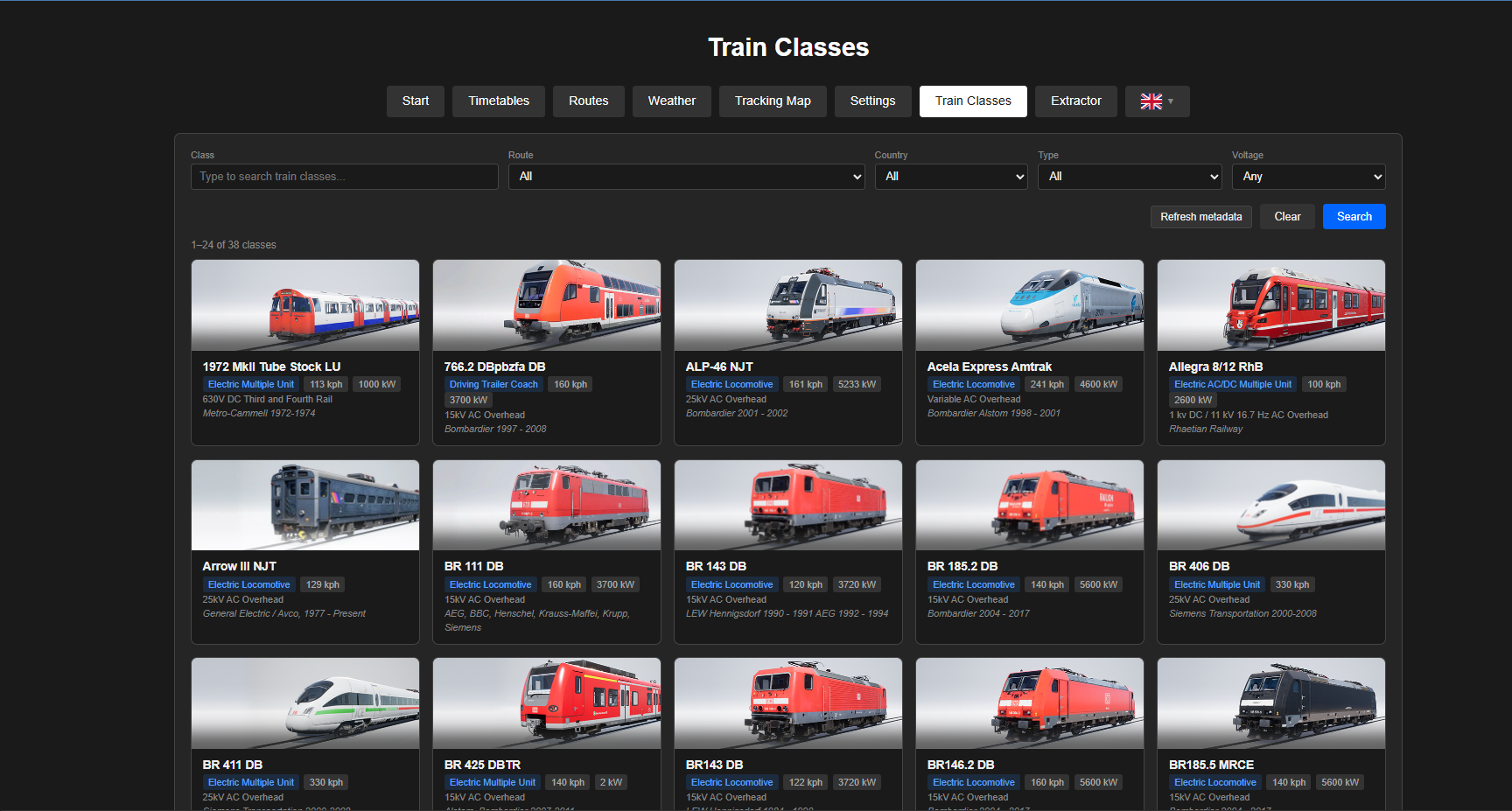
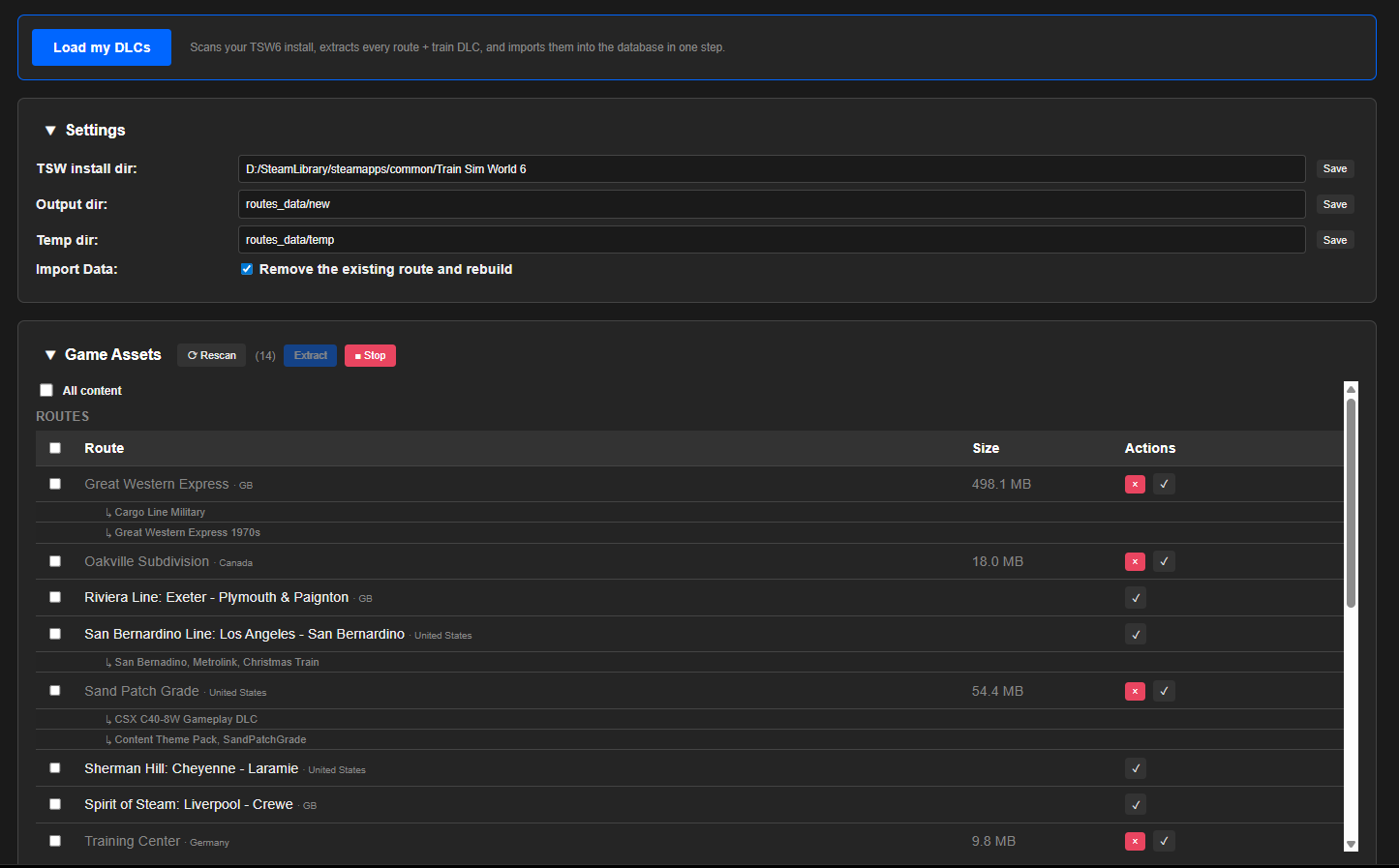
There is now an extractor so you can extract your own DLC's
These extracted files are sharable
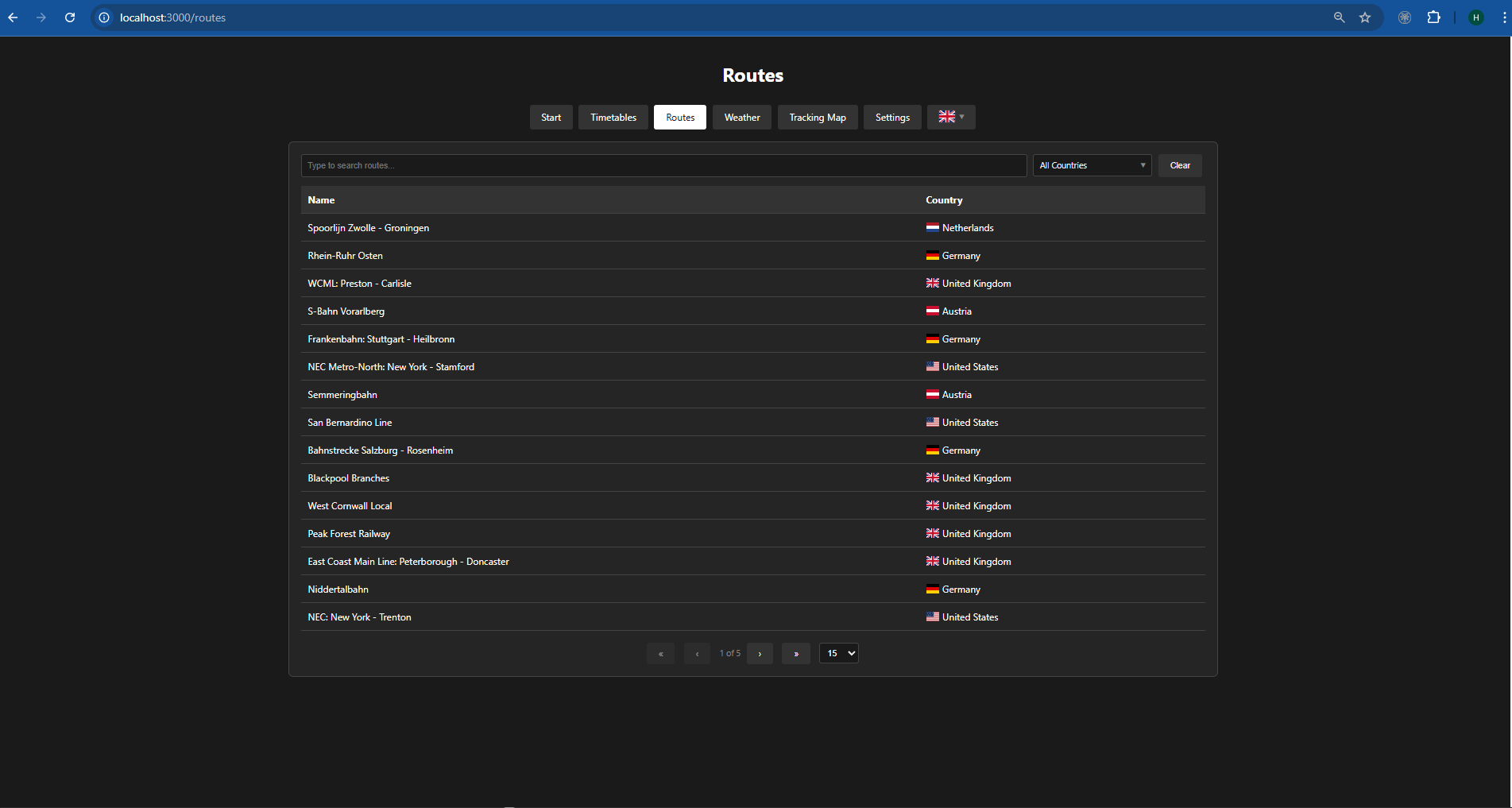
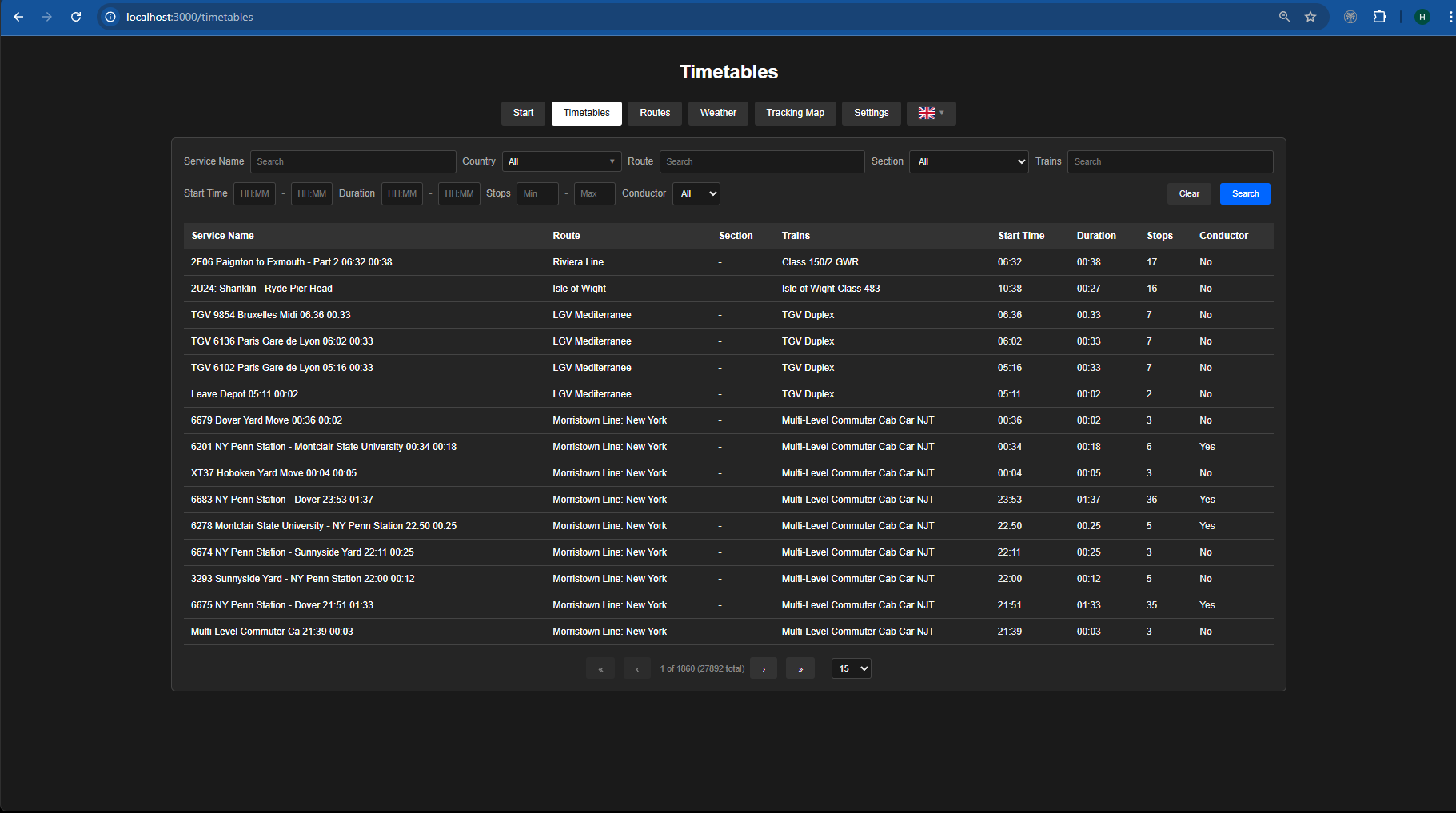
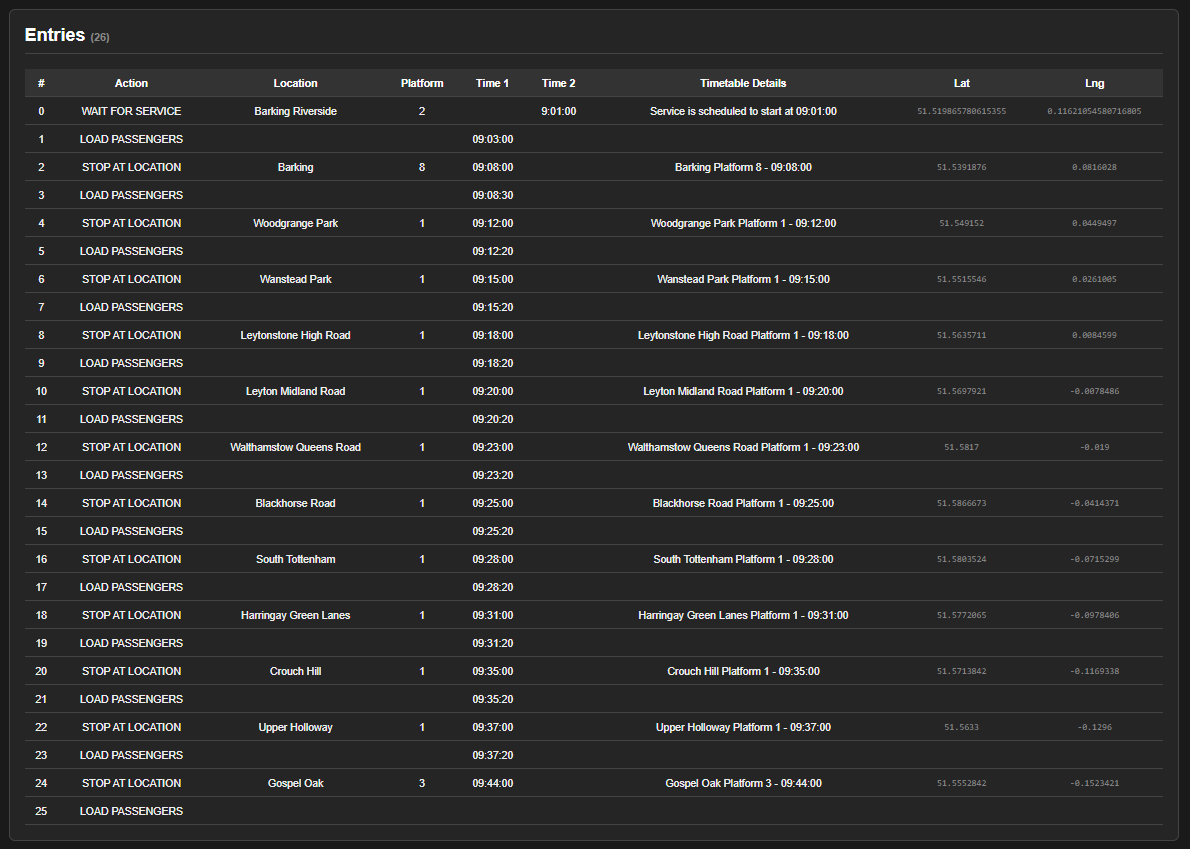
90 routes and 105,883 timetables now supported
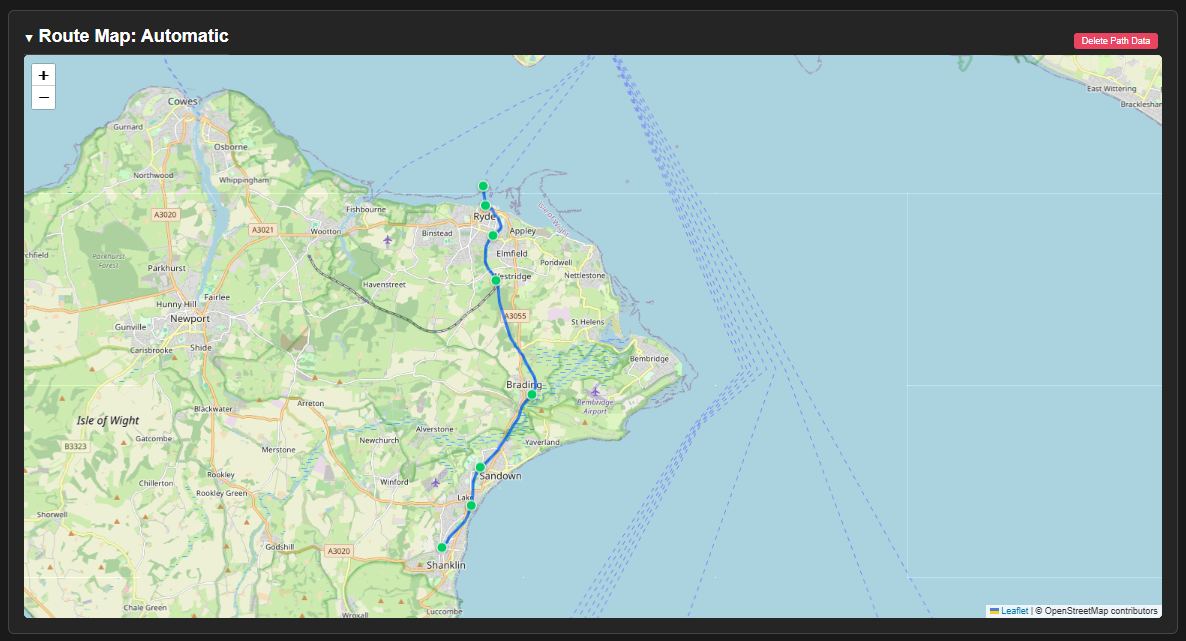
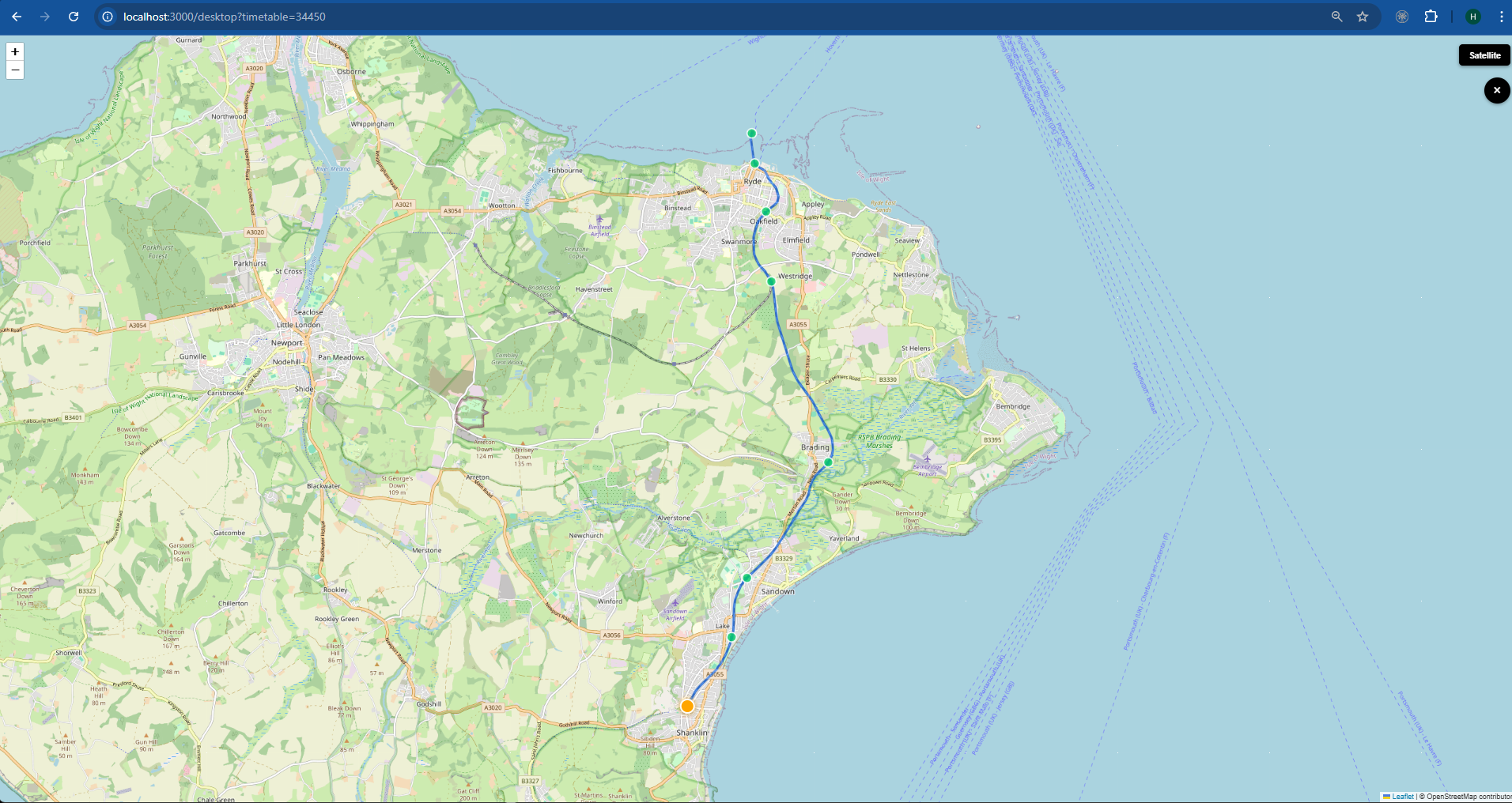
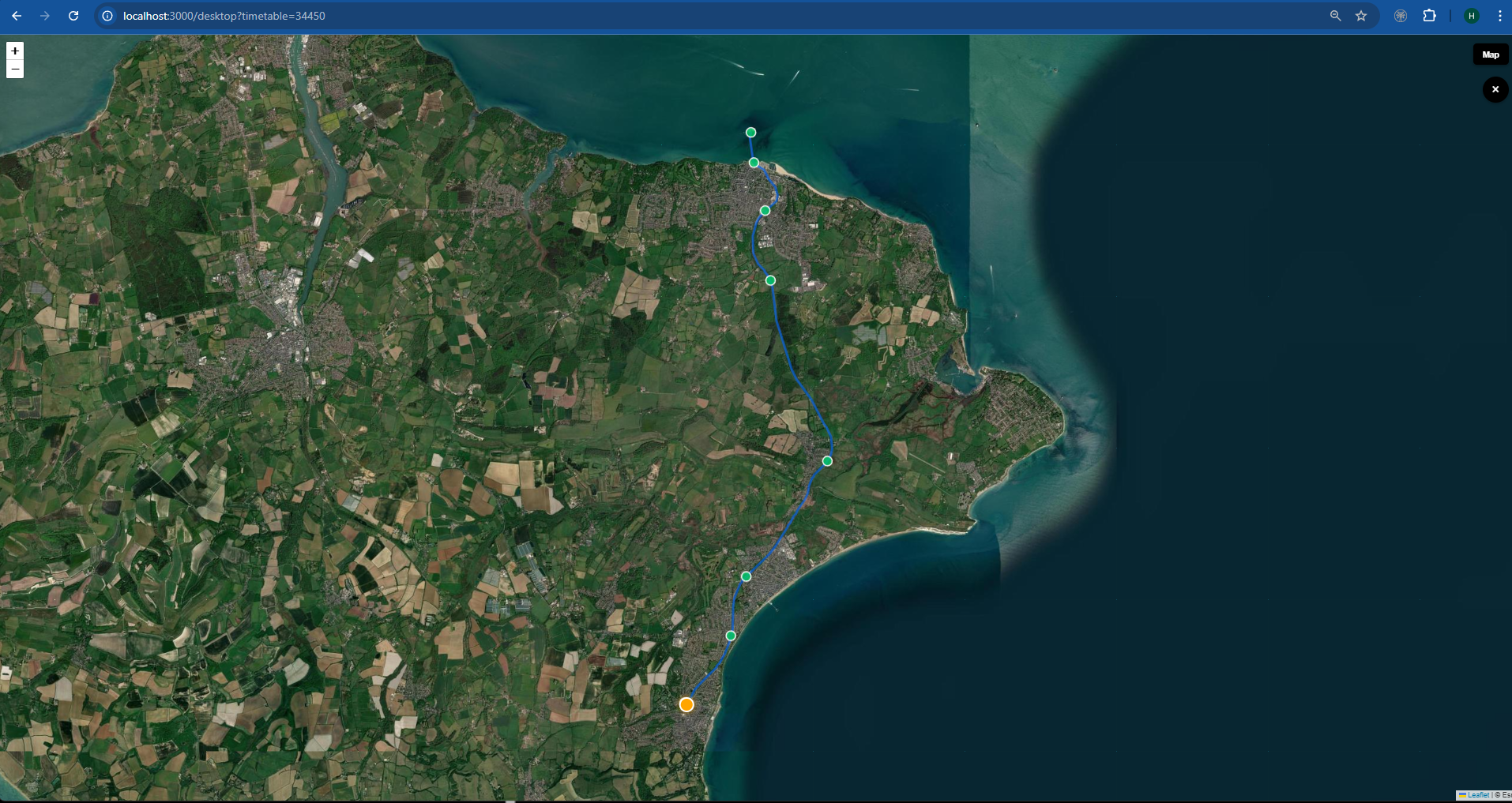
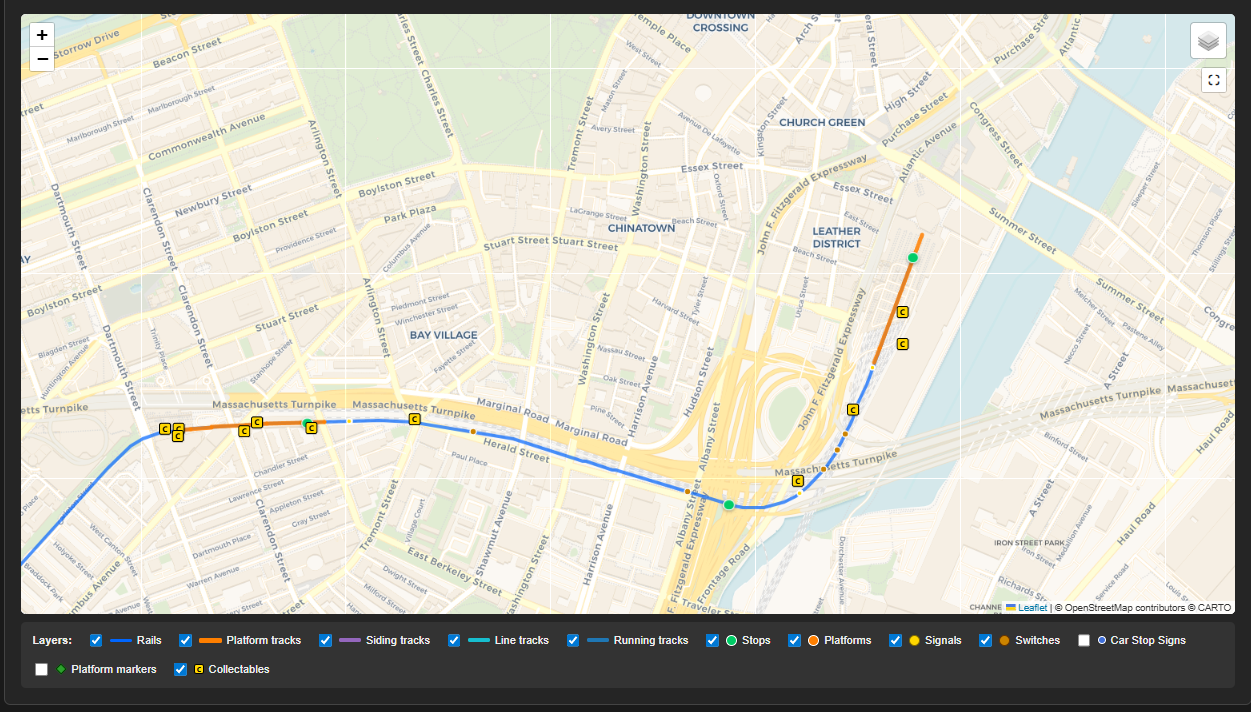
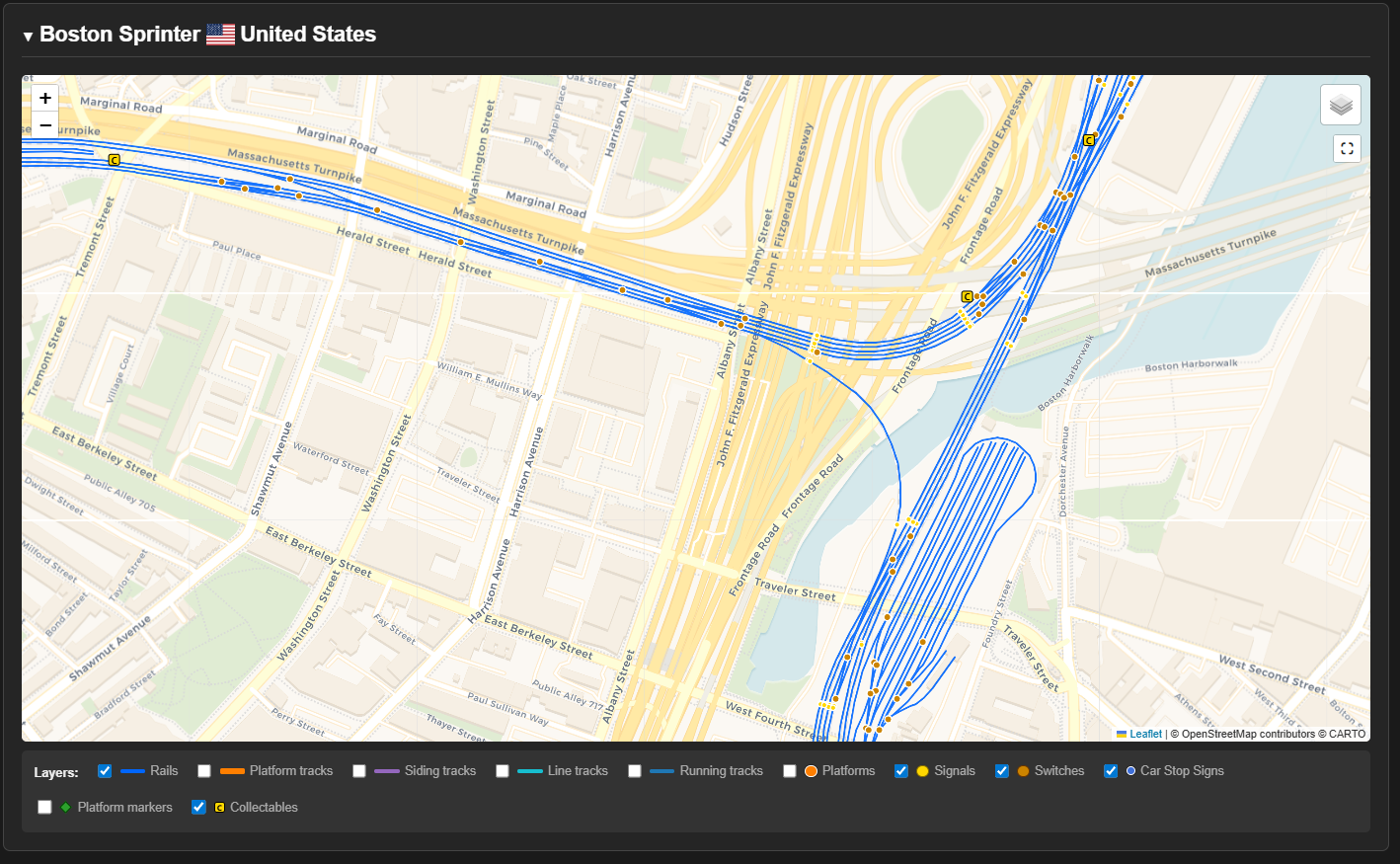
Including 26 High quality routes with strong map support
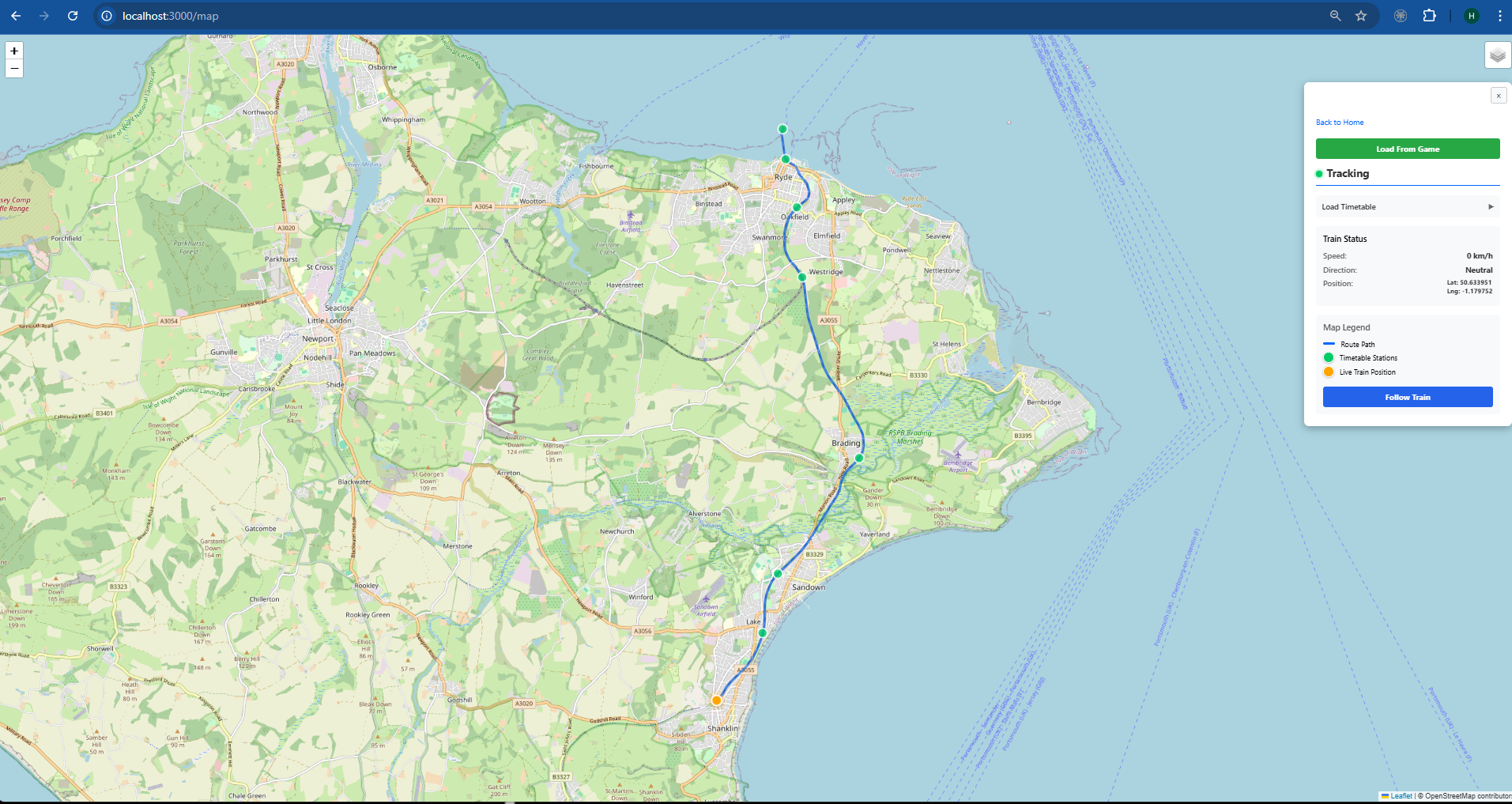
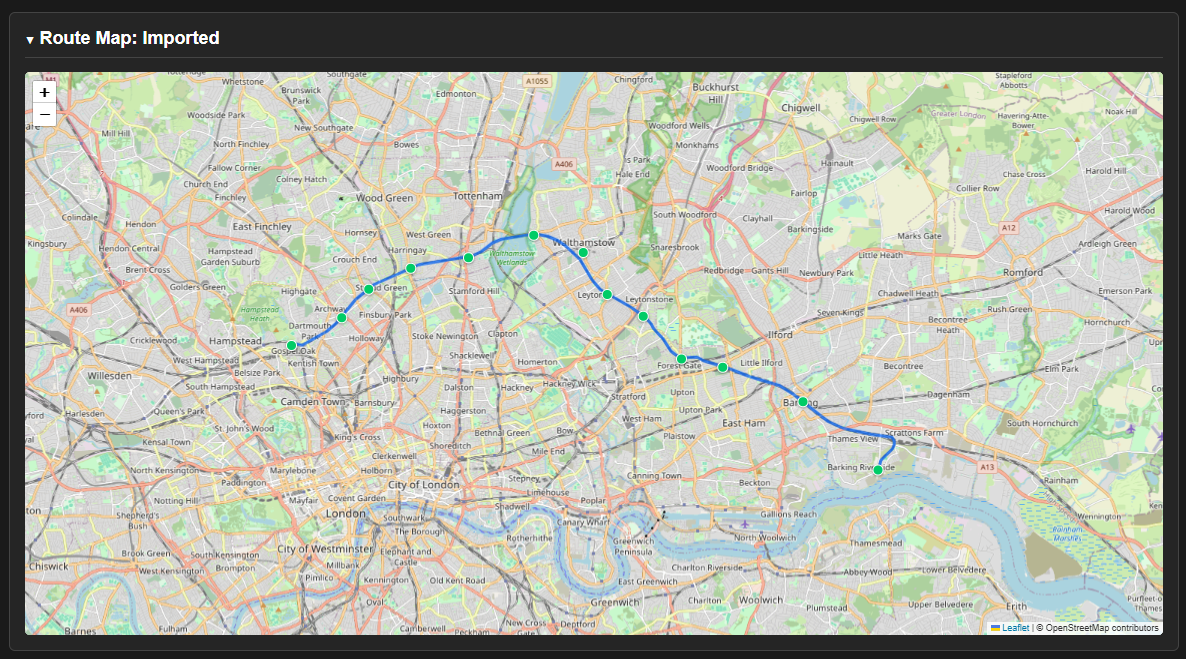
High Quality Maps include things like collectable locations and ALL rail lines and many more features.
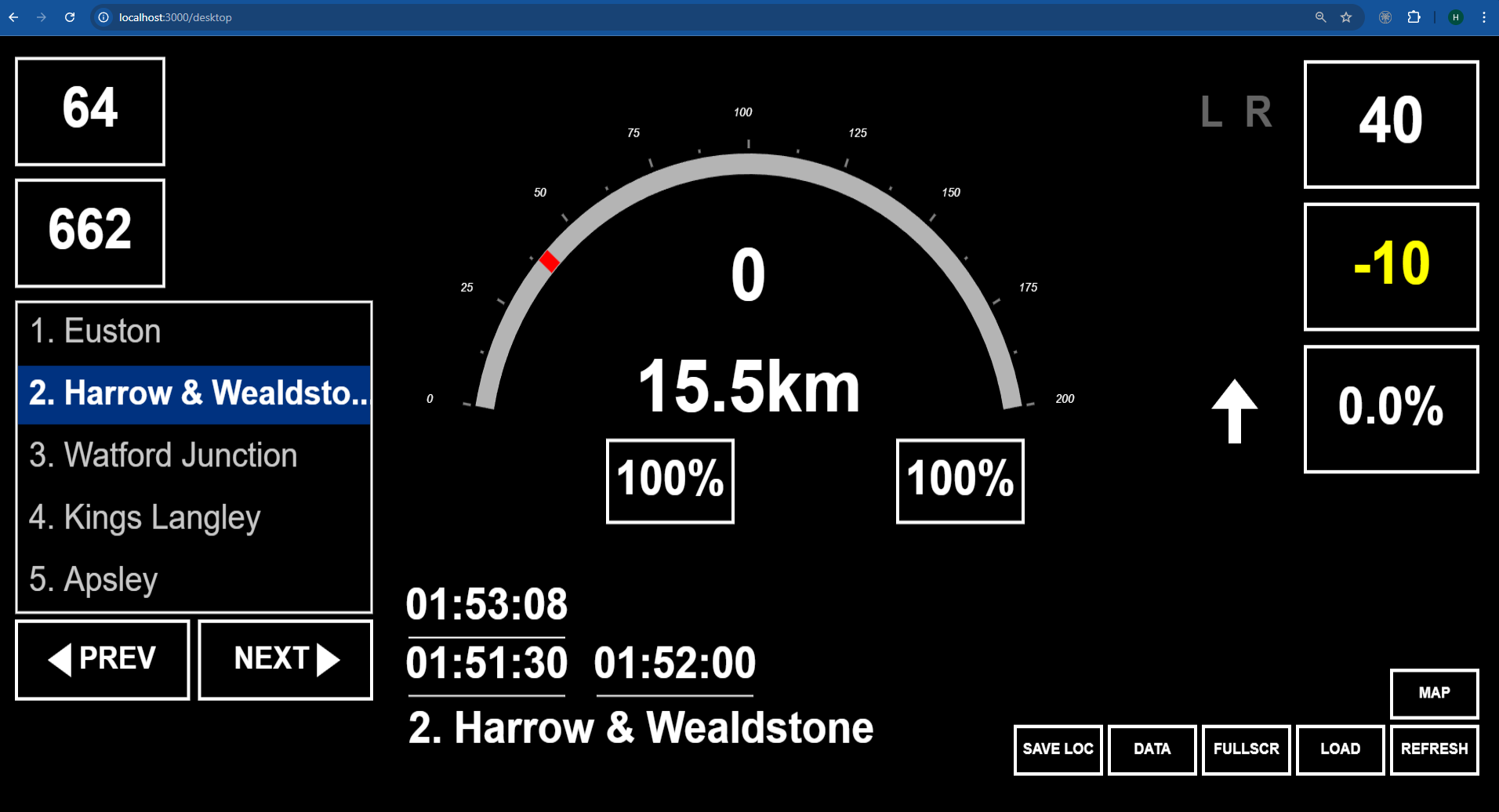
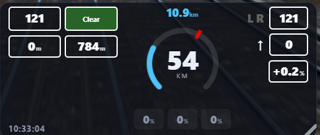
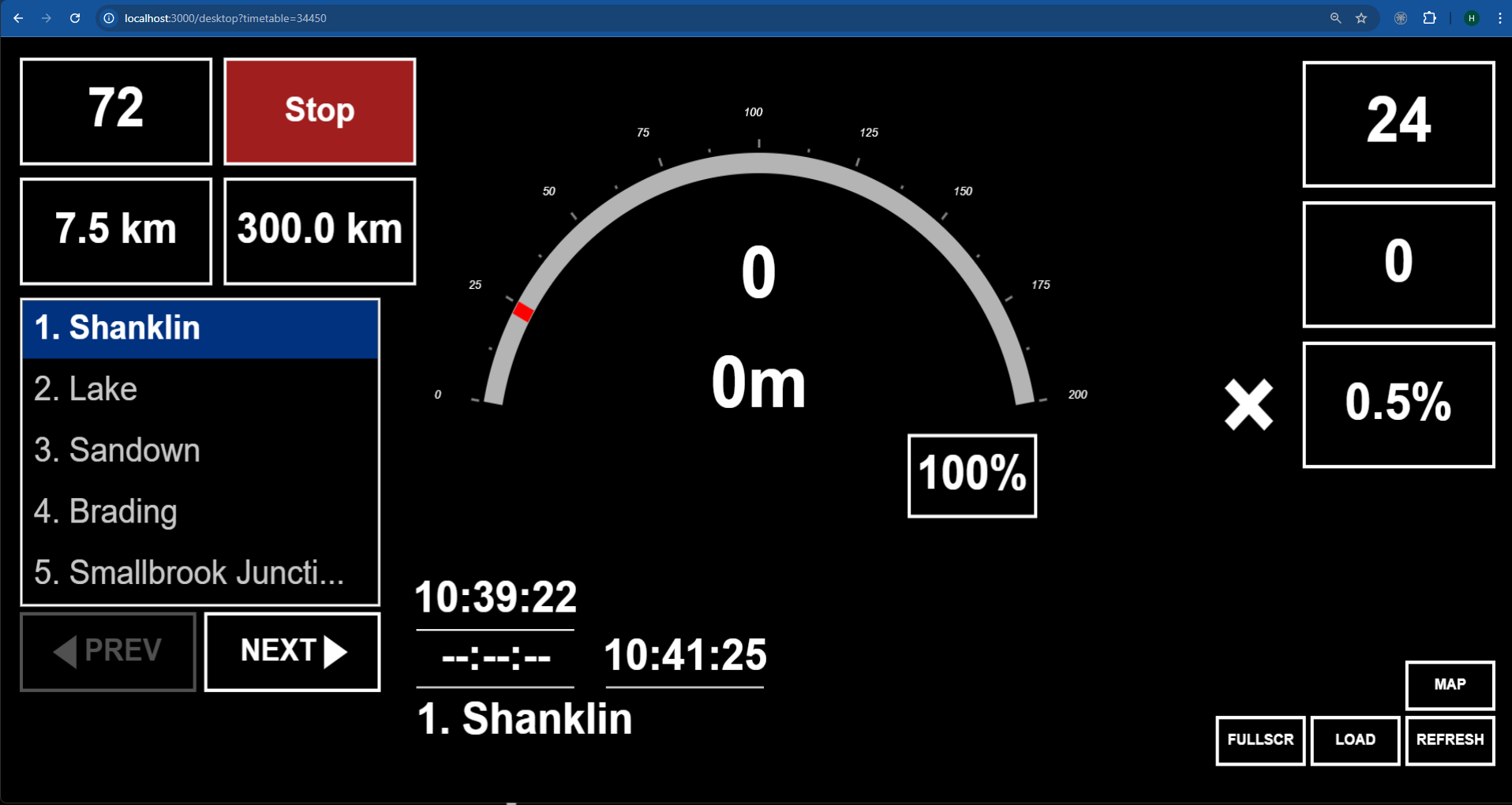
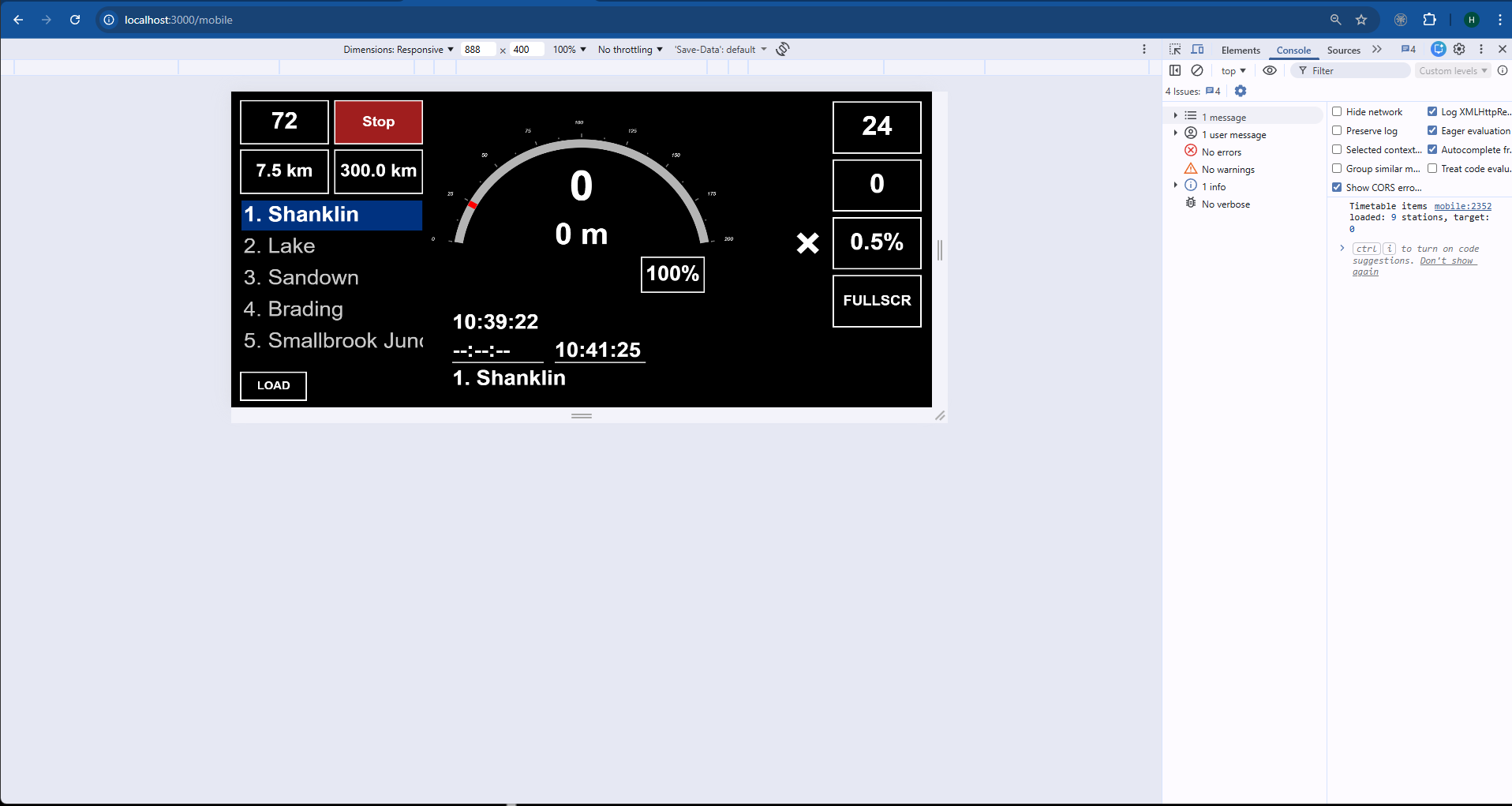
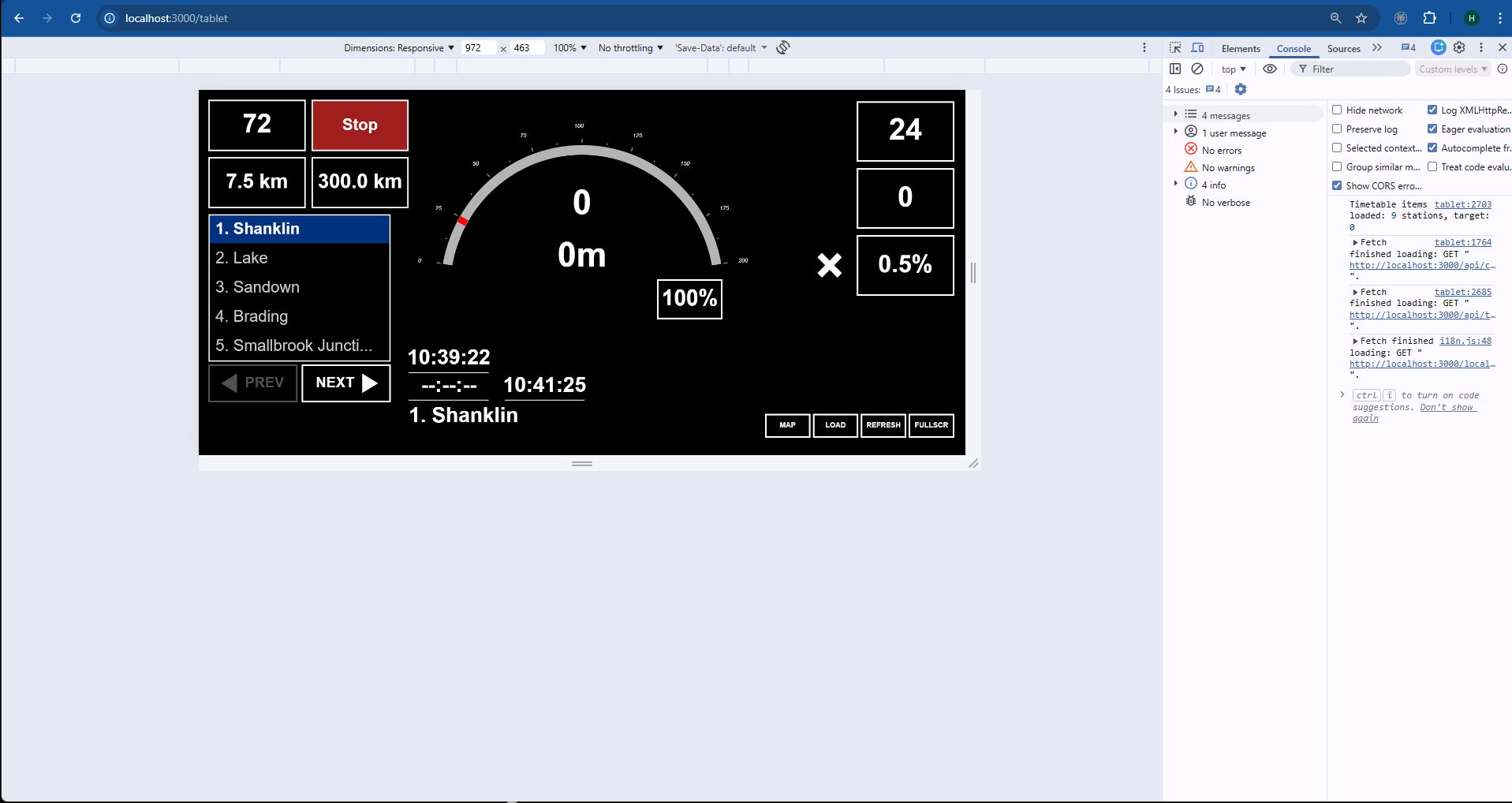
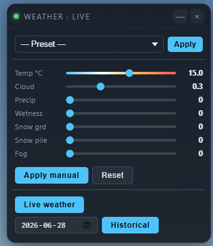
A HUD for TSW5 & TSW6 . Written in GO. Runs a webserver for access across your home network. Can run off another monitor or a cellphone connected to your home network.
New Features
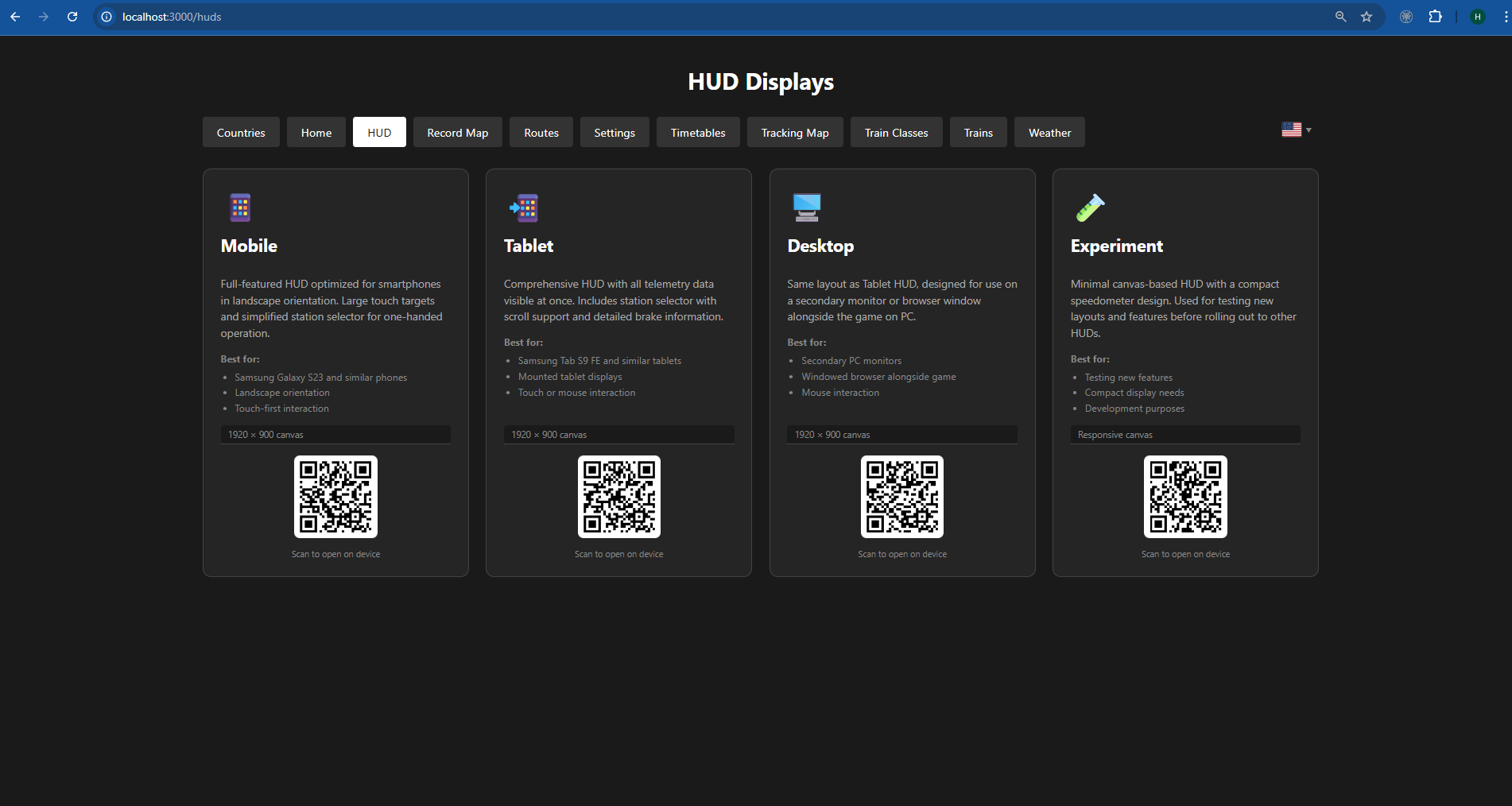
New User Generated Custom HUD
German Saftey HUD ( Experimental )
High Quality Routes
1 Antelope Valley Line
2 Bahnstrecke Leipzig - Dresden
3 Berninalinie
4 Boston Sprinter
5 Boston Worcester
6 East Coast Main Line: Peterborough - Doncaster
7 Great Western Express
8 Harlem Line
9 Horseshoe Curve
10 Isle of Wight
11 LGV Méditerranée
12 LIRR Commuter: New York - Long Beach, Hempstead & Hicksville
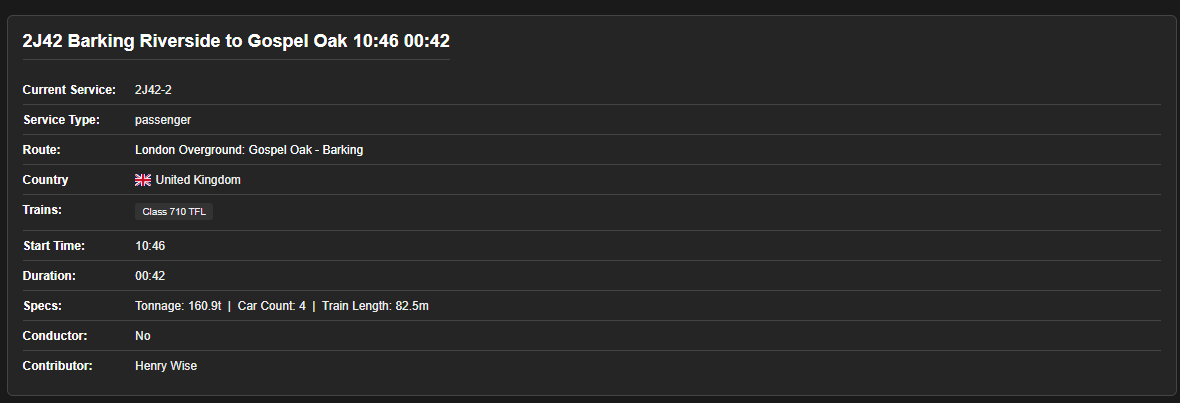
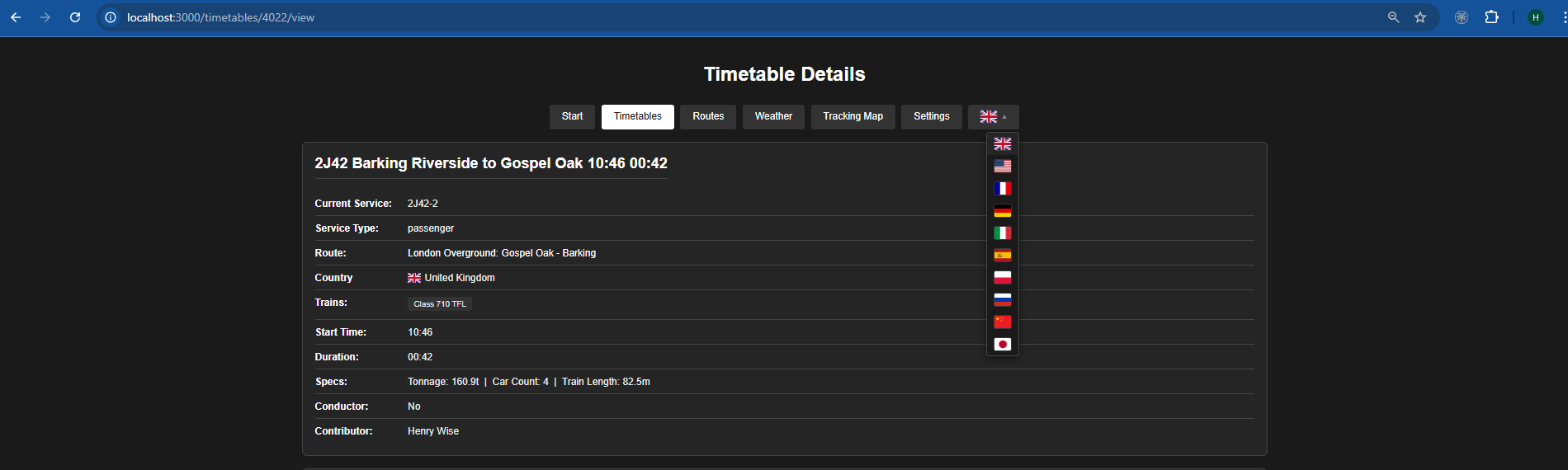
13 London Overground: Gospel Oak - Barking Riverside
14 London Underground Bakerloo Line
15 Ludwigsbahn: Mannheim - Kaiserslautern
16 Morristown Line: New York & Hoboken - Dover
17 Nahverkehr Dresden
18 Oakville Subdivision
19 Riviera Line: Exeter - Plymouth & Paignton
20 San Bernardino Line: Los Angeles - San Bernardino
21 Sand Patch Grade
22 Sherman Hill: Cheyenne - Laramie
23 Spirit of Steam: Liverpool - Crewe
24 Training Center
25 WCML South - London Euston to Milton Keynes
26 West Somerset Railway
Features
If there is a feature missing let me know and I will see if I can add it
For developers
I have included the sqlite db's I used for you to use and make better.
Repo with multiple projects available here
https://github.com/hcfairbanks/tsw_projects
Please share the routes you have extracted.
See instructions for more details
HTTP API Enabled on steam
Installation
TSW5/6 needs to run with HTTP API Enabled
The official Dovetail API PDF instructions are available here
https://forums.dovetailgames.com/threads/train-sim-world-api-support.94488/
Start TSW 5/6
Click
tsw-hud.exe
navigate to
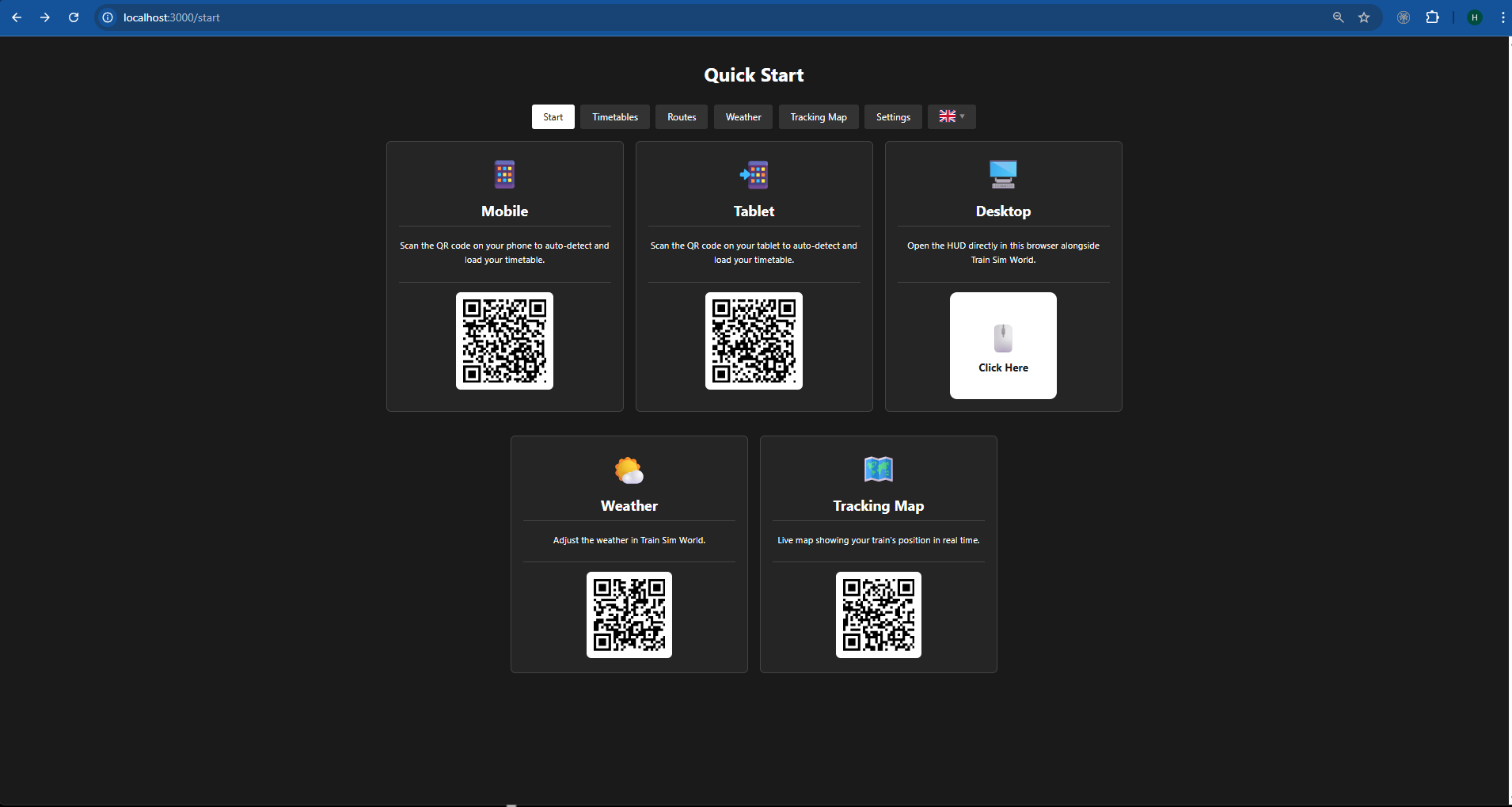
localhost:3000
to get your network address go to
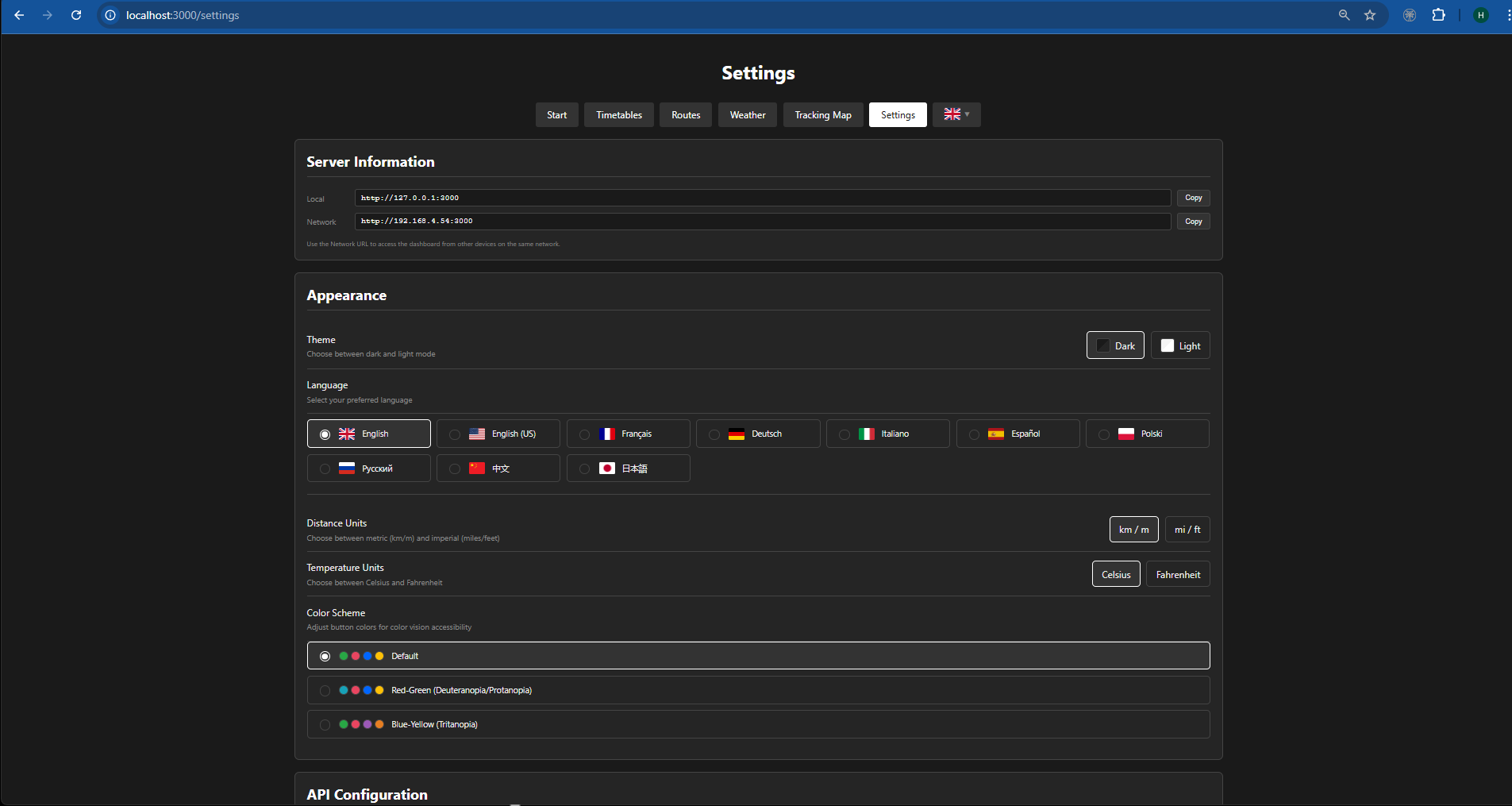
localhost:3000/settings
Yeah this is a fantastic concept. I really like to play HUDless but there are quite a few speedos which I struggle to read as they are just too small (I only have one monitor). I'll give this a go on my iPad. Thanks!!
Any feed back is valued. At this point it's changing daily so the best place to find the most uptdate and feature version rich is the public repo mentioned in the instructions. Development will slow down once the holidays are done and Iam back to work.
it works for TSW6, just need to change line 11 in the server.js
Default it is 'TrainSimWorld5' change to 'TrainSimWorld6'
Also had to use powershell/npm to install Axios with this command 'npm install axios --save'
Cant get it working onto my phone atm but i believe thats just a issue my end.
Try changing the code so instead of "localhost" it uses "127.0.0.1". I have a newer version of this I will be posting in about a month. If you feel adventurous
https://github.com/hcfairbanks/tsw_hud_project
It needs a complete rewrite of instructions and I plan on doing some instructional video as it adds a lot of funcationality that's not intuitive. New features include,
A lot of testing is still needed as well. If you are willing to help me out and be a beta tester I would be willing to make a custom hud for you.
Great to see the massive updates. I still cant connect to the hud with my phone unfortunetly. No idea what is going wrong with the connection there. not a antivirus issue. strange
Try using the new version. It's a complete rewrite. I suspect if you are able to get it running on your local computer it's a net work or permissions problem. In the new version you should be asked if you want Node.js to have access to your network. If that is selected as yes, it's most likely you have something on your home network that's blocking local devices from sharing webpages.
this is a simple node server
const http = require('node:http'); // Import the built-in http module
const hostname = '127.0.0.1'; // Local IP address
const port = 3000; // Common development port
const server = http.createServer((req, res) => {
res.statusCode = 200;
res.setHeader('Content-Type', 'text/plain');
res.end('Hello World');
});
server.listen(port, hostname, () => {
console.log(Server running at http://${hostname}:${port}/);
});
add that to a file called server.js
and then run it with
node server.js
in the terminal or powershell
if you can't access that page from your mobile you know for sure it's a network problem. and of course your mobile needs to be using your home wifi connection.
I added a fix for the URL. Not sure if it will fix the issue you had. Might be worth a look.
I love this!
Its so much fun having my phone under my monitor and in game hud disabled.
Nice one!
I apperciate the feed back. The latest update is even better.
Hi everyone,
Thank you for this great project which is slowly but surely taking off thanks to passionate modders like you and the opening of the Steam client API with TSW5/6. Best of luck to you and thanks again from a fellow French TSW enthusiast!
Best regards to you all, tof
ty
Hi
When running the TSW_HUD_Start.bat file its not finding my CommAPIKey, which is strange as I have three other apps all finding and working correctly with my TSW API key, I just get the same line repeating:
Waiting for TSW6 CommAPIKey at C:\Users\documents\My Games et etc........
Any ideas why its not finding my key?
Interesting. I will have a look and see what it might be tonight. I have a few ideas on what it might be but I want to check before I get back to you.
Inside the file "configuration.json" there is a variable for "apiKey". Try manually setting that.
In the code it's looking in
<UserFolder>\Documents\My Games\TrainSimWorld<5or 6>\Saved\Config\CommAPIKey.txt
so if your game is installed in a different location, it wont find it.
After booting you can check "http://localhost:3000/settings" under "API Configuration" to manually set the path for the api key
any luck?
Its connected, but isn't telling me my speed? What should I do? (Im using moblie)
Sometimes the game doesn't always send over all the information, it's a bit of a pain but there is something you can do.
Let me know if this works.
PS
Is any data coming through? is it just the speed that's missing?
Thank you for bringing me this great project
Here's a little bug: Timetables with MNR M8 is not included in NEC Metro-North route, and the map of this route is also wrong.
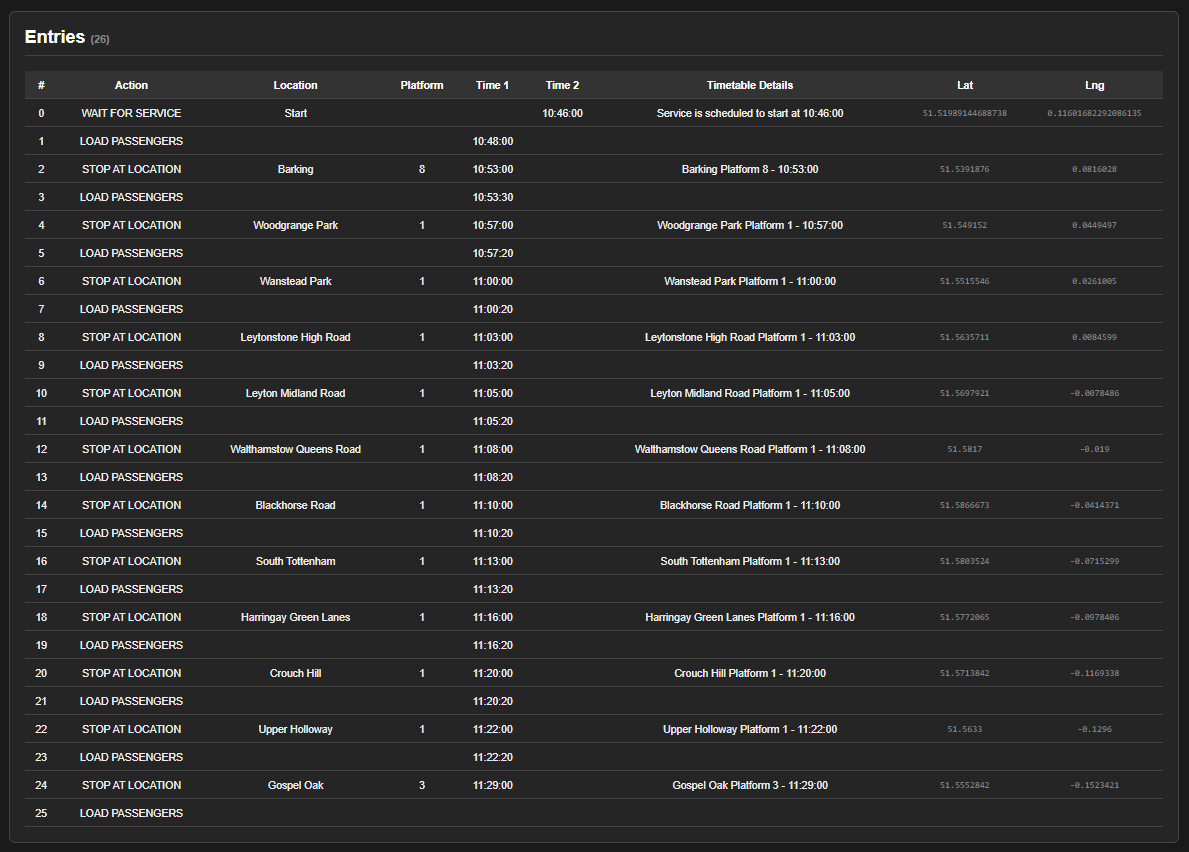
Thanks for letting me know. There are really two tiers of data. Data I have pulled from the internet and data I have recorded on my own. The list in the description is the data Iam currently scrapping off the game. It's routes I own so it's going to be the best available data. Yeah, the NEC Metro-North route does not look great. Iam going to upload another project with my scrapping bot and maybe some people will help me get data. Having said that, this application actually has all the tools necessary to correct the timetable and route. In settings if you turn on development mode you can get access to all the tools. There is also an export option so if you record it you can share the data. If you share it with me I will add it to the project and put your handle on the route as "The" contributor. If you are interested I can show you how the tools work. At some point Iam going to put together an instruction video. Again thanks for the feed back, it's very encouraging.
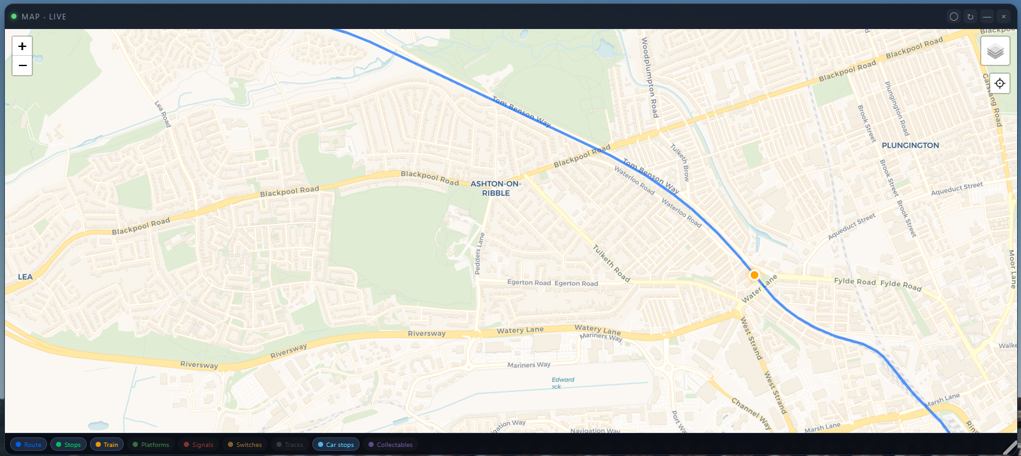
When I do my next big data deploy I will include a fix for that route path map. Will probably be a few weeks from now. Not sure I can get the timetables for MNR M8 but I will try.
You can now extract your own DLC's so if you own the MNR M8 you should be able to extract that data and use it.
Thanks for this one, nice!
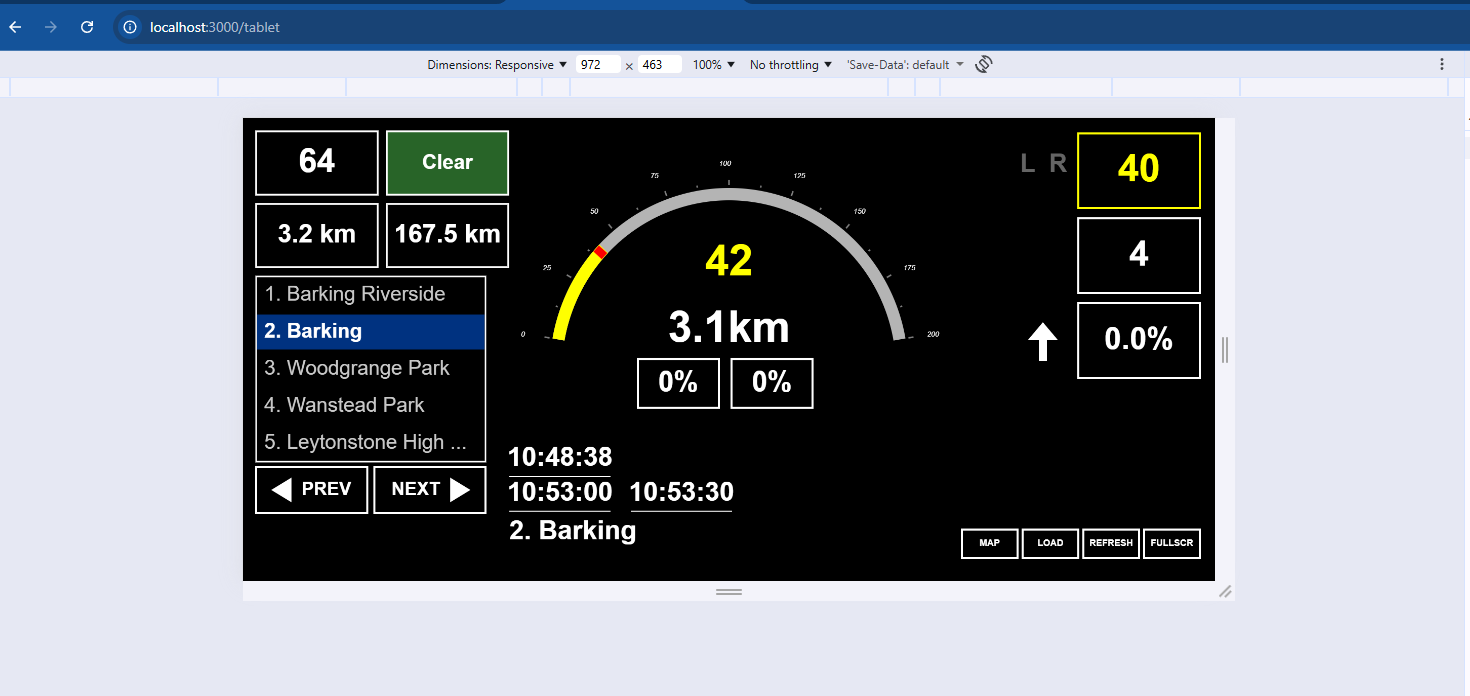
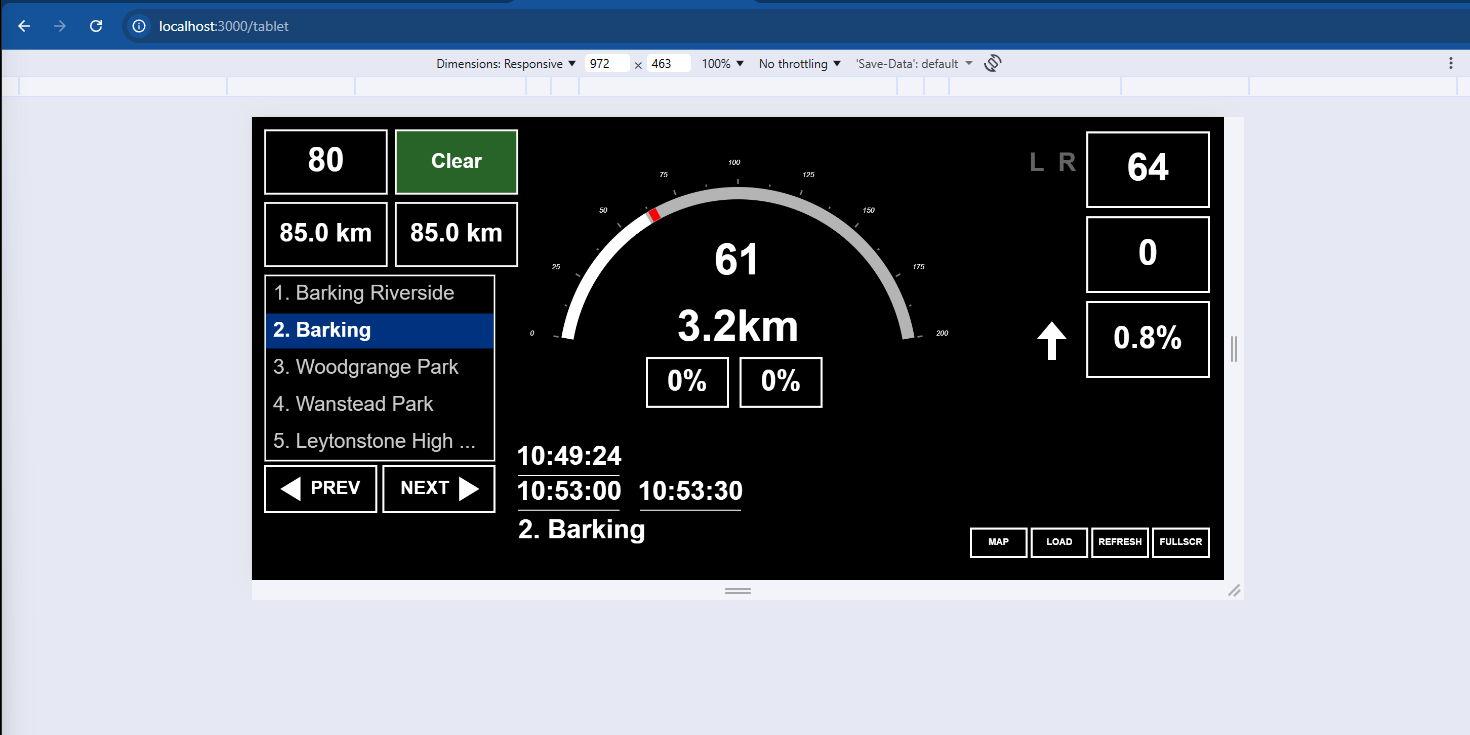
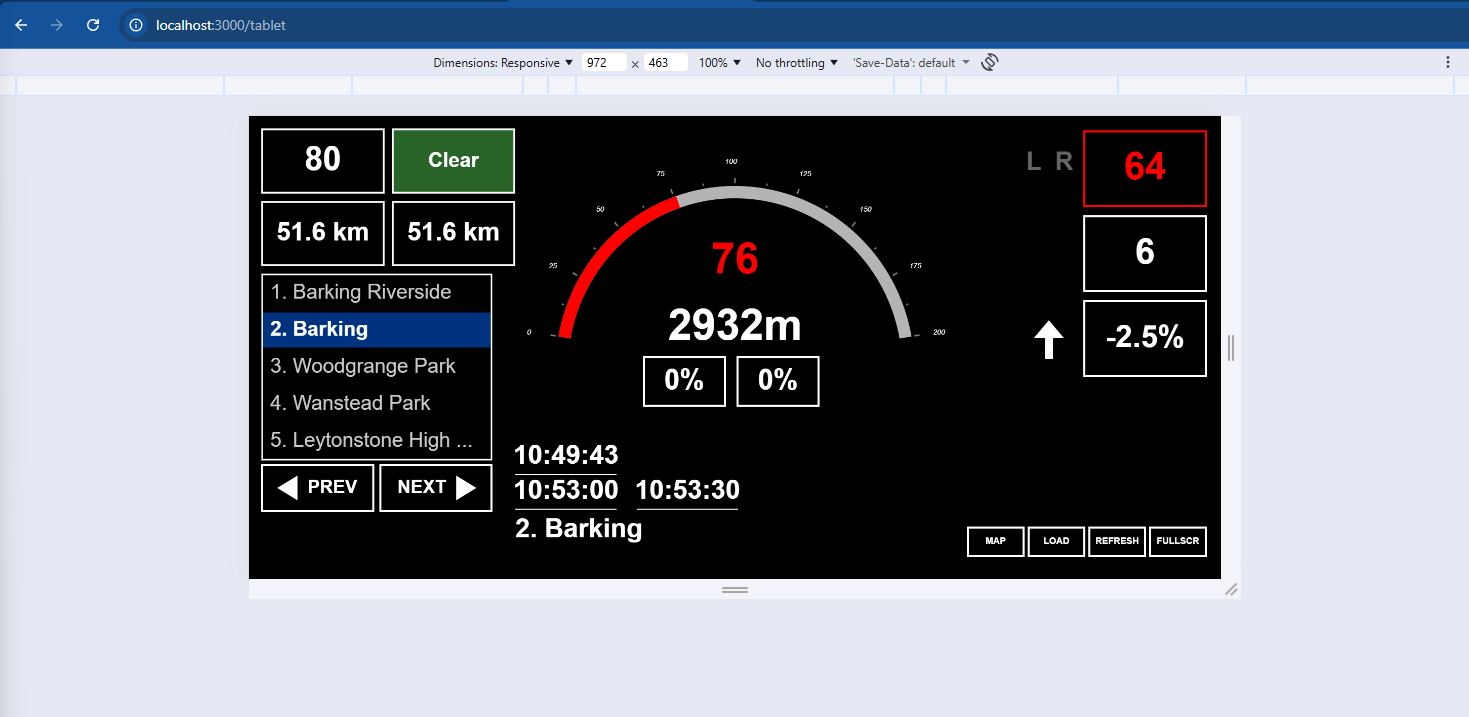
But I don't see what the 2 squares above the station names represent, I see all kind of random numbers going by, what do they represent?
Top left is next speed limit
Bottom left is distance to next speed limit
Top right is next signal status
Bottom right is distance to next signal
I have been meaning to add a diagram to the download.
Yes thanks, what I thought. But distances are in km?
In FF Fulda distance to next signal 25.1 km...
should this be meters maybe?
So the data is coming from the games api. It's possible it's converting it from meters into KM wrong. I will have a look and see if that's the issue. It's suppose to swtich from meters to KM at distances of I think over 2000 meters, maybe 3000. I think the distances coming from the API are all in meters but it's possible that something gets sent in yards and it's not getting converted properly. I will have a look tonight.
Big thank you for catching that bug. Turns out the api is sending the data in cm not meters so it was way off. Should have a fix up tonight.
Issue has been corrected and it's currently available for download.
kudos!
Very nice indeed - I especially like the timetable search function! Two suggestions:
it would be helpful to be able to see which timetable the service relates to (e.g. Preston - Carlisle 2019 vs the original 1986 timetable for that route)
any chance of adding an "export" function, so that all timetable data can be downloaded locally? That way one can keep track of what has (not) been played already. I have a database of 2300 scenarios in train sim classic and have been looking into getting something similar to work for TSW.
So where I have the data you can actually search by that now "service relates to " I call it "sections". I just have very limited data at the moment. I have a list of routes above that Iam working on to get much better data.
There is an export function now and you can download all timetables by route. It's in a Json format. You need to enable the development mode inside settings. Then go to the the routes edit page. The db I use is availble in the zip file. It's an sqlite db. So what ever way works best for you.
I have another application that lets you scrap data off the game using a bot. Checkout the github link for that.
extracting data and exporting is even easier now
If all is done - 2 requests, if even possible:
show the PZB warning when passing signal at 'danger' in Germany
show the set speed for AFB in German train.
low prio; evt show SIFA warning
I had a brief look at the api from the game and it looks promising. Iam currentley working on some data and can't publish for a little bit. If I do it will introduce breaking changes. Having said that, this sounds like an intresting challenge. It will probably be a few weeks before I can bring my attention to this. It might be worth createing a dedicated German HUD. In any case I will let you know when I start working on it as any testing or input you can provide will be appreriated.
Sounds good!
No rush, thanks.
New version is up. I will start thinking about the German Hud soon.
These are the German routes I own
Bahnstrecke Leipzig - Dresden
Ludwigsbahn: Mannheim - Kaiserslautern
Nahverkehr Dresden
Can you suggest one and a train to start testing with ? I typical run UK or US trains.
I think Leipzig Dresden wil be a good candidate.
For train, BR146 or BR442 Talent 2
thanks for trying :)
I have just submitted a new version for review. Look under custom HUDS. There is a new custom German HUD with the 3 warrnings
PZB
AFB
SIFA
I tested these a little bit and they seem to be working but Iam not overly familiar with the German trains or systems.
I don't see a new download, if it's in the current one,
where do I change the HUD?
The code is still waiting approval. I thought it would have gone through by now. Will let you know when it gets approved by "Train Sim Community".
The New German stuff is up. You will need to re-download the zip.
Hi, tried a short journey and sorry to say not much is working as far as I can see.
I turn on PZB in the cab of 442 an pzb on screen stays off.
The thing I really asked was seeing the activation of a PZB trigger when passing a 1000hz magnet, I have no idea if this is even possible, and if you're not familiar with german trains I understand its difficult.
Also the german hud is 50 % width on the ipad i show it on.
One other thing to mention is that I don't see speed numbers in the speedometer.
if you don't see the spedometer, that's a sign that the connection to the game didn't work well. Try restarting the hud, that might help. There are also settings that will let you refresh if you explore that area. I will have a look and see if I can make adjustments. Having said that, you can give instructions now to chatgpt or gemini under the custom section to generate a better fitting hud for your ipad. In my testing I did see reference to 1000hz. It may be that you had a bad connection to the game. But, now that I have a better idea of what to look for I will make some adjustments. Probably another week or two before I have those ready to show.
Yes no problem, i don't have much time to check also right now.
I will try to get better connection and test some more soon. Thanks.
Works great on my desktop, however when I try to use the mobile HUD, it just will not connect. Any ideas? Thank you
Looks like a bug. It will be some time before I can fix this but there is a work around. If you can find your local IP address you can still get access to this
here is a guide in how to find the address
https://www.whatismybrowser.com/detect/what-is-my-local-ip-address/#windows
Once you have it enter the number and the following urls should work
http://"your_local_ip":3000/find-timetable?hud=desktop
http://"your_local_ip":3000/find-timetable?hud=tablet
http://"your_local_ip":3000/find-timetable?hud=mobile
It looks like this worked occassionally but could be very random. This is an unfortunate bug. Iam not sure I can fix it quickley as Iam trying to get some data and have redone parts of the db. These changes would introduce more breaking changes. Sorry for the fustrations.
Hey no need to apologise, you've made a great addition to the game. No rush in fixes at all, thank you 😄
New version is up. The fix for the bug is included. Let me know if this fixes the issue?
Is there an option to see when the doors should be closed (i.e., when the train is ready for departure)?
Unfortunately no. The game API currentley doesn't support that functionality.
i wanted to download this, becuase the big stand out for me was the Distnace to next speed limit, in general it all looks fantastic. But i can access the LocalHost page. Is it not just possible to run it from the API launch like other apps do?
There was a bug that was stopping some users from using the localhost. It should be fixed now. New version is available now. Have a look and tell me if that helps.
Unfortunately not fixed for me, the issue is i cant even access the site, i just get 'Site cant be reached', ive tried both Opera and chrome so its not a browser issue. Ive had to resort to the RailBridge Mod for the moment which is good and helps me start playing HUDless, but theres no way when to know to lock the Doors apart from guessing and then makes you run late 😅.
Seems sooo weird. If you're interested I can help. Contact me on discord.
I have started working on a non-web based version. I suspect it will be a month or two before complition.
If you wish to leave a comment, please log in .
Cool Concept I really like the idea of having it on a phone next to the pc or underneath the monitor
I got tired of bending my neck in a 3 monitor configuration. Once I found out that Dovetail had an API it was an easy fix. It's also very nice if you use the cameras outside the train and remove the games hud. Feels like the screens are the windows. Still a very rough draft but very playable. Lots of things I would like to expand on. Have a go and let me know what you think. The latest version is in the public repo, Iam waiting on approval for the latest version to be posted here.
I will give it a go with my phone next time, I'd have to go in to router and forward the port. You might as UPNP to automatically do that if you haven't already or give us the option of changing which port it uses if you haven't already
Iam not a network guy but you should only have to port forward if your phone isn't connected to your home wireless network. Having said that, every router I have worked with always seems to be wildley different. If you want to change the port it's working on that's very easy. From the public repo version. In the "server.js" file you will find this line
const port = 3000;
change the value to what ever port you want and that should do the trick. I have added a recent version to "Train Sim Community" so Iam waiting on review, but like I say its' available in the public repo.
cool, I just prefer to use my 5g network on my phone since for some reason it uses less battery, also I have a dynamic IP address setup so I can use that rather than faffing with IP numbers
Idk I just like messing around with it tbh lol I wish I could have given it a go already but I was awake for 72 hours with a f''d up wisdom tooth and then my brother going to A&E - fun times! hopefully I can find time to get to it soon
@Henry you would also have to update the TSW API config to bind to 0.0.0.0 as it binds to 127.0.0.1 by default which means it's not exposed to the network outside of the local device itself; it's mentioned in the PDF document published by DTG
@L_ 100% if I wanted to open up the raw data from the games api. That's beyond the scope of this project at the moment. The project is running another server bound to 0.0.0.0 using port 3000 to process the internal api data before sending it to a front end which is what the user ends up seeing. Really Iam using the games api more like a database connection (sort of ). So if you only need to see it on a tablet or phone you can port forward the applications url while running it locally and that would give you access beyond your internal network. I see you have uploaded a mod so Iam guess you can understand the code. It's a very simple JS server. Take a look at the git repo and you can see what's going on.
@Ivy no worries. Sorry to hear about your teeth, not fun. Everytime I read the term A&E I think "Arts and Entertainment" which is a tv channel we get in Canada. Yeah, if your comfortable with routers then I 100% get it. Routers just aren't my cup of tea. Untill I can find more data in the system the application is probably going to be where it is for a little bit of time. Right now Iam looking at different ways to find data so I can add that to the project. If you run into problems let me know and I will see what I can do to help.