Sim Workshop Console (Multi-Game Unified Controller Software)
- by SimWorkshop
- 9 upvotes
- Downloaded 793 times
Description
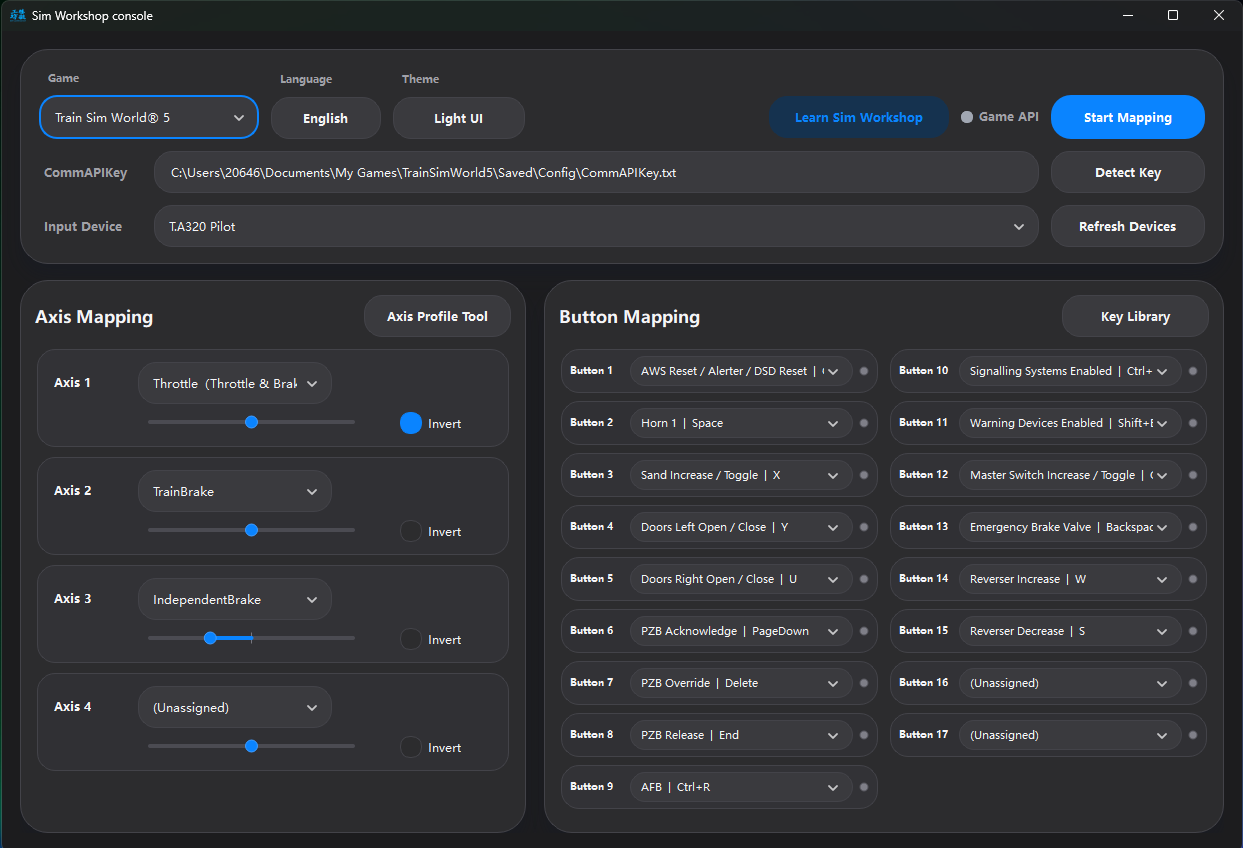
Sim Workshop Console 0.0.9 is now available, and this is a pretty big upgrade.
It’s no longer just a mapping tool — it’s now a unified controller console for multiple train simulators. You can handle device detection, control mapping, train profiles, and quick switching all in one place, making the whole setup process much smoother and more reliable.
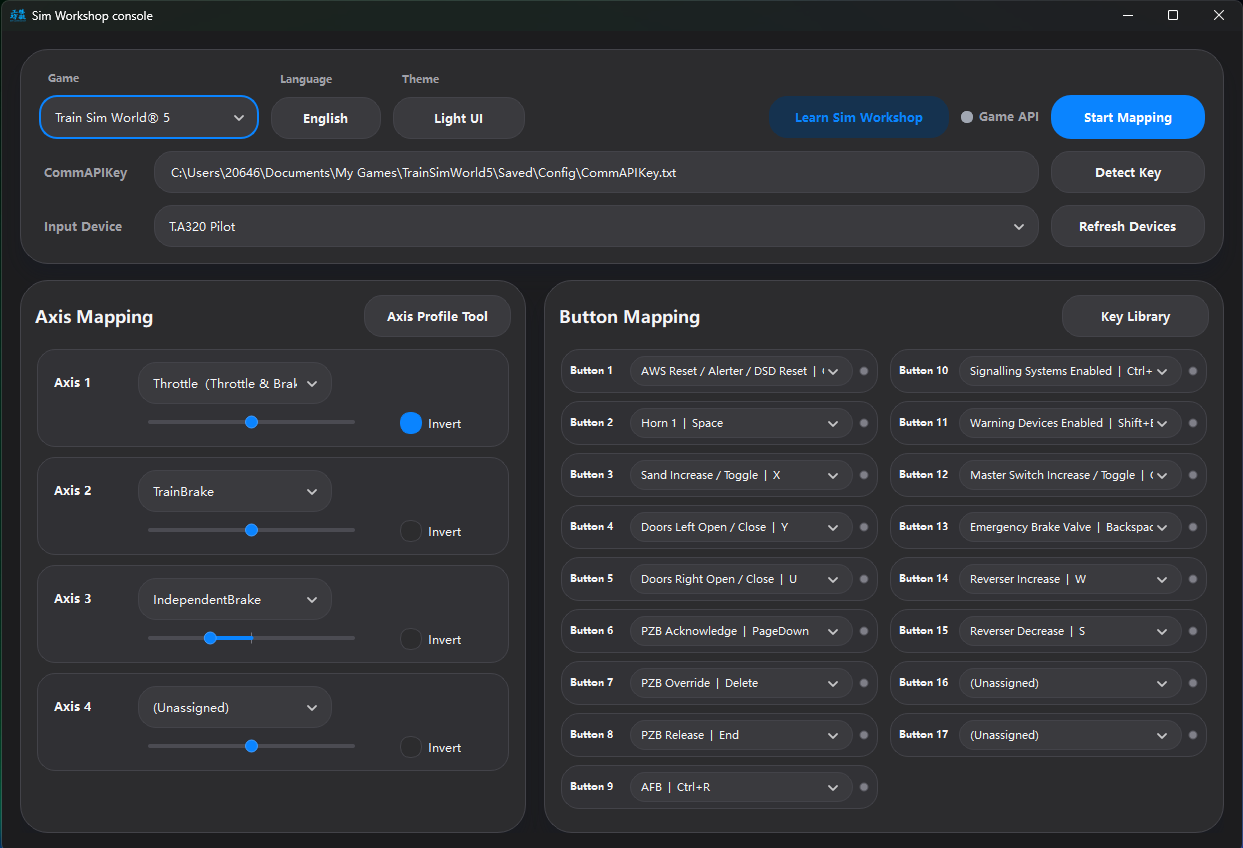
Supported Games
Currently supported:
- Train Sim World 5
- Train Sim World 6
- Train Simulator Classic
- Open Rails
- Run 8
Each game uses its own connection method (HTTP API, RailDriver DLL, local interface, UDP, etc.), but everything is now integrated into one tool — no extra setup needed.
Update 0.1.2 (2026.03.24)
Over the past two days, I’ve mainly been fixing a few general issues across the software.
Path / game interface related
- Improved path reading and sharing logic for game interfaces
- Fixed an issue where the main app and sub-tools could end up using different path settings
- Fixed an issue where manually corrected paths were not always inherited properly
- Improved compatibility of automatic path detection across different system environments
Input devices
- Improved input device detection and state synchronization
- Fixed detection issues affecting some devices in newer versions
- Fixed redundant entries appearing in the device list
- Fixed an issue where maintained switches did not correctly sync their current state on startup**
Train control scanning
- Improved the scanning logic for current train control items
- Fixed issues where some axis controls were not detected correctly
- Fixed incomplete scan results in some cases
- Reduced unrelated items appearing in scan results
Thanks again to everyone who reported issues and shared feedback.
Update 20260323
Hello everyone, we have updated the software to v0.1.1, fixing the 32-switch detection limit issue found on some devices, as well as the input conflicts that could occur when using multiple USB devices at the same time.
This version also temporarily adds an Input Diagnostics feature. If you still encounter input-related issues, please open that page, select the affected device, and attach a screenshot in your reply. This will help us identify the problem more quickly.
Key Features
- Here’s what you can do in this version:
- Auto-detect USB devices with real-time axis and button feedback
- Full axis + button mapping (throttle, brake, independent brake, dynamic brake, AFB, reverser, etc.)
- Multiple button trigger modes (momentary / toggle / step)
- Keyboard mapping support for broader compatibility
- Save configurations by game / device / train
- Automatically detect the current train and load the correct profile
- Built-in axis tuning tools and keybinding library for easy setup and optimization
- Tray mode, theme switching, and connection status indicators
New: Multi-language Support
This version also introduces multi-language support, allowing you to switch languages directly within the app.
This makes it easier for users in different regions and helps with sharing configurations across communities.
Who is this for?
If you:
- Use USB controllers for train sims
- Play multiple train simulation games
- Frequently switch between different trains
Then this update should make your setup much easier and more efficient.
Feel free to try it out, and feedback is always welcome 👍
Quick Start Guide
Before You Start
- TSW5/TSW6:
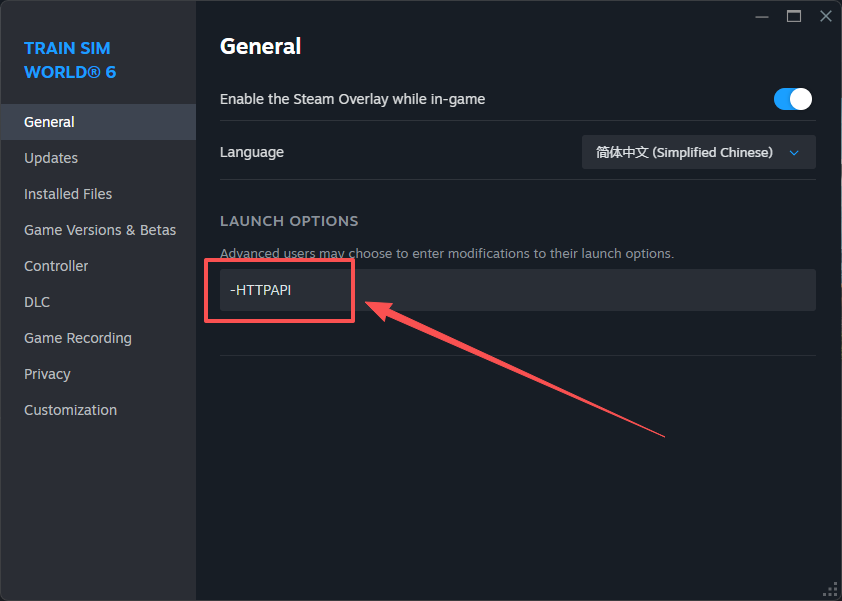
- To enable the external API interface, the game must be launched with the command-line parameter “-httpapi”. This can be configured in Steam as follows:
- Locate the target game in your Steam Library
- Right-click the game and select “Properties”
- In the pop-up window, go to the “General” tab (this is the default tab)
- Find the “Launch Options” section
- Enter the following parameter in the input box:
-httpapi
Once set, launch the game normally and the external API will be enabled.
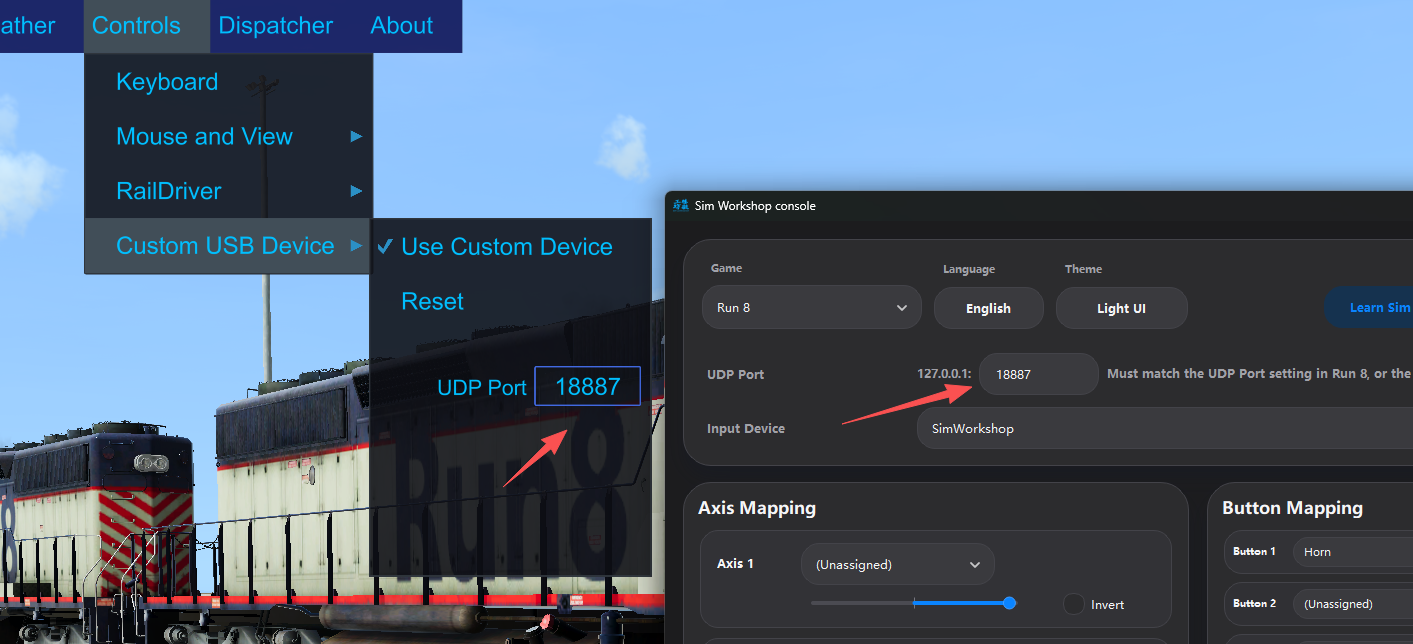
- Run 8:
Make sure the UDP port configured in the game matches the UDP port set in the software; otherwise, the connection may not work properly.
Step 1 – Select Game & Connect
Open Sim Workshop Console and select the game you want to use.
If the connection indicator turns green, the connection is working correctly.
Step 2 – Select Your Device
Go to the Input Devices section and select your hardware (e.g. TSC-X, joystick, throttle, or any USB controller).
Once selected: - The Axis Mapping and Button Mapping panels will display all detected inputs
- Move an axis or press a button to see real-time feedback
This is also a quick way to confirm your device is working properly.
Step 3 – Map Controls
Assign the functions you want to each axis and button, then click Start Mapping.
You’re all set — enjoy your drive
Additional Tools
- Axis Config Tool
The Axis Config Tool is designed for trains that are not fully pre-configured.
It allows you to:
- Manually assign axis-based functions (Throttle, Brake, AFB, etc.)
- Modify locomotive configuration files
How it works
Different trains use different internal names for their controls.
To handle this, each locomotive has its own configuration file, stored in the software’s root directory.
When you open the Axis Config Tool: - Make sure the software is connected
- Sit in the driver’s seat in-game
The tool will automatically: - Scan all available controls for the current train
- Display them in a list
You can then: - Enable a control
- Assign it as Throttle, Brake, AFB, etc.
Once assigned, it will appear in the Axis Mapping panel for binding.
How to identify controls
Simply move the validation slider next to a control and observe what happens in-game.
In most cases, you’ll quickly identify its function.
(Yes — this would be much easier if control naming were standardized… maybe one day 🙂)
Good to know
- This setup only needs to be done once per locomotive
- We will continue adding official support
- This tool ensures you can configure any train yourself in the meantime
- Key Library
The Key Library is a simple but powerful tool based on keyboard simulation.
It allows you to:
- Add, remove, or edit key bindings
- Map any keyboard input to your hardware buttons
As long as you know the corresponding keyboard key for a function:
- Add it to the Key Library
- Assign it in the Button Mapping panel
Finally, if you have any questions or suggestions, feel free to leave a comment below.
Including screenshots or videos is highly recommended, as it helps us identify issues more quickly.
Installation Instructions
The installer supports one-click installation. It is recommended not to install the software on the system drive (e.g., C:), as system permission restrictions may affect configuration file saving.
Files
Comments
About this mod

- Created
- 20 Mar 2026
- Updated
- 24 Mar 2026
- Game
- Train Sim World
- Type of content
- Utility
- Train Sim World Version
- Train Sim World 5, Train Sim World 6
Loading comments…