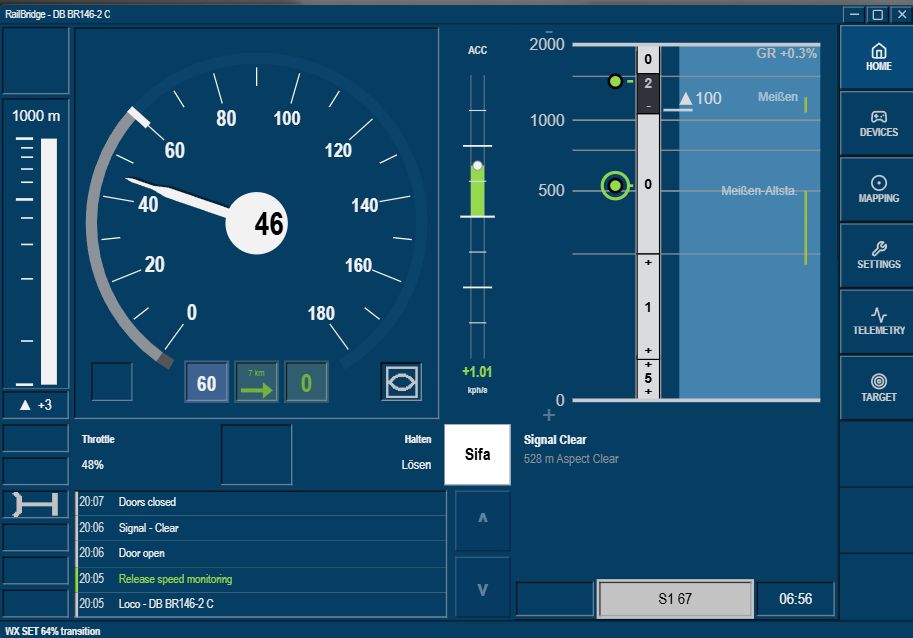
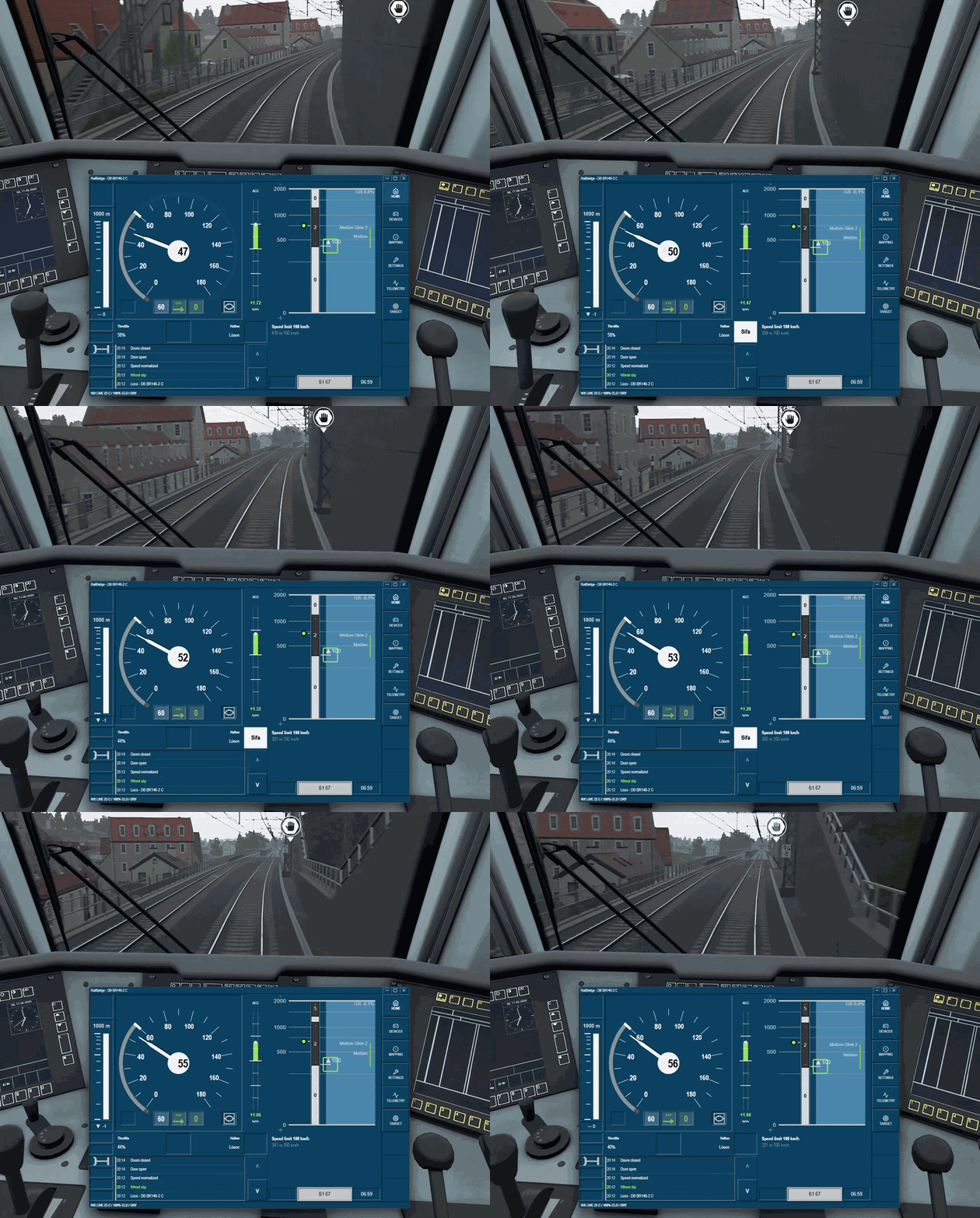
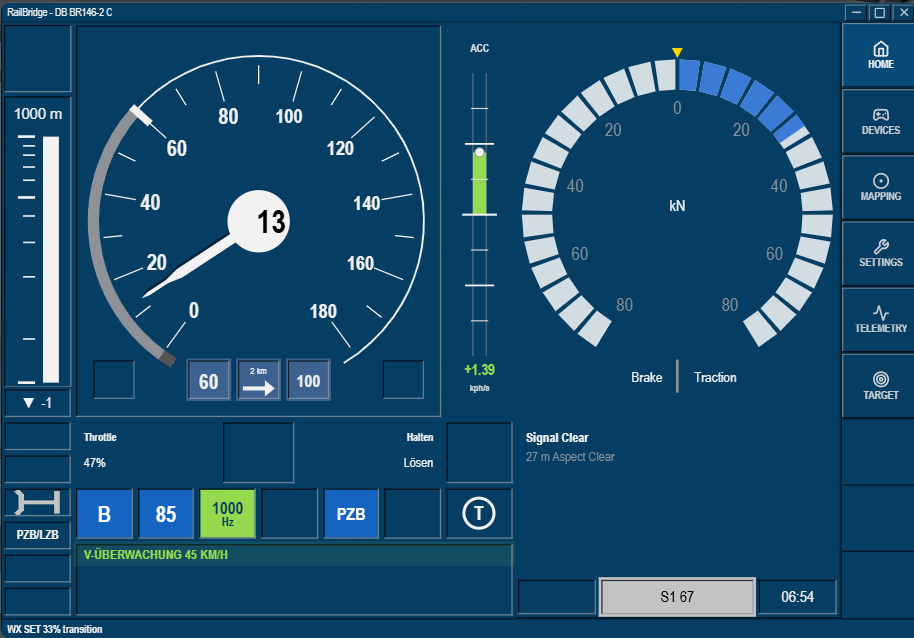
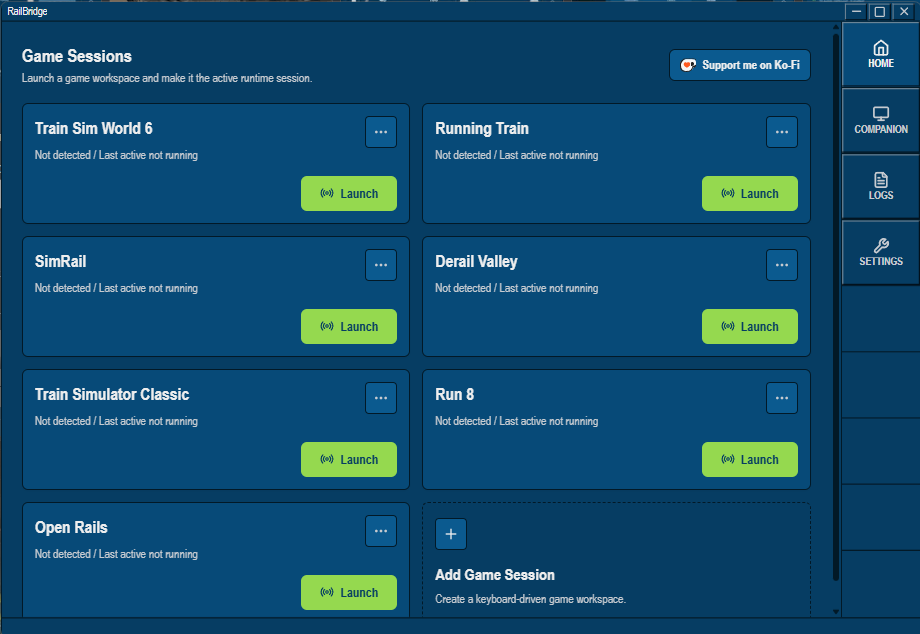
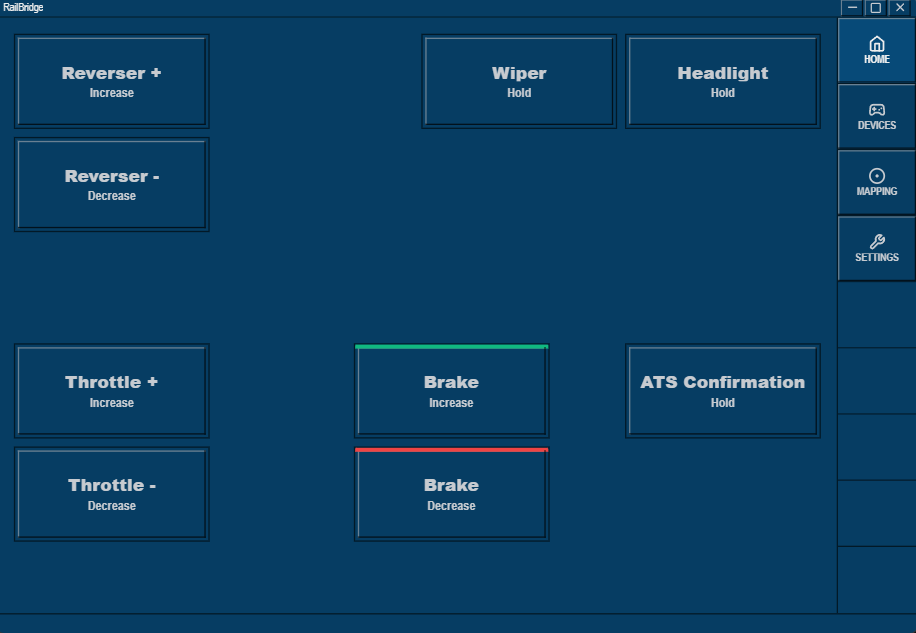
RailBridge is a companion tool for Train Sim World that does two things: it connects your real controller hardware to the game, and it gives you a live instrument display that shows what a driver would actually see.
Controller bridging
If you have a throttle, brake lever, reverser, joystick, button box, or anything SDL-compatible, RailBridge maps its axes and buttons to the correct in-cab train controls. It sends inputs directly to TSW without requiring the game window to be in focus, so you can run the dashboard on one screen while TSW runs on another and everything still works.
Live DMI dashboard
The dashboard is modelled on the ETCS driver-machine interface used in real European cab signalling. It reads live telemetry from TSW and displays:
Backend fixes & performance pass
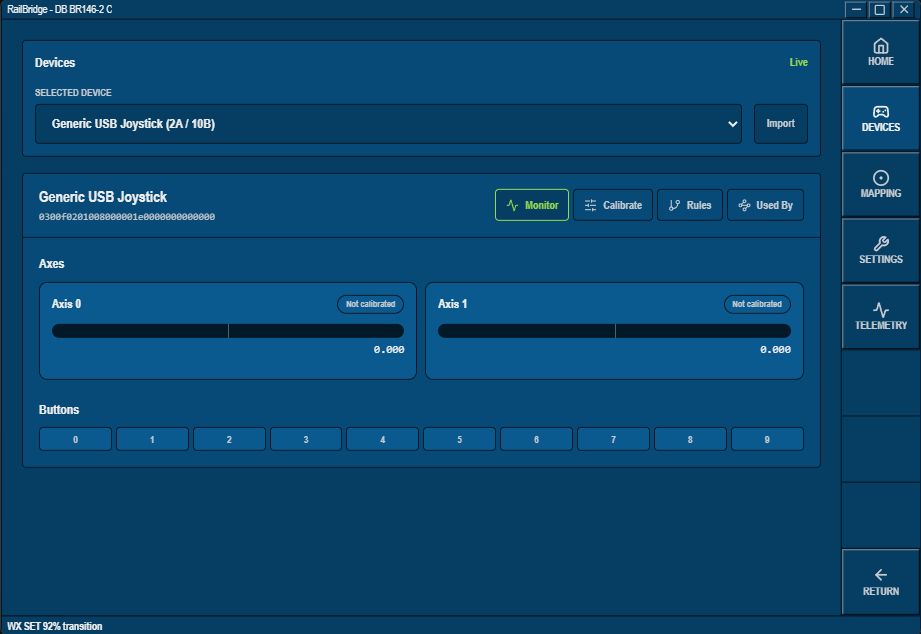
The devices area will now allow joystick axis calibrations and center point definitions. Input scan frequency has been slightly reduced for improved performance. Accelerometer-updates were added to remove the accelerometer lagging in some occasions. A small diamond-shaped marker has been added to visualze the Cruise control setting on the speed meter.
Accelerometer
This patch has moved the accelerometer back into a larger section in between the speed meter and the route monitor. Brake telemetry was added - though the API behaves quite odd here, so you might sometimes see % even though the game would show numbers. Individual options have been added to show / hide them as well as the accelerometer. A potential fix for the BR101 Expert's throttle was added. Traffic improvements were added to reduce the CPU demand after the connection to TSW got lost on stutters. The apps window setting was updated for easier resizing.
Full Companion rework & new horizons!
The companion has been fully reworked from the ground up and now streams a fully (let's say 80%) interactable dashboard to your device. This includes the UI layout, Languages, wheather, settings, theme, display layout, etc... The network traffic was also drastically cut and reconnection scenarios were added to support weaker network connections. It is still stronlgy recommended to ensure a solid and reliable wifi connection.
Additionally, to celebrate the release of Running Train, RailBridge now supports basic train controls via Keyboard transmission in an experimental release. The profile can be switched under the mapping section and will be auto-selected if the game is recognized by RailBridge. Be aware, that the use of physical throttles may not yet be ideal, but buttons or spring-loaded controller work great with the current keyboard design. All other dashboard & weather functions will not work with this game due to a missing API.
UI updates!
The route monitor can now be swapped with a traction and brake telemetry monitor. These UI changes as well as configurations to this new screen will also be auto-saved on the locomotive profile. Languages have been added to the settings: German, French, Spanish, Italian. The clock was updated to 24h format to avoid breaking in 2 lines. The throttle notch status was completely removed and rebuilt from scratch and should now properly show the current status. The supplementary display information is now also configurable and can be enabled/disabled. An issue was fixed that prevented the control of trains after a cab-change. The companion token was moved into a permanent storage to easier reconnect devices. A performance pass was also applied to the dashboard, allowing an improved refresh rate for smoother movements on the route monitor.
Network updates
Added a network option to the Settings menu where users can change the domain and port for TSW, and add a custom path for the APIkey file. Added natural support for the EpicGames version of TSW. Added some minimalistic colors to the Ink theme, added more endpoints for throttle and notch position readings.
Usability pass
This update expands the usability features: Units can now be set per gauge, added Auto-Scaling option to the Routing Monitor. Added colored brake markers. Added a third, "Ink"-style Theme. Updated the mph speed meter numbers. Added a new onboarding experience for first time users and to explain the changes. Update-detection added, you will now be notified in the app if there is a new update available. More train door detectors have been added. Locomotive-aware snapshots have been introduced. RailBridge will now remember when you change the units, speed meter or route monitor settings of a specific locomotive and will automatically load this the next time you use this locomotive. A launch screen has been added to show when the app is starting up.
Settings menu rework
The settings menu has been fully reworked and now appears as an integrated part of the dashboard when opened. Settings are now categorized and many items like Weather, Companion, etc. were moved from the Bottom bar into the actual settings menu. This is a foundational step to allow more settigns in the future. Also the Traction meter and the Notch / Throttle percentage have been updated to show the status form many more trains! Door state detection has been added and also triggers a sound when all doors are closed. The accelerometer has been tuned to be more responsive to small acceleration changes. An endpoint has been added to map the AFB lever on german locomotives.
QOL Updates
Live Weather Sync now transitions weather changes instead of snapping between seasons instantly. Fixed braking guidance to prioritize the strongest relevant braking curve. Stabilized brake-marker and gradient sectors on the route monitor. Fixed DriverAid speed-limit jitter that could briefly show false upcoming restrictions. Added dashboard indicators for notch, traction, acceleration, and gradient. Fixed a Direct binding issue that mapped axes incorrectly. Route monitor data now handles stale/frozen route context more defensively.
Advisory brake curves and markers
The DMI now shows brake markers derived from the route monitor, so you get actual visual guidance on when to start braking for a speed reduction or stop signal. When a speed reduction and a stop signal overlap, the display prioritises the most immediately relevant action so you're always looking at what matters right now.
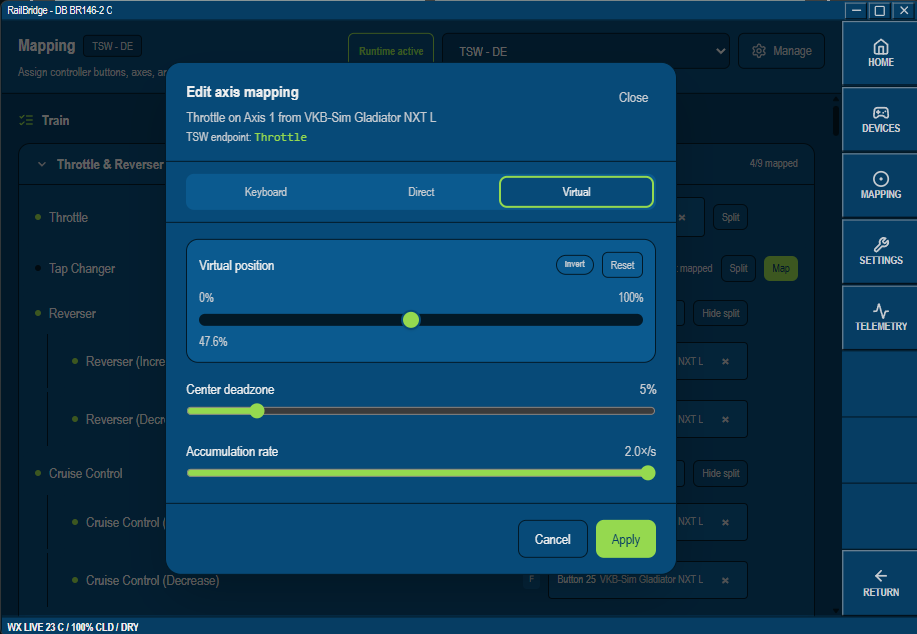
Direct and virtual controller bindings — no more keyboard workarounds
This is probably the biggest quality-of-life change! RailBridge no longer needs to route everything through simulated keypresses. Any controller axis can now be bound directly:
Direct mode writes straight to TSW's control endpoints when the locomotive exposes a usable API path — throttle, brake, reverser and others map to the actual in-game control, not a key.
Virtual mode handles controls that need smooth, accumulated input rather than a single press — think of it as axis-like behaviour for controls that don't have a native API path.
Keyboard fallback is still there for everything else.
The mapping UI has a proper binding editor to match, and the list now shows you exactly what endpoint or control target a binding resolves to. No more guesswork about what a mapping is actually doing under the hood.
Mixed mph/km layout
For UK routes the dashboard now supports a mixed unit layout — mph where it should be mph, km/h where it should be km/h. No more one-size-fits-all display.
Companion display
RailBridge can now serve the dashboard to a second screen or tablet over your local network. Same live telemetry feed as the desktop, useful if you want your DMI somewhere separate from your controls.
Sounds
Sound events added, which are inspired around current ETCS behaviour — clearer signal, overspeed, intervention, and clear-signal-pass. If you're coming from 1.0, legacy sound settings migrate automatically into the new defaults. And yes, also custom sounds are possible!
Speed supervision
Overspeed bands, target warning bands, and release speed are now all tracked and visualised. When simulator data is incomplete, the display falls back gracefully and tells you why something isn't showing rather than displaying a bad value with false confidence.
ETCS/DMI — rebuilt from the ground up
The dashboard now models a proper ETCS-style display instead of approximating one. Permitted speed, target speed, release speed, and overspeed bands are all represented correctly. The layout got a full rework with proper instrument areas, status strips, softkey modeling, and mode icons. It's still a simulator companion, not a certified system — but it's finally close to what I had in mind when I started this.
Backend refactor
Telemetry updates are now subscription-based rather than ad hoc polling, which means faster and more predictable dashboard updates. Stale, missing, or implausible data is rejected before it reaches the display. The whole stack is noticeably more stable, especially around disconnects and train changes.
If you like this application as much as I do, feel free to support me on Ko-Fi!
Tags: dmi ects joystick speed-meter supervision weather
You will need to enable the TSW 6 API.
Standard Win64 installer to install the program in a folder of your choice.
I've been genuinely blown away by the feedback and kind words since 1.0 — it means a lot to know people are enjoying it. This tool started as a personal project to make my own TSW sessions better, and it still is that at heart. I hope you get as much out of it as I do.
This is truly wonderful, I've been hoping someone would create a dashboard that mimics the ETCS UI. A little note (something that actually bugs me about the real life one), the speed display will be off-centred when there is less than 3 digits shown on screen, on this application it is centred.

I also wonder if it would be possible to independantly control metric and imperial values between the speedometer and the movement authority screen? As far as I can tell, for the UK at least, we measure the speed in miles but the stopping distances and such are shown with metres.
Finally, as others have said, it would be absolutely fantastic if this could be viewed via a webpage on a different device or maybe pin the window on top of TSW.
Very well done, looking forward to updates!
Hi and thanks for the kind words! Yes, that offset actually bugs me too, that's why I did not add it yet :)
The distance and speed is actually a good question, I never thought about this. I'll see what I can do!
yeah its the way ETCS is built
the NRM did a video where they went on a cab ride on a 700 in the core and the driver does say it shows in KPH rather than MPH
I actually added this to the newest version now. You can switch between full metric, full imperial or a UK mode. Hope that fits :)
Just downloading now. Read through your patch notes, seriously impressive stuff. Thank you so much for this!
Edit: This is genuinely fantastic, love the fact that you've even added the sounds. The UI rework is also spot on! Having the brake advisory markers fully functional is really useful, also loving the fact that you've added functional brake demand when going overspeed.
I notice that the web companion doesn't seem to allow me to press things like acknowledge, although that might just be my phone? It would also be great if it was an app so that it could take full advantage of being on a mobile device or tablet by going full screen/scaling appropriately. Other than that, I quite literally have no issues or suggestions. Truly insane work :D
Yes, the web companion is currently a read-only version. It's on my list to make that better in the future, but this probably needs me to rework the full feature, so I shy'd away from this for now, haha
Entirely fair play. Thank you very much for your work, this will make runs a lot more immersive. Looking forward to future updates!
Hi I love it!!! Thanks so much for doing such a great job!!! Just a suggestion, it would be really nice to have the timetable of the route on the dashboard interface so that we don't even need the in-game hud. Maybe you could put it in the down right hand side above the WX ON OFF and km/h and mph. I think this has already been added in other mods so I guess there should be a way to add it :) It would be really nice in order to not have to use the hud ;) Thanks so much and wishing you the best!!!
yeh that and maybe add smth for stop positions??
Yess that would be cool!
HI! The next update will bring many improvements, especially to the route monitor. Yes, Station display is planned for this, too. The timetable is sadly quite a monster to investigate, so I'll move this to another time. but defenitely planned. I also want to completely disable the ingame UI
Sound nice!!! Thanks!
This is all I've been using the past few days, and I even caved and got a small desk monitor with a fold stand to act as the HUD. I would LOVE to have the time info on the 'T' screen showing in the empty bottom right section, and hopefully have stations added to the track monitor. I love the gradient info too, but it would be helpful if it were bigger and in the top left/right corner of the speedometer section so it's easier to see. That's really all I can think of at this point that would make this even better, aside from the previously noted webpage on local network option for those who don't have external monitors. Again, wonderful!!! :D
I'm trying to map my TSC-X Controller to the game and running into an issue with the levers. They're fully calibrated, but the way the program is set up, it's asking me to map the axis to the keybind controls for increasing/decreasing throttle and brake (e.g., A/D, ; / ') rather than mapping it directly to the lever's position. I want it to be 1:1 - so if the throttle is at 30%, the in-game throttle reads 30%.
Is there a way to change the mapping so it tracks the joystick's actual position live, instead of continuously increasing or decreasing the throttle/brake depending on whether the lever is in the top or bottom half of its range?
Thank you and sorry for making you spend more money, haha :) Yes, so more route information will come in the next update. I have Stations alsready and I am looking into gradients. Train stations will follow a bit later, this needs a bit more digging. I'm also looking into direct mappings, then you controller will work as you requested above :)
Hi, I'm trying to use this with Train Sim World, which was purchased though the xbox store.
The API key file loction on my computer is: C:\Users*USERNAME*\OneDrive\Documents\My Games\TrainSimWorld6WGDK\Saved\Config
Note: The addtional WGDK at the end of TrainSimWorld6 folder. It is possible to change the API key file location setting in RailBridge to cater for this differance?
Hi! Thanks for the hint, yes, I'll add this, too!
Hey, can you maybe try again? I added this to the newest version and would like to understand if it now works!
Brillant, works now. Thank you and great work. It's so apreciated.
There's not a lot of documentation on setting up the API for xbox store purchases, so assuming you installed the game to your C drive:
perfect, I hope you have alot of fun with it!
Awesome mod!! Finally a functional ETCS for tsw! Really appreciate that hours of programming.
Is it possible to activate the etcs sounds?
thanks!
Thank you! Yes, sounds are in now, please have a look :)
I love to use that Program, I hid every UI elements (Besides the next stop distance)
And I really like using it with TSW.
You did a great job with this one, Also:
Is it possible to also make it show the PZB/LZB/AWS, etc. as options?
Just an Idea, but so far it's already great to use
This is actually what I was looking into in the last 2 days, But I put it on hold to get this one stabilized and release. Defenitely on my list!
Can't wait to see how it turns out😁
Oh yea, is it also possible to make it "show" the next "Timetable" stop for your route too?
Also Take your Time, you already did a great job here😅
WOW! What an update. Can't wait to update and give it a go! :D
Thank you for being so resposive to feedback. :)
You're welcome, thanks for the great feedback so far. Let me know what you think!
This is an absolute game changer! I can't drive without it.
Are there plans to add the UK ETCS NTC display so that TPWS/AWS indications are visible on the DMI? Also, when using companion mode, is it possible to make it so that I can interact with the DMI my tapping the device that it is sharing to? I drive with the iPad but when I have to acknowledge something, it requires me to click it on the computer instead.
This is such a good tool, thank you for making it
Consider using SpaceDesk.net to make your tablet as a second monitor to your PC.
You can them drag the RailBridge app across to your tablet screen. Finger act as mouse clicks so you can interact with RailBridge on your tablet.
Some feedback here:
This is gonna be long, SORRYYY :')
Since the update I've noticed a few things with the track monitor that weren't happening before. It's kinda hard to describe, so I'll use a specific example. On Birmingham - Crewe, heading north toward Wolverhampton, there's a 30 mph speed reduction, then a 15 mph reduction, and eventually a stop signal further on. The braking curve is calculated for the stop signal and almost completely ignores the 30 and 15 in between. So by the time I get to the 30 mph marker, the curve has only brought me down to around 45 or 50 mph, because it's pacing me to hit zero at the stop signal instead of 30 at the 30 mph board. It just isn't falling fast enough to keep me legal at the closer restrictions. IMO, it should either show the curve for whichever restriction is closest, or show multiple curves at once so you can see the targets for the 30, the 15, and the stop. Or at the very least, show whichever curve is the most restrictive at any given point (so basically whichever one will actually keep you from speeding). I'm not sure if this is intentional, but it definitely wasn't behaving this way before the update.
The other thing I wanna mention is the advisory brake marker (the yellow/orange bar that shows where the braking curve starts). Once it moves down and reaches zero, which is essentially where my train is on the track monitor, it should just sit there solid and not move as the speed restriction keeps approaching (this is what It did previously). Instead it constantly jumps up and down, bouncing around. There have been other times where it doesn't show where the braking curve is supposed to start at all, and just sits on top of the speed reduction marker.
I do wanna say though, I absolutely love the new elements on the track monitor. So glad to see stations!! :D Hopefully one day we can get actual timetable info on there too, so we don't have to rely on the in-game HUD to know which stations to stop at and at what times (Hopefully one day it elimates the use of the in-game UI entirely). I also love that the accelerometer is bigger and easier to read, and the overall layout is much easier to navigate/understand. The hover tooltips that explain what things do and what they mean are really cool too, great for those who may feel overwhelmed with trying this. The one thing I'd say regarding the layout is that without the old visual accelerometer (the dot that used to move around from above or below the center), it's harder to tell if the train is speeding up or slowing down by small amounts. Before, you could see the line drift slightly off center and know immediately what was happening. Now, even when the train is gently accelerating, or braking, the readout often just sits at 0.00. Would be nice if the visual line could come back alongside the numeric value, or at least have an option in the settings to chose a preference. :) I also noticed there's a block for the power notch, but I've never seen that working, not in this version or the last one. Hopefully one day we can see that info too. :D For gradients specifically, I saw in the pipeline above that improvements are planned, so I'm sure changes are on the way. I really ike the idea of how it's implemented now, but it's definitely not always accurate to what's actually happening on the route. Sometimes I'll start heading down a very steep hill and it'll still say +1 or +2, sometimes it'll quickly change, as if it's not sure whats happening. If possible, a moving line indicator for the gradient would be a neat addition, similar to how it works in TSC. That said, I'm not sure how well that would translate here since the track monitor is vertical instead of horizontal. In TSC it's easier for players to understand because of the horizontal layout. Here, it would have to move left to right instead, which might be worth experimenting with. Or, it would be great to just bring back the old digital gradient readout the way it was before, or at least have an option to toggle it on. :) (Edit: I just noticed the traditional gradient readout is there (dumb me), it's just at the top corner, but it does get lost when there are other elements moving behind it.) I did have a thought though, it would be really lovely if the track monitor was dynamic the way it is in TSW, where the faster you're going, the farther ahead you can see, and as you slow down it shrinks back in automatically. Having that auto-adjust instead of doing it manually would be SO perfect!
Really loving the improvements with controller mapping, especially with the addition of direct control. When I'm previewing it within the application itself, direct control works perfectly. It shows exactly where my levers are, and updates instantly! The issue is that when I'm actually playing in the sim (for example, in the Class 150), the game isn't reflecting those lever positions accurately, even though the application is clearly reading them correctly. The throttle gets stuck at max power. When I move the lever up and down I can see the lever moving in-game, but it keeps flickering back to the highest power notch (I think notch 7?). So something isn't communicating cleanly between the app and the sim, because within the application itself the inputs are spot on, and there wasn't an issue mapping anything. Buttons all map and work correctly too! I'm not sure if this is a game-side issue or an application-side issue, but this doesn't happen with cobra's TSW Raildriver and Joystock application, which is what I currently use. I'd love to be able to use this for everything instead. One thing I have noticed about cobra's app that might be related.. when you edit the lever map, you can select which control the master lever is bound to. For example, for the throttle lever on my physical controller, I can choose to map it to either "throttle" or "throttle and brake" (combined). In this application there's no equivalent option that I can find. I wonder if that's why, even when my controller is fully calibrated and the lever shows exactly where it should be in the preview on your app, the sim doesn't reflect the right position for that specific train. Hope that makes sense lol.
Hope this is helpful, and again thank you for taking the time to respond to folks here. Also, it would be lovely to see a button to donate, maybe to a KOFI or Paypal. I wanna send you a little something, and i'm sure others might as well. It's very obvious a lot of hard work went into this, and modders always deserve support! :)
Wow, what a great feedback, thank you very much! I will try to address all items from your feedback:
Baking Curve:
This is the exact thing I also noticed im my first ride after I pushed the update (obviously, lol). It's a "Me" issue. My logic was prioritizing the lowest end speed, which means a stop signal can overrule a speed restriction and this leads to the exact problem you entountered. The good news: this is already fixed for the next update and we will then look at the most restrictive brake curve at any time. I also noticed the line jumping. I assume it's the autotargeting logic which switches the actual target to a different braking line, but I'm still investigating this one.
Timetable:
This is actually a monster. I'm planning to get the full app stable before I jump on this. Sadly the API does not promote an easy connection between the timetables and your current timetable, so I need to be very creative. Or I haven't found the actual link yet.
Accelerometer:
Yes, I also miss that one to be honest, so I'm checking what I can do. The old one used many more digits after the comma and exagerrated that number, so it was actually quite easy to see. Now there's the actual number with 2 digits after the comma, which can't do that. I have to fina a place where it fits without messing with the UI :)
Gradients;
Yeah, that was a thing I thought to be super easy and then turned into quite a nightmare. There's loads of calculations needed to split the route profile in chunks that make somehow sense and are also visible on the UI. And the API constanly changes the deal which makes them update and change constantly. Additionally, there was a small glitch that reacalculated the gradient from your position to the next end of a sector. this then led to the changing gradient number you described. It's on my list to rebuild this properly again, I think I'll need a fresh approach on this. As to the distance: you can actually zoom in and out of the track monitor. It supports some steps between 1km and 32 km. Just click the top or bottom line.
Direct Mapping:
Hm, that is really strange I have another person on reddit also mentioning this problem. I need to investigate more. I just tested it with my Stick (I use joysticks) and it worked nicely, so I have to understand what's happening there. The tool is built in a way to identify what control device you need and then map it automatically in the background, so I guess something maps wrong. I'll so some investigations.
I'm actually on your discord, so if you have any other questions, feel free to ping me there :)
Really glad to hear the braking curve fix is already in for the next update (and just now noticing a new version is up so YAY).
For the direct mapping issue, since you can't reproduce it on your end, I'm definitely more than happy to help test whenever you want. I can grab logs, try different configurations, record video of what's happening in-game vs. what the app is showing, whatever would be useful for you!! Just let me know what you need. I use the TSC-X controller from Sim Workshop, so maybe that's part of the puzzle since you tested with a joystick.
I actually saw you in the Discord earlier today, so it's nice seeing you there! Thanks again for all the work you put into this. :)
Thanks for volunteering! The new version also has a fix for direct mapping in, so please let me know how that works now!
Fantastic work, it really does make such a big difference to the overall experience. Thanks very much.
Welcome, I'm glad you like it :)
I use a home built controller with 4 analog lever axes (and 2 rotary analog knob controls, plus a load of push-button switches) - I normally use CobraOne’s interface, but there are some locos that are not Raildriver compatible such as many of the additions in Sprattyheath’s Class 66 Megapack and some of the Class 47s in WCOS etc (its odd that RD compatibility doesnt carry over when a cloned loco is made with a new livery in the editor), so I gave your util ago.
Button inputs seem to work ok , but I’m having trouble with analog axes - touching the throttle lever starts the throttle incrementally going up in power till it reaches full, or down incrementally to zero when moved the reverse direction, just by me touching it slightly. For the reverser, it just shows ‘neutral’ all the time, whichever way I rotate the control. In both cases monitoring the axes in your ‘live preview’ Edit page shows the axes moving correctly, its just the interpretation of an axis is not correct within the game. Some explanation of how to set-up analog controls would be helpful as I dont find it all together intuitive, but I’m hopeful I can eventually get this working correctly with my controller, it looks very promising👍
Hi! Thanks for sharing this! Your description sounds pretty close to a bug that I found and added an experimental fix for in V2.2. Could you try this and let one know?
Throttle, independent brake and reverser all now pick up correctly, including the split combined throttle&brake single lever function. 👍
I noticed that analog controls on ‘direct’ control input do not appear to show on-screen notification of their setting on the righthand side of the screen (they do still show their value if the cursor is over the actual lever in game, however) - is this just my pc or something related to having ‘direct’ input?
Nonetheless , I can now drive locos that didnt have RD compatibility, many thanks. What port does the utility use to send to an external device on the same network?
Could you please add the external view camera controls (keys 1, 2, 3 & 8)?
Great utilty 🌟
If you click "CMP" at the bottom right then turn it on, it'll show the IP and port as well a QR code to quickly access it.
Thanks Acro, never noticed that little button!
HI! Regarding the on-screen text showing the throttle status: this is sadly just how the API works. I added a "Notch" reading just under the speed meter to help you estimate this a bit better.
Yeah thanks I noticed that, its quite helpful now I have companion mode onto my ipad
Popping back in to say, I've had some issues regarding TSRs. The speed restriction doesn't appear to stop, so I end up stuck at 40mph even once I've cleared the area.
Hi and thanks for sharing! Can you please try version 2.2 and check for me if you still have the same issue?
Fixed, nice one :)
Final, final notes I promise (I see you've been getting a lot of suggestions and feedback 😂). UK speed dial ranges are a little bit out, we have 110 as opposed to 90 and 140 instead of 155mph.
No clue if the API is able to differentiate TSRs from normal game speeds but if it can it would be great to have them show up as such on the info screen similarly to this

It would also be good if the speed dial range override button and tooltip shown would show the respective units when using Imperial/UK.
The intervention alarm shouldn't stop playing until you are back at target speed. It would also be great if you could prevent sound effects from from playing over each other.
Other than that, I genuinely cannot think of anything that hasn't already been suggested or you've said you'd like to look into yourself. Once again, thank you so much. It seems kinda silly but that has been a game changer for my immersion and really makes me want to invest in some proper controller equipment.
Haha, I actually just tranlated the km/h values into Mph. Do you have a full list of hich nubers are used? Good hint on the button, I forgot this one. On the intervention alarm: I had recently seen this, too in a video on youtube, adding this should be quite easy :)
This was actually the sole reason I started building it. I wanted to use my Joysticks. Glad you enjoy it as much as I do!
Caveating that I cannot find definitive documentation on this. From looking at images and videos of UK ETCS testing and trains fitted with the Level 0 DMI, I've been able to confirm the below results.
80mph, 110mph, 200km/h, 140mph, 250km/h (but the last number shown on the hook is 240), 400km/h.
Metrication has partially happened, but only in isolated circumstances. Because of this, the units of measurement are denoted on the speedometer itself. As far as I've been able to work out mph is standard for now, even at Level 2 (although I believe the plan is/was to have it automatically change to km/h in these sections). The current exceptions that use km/h are trains running on the Cambrian Line, the Class 374 on HS1 and trains in testing. While we are yet to have conventional trains in this country reach speeds above 140mph, I would assume the bizarre mix of metric and imperial will continue into the future. I think the 250mph speedo you currently have is probably a good approximate, although I'd assume it'd be like the metric one and continue to jump up in increments of 20 until 240. Because both metric and imperial are used, I'd suggest that the auto setting only jumps between the speeds listed in mph, if people want the non-standard UK km/h, then it can just be manually selected.
I hope all of this is helpful. Sorry it's so much, turned out to be considerably more complicated than I thought. Below are some images corroborating the speeds I've listed.

The Class 777 has a maximum speed of 75mph, shows up to 80mph in Level 0

The Class 717 has a maximum of 85mph and shows up to 110mph in Level 2

The Class 701 has a maximum speed of 100mph, shows up to 110mph in Level 0

The Class 700 showing a maximum of 200km/h in some sort of test/simulation (this is non-standard and it shows mph in Level 2 when running normally)

The Class 158 showing up to 250km/h, with the last number displayed being 240km/h

The Class 80x showing a maximum of 140mph in Level 0
Great effort, thank you! Yes, sometimes the reasearch can be quite a challenge! I'll add these values so it then scales correctly.
Heya, just noticed you've got 140mph listed twice and no 110mph range. Also, there's no option for the S2 warning sound to trigger for the actual brake intervention, only for wheel slip. Thanks for taking my suggestions onboard, really appreciate it
hey, so i connected my ipad into this app, and it works very good, but bit sad im not able to click the buttons on it, but only on pc. will it ever be added so we can? but eaither way, really good stuff!! keep up the good work!
hi! thank you! Yes, it is planned for the future, but will beed an extensive rework, so it might take me a while
his mod is really awesome, and I have a few ideas that could make it feel even more realistic.
Add a new menu on the right side of the screen with categories such as:
the Data View menu:
Planning Area (switchable between):
Units (switchable between):
Speed Dial (switchable between):
Safety System (switchable between):
full external display touchscreen support ( so we can change the settings on the go on the ipad of phone )
I think features like these would make the mod feel even more immersive


Thanks for the effort!
yeah, this would be quite cool, but will take alot of work! Maybe in the future!
Hello
I just tried yesterday V2.1
I want to tell you that that mod is always AMAZING ; thanks to listening to our feedback too :)
I have a suggestion ; with the addition of sound events ; would it be possible to add the ability the ability to have an event for when the doors are (fully) closed?
The idea behind this is to let the driver know when doors are closed ; in the UK it's the buzzer ; which in TSW doesn't work on every rolling stock/route
Anyways ; words cannot describe how your mod is so peak ; love you man!
HI! Thank you for the kind words! Happy that you enjoy it as much as I do!
I just added a sound event for "all doors closed" for the next version :)
Hi! This is great, however I am strugling with getting the mapping for the X52 throttle quadrant. I want to be able to use a rotary to select the reverser diorection but that doesnt seem to work, and the split throttle/brake behaviour is very weird. Tiny movements result in massive jumps. I only have to move the handle a centimeter from centre and it goes all the way to emergency brake. I see other people are having issues too but the updat has not done anything for me sadly. I have been using this (https://forums.dovetailgames.com/threads/ts-world-raildriver-and-joystick-interface.61440/) and that seems to work fine when calibrated through the game settings. I must be missing something here. Is there a manual available?
Did you select 'Direct' input - after you have assigned an axis to a Throttle , Brake or Reverser control, select 'edit' and on the edit page you will see 3 types of input (keyboard, direct and virtual), select the centre 'direct' one.
Is the X52's rotary an encoder (rotates without a stop point) or a potentiometer?
Alright, this is brilliant. I have to say.
Just one bug bear from me. Could you potentially get the installer to add a firewall rule to say that the connection on either port 51160 or the app itself (the latter would probs be better) so companion works? I had to add the rule manually but some people may not know how to do that.
EDIT - Also, another thing, I can't acknowledge from my iPad
Thank you! I'll see what I can do. The companion is currently read-only :)
Excellent work but having an issue setting up a Moza MTQ throttle, I do not get the Keyboard Direct Virtual buttons displayed when mapping an axis per the screenshot on the webpage:

Any ideas?
Did you click 'edit' after assigning the Moza throttle to a throttle/brake/reverser control?
Yep, and I get do not get those button options; only the keyboard buttons, the invert axis option and the engage/release sliders.
HI! I'm not really sure if I understand this correctly, could you maybe explain this a bit more? The buttons will only be mapped if you use the Keyboard option, but if you map the virtual stick, or the direct mapping, it will then use the api to control the throttle.
Thanks for assisting. I cannot post screenshots but in a nutshell:
The Moza MTQ throttle is detected as a device by Railbridge and all buttons and axis show to interact with the app.
Buttons work fine with TSW - I have mapped buttons for horn, lights wipers etc. and they work in the game.
For the axis controls, in Mapping, I click map against the throttle option and then operate the throttle lever; this gets detected and is assigned as an axis in the app.
Then I click on the Edit button and when the Edit axis mapping window opens, I do not get the three buttons for Keyboard, Direct and Virtual presented. In the absencee of being able to post a screenshot, i get a live preview field with an axis 'slider' showing the D and A button which will show movement of the physical lever. Below that the invert axis selector and then below that the Engage at slider and the Release after slider.
I did download and install version 1, which acted similarly, but uninstalled this completely and rebooted before installing 2.1 and 2.2.
TSW is launching from Steam withthe -HTTPAPI option and there are two green ticks in the settings tab.
Cheers
All working now! Installed version 2.4 and started new profile from scratch and now have direct axis working.
Game changer!
Definitely a Kofi on the way after pay day!
Just to add:
If I use the TSW-EN (or DE) profile then the keyboard/direct/virtual buttons appear when editing the axis but if I create a new profile, using one of these as a ‘Start from’, the buttons are not presented.
Aha! I think you initially had V1 installed, right? Between V1 and V2 I expanded the profiles wile adding the direct mapping, this lead to. The issue you noticed. Good to hear that it works now!
unable to get the app to work with TSW/API this is the first time i have tried to use a mod like this but unfautunately i am unable to find any sort of manual for this mod.
Hi! Which version are you using, Steam or the Microsoft/Xbox store version? For Steam, there's another user who explained this just a few comments down :)
Hi, Quick question why does windows show me that this downlaod isnt safe? and btw what is TSW/API and where can i enable it?
It says it isnt safe because its not registered with Windows, but I always scan any d/l like this and it was fine.
To enable TSW/API:
Add the following to your Steam's TSW6 start-up - go to your Steam library page, right click TSW6 and select 'Properties' > 'General' > in the Launch Properties box add the following (without the quotes): '-HTTPAPI'
oh Okay tysm!
This might be a silly suggestion, but I think it would be very helpful if we had customizable profiles for the sound events in settings. That way, when switching from playing UK or German routes to playing US routes (since there's no ETCS in the USA), we could just swap to a different profile.
Each profile could control both which sounds are enabled and which sound effects play, so instead of manually going through and unchecking boxes or changing sounds every time you switch from a US route to EU for example, you could just create profiles for each region and easily click between them. Could also come in handy for those who just wanna play by their own rules in different regions. :)
Hi! And thanks for the video review by the way!
This is actually not a bad Idea. I'm currently moving the settings in an embedded view and I moved many controls that were not easy to identify from the bottom bar in there, including units, so every time I switch a route I actually have to click a few times. Having a "Quick profile" or so could be an idea worth exploring.
Brilliant! Using it on my iPad, I'm having a lot of fun with it already.
Awesome, thanks for sharing! :)
I've installed the program and I've added -httpapi to the Steam launch options but the program can't connect to the API apparently. Any idea what could be the issue or how I could fix it?
hm, can you maybe check again if there's a spelling error maybe? -HTTPAPI
Looks very nice! Is there an option to disable ETCS? Would love to utilise this with the older routes like WCMLOS and the upcoming Preston - Crewe but have a proper visible speedo. Thanks.
Hi & thank you! Currently you can only disable the intervention, but the visual feature remains on
hey! I have a problem with connecting to Train Sim World, can u please help me?
Try to restart RailBridge. Had the same issue after my first install and it solved it.
Question on that: did you have RailBridge running before you enabled the API in Steam, or did you start it afterwards?
restarting didn't change anything, and yes I started it afterwards (im on epic games)
It’s a missing path location. I will add this to the next update, so stay tuned!
Thank you for this already incredible Mod and bringing back the fun to TSW.. I tipped you a few EUR to showw you my appriciation of your work. It's not much but maybe a few others chime in. ;)
Thank you so much, this is much appreciated <3
Was wondering but how do you recover from a EB from SPV? I mostly play on german rolling stock and i cannot make any recovery as my Main Brake Pipe stays at 0
HI! I currently just enables the emergency brake lever. You need to turn that Off again to continue. Some locomotives have this separate from the main brakes.
Really nice app that lets me use my Thrustmaster Warthog throttle for the PBC control.
I'm finding it difficult to avoid accidentally entering the emergency brake zone as it's difficult to work out what notch you are currently in.
Would it be possible to add some kind of calibration or add custom points to the mapping of the axis to the simulator? Similar to Microsoft Flight Simulator flybywire throttle calibration - although this would be train specific as each notch/brake % is in a different position, but just as a general idea.

Thanks for the hard work so far!
Uh. That might be quite difficult. Every locomotive has their own count of notches and mix between notch and lever. Not sure if this ca be built in a way that really benefits.. I’ll have a think but here I can’t make promises!
Im ABSOLUTLY LOVING THIS MOD ITS AMAZING, thank you so much for putting the effort to make this mod, I know you're probably overwhelemed by other ideas but I have an Idea aswell that "MIGHT" not even be possible but worth a try. I was wondering if we can mix the UI and implement an etcs level 2 system for some trains. an example train is for the CLASS 700 where the train basically drives itself on etcs level 2. the ATO button is not presseable on the 700 but we can make a shortcut on the keyboard for that, at the same time you can also make it either be a specific section of the rout that automatically enables it or it being always on in the background ready to be turned on by the chosen shortcut. AGAIN I know it's alot but if it's possible we can expand into other routes and trains such as the 800 family.
Haha, I actually thought about this. With traction, acceleration speed and lever settings it’s actually quite easy to automatically control the train. However, it might now be the best experience was the app does not really give easy access to the full train weight and the engine power, so it might oversteer quite a bit.
Great work!
Is it possible for you to allow the user to pick a custom location for the APIkey. txt file? Would be awesome for game devs to be able to use this app. TSW dev build doesn't keep game settings in the usual Documents/Game folder.
Hi! I just noticed I forgot answering to you. Yes, this is now possible!
Okay, so can we get an option that allows us to choose which feed we want?
Not sure what exactly you mean here. Can you elaborate?
o i lowkey didnt expect uu to respond but this is what i meant 


Sorry, maybe it’s me but I‘m still confused. What exactly are these Screenshots supposed to show? They Look like random Screenshots to me. You mentioned earlier you‘d Like to select a feed?
o mb for not giving context its cs everytime my game would stutter, it would change feed, and it would make my game lag a bit
Ah! Yeah, I do have the same issue. When TSW has a lag or freeze, the API stream stalls. As soon as the game is back, RailBridge needs to do a full query to ensure that all info is still correct. I subscribes to a ton of data from the API, so that’s what makes it lag. But this is usually over a few seconds after the game lag, or does it stay longer for you?
uh a few seconds, but mainly max is 30 seconds
I noticed the time in the monitoring log is showing the actual local time of an event, not the simulator time of day.
Oh, good catch! :D
I absolutely love this!! For me, the only thing that could make it better would be the ability to have interaction with my tablet screen that i use for the web companion. Other than that.......awesome work, truly awesome!!
This is a real game changer for me! I'm using my Flight Sim hardware to control the trains and it works really well!
Hopefully you can sort out one issue I'm having.... I'm using Direct mode to map a joystick slider to the Automatic Brake, but on many older British locomotives (Class 31, Class 40 for example) there is an additional spring loaded setting to overcharge/release the brakes (beyond the "running" setting). After the brakes are applied for the first time, I can't get the overcharge to work, meaning that the loco brakes start dragging and I cant release them. Even hitting the ; will release them, for a while, but they bleed back on again. Is there another API call you can make (or a setting I'm missing in the mapping) to get this to work as intended? Locos without the overcharge spring loaded setting work just fine.
Cheers
Mike
To reply to my own comment - I did manage a workaround, which might be useful for anybody else with the same issue. Split the mapping and map the Automatic Brake B setting to another button. That seems to fix it!
Hello everyone, here is a solution I found for the people struggling with "API key not found/TSW6 API not reachable" error message on Epic Games:
When using third-party telemetry tools like RailBridge or ThirdRails with the Epic Games Store (EGS) version of Train Sim World, you will often get a connection or authentication error saying your API key does not match. This happens because of two conflicting design choices:
Hardcoded Mod Paths: Many TSW telemetry mods are hardcoded to look for your game data inside the default Steam directory pathway: ...\Documents\My Games\TrainSimWorld6.
Unique Epic Folders: The Epic Games Store version of the game actually saves its files to a completely different folder named ...\Documents\My Games\TrainSimWorld6EGS.
Because TSW generates a brand-new, randomized API key inside CommAPIKey.txt every single time you boot the game, manually copying the file over breaks the moment you restart the game. Furthermore, if you use OneDrive, it constantly locks these folders, preventing mods from properly tracking file changes.
THE PERMANENT FIX: Instead of constantly copying files, you can use a native Windows Symbolic Link (Symlink). This tricks your computer (and RailBridge) into thinking the TrainSimWorld6 folder exists, while secretly routing it instantly to your active TrainSimWorld6EGS folder to grab the live key.
Once you see "symbolic link created", you can turn OneDrive back on. RailBridge will now seamlessly read the fresh API key on every single launch automatically!
Let me know if this doesn't work or if there will soon be an option to change the path of the API key file (not just the TSW6 connection).
Very good finding! With the path now I can add this to the next version!
Anybody else come across the issue where changing cabs means you cannot use your hardware to move controls in the other cab? As an example, the Class 87, when you change cabs, nothing responds to the hardware any more. I tried using '1' (I did read that this could re-set the bindings but no joy). Even if I hadn't properly shut down the other cab, I should at least be able move the straight air brake in the new cab.
Looking forward to hearing about a workaround or fix for this one :)
Cheers
Mike
That’s an interesting point. I’ll see if I can reproduce this somehow!
same here! Happened when I spawned into a 150 (worked fine), then switched ends to the other cab on Birmingham-Crewe.
that was a good one. I think I found the bug. Next version should have a fix for this!
Hello,
i saw this tool on Train Sim Socities Video and find it awesome. However as i use Linux and run TSW 6 over Proton which works fine. I dont know if this tool is combatible with Wine/Proton. Did anyone tried it out on Linux using wine or (to the author) is ther any chance that we get a Linux version? I know this could be imposible depending on the UI Library and Programming Language used,
Hi! I don’t have a Linux system to test it on sadly, but please let me know in case you run into issues. I’ll then see what I can do to get that running!
Sadly i didnt got it running. i have a white window of right size, however something in ole32 (windows component) seems to malfunction and causing some page faults resulting in application crash.
Hi, fellow Linux gamer here. It seems that the Microsoft Edge WebView2 is currently not working at all in Wine/Proton.
In the meantime, if you happen to have another Computer running Windows somewhere, you can run RailBridge on there and open the companion display in any web browser on your gaming rig.
I did successfully set that up earlier today, but it required two stages of reverse proxies to make RailBridge talk to the TSW API on another machine. The TSW API only listens to localhost, so you need to expose it on the LAN. And RailBridge connects to localhost:31270 only afaik, so you need to map that port on the Windows PC to your Linux PC.
server {
listen 31370;
server_name _;
location / {
proxy_pass http://localhost:31270;
}
}
^(.*) (that just matches everything)http://192.168.1.67:31370/{R:1} (the {R:1} adds the rest of the URL back in from the original request.Now when you send a request to the http://localhost:31270/info, it will go to Microsoft IIS, which forwards that request to http://192.168.1.67:31370/info which is handled by nginx on the Linux PC and then forwarded a second time to the Linux PC's http://localhost:31270/info which is the actual TSW.
Finally you need to copy the API key file from your Linux PC over to the path where RailBridge expects it at C:\Users\<username>\Documents\My Games\TrainSimWorld6\Saved\Config\CommAPIKey.txt.
That's it, if you open RailBridge on the Windows PC, it will work just as if TSW was running locally. And you can enable the companion display to enable RailBridge's integrated web server and view the DMI on your Linux PC.

Then its making sense that i cant get railbridge working when webview2 is broken. i didnt know that the tsw api was only localhost. now i learned something new. Then i have to wait until webview2 will be fixed and micros... doesnt make new .... (i dont write these words here)
Question: Would it help if I make the connection to the localhost:31270 and the API key URL configurable? It sounds as this could make a few steps easier for the beginning.
Currently on linux it isnt possible to use the app on linux. i tried a attempt using bottles and some work around. so the temporary solution will be using a secondary windows pc. this requires a solution to somehow forward incoming traffic to localhost:31270. So it means yes, a configurable url and api key whould be nice. Additionally a question to you: is it by code possible to compile it for linux or do you use library that only exist on windows?
generally yes - it should be possible. I'm using a few items I'd need to port but technically, it should be able to run on Linux. The main problem is that I cannot test it, so that would make things a bit more difficult. For now I'll add the modifyable urls to the next release, so we have a start and will do some investigation what's needed in detail.
If you want i can support you in terms of linux combatiblity. On Discord is my name the same as here and on dovetail forums my name is gamesucht#5760.
Thanks! I think next week I might have some time to look into Linux, this week was already quite busy. I think the majority of my game hours now are actually spent inside trains trying to learn how their api is wired up, lol.
This mod looks amazing. I've a problem. I've TSW 6 on Epic Games Store. I tried to use Railbridge but it failed. I follow all instructions I saw in the comments section and in the installation instructions. I don't know how to enable TSW 6 API. Can someone help me please ?
Good morning! I will upload a new version in the next days with a fix for the epic games version
The new version should now support the epic games version. Could you test and confirm this for me please?
Hey @campinge. I test the mod. IT'S AMAZING ! It work perfectly. For now, I only tested on a class 700 on SEHS (with my phone as 2nd screen). I will respond if I encounter any difficulties on a particular route or train.
awesome, thanks for the confirmation and lots of fun!
i love the update !!!! white the new menu
Would it be possible to include the cruise control / AFB diamond in the speedometer in a future update, along with indicator icon for the Alerter, AWS, SIFA, and Deadman System to show when they require acknowledgment or resetting?
Would love this!!! There is so much possibility within this
Yesssss, new updates, can't wait to try them. :)
I tried using it but my API is not connecting to the RailBridge. 
Its the same in the newest versions, it couldnt connect to the TSW 6 API, but TSW Companion HUD works fine. Can someone help?
Hi! Which version of the game do you use? The one from Epic games?
I use the newest steam version.
ok, do you have the TSW API enabled?
Yes, i enabled it with -HTTPAPI, and it generated the TSW API key too.
But its still not working
Hm, that is strange. Could you start TSW 6, then go into any game, open PowerShell on you pc and enter Test-NetConnection 127.0.0.1 -Port 31270. This will give you a few lines in return. Focus on TcpTestSucceeded. If that returns a “False”, that means you AIP has not started properly.
I solved the problem, RailBridge was trying to reach the api on port 31271, not on 31270. Thanks for the help.
Oh really? that's odd indeed!
So I tried to use my logitehc shifter as a control (I know sounds ridiculous) and Idk if Im doing something wrong but it didn't work even when I mapped as ANY other buttons rather than throttle or brake control it just refused to send signals in the game, is it perhaps a compatibility issue ??. I know logitech is not really compatible with everything but at the same time I feel like im doing something wrong. Any ideas anyone ?
Hi! A shifter is a strange device to use for this indeed! I don’t really know how the shifter registers movement, but this sounds like it’s considered as an axis.
Hello, would it possibly be within the scope of this mod to have a sort of emulation of the TASS system found on the Class 390? This would pair nicely with my WCML over shap 2019 timetable. One of the main drawbacks is there is no way to mod in the Enhanced Permited Speed - we have been succesful in creating new speed boards. Came across this mod via TrainSimSociety's video and thought it could have some potential. The way I am imagining it functioning is that the player would switch off their in-game hud and use this instead to guide their speed. I am curious to know if it could even trigger a TASS intervention on the train for over speed. If this sounds intersting you can message me on the TrainSim Community Discord - naya.phase.x
Hi and sorry for the late reply. What exactly do you mean by TASS emulation?
Hi!
Absolutely love the mod - particularly loving the second screen bit! Only suggestion could be to optionally provide a braking curve for stop markers (eg stations) where the signal after remains green anyway??? Would be very useful as it is the one thing I struggle with hah
Though one issue, while running the mod from Brighton to Victoria, by the time I got to Haywards Heath my laptop became laggy and the whole system froze when I tried to interact with the mod window? It was a big scare because it required a full reset ("power drain") to reset my system. I'm not sure if the mod contributed to it or wether it was seperate but I have never had anything like it before. I did try to access logs but there was nothing to be found within the app or the program files. If these are stored somewhere else please let me know.
All in all loving the mod, just a bit of a scare
Thanks! I'm not sure what could have caused this problem, but it could have been a coincidence or maybe the laptop was somewhere overwhelmed. Let me know if that happens more often.
So sick brother! Really appriciate you making this, although i have one thing i would like to see. That is that i can acknowledge things using the touch screen on my ipad. Overall a sick thing you made!
Thank you! Soon you will be able to ;)
Dont know if this is possible but can you make this mod compatible with Wonders of Sodor?
I don’t have that addon, so I sadly can’t capture the endpoints properly
Does this Works Also at The Train Sim Classic?
I don't think so. I'm not even sure if TSC has an API
What changes have been made in v2.5, there’s no changelog and although TSC lists it as updated 2 days ago (i.e v2.4) I got a notification of an update yesterday and see that the version d/l is now 2.5?
Oh, that is strange. Guess the edit did not take over the patchnotes. I will add them again!
my railbridge keeps saying he is disconnected i have been looking for 2 hours now how i can connect him
i can't find anything online the only thing i am finding is how cool this thing is but not how to setup
btw i have the api file
hi! Can you please open PowerShell and enter:
Test-NetConnection 127.0.0.1 -Port 31270
then let me know what TcpTestSucceeded says.
ComputerName : 127.0.0.1
RemoteAddress : 127.0.0.1
RemotePort : 31270
InterfaceAlias : Loopback Pseudo-Interface 1
SourceAddress : 127.0.0.1
PingSucceeded : True
PingReplyDetails (RTT) : 0 ms
TcpTestSucceeded : False
thank you! did you have TSW running during this test? If not, can you please do that again with TSW running?
If TcpTestSucceeded : False still shows, that then means the API was not activated correctly.
ComputerName : 127.0.0.1
RemoteAddress : 127.0.0.1
RemotePort : 31270
InterfaceAlias : Loopback Pseudo-Interface 1
SourceAddress : 127.0.0.1
PingSucceeded : True
PingReplyDetails (RTT) : 0 ms
TcpTestSucceeded : False
do i need to send you the api
Hi! It looks as if your API was not activated correctly. Otherwise the TcpTestSucceeded should show „true“. I‘d recommend disabling the api and then enable it a again from scratch. Ideally try to follow a Tutorial on this.
i cant realy find any instruction about how to instal it on steam
Hi, obviously great mod, love it. If I had a suggestion it would be to maybe have a symbol for your train circuit being disconnected (Open), as I have the actual train desk covered most of the time. I don't know if that would be hard or anything since I don't make mods for this game, but I think it could increase immersion. But still, love the mod and keep it up!
I finally bring it to life, but i got a strange problem. After i put it on my phone, about 10 minutes later the app just crashes, the sharing continues, but there is no sound, and no UI in the app. Its just becomes frozen. 
Can someone help?
This looks like a known weakness in the old companion display stream. 2.6 has a reworked companion connection with browser sleep/reconnect recovery, so there’s a decent chance this is already fixed there
Did a little Video about the Tool :) https://youtu.be/v5eHxi1Hi-o
Oh cool, thank you so much for spreading the word!
That small issue with the delayed WX polling at the start will also be fixed in the next version.
It seems like you are also on a slightly older version, so I'd recommend upgrading to the current 2.5. The Route monitor can now auto-scale for example :)
Hi,
the program is connected, and i have 'always on top' set to ON and 'second screen' to inactive.
But when i then click TSW6 to actually drive a train, the RailBridge program goes behind TSW6 and i can not see it.
(Only have one monitor).
I can hear the sounds from RailBridge, and if i go to it i can see it correctly reads the game data.
How can i fix it?
Hi! This is strange, it should actually stay at the top in this case. I guess you already tried turning “Always on top” off and then on again? Are you running this on a windows computer?
Yes i also tried the 'OFF' setting and also back to 'ON'. I am using W11 and i have TSW6 on Steam.
If your TSW6 is set to ‘full screen’, try using ‘windowed full screen’, worth a go?
If i switch over to ‘windowed full screen’ RailBridge does stay on top. (Also updated to v2.7 today.)
great, thanks for the confirmation! Yes, always on-top does not work in fullscreen mode, thats a limitation :)
Hey,
Incredible job you have done here! Kudos!
However: As soon as I start the RailBridge app, my FPS periodically drops from a manually maximised 42 to about 12-ish for a few moments. Has anyone had the same problem? If so, was there a solution?
Thanks
thank you! I haven't heard of that yet, but the app is very hungry for api calls to give a good performance. However, the next version will have more prformance improvements in, so maybe that can solve this issue then for you!
Hey, thanks for that, I cretainly hope so, very looking forward to using it. I'm kinda surprised it has not been a problem for anyone else, since I'm usually able to run the game on ultra and dont have any troubles with fps count. Lets just hope it will resolve it.
Wonderful update. I have a long list of suggestions and ideas, but a lot of them were cut after these new updates so working on sending that soon, but this just continues to get EVEN BETTER! I really hope we can also get current status readings for 'Train/Automatic Brake' + 'Loco/Direct brake' in place with the current PBC readings when they are adjusted as well! :D
thank you! They are actually already available in the app, I just did not find a spot to fit them in. We're running a bit low on space..
Hi all, I'm currently running a poll on RailBridge's layout in regards to a larger accelerometer. Please stop by and vote if you want to participate!
https://ko-fi.com/polls/Do-you-want-a-full-scale-Accelerometer-L1B520EDQH
Wonderful update! Tried it on iPad, love how I can just use it as a interactive touchscreen now.
perfect, that is great to hear!
Hello! I really am enjoying this mod, but have came upon on issue!
When I want to do second screen, the program doesn't actually connect to the network.
My computer is connected to the router via ethernet, while the tablet i want to connect with is on wifi, on the same router/network.
Tablet says that it's unable to connect!
Can someone help me please?
Thanks
hm, that sounds like a firewall problem. Maybe you have some ports blocked internally. You can go to settings -> network and change the port of the companion (very bottom) to a port you unblocked, then it should connect.
Ill check it out and get back to you, thanks!
It fixed it, thank you!
For those who are experiencing the same issue:
Open firewall > inbound rules > find railbridge and enable all connections
This mod is absolutly fantastic. In combination with the dynamic HUD mod makes it a total different experience . For now I use a combination of an xbox controller and a tartarus V2 (keypad) but there will be a tsc-x controller in the future.
I wonder if I should map my xbox controller using Railbridge and if so what do I have to do so that steam won't interfere?
Thanks
Hi! RailBridge understands all Game controllers that you see in Windows. I think the Xbox Controller should Show up in the Same way there. In this case there‘s nothing special you need to do, just go to mappings, select the Button you want to map, and them press it while the Mapping Wizards is open.
Are you sure about that because steam maps my controller as a xbox device and the mapping in railbridge is not responding to any input be it axis or buttons.
hm, that is odd indeed then. when you click into devices, can you see it there?
Hello! Thank you very much for this mod!
Unfortunately I have a bug since the last update with the DB BR 101 Expert. When I move up the throttle, it also presses its button. It registers as releasing the SIFA pedal, so I'm constantly getting the SIFA alarms.
Strangely it's not an issue with the Vectron. Not with the basic 101 either, as it doesn't have this button on the throttle.
May I ask your help fixing this?
There's another thing, I have a Logitech G920 and when I assign a pedal to SIFA,
with the keyboard input method it's always pressed,
with the direct method it's unpredictable,
and with the virtual one it works, but the pedal flickers at the middle of the axis. I think if the accumulation rate could be set to something like 10-20x, it would be smoother.
I'm using JoyToKey and simulate the Q press when I release the pedal, but it won't work if TSW is not in focus.
Hi! That Sounds Strange. Did You Check if you accidentally map your theottle also to the Sifa? If Not, can you load the locomotive, move the trottle a bit, so that it does trigger both, then immediately Pause the Game, go to telemetry, look for driverinput and export this, then upload it somewhere and share it here? Thanks!
I've uploaded it here: https://drive.google.com/file/d/1kysqFXQm-i8SvmQS7bKdHBiFCIQ_AbdX/view?usp=drive_link
I just realised the button is only pressed above 50% throttle.
I didn't map it to Sifa, I tried to remap all the controls, hoping that would fix it, but it didn't. The Sifa is bound to a button on TSC-X, but it doesn't change the behaviour wether if I leave it totally unmapped in RailBridge or not.
Thanks for taking your time looking into this.
Thank you, this was very helpful, I found something that could be a clue and will add a small patch to the next version. Once it's out, let me know if it worked please!
For the pedal, the SiFa mapping is currently ony treated as a button, so it's only pushed or not, this explains why it immediately activates when you start applying the pedal. I need to think a bit about what makes sense here.
I tested the update and it fixes the throttle/Sifa problem.
Thank you!
Nice! Thanks for the confirmation!
Hi, first of all, thank you for making RailBridge. I have been using it with TSW and it works really well, especially the smooth dashboard/speedometer data.
I wanted to ask if you would consider adding some kind of external hardware output in the future. For example, an option to send the current speed to an external program or device through serial, UDP, TCP, WebSocket, or a simple local API endpoint.
My use case is that I am building a real analog train speedometer using an Arduino and a physical Hasler gauge. I already managed to make it work by reading RailBridge’s TSW subscription data and sending the speed to the Arduino, but it would be amazing if RailBridge had an official/simple way to output speed data for external speedometers, gauges, or cab hardware.
Something simple like “export current speed in km/h” over serial or localhost would already be extremely useful. I think this could also help people building custom RailDriver-style controllers, cab desks, or physical dashboards.
Thanks again for the work you have put into RailBridge.
Hi! Phew, this is quite a big whish tough! I can't really make promises here. Maybe in the future!
It's really a suggestion, and I wasn't really expecting anything to come out of this, but if it did, I would be really thankful. :)
Hi can anyone please advise or confirm if the TSC-X works well with Rail Bridge?
Yeah!! :) Works great! Make sure you set axis mapping to 'Direct' :)
Hi hi, I came up with an idea which might be good addition to those who mainly play the game without hud; One of the problems with hudless game play is mainly the departure time and when we have to close the door and also the lack of access to the timetable for the stops we have to make. I saw this empty area below the second monitor which will be a good place to add a type of indiactor to tell you that you can close the doors and depart, hell even might have the space for a mini time table.
again, thanks for this beautiful mod and updates, I use it everyday to it's max.


love the mod
would it be possible to add when running under TVM430 (SEHS AND LGV route) to show max permitted speed that is shown in the cab and when passing a block marker when the speed drops it show the updated speed ideally before passing the marker as it give overspeed warning
ive probably explained it terribly
Hi! I'm not super sure if I understood, but just underneath the Speed meter, you have the current speed limit visible and also the next permitted speed. This also shows you the next speed limit before you pass it.
i will take another look it might have just been a bit blind but i was thinking something like this
ive had another look and when passing the block marker with a lower speed i keep getting triped and forsed to a stop
https://commons.wikimedia.org/wiki/File:TGV_2N2_%E2%80%93_affichage_de_la_vitesse_instantan%C3%A9e_et_de_la_TVM_430.JPG
it also doesnt show the speed drop on the planning area when under TVM
so EG going from 320kmh to 160 kmh
320 flashing
300
300 flashing
270
270 Flashing
230
230 Flashing
200
200 Flashing
160 Flashing
160
can you make an PZB version too? for the German locos because theres no working ETCS in any german route while the IRL ICE does have ETCS and locos too but i really wish to have PZB indication for example the bottom left indication wich show what loco youre driving or what happens next like speed changes switchable with an PZB indicator and all those indications like LZB - Übetragunsausfall

Hi! I did have a look at this some weeks ago, but as of now I could never find a good slot where I could show it, so for the short term future it’s not planned
what about this you could make the QR code thingy have seperate option for that so you can choose between 1:1 display of the railbridge or a secondary screen for PZB/LZB
Absolutelly amazing piece of a software, thank you very much, I can´t thank you enough :)
Just and idea for the future development, what about a door status indication? Like if doors are opened or closed and on what side?
Thanks again
Hi! I actually tried this when I implemented the “doors open” message. But there’s 2 problems: via the api I have to constantly check every car of the train if any door was opened and then if a car is reversed, it will say right doors open, even they are now left. The API is in some areas quite awful
Hi so i finally succumbed and loaded RailBridge 2.7 the first loco I mapped using my TSC-X controller using the profile TSW - EN. Absolutely amazing, so easy to program and worked like a charm. Then I tried to program the 802 and then ran into a few issues:
First, I thought I could use the TSW-EN profile with all the TSC-X mappings already programmed, create a new profile for the 802 then just change a few key mappings. This didnt work, no biggy Ill just create a profile for every loco manually!
Second, when trying to set the axis on a new profile I loose the ability to select "Keyboard-Direct-Virtual" also "Deadzone & Sensitivity" is swapped for "Engage at & Release after" options, any comments anyone?
Third, I cannot work out how to programm the Power/Brake controller, it only travels half way. This must be on me as Ive seen Train Sim Societys video having no problems, so if someone can please assist!
Im loving where this is going, It appears I just need to learn how to use it!
Thanks campinge for developing this, Ill buy you a coffee soon mate!
Hello Simon! Thanks and great to hear! As for the profile: It’s actually not needed to create a separate profile per locomotive. RailBridge knows the majority of the endpoints now and adjusts the controls automatically.
With your controller you should be able to use the “Direct” mode, as you have the full axis to control the lever. You can try do reset your profile and then just map the TSW-en profile to the throttle, and then try it without any other mapping. It should work out of the box.
Can you make it work in the background so you don't have to hide it the whole time?
Hi! Not sure if I understand this correctly, but you can enable / disable the “Always On-Top” mode in the settings!
Hi Campinge I installed V2.8 and tried to reset the TSW-EN profile, this didnt work in the menu so will have to reset each mapping manually
However, I still cant seem to get the Class 801 Power/Brake handle to travel full range, just the brake range no power, I even tried using the TSW-DE mapping with no luck, any suggestions would be gratefully recieved

okay so idk if this has been suggested already, but for station displays it would be cool if it show the exact train stopping position with marker alignment, along with scheduled vs. actual arrival times featuring the second so arrival accuracy can be tracked in real time.
Once again, wonderful update! :D
In terms of mapping, I’d love to see a low horn button mapping (N on the keyboard). There’s currently one for Ctrl + Space (horn 2) and Space (horn), but nothing for the low horn.
Also, I’m the sort of player that uses different profiles for different trains or different regions, but I’ve noticed that once you bind one axis to one profile, you can’t bind it to another. So the profile system almost doesn’t really function as actual per-train profiles (likely by design). For example, in my Acela Express (US) profile I have the throttle axis bound, but when I go into my BR 406 ICE 3 profile (DE), I can’t bind that same axis and have it direct map, because it’s already in the Acela profile. I feel like this should apply to button mapping too. There are some buttons on my controller that I use for multiple things depending on which train I’m driving or which country I’m in, because I don’t have enough buttons to map everything I want. For example, when I’m playing in the US, one button turns the bell on and off, but when I’m playing on German routes, that same button is used to release PZB. That’s not something that seems to be possible here, but I’ve noticed it is possible with a few other apps. I think it would be very helpful if there was a way to bind the same axis/keyboard commands across multiple profiles, so these don’t have to be remapped every time when driving different stock from different regions, even if you are only just using a few profiles for region and not individual stock.
And for profiles, I also noticed that when you click “new profile” and use the dropdown to select “start from” an older profile, it doesn’t actually preserve the settings from that older profile. The new profile starts completely blank. It would save so much time if it actually carried the settings over, especially when you only need to change one or two things between trains (like axis assignments or inverting a direction). I was under the impression that’s what it was supposed to do, but after playing around with it I’m finding that’s not the case. Hopefully that can be looked into. Other than that, the mapping and responsiveness has been wonderful! :)
You can map low horn by selecting ‘blower’ input (as the 2 likely never occur on the same loco), which also uses ‘N’.
Campinge - There’s a few key inputs completely missing, it would be very useful to have ALL key inputs listed, alphabetically, as in the actual game settings list. If you build a controller or utilise existing joystick/hotas etc its unlikely you’ll have enough button inputs to cover TSW6’s requirements, it would be useful (as CobraOne incorporated for me in his Raildriver Interface program) to have one or, preferably, two ‘shift’ button inputs that can effectively almost double/triple your available inputs. I did wonder whether your utility could already do this by allocating 2 different concurrent button presses for one input, oddly , it seems to work correctly on one such input but not on another.
Hi! Yes, that because the endpoints that are used vie the API are currently baked into the default profiles. This will all change in the next update (and waay more!!)
So nice this one, really enjoying driving with it, kudos!
Request: would it be possible to make an option for the red yellow and green dots next to the vertical 'follow-bar' to be more saturated color, real red, real yellow cq green. I'm R/G colorblind and sometimes they're a bit hard to decifer. The colors in the main sim are more suited and visible. Also the little black bars in the light iconsin the sim are helpful too sometimes.
Keep up the good work!
Hm, which theme are you using? The blue one has much stronger colors for the signals, but that's a good point. I will look into also mybe differentiating them with symbols so it's easier to see even ehen the color can't be seen properly.
Hi there, I've been using RailBridge ever since I saw TSS' video about it and I absolutely love it. In fact, I don't think I can play TSW without it anymore.
I love the recent companion app revamp, since it allows me to use my touch screen laptop as the main interface. In the latest update you added an icon for the set speed, which was one of the features I have been patiently waiting for, but sadly it doesn't show in the companion app.
Also, this might be a tiny bit nitpicky, but in ETCS the set speed is shown as a white dot under the target speed line, as per the ETCS driver's handbook: https://www.era.europa.eu/assets/driver-manual/content/CNT.html.

Additionally, the BR 193 Vectron has a feature, where it is possible to change the selected speed without it going into effect until it is confirmed by a button press. While selecting a new speed, there's a second flashing icon to show it, while the solid one remains where it was. Currently in RailBridge it only shows the unconfirmed speed. It would be really nice to have that feature, however I don't know if it's possible with the current implementation of the system.
Also on the topic of the BR 193, the automatic top speed on the speedometer is 180, while in game it is 220.

Lastly, I would like to give a +1 to all the requests for safety systems like PZB/LZB, SIFA and TPWS/AWS. Having that information within RailBridge would make it possible to play without looking at the in game DMI, which would be really nice to have.
And thank you so much for creating this amazing program for the community and continuing to develop it even further with new features.
I second this on having safety systems added, especially german where it's more layered than other regions!
Hi! I do not own the Vectron, but if you could start a trip, set the confirmed and a different unconfirmed speed, then pause the game, go to Telemetry and export "DriverInput". You can upload on any free file share location, then I can analyze this!
There you go, here's the export: https://drive.google.com/file/d/1Yt3vvy2-HWsZyId-q82O1Ob3wqEublz0
It was with AFB set to 100 and the lever at 140, like in the gif on my post.
I tried looking through it, and I sadly couldn't find anything that looks like the value we're looking for in the DriverInput. It might be that the API only exposes the AFB lever position, and not the actual set speed. :/
Tho after a bit more looking around, I think I found one place where TSW exposes the value: CurrentDrivableActor/Simulation/AFB_SpeedError.SetPoint. From tests at 80, 100 and 140 it appears to be reading the right value, you can see the exports here: https://drive.google.com/drive/folders/1-3gBjWVzjn63-Z4f25iaw6EW2CzVhppH
So a potential solution could be to detect if the train is a Vectron and if so, use the usual AFB value for the unconfirmed speed (blinking) and the value from AFB_SpeedError.SetPoint for the confirmed speed.
I hope that helps :D
thank you! AFB_SpeedError.SetPoint sound not really promising for a confirmed/unconfirmed AFB speed, that might result to wrong reactions. could you experiment a bit more with it and let me know if that returns the value you have set? The API is really nasty, as each locomotive has their complete separate and standalone endpoints and it also does not expose all of the information sadly. Some of it remains locomotive-internal
Extremely impressive piece of software, no criticism from me :D
thank you!
If you wish to leave a comment, please log in .
This is AMAZING!!! 2 requests. I'd love if we can have our dashboard sent out via local network so we can watch the HUD on a phone/tablet browser like a few other apps out there, + an option to make the window on the desktop itself "always on-top". Wonderful, wonderful!!!! :D
thank you! I'll see what can be done :)
yay!! Sadly, for those that don't have a second monitor, it will be really useful, but watching how things work and how fast it updates is super impressive!! The track monitor and accelerometer is miles better than the one in TSW for sure! Again, amazing work!
I wonder if you could add a timetable to the main hub
potentially possible, but the timetable API is gigantic. that will take some time to investigate on!