TTX GWF10 (Early)
- by Brookebeach
- Downloaded 491 times
Description
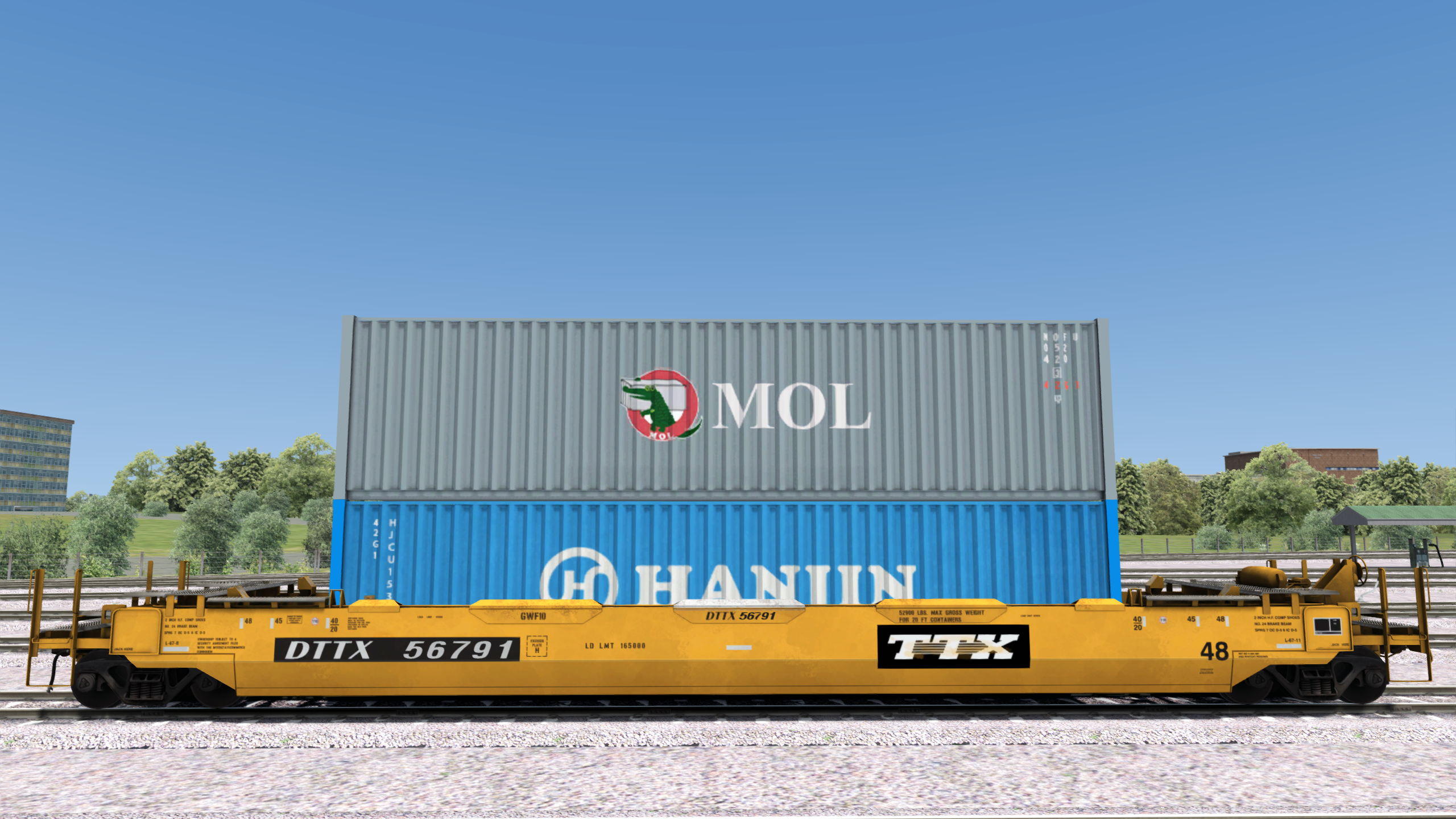
The purpose of this reskin is to depict the TTX classed GWF10 car in their original livery which is what these cars had for most of their duration in service. Additionally, the following changes were made. First, all 53' containers were removed. This was done in order to more accurately represent port stack traffic from the West Coast which is often almost exclusively international boxes. Second, ONE and Zim container textures were replaced for Hanjin and MOL. ONE textures were removed because their appearance in the intermodal scene does not correlate to when there was a larger presence of 48' wells. Zim containers were done away with due to their rarity compared to Hanjin and MOL.
I will note that only the MOL texture is my work. The Hanjin texture is from Searchlight Simulations however they were never included as a possible load for whatever reason.
This reskin would be most appropriate for depicting scenes from 1991-2008.
Tags: intermodal
Dependencies

JR FRT Pack 01 | Searchlight Store
Searchlight StoreInstallation Instructions
Installation Steps:
- Place the "Assets" folder and the included bat file inside your "Railworks" folder.
- Run the "JR_48ftWell (Early).bat"
In Game:
The reskins will appear in the scenario editor browser as so: "JR Freight 48' Well TTX LT (Early)" and "JR Freight 48' Well TTX RND (Early)".
When initially placing the car down in the scenario editor, the container load may glitch out. Simply cancel the selection with a right click and reselect and that should fix it.
Additional Comments
Update 6-Apr-2026: Aligned with Searchlight Simulations' 12-Mar-2026 blueprint adjustments.
Files
Comments
About this mod

- Created
- 4 Jan 2024
- Updated
- 6 Apr 2026
- Game
- Train Simulator Classic
- Type of content
- Reskin


Loading comments…