Class 376
- by Emrai
- 14 upvotes
- Downloaded 2,844 times
Description
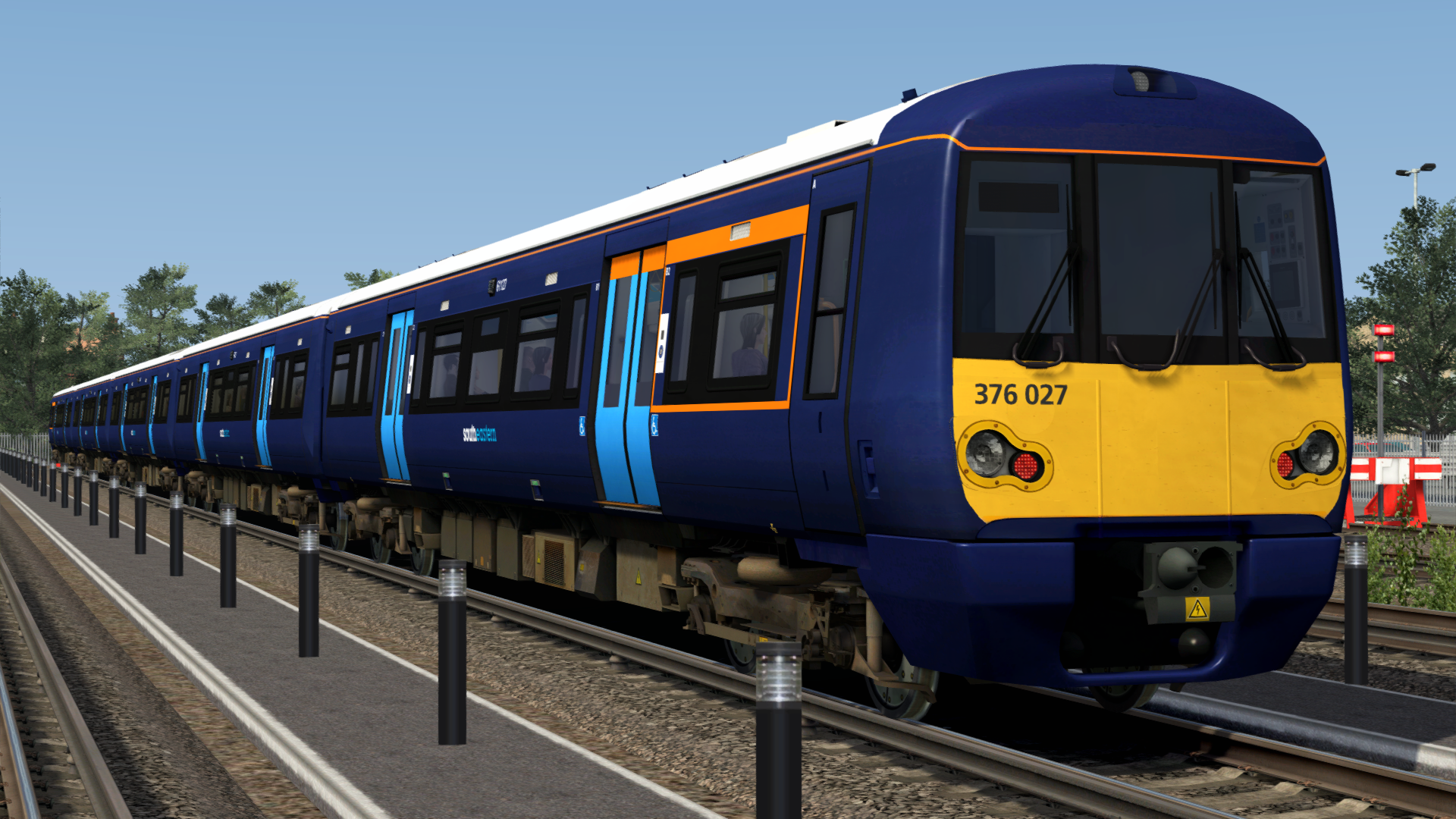
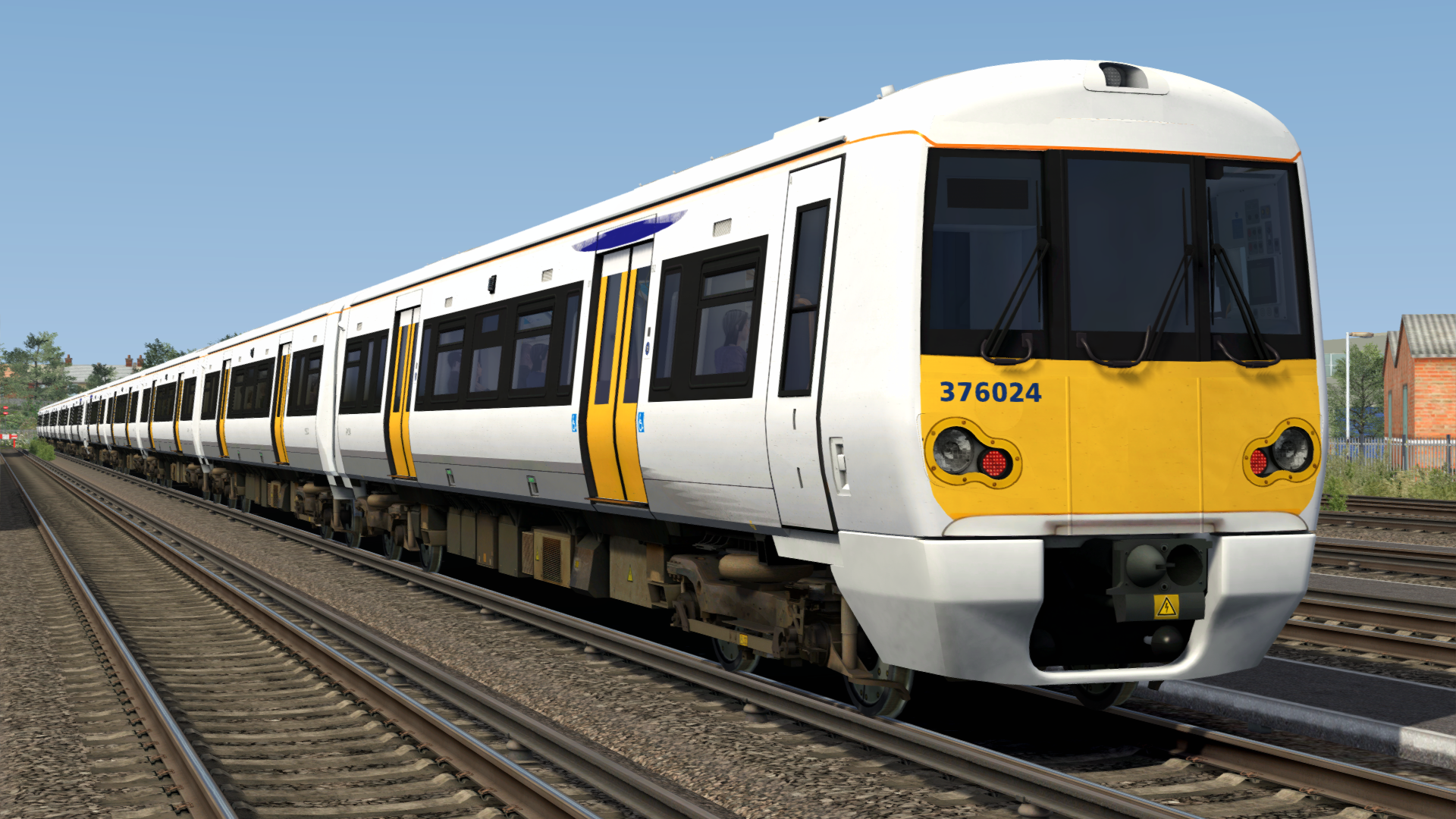
A reskin for the Class 378 EP to make it look extremely similar to a Class 376.
Liveries
Each livery has 5 and 10 car consists:
- 376 Southeastern (1)
- 376 Southeastern (1) (Old Logo)
- 376 Southeastern (1) (No Branding)
- 376 Southeastern Blue
Changes
Many custom modelled objects have been added externally to make the train look as similar to a Class 376 as possible. This includes:
- New headlight surrounds
- Covered the extra light
- Added a fake centre cab window + static windscreen wiper
- Added wiper cables
- Moved passenger door windows down
Destinations
Side destination boards have been removed. The front destination board now displays the same destinations from the AP Class 375/377EP.
This means that the 375/377EP is a requirement, and this reskin uses the same destination codes as the EP. Due to it now using 3-letter station codes, while the 378 EP still uses single letters, I have provided a list of destination codes below and in a .txt file for you to download.
Destination List
a - Blank
b - Electrostar
c - Ashford
d - Beckenham Jn
e - Blackfriars
f - Broadstairs
g - Bromley South
h - Cannon St
i - Canterbury East
j - Canterbury West
k - Charing X
l - Dartford
m - Deal
n - Dover Priory
o - Faversham
p - Folkestone Ctl
q - Folkestone East
r - Gatwick Airport
s - Gillingham
t - Gravesend
u - Hastings
v - Hayes
w - Higham
x - Hither Green
y - Horsham
z - Kent House
A - London Bridge
B - Maidstone East
C - Maidstone West
D - Margate
E - Minster
F - Ore
G - Orpington
H - Paddock Wood
I - Plumstead
J - Ramsgate
K - Redhill
L - Rochester
M - Sandwich
N - Sevenoaks
O - Sheerness-on-Sea
P - Sittingbourne
Q - Slade Green
R - Strood
S - Swanley
T - Three Bridges
U - Tonbridge
V - Tunbridge Wells
W - Victoria
X - Waterloo
Y - Out of Service
Z - Special
Numbers
Like the destinations, this reskin uses the numbers from the 375 EP. If you are missing this requirement then you will have no numbers or destinations showing.
UPDATES
20/4/2025 - Added Southeastern Blue livery, wheelchair stickers and door number stickers.
17/7/2025 - Removed ;L=2 from numbers list.
Tags: class-376 class-378 electrostar southeastern southeastern-network
Dependencies

Installation Instructions
- Copy the Assets folder to your RailWorks folder. This is normally located at C:\Program Files (x86)\Steam\steamapps\common\RailWorks
- Run the file titled InstallAPClass376Reskin.bat in the Assets folder
- The reskin should now be installed.
Additional Comments
Big thanks to AR Mods for helping me with modelling the external objects used in this reskin.
Files
Comments
About this mod

- Created
- 25 Jan 2025
- Updated
- 17 Jun 2026
- Game
- Train Simulator Classic
- Type of content
- Reskin


Loading comments…