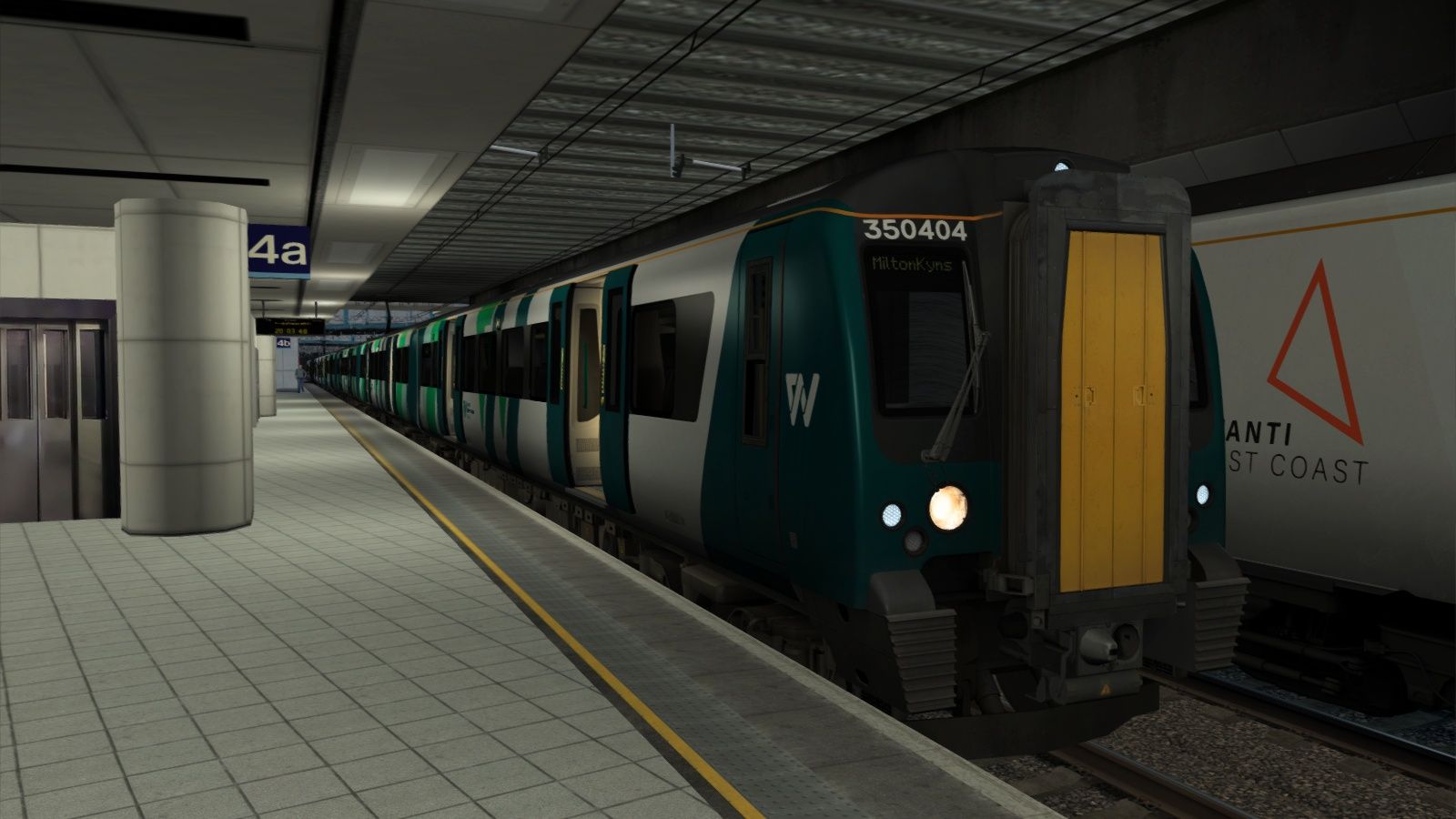
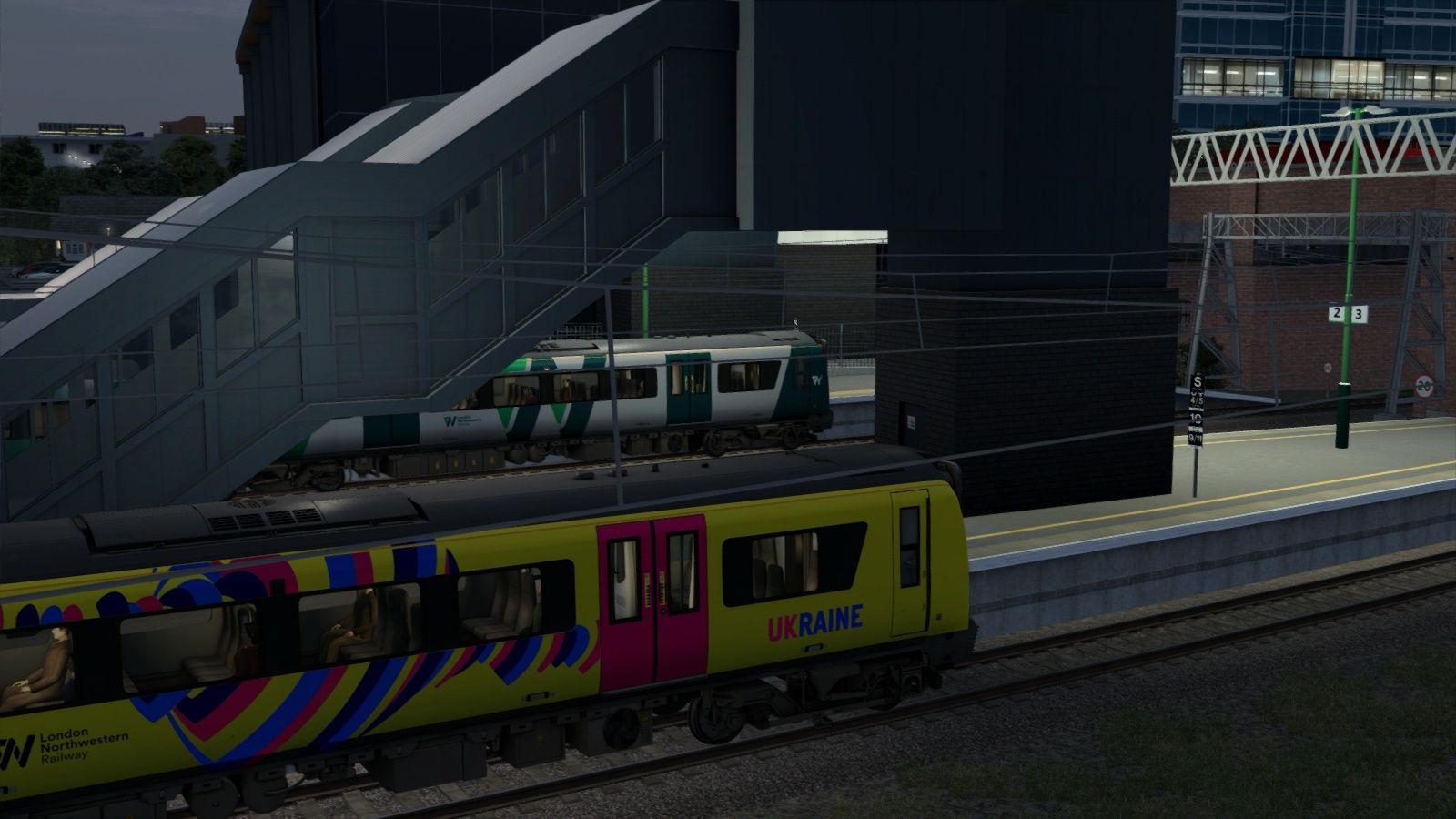
Class 350 Improvement Patch

  • by Emrai
  • 10 upvotes
  • Downloaded 2,792 times

Description

IMPORTANT - Please make sure that you have version 2 of James Ivell's Cab/Pass view Patch installed, as this patch will not work with any earlier version. Also, make sure to reinstall this patch after reinstalling any requirements, as not doing so will result in you losing some features.

This patch makes a selection of mods for the 350 compatible, as well as making many other changes. These include:

  • Newly modelled external parts
  • Underframe weathering
  • Colour corrections on certain liveries
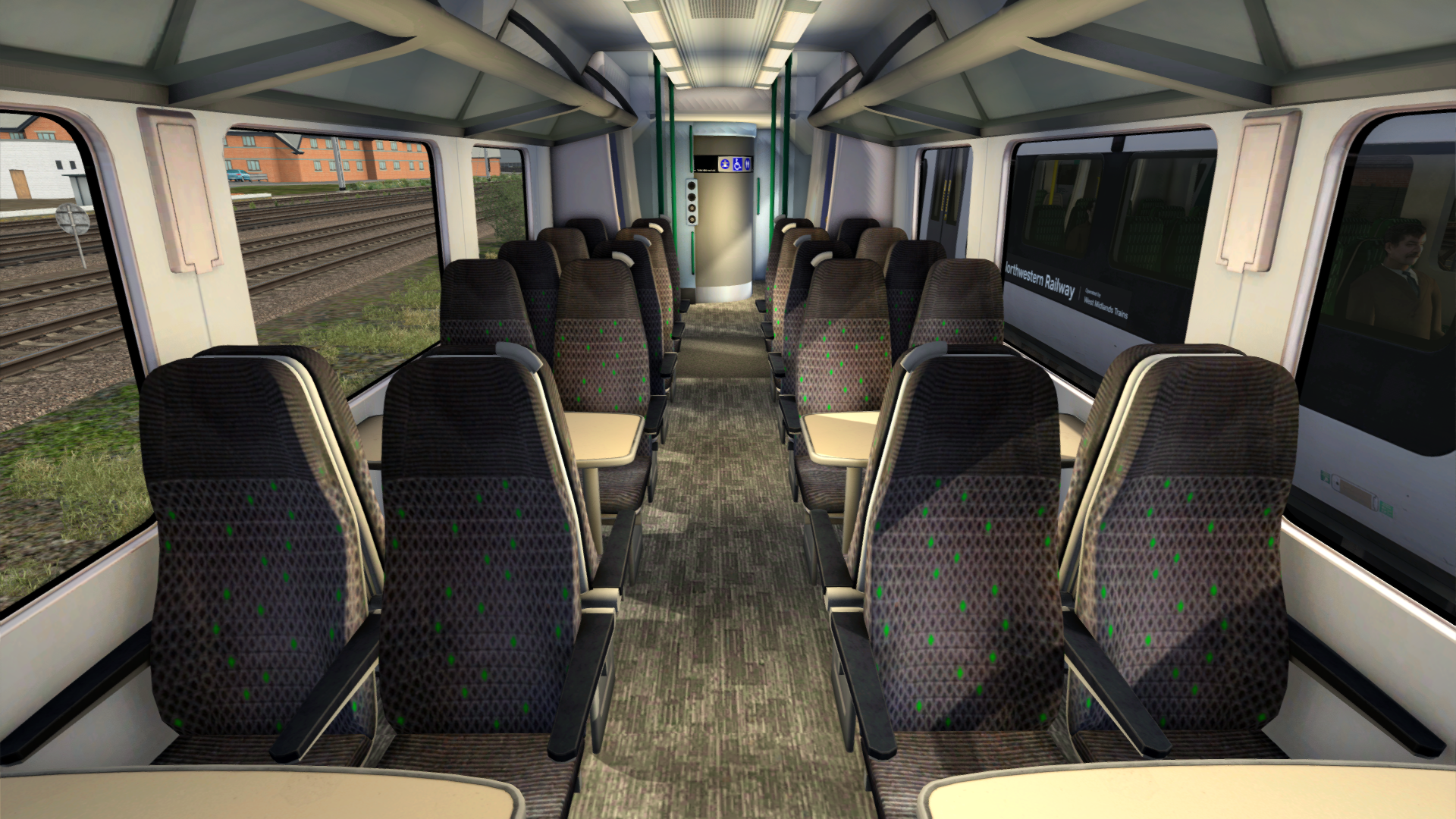
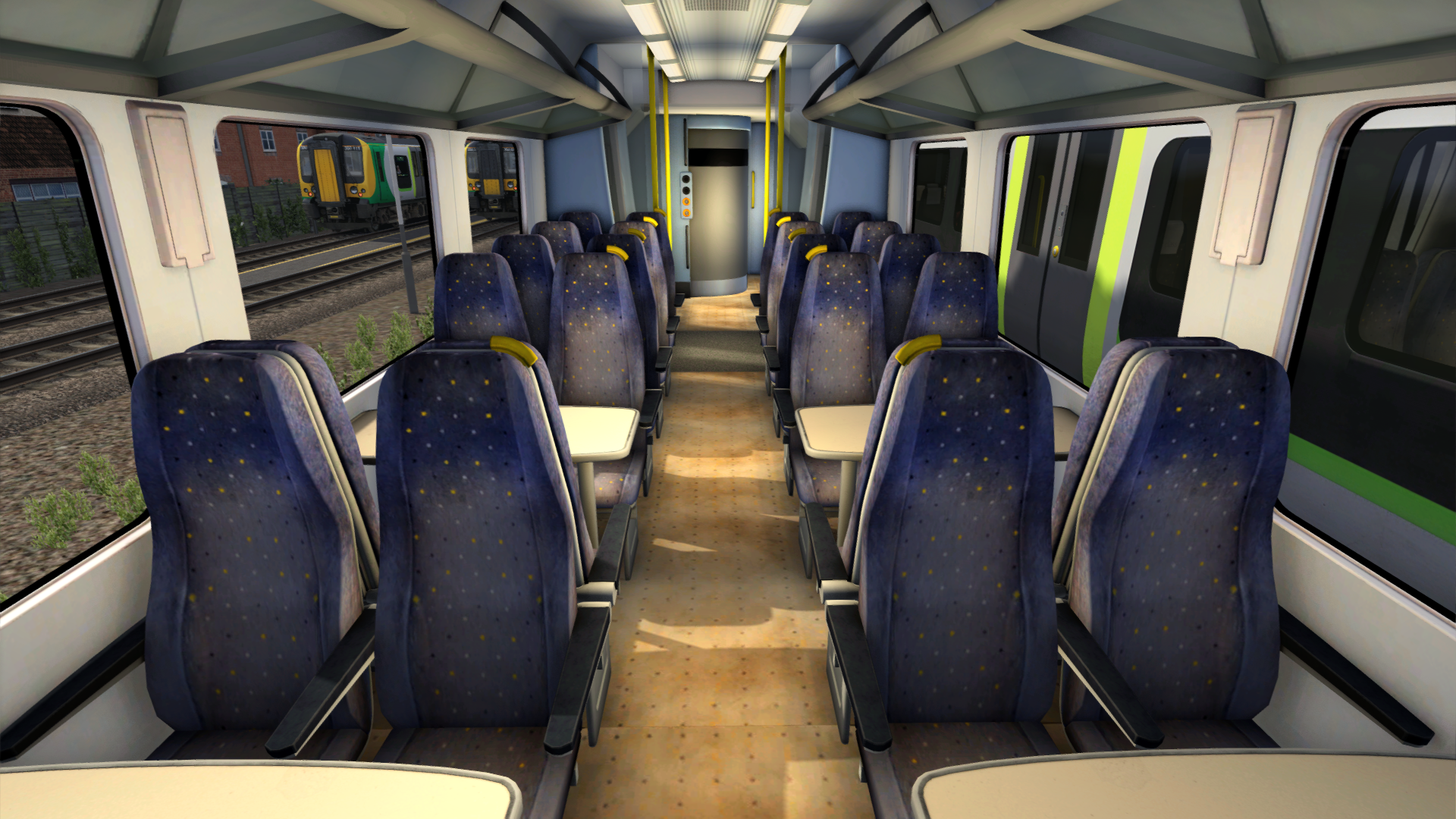
  • Passenger views with 2+2 seating on respective subclasses
  • Ex-LM (LNR) livery with no green decals
  • LNR front logo
  • Plain LNR livery
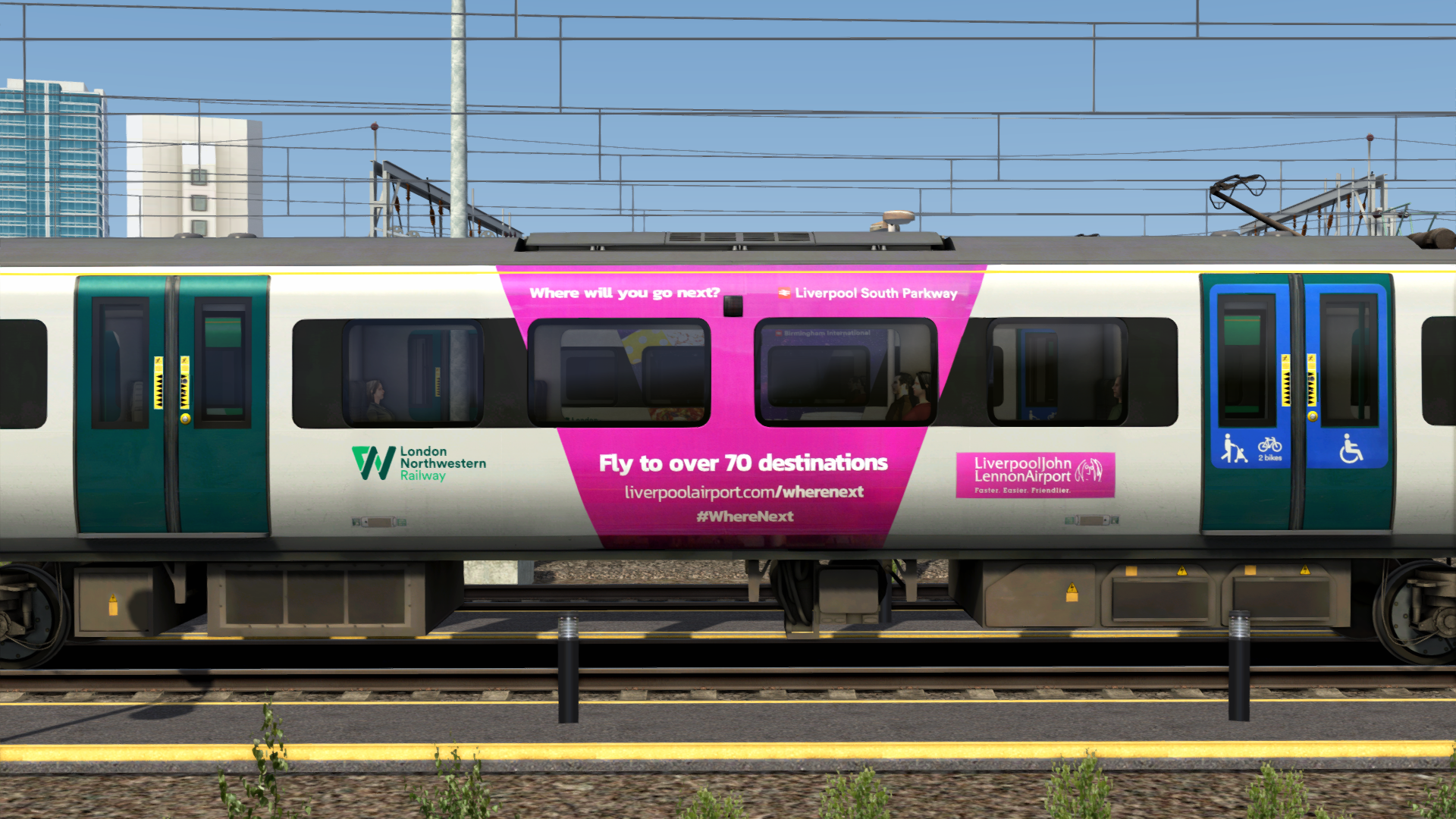
  • Promotional decals for 350/3s
  • 2 Pride liveries
  • Rembrance 2018 livery
  • 2 Nameplates
  • Shortened all Preload consist names
  • Front LNR logo (see manual for how to apply)
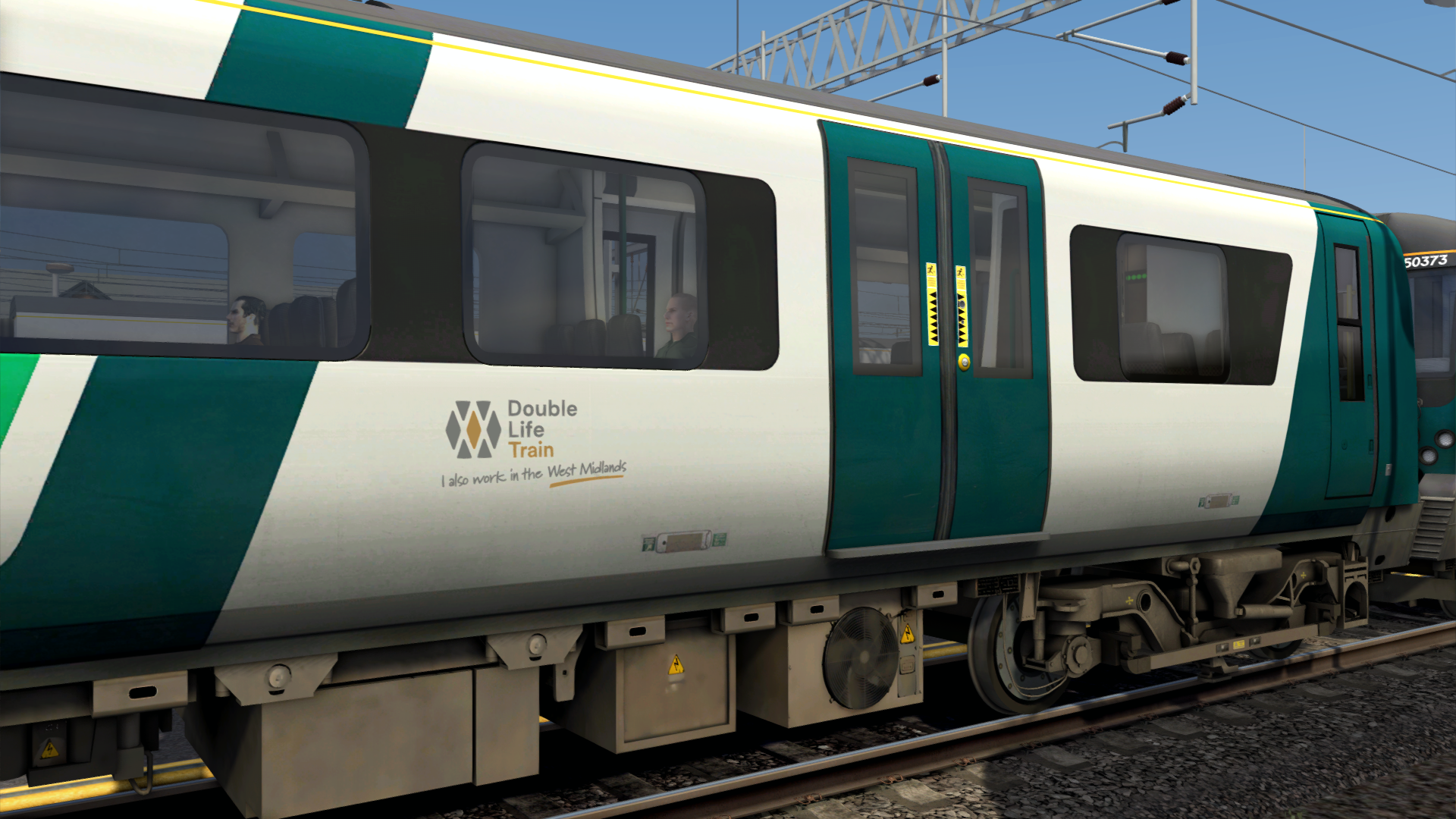
  • West Midlands decals automatically apply to LNR 350/1s.
  • DOO Cameras (see manual for how to apply)
  • And more

Also includes a scenario (1Y70 Birmingham New Street - Milton Keynes Central) made by SlowLineTS

All changes are listed in more detail in the manual, along with scenario requirements.

IMPORTANT - You must have “WCML-South” ticked in the scenario editor assets filter to use this train in scenarios, otherwise the new passenger views won't work. This also means you can only do quick drives on WCML South or routes that use its asset folder.


UPDATES

27/02/2025:

  • Added West Midlands decals
  • Made First Class decal on LNR and LNR (2) liveries removable (see manual)
  • Added DC Mode preload for LM 350/1 (Only lowers pantograph)
  • Optimised decal scripts
  • Fixed cab view not working on some LM 350s

20/03/2025:

  • Ex-LM 350/2s can have a full yellow corridor gangway at the front by adding ;C=1 to the rail vehicle number in the scenario editor.

19/06/2025:

  • Stenkil's LNR Promotional Liveries added to the patch
  • DOO Cameras added (see manual)
  • LNR livery stripe direction fixed
  • New bogies modelled (this removes the Pickup Shoe Patch requirement)
  • LNR Livery number font fixed + large front numbers on LNR 350/4s added
  • Unit numbers on TPE 350s are no longer floating
  • (+ other minor changes)

11/08/2025:

  • Fixed cab view issues, such as showing max speed 100mph on wrong units
  • Added 4 car preloads for Ex-LM (LNR) liveries with refurbished passview (Including Project110 livery)
  • "I also work in the West Midlands" decals can now be removed using ;WM=0
  • Amended mistake in manual saying that ;CCTV=1 should be used to show DOO cameras (should be ;DOO=1)

11/09/2025:

  • Added compatability with ATS Cab/Pass Patch V2
  • Added all 350/3 promotional liveries
  • Added LNR Plain livery
  • Added 350376 Remembrance 2018, 350373 Pride 2018, and 350375 Pride 2019 liveries
  • Added 'Graham Taylor OBE' and 'Vic Hall' nameplates
  • (+ other minor changes)

11/11/2025:

  • Fixed issue with some 350/4s having the reverser keybinds flipped

Tags: class-350 desiro-uk

Dependencies

Installation Instructions

  • Make sure that all of the requirements are installed and are up to date.
  • Copy the Assets and Content folders to your RailWorks folder. This is normally located at C:\Program Files (x86)\Steam\steamapps\common\RailWorks
  • Run the file titled InstallClass350ImprovementPatch.bat in the Assets folder
  • The patch should now be installed.

Additional Comments

Thank you AR Mods and Profile picture of Stenkil Stenkil for helping with scripting
Thank you Profile picture of Stenkil Stenkil and Profile picture of SlowLineTS SlowLineTS for testing
Thank you Profile picture of SlowLineTS SlowLineTS for making the scenario and providing invaluable information on the units
Thank you Profile picture of Stenkil Stenkil for providing images for 350/3 promo decals

Files

Comments

Avatar of jmezza
jmezza 23 Feb 2025

Got it but flickering things on the passenger view when I pressed 5

Avatar of Emrai
Emrai 23 Feb 2025

Is WCML South ticked in the assets filter for the scenario?

Avatar of jmezza
jmezza 23 Feb 2025

I think so. Do you want me to install it again?

Avatar of ade2022
ade2022 7 Sept 2025

I have the same problem, what is the assets filter and how can i set this in TS? Thansk.

Avatar of Emrai
Emrai 8 Sept 2025

Are you driving on quick drive or a scenario?

Avatar of Dale43170
Dale43170 24 Feb 2025

Hi,

Excellent work, couple of things.

I was getting no cab view on the LM and Ex-LM 350/2, I found this was because it was looking for the Cabview2 folder in the LM1 folder instead of LM_AP

Any posibility of a DC variant for those loaned to Southern all those years ago and also a 'no 1st class' version of the relevant liveries as LNR abolished it in May 2023.

Thanks

Dale

Avatar of Emrai
Emrai 24 Feb 2025

Hi,
Thanks for your comment, I will sort out the cab view problem.
I don't understand what you mean by a DC variant - it is already included in the EP
I can probably script in the no first class so that you can add ;FC=0 to the rail vehicle number to make it not show.

Avatar of Dale43170
Dale43170 24 Feb 2025

DC variant as in quick drivable 3rd rail preload which was never included in the EP though I know you can set it through the number script.

Avatar of Dale43170
Dale43170 14 Apr 2025

I too have encountered an issue with glitching on the Passview and exterior views, it only seems be caused by the LNR /3 & /4 DMC2 vehicles.

I had on a Quckdrive (WCML Trent Valley from Stafford to Rugby)

I went into my test route and placed the 4 vehicles of and LNR 350/3 down individually, I found that when I placed the DMC2 vehicle it was morphed in with the TSOLW car as per picture below

I exited the editor into driving mode and all loaded fine, I then loaded up the same Quickdrive as before and again all loaded fine. Then I exited TS completely before restarting and opening the same Quickdrive again and the glitching reoccured causing the game to dump after a few moves of the 2/3 camera views.

Dale

Avatar of Emrai
Emrai 16 Apr 2025

For the issue with Quick Drive, as stated in the description and manual, WCML-South must be ticked in the scenario editor for the train to work - this is because the No Shoe patch and passenger views use assets from WCML South. Therefore a quick drive on WCML Trent Valley wouldn't work. As for the issue you sent a picture of, this is simply happening because the coach needs to be part of a full consist for the scripts to work properly.

Avatar of Dale43170
Dale43170 20 Apr 2025

Ok thank you, I see what you mean. Would it not be possible to copy the required files across into the PortsmouthDirect folder to get around this?

I wonder if it would be possible to port the entire 350EP onto the WCML South 350 model?

Avatar of Emrai
Emrai 22 Apr 2025

Porting it onto the WCMLS 350 would be so much more effort than it is worth, plus it would probably break a lot of AP's scripts. I don't think it is good practice to copy model files from one product to another anyway.

Avatar of MrDreamliner
MrDreamliner 5 Jun 2025

Heyo! Lovely work, but no matter how many times I've un-installed/re-installed, deleted, re-done etc, still get the visual glitches on several Cl. 350 models. In fact, it's anything that's NOT a /1, or have a promotional livery. (have the LM/LNR promotionals installed, everything gone and installed through correctly etc.) Any help you can provide at all pls? :)
Thank you!

Avatar of Emrai
Emrai 8 Jun 2025

Sounds like an issue with the No Shoe patch, so I would suggest making sure that it is installed correctly, and then reinstalling the improvement patch. However, I will be updating this soon to remove that requirement and add the LNR promotional liveries, so if you don't mind waiting a few days then your issue should be resolved.

Avatar of nicSlafyt
nicSlafyt 13 Jul 2025

Hello! I've got issues regarding the speed limit on the board - it says 100mph while it's 110 mph, could you do an patch update?

Avatar of Emrai
Emrai 12 Aug 2025

This has been fixed

Avatar of nicSlafyt
nicSlafyt 13 Aug 2025

Can you do a grey livery

Avatar of nicSlafyt
nicSlafyt 20 Aug 2025

NO BUT IT SHOWS WITH 2 + 3

Avatar of Emrai
Emrai 20 Aug 2025

I'll add compatability in the next update

Avatar of nicSlafyt
nicSlafyt 21 Aug 2025

plz do it

Avatar of nicSlafyt
nicSlafyt 21 Aug 2025

DO IT ITS A 350/1 all of them

Avatar of nicSlafyt
nicSlafyt 13 Aug 2025
  • Also, make a 350116 NHS 2020 Livery
Avatar of nicSlafyt
nicSlafyt 15 Aug 2025

I need to make LNR Grey livery but the passview camera from WCML-South, what should I really do?

Avatar of nicSlafyt
nicSlafyt 15 Aug 2025

How DO I DO APPLY THIS TO OTHER LIVERIES?

Avatar of nicSlafyt
nicSlafyt 7 Sept 2025

Profile picture of Emrai Emrai Could you also do the LNWR new cab-style Class 350/1,3 and /4

(like in real life)

Class 350/1 copied cab from LM1

Class 350/3 copied cab from LM

Class 350/4 copied cab from TPE

-> Class 350/1 with LNR Passview also needs the 350/1 cab and new cabstyle. 2019 refurb

Avatar of Emrai
Emrai 7 Sept 2025

The updated cabs are included with the Cab and Pass View patch V2 on ATS (I don't think the refurbed 350/1 cab is included) and I am in the process of making this patch compatible with it

Avatar of nicSlafyt
nicSlafyt 7 Sept 2025

Emrai the LNWR Grey Livery is a Class 350/1

Avatar of Emrai
Emrai 7 Sept 2025

I know

Avatar of nicSlafyt
nicSlafyt 8 Sept 2025

Actually how do I apply, this passview onto other liveries? LNR

Avatar of Emrai
Emrai 8 Sept 2025

I already added the LNR passview onto other liveries

Avatar of nicSlafyt
nicSlafyt 9 Sept 2025

Profile picture of Emrai Emrai 350102 LNWR Grey has got this at the DMSOA/B and make a like the old variants version.

Avatar of nicSlafyt
nicSlafyt 9 Sept 2025

Profile picture of Emrai Emrai Make a LNWR Grey Central Trains / Silverlink passview that was on the LNWR grey.

Avatar of nicSlafyt
nicSlafyt 11 Sept 2025

When are you updating it?

Avatar of Emrai
Emrai 11 Sept 2025

Hopefully today

Avatar of nicSlafyt
nicSlafyt 12 Sept 2025

@Emrai Class 350 LNWR Grey

Avatar of nicSlafyt
nicSlafyt 12 Sept 2025

Profile picture of Emrai Emrai 350101 had the LNWR Grey livery and was unrefurbished seats? could you do another update because it needs the CT/SL seats. Thank you.

Avatar of nicSlafyt
nicSlafyt 12 Sept 2025

Profile picture of Emrai Emrai Also, you need to add it to the plain livery too: the London Midland + Silverlink 350/1 Passview in 2019.

Avatar of DullName
DullName 10 Nov 2025

I've noticed on the LNR 350/4 that the keybinds for the reverser are flipped

Avatar of Emrai
Emrai 11 Nov 2025

Thanks for letting me know, I have submitted an update to fix this.

Avatar of ludwigtails
ludwigtails 28 Mar 2026

hi your class 350s are broken. TOPs numbers arent showing.

I have already redownloaded all the mod packs mutiple times. Issue still persists. Please fix.

Add a comment

If you wish to leave a comment, please log in .