Test Ramps
- by RobertS
- 10 upvotes
- Downloaded 1,456 times
Description
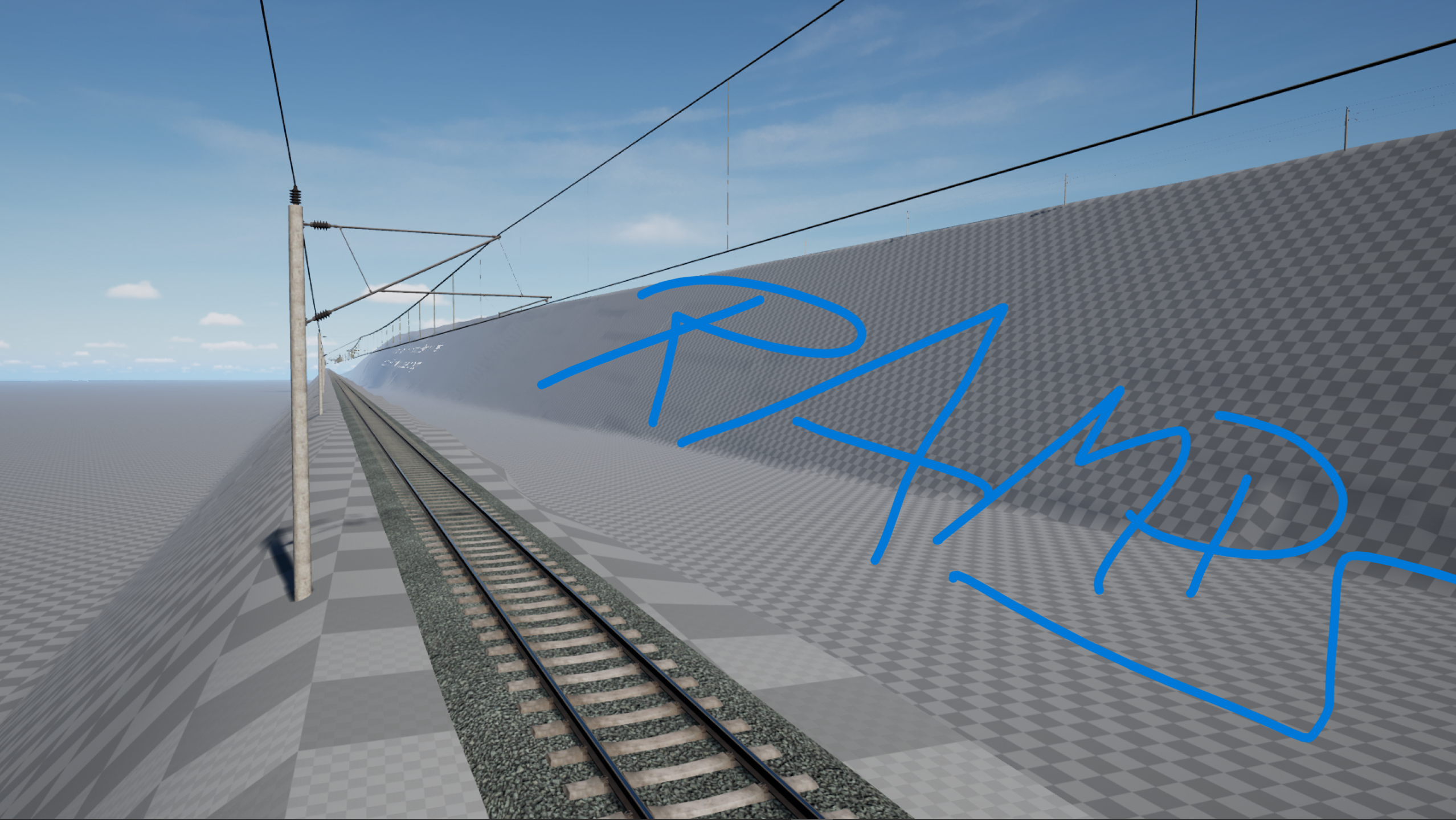
This upload is meant to give an answer to a question many people in the TSW community had since the release of the official Editor with TSW4, back in September 2023. Because of some recent events and a started discussion on RailSim.de about it short before christmas, here now my answer to the question.
This is not intended to be a perfect route on its own. I created this in the last 3 days – although I just planned to just chill over the Christmas time - just for the purpose of finally giving an answer to the question and maybe give hope to anyone who was afraid their creations never could be used in the game.
What the hell is this?
My first thought was what could I offer, what the Training Centre doesn’t already. I ended up with the idea of a test route for inclines and gradients to test how the in-game locos and custom formations behave with the maximum amount of gradient allowed in Germany, which is 12.5 or 40 permille (dependent upon the circumstance).
Once I got these done, I couldn’t resist and ended up adding 2 more ramps with even steeper inclines. A ramp with a gradient of 60,9 Permille (as on a short section of the german Hunsrückbahn – the steepest adhesion railway section in West Germany) and a ramp with a gradient of 116 Permille (as on the Pöstlingbergbahn in Linz, Austria), one of the steepest adhesion railways of the world.
One important thing to say is that the value for Permille seem to differ between german and english documentation by the factor of 10 and is even depicted in the game. For example, the SFS Köln-Rhein/Main has a maximum gradient of 40 permille in german documentation (and even when laying track in the Editor itself) but in-game the value shown is simply 4. Funny thing is that both seem to be correct dependent upon the point of reference. I’m currently about to figure out more about that.
This is just an experiment for now and absolutely not meant to be super fancy. And yes of course can contain bugs. For example there seems to be one when spawning at a location via the markers. Spawning into the map was a big issue for a long time but even if not perfect, it should work now. However, spawning should always work with a service.
Unfortunately, we (the PC Editor community) still miss a lot of documentation, so please bare with me if there is anything not working as on the official DLCs. Many aspects of making this route possible just were copying the technique files and folders are created in the original DLCs as best as I can and not even following any documentation to create/mount a route by DTG as the community never got something like that unfortunately.
After my longer experience in the Public Editor, some features of the official DLCs still doesn’t work at all or doesn’t work properly when creating a route in the Public Editor. However… This upload is meant to be just a proof that it in fact does work (well at least on my system, see if it works on yours) and I’m very glad if this result of mine here would inspire more people to create routes.
And again, not made to be pretty.
Cheers,
Robert
Installation Instructions
After downloading, copy or move the pak file "TestRamps_RouteMod.pak" into the DLC folder under (Train Sim World)\WindowsNoEditor\TS2Prototype\Content\DLC .
For Steam, this is (path to your steam library)\steamapps\common\Train Sim World 5\WindowsNoEditor\TS2Prototype\Content\DLC.
Additional Comments
1.) Does not require any additional DLC. All assets used are referenced from the Training Centre, which everyone should have installed by default.
2.) Works with TSW4, however since the BR 146 is not available in the TSW4 version of the Training Centre (my fault to select this one sorry but I liked it too much for that purpose), it is only possible via the markers to spawn into the world in "On Foot" mode or Free Roam.
Files
Comments
About this mod

- Created
- 30 Dec 2024
- Updated
- 30 Dec 2024
- Game
- Train Sim World
- Type of content
- Other
- Train Sim World Version
- Train Sim World 4, Train Sim World 5


![Extreme Track Conditions - [Experimental Mod]](https://images.trainsimcommunity.com/cyuIf7srJe8o0LrTaQv84iFl9xg=/64x36/tscmr-prod/images/1410695309906227200.jpg)


Loading comments…