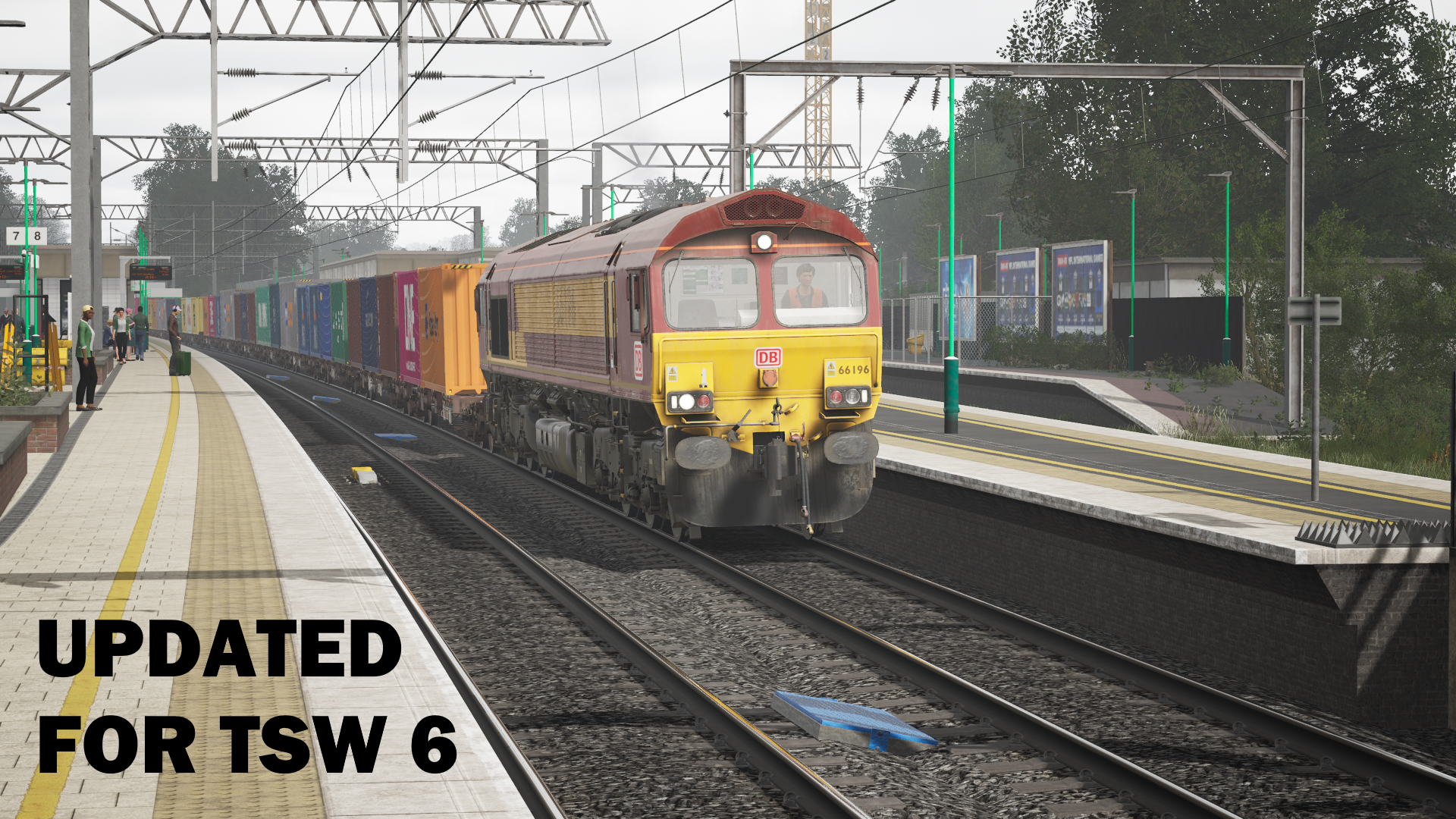
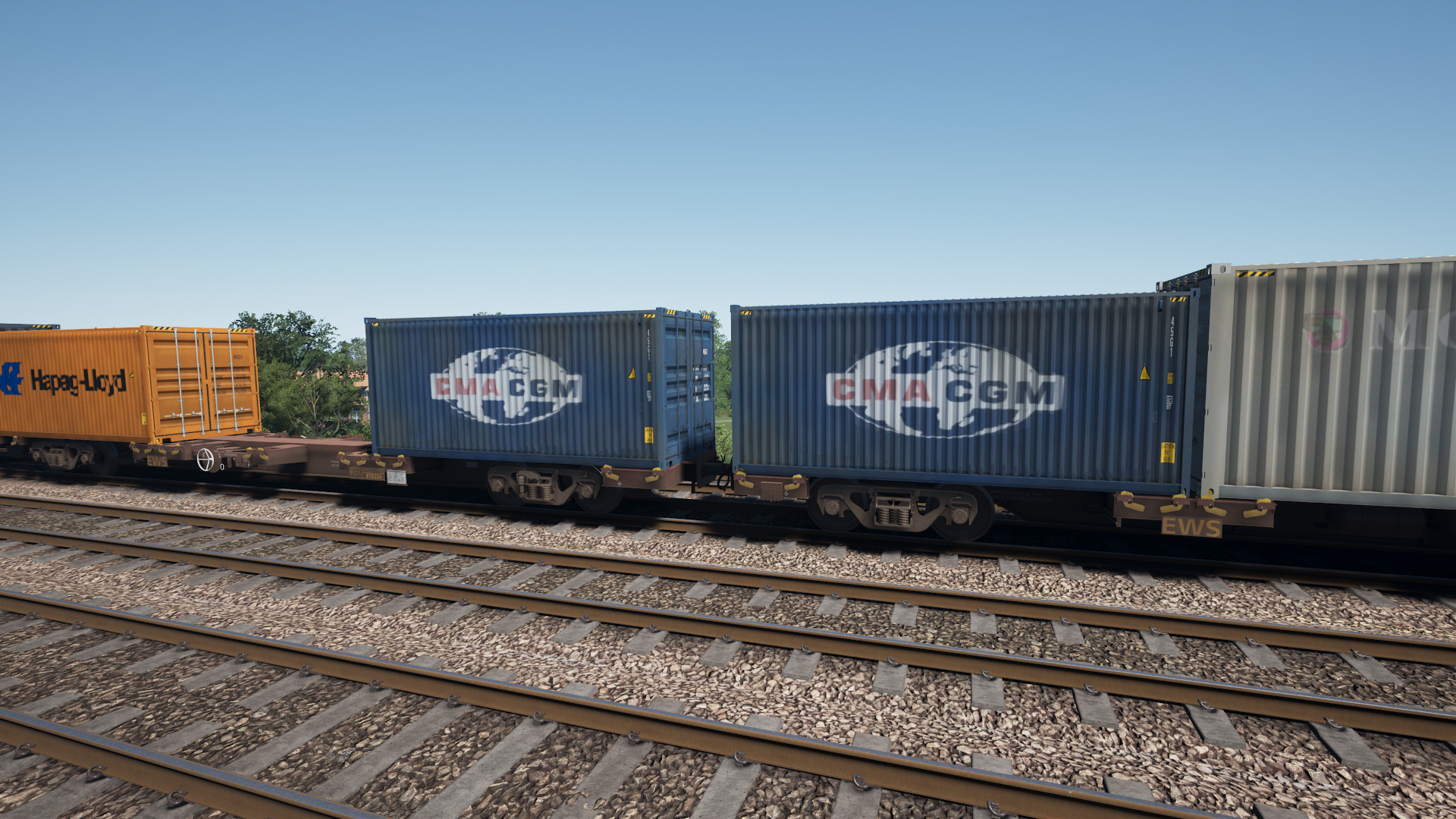
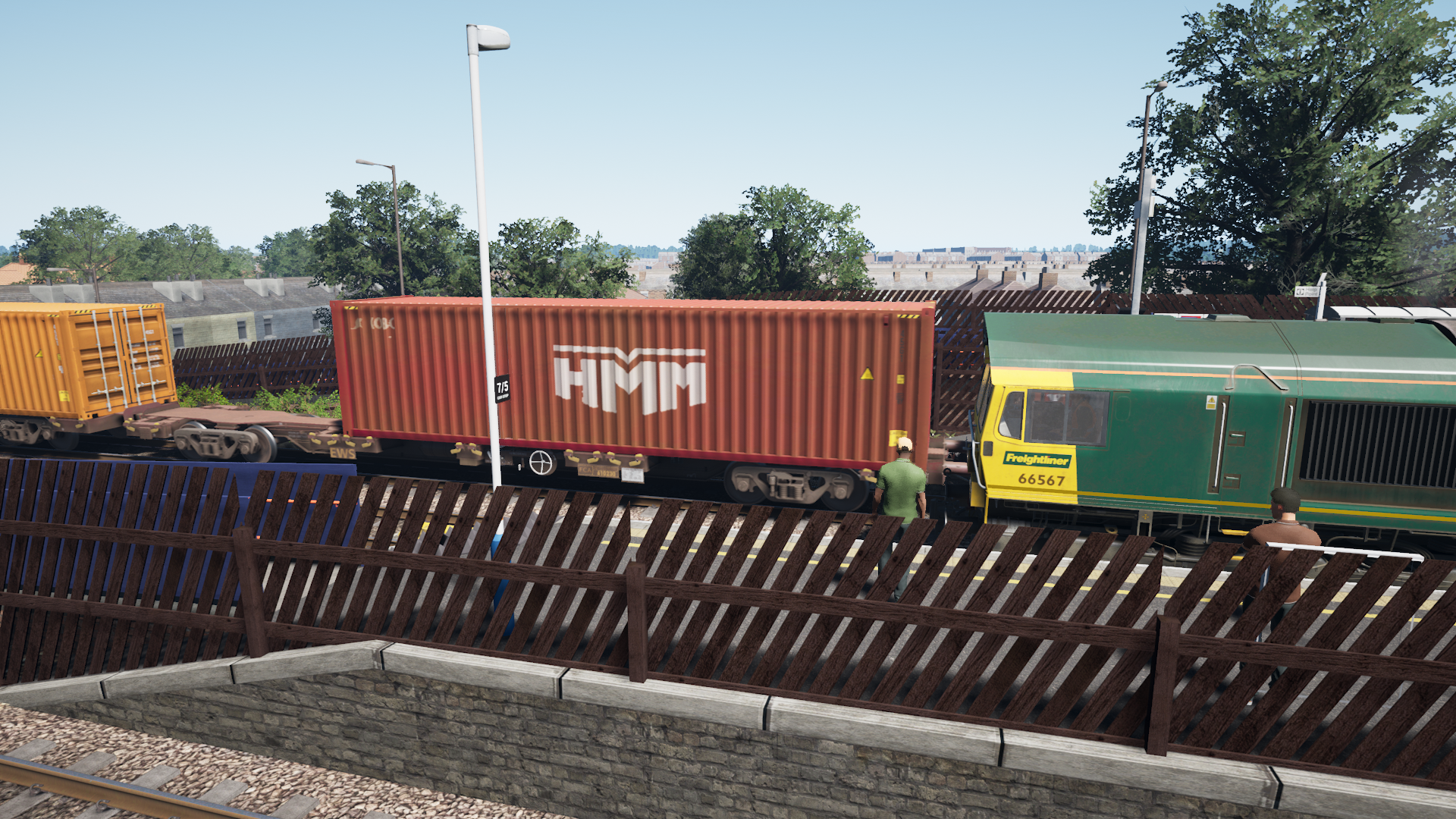
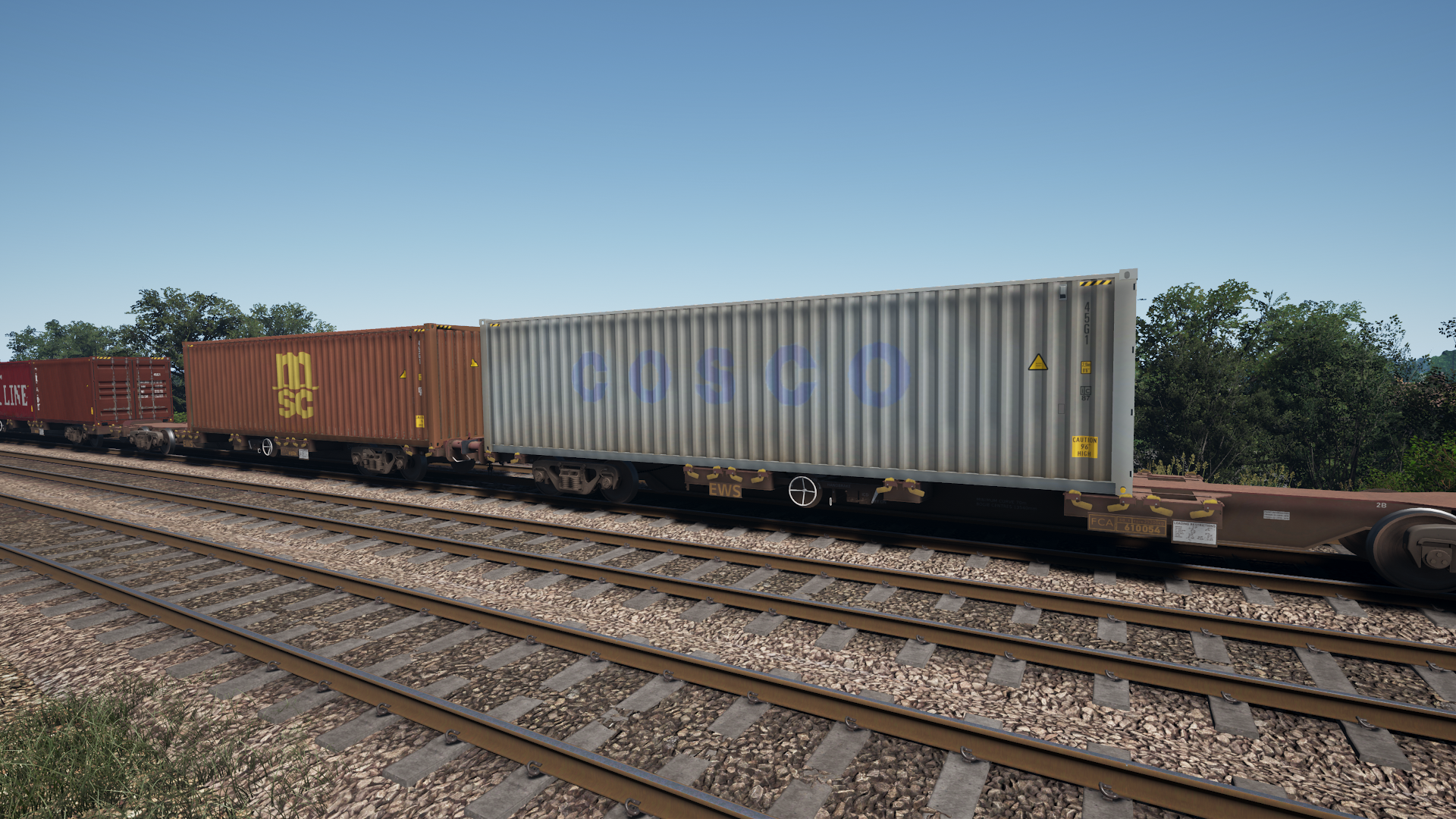
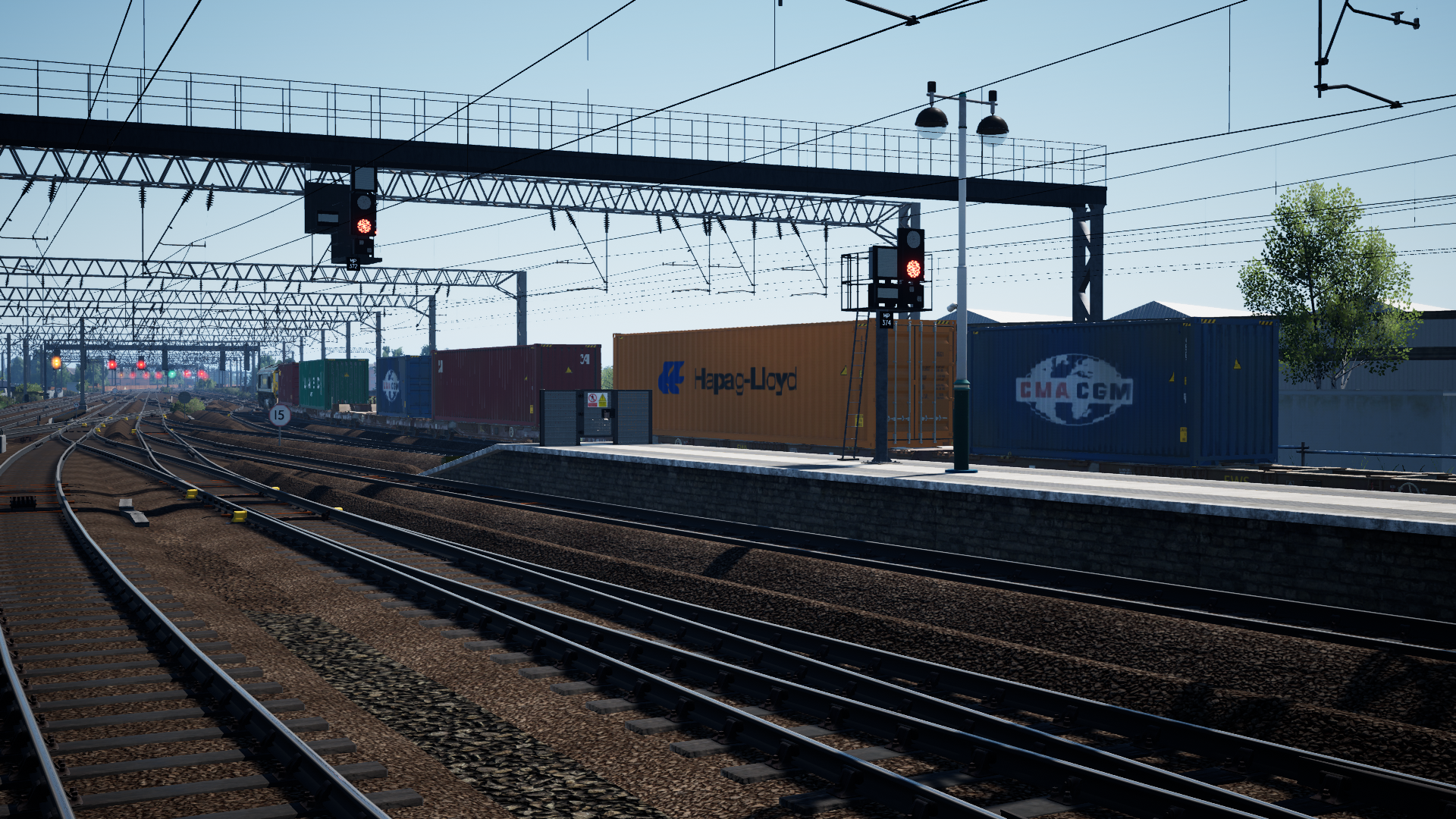
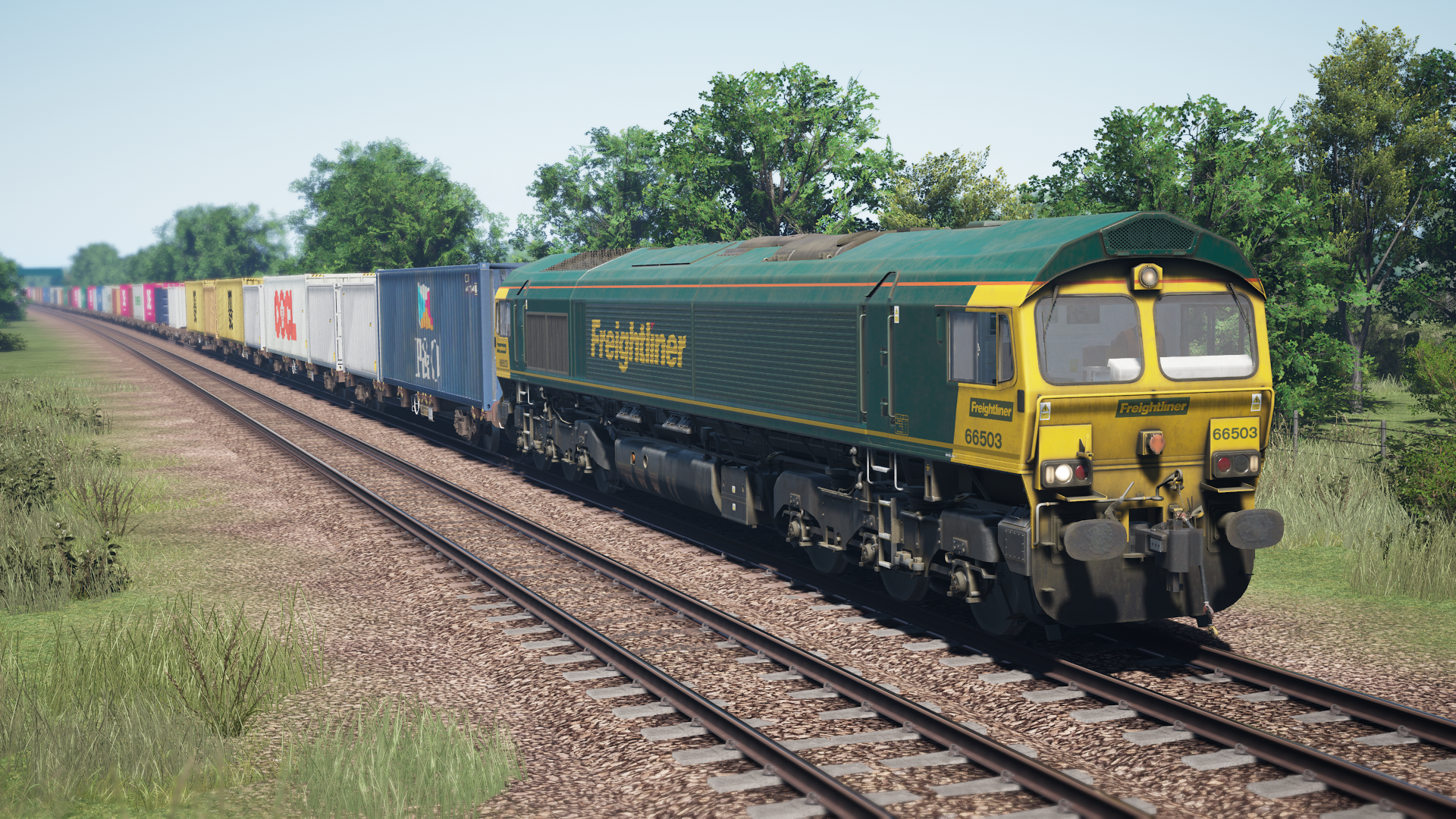
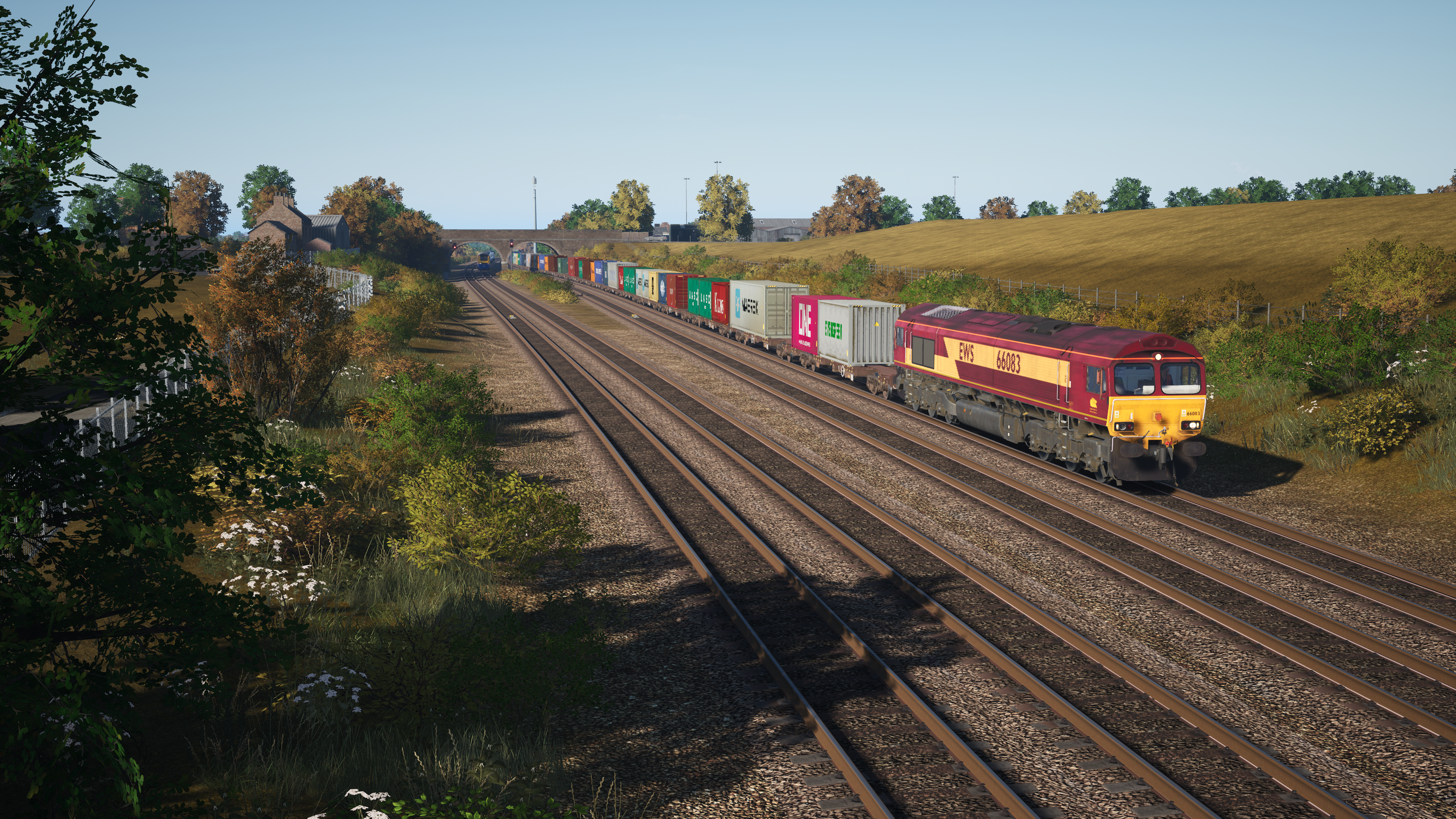
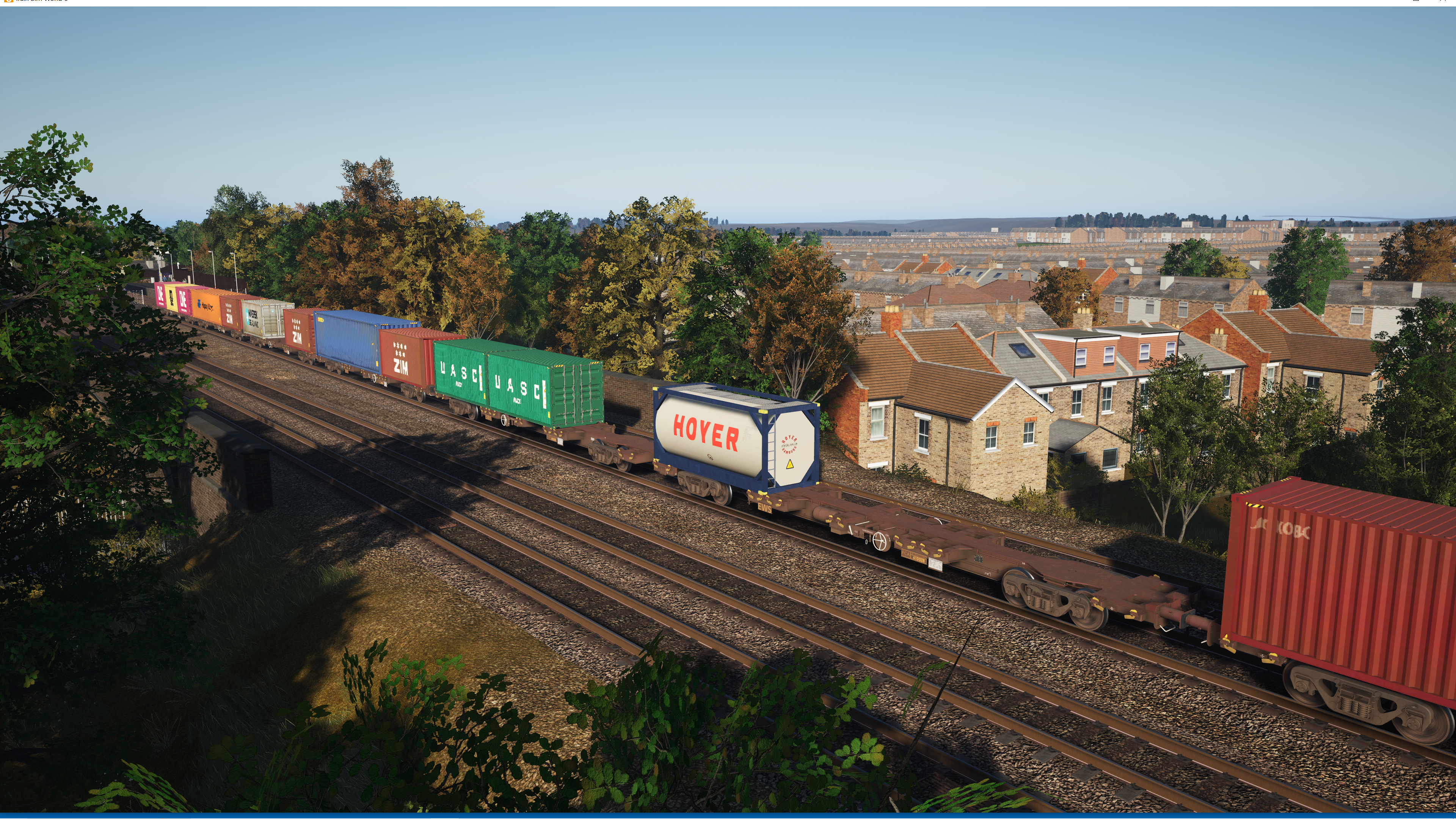
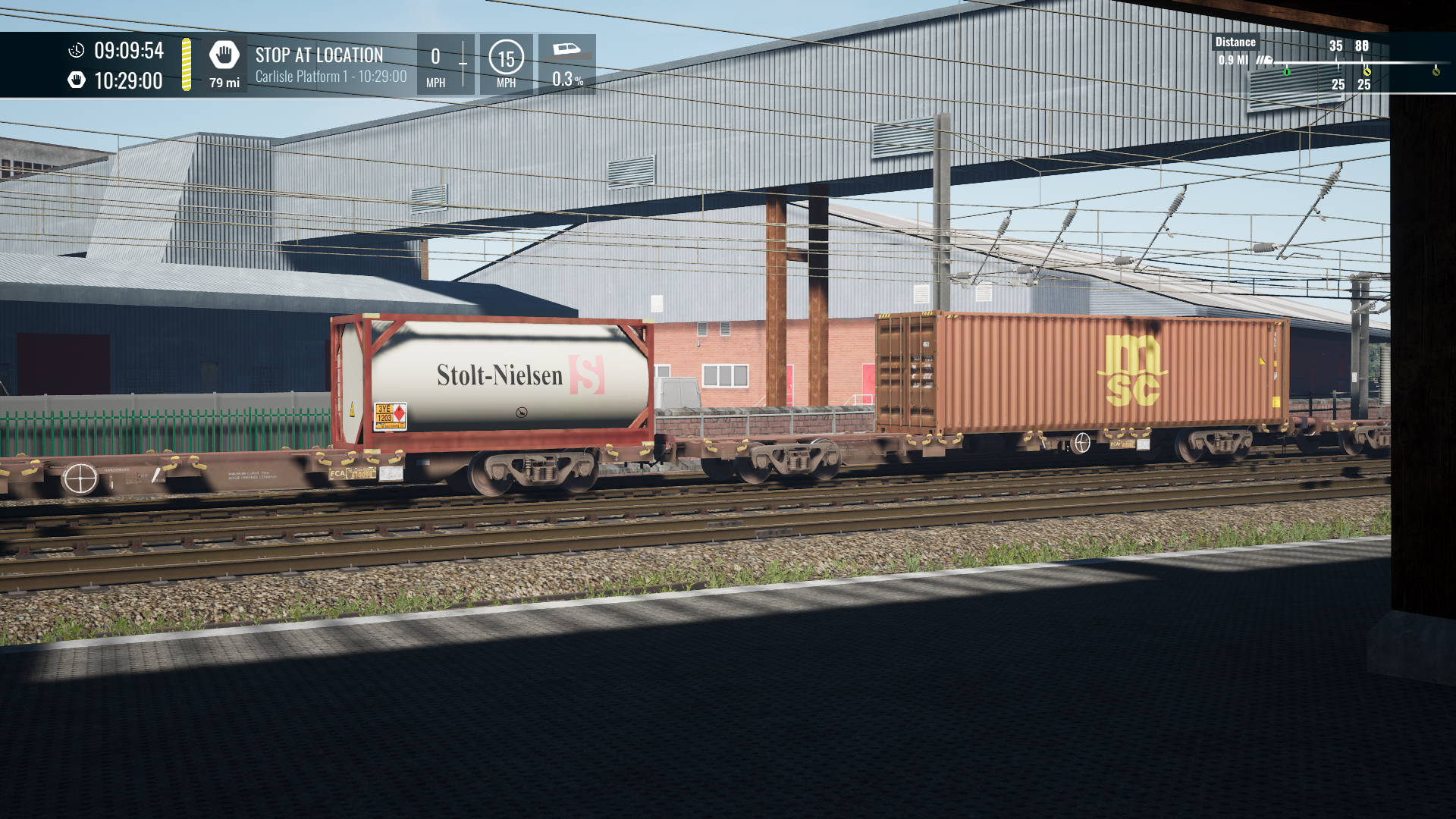
**UPDATE 10/11/25 Recooked ** BrandedTankFCA.pak If you want a Tanktainer in your consists use this file instead of !BrandedFCA
UPDATED TSW 6 15\10\25 CargolineBrandingpatch - This is the updated file that you need to replace the outdated Cargoline IntermodalBranding.pak Now your FCAs will be branded again throughout TSW 6. Issues have now bern resolved with modded timetables. This file can now be left installed permanently
NEW 26\8\25 Option to replace DHL and outdated Hanjin Brands with ZIM 20ft and Beacon Rail 40ft Red containers. Also reduces instances of P&O blue container. To use this, extract the zip file and replace !Branded FKAv2 and !Branded FCA with these new files.
!Branded FKAv2.pak * updated 4\8\25* Contains the seperate wagons and reskins- If you have the WCML 2019 timetables you may already have the 1st version (!BrandedFKA.pak). Simply replace it with this one.
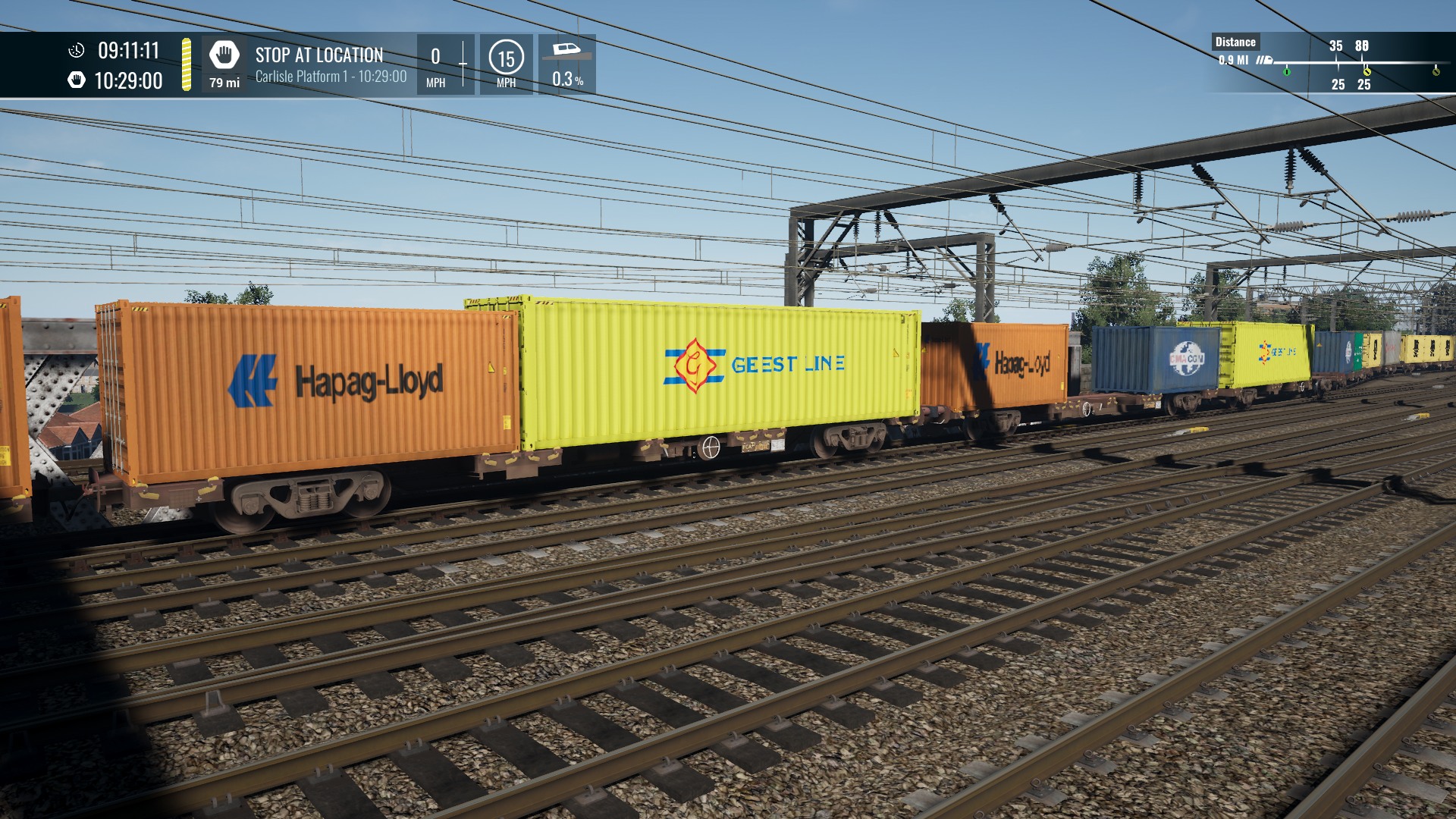
!Branded FCA.pak Updated 4\5\26 to have more brands and now 50 Container combinations%% Contains the seperate wagons and reskins- If you have the WCML 2019 timetables and the !BrandedFCA from those paks, simply overwrite it with this.
FKABranding.pak* This file in addition to the Branded FKA.pak will brand all instances of DTG FKA Containers in TSW. Custom or default timetable.
NEW 15\10\25****CargolineBrandingPatch.pak This file in addition to the Branded FCA,pak will brand all instances of Skyhook Cargoline Containers in TSW 6 . Custom or default timetable.
The result of having these .paks intalled will be random spawning containers throughout your Intermodal trains. With 30 or so container combinations for each FKA and FCA.
For the FKAs you may require WCML South
20ft, 40ft and 45ft branded containers with this dlc and the mod.
For the FCAs you will require Cargoline Volume 3. 20ft and 40ft branded containers with this dlc and the mod. I cant recommend this dlc enough.
Thank you !
thank you, nice mod
awesome!
noice!
I'm wondering if I might have a conflicting mod installed - almost every route I load into with the 66 pulling an FKA consist, they are literally 100% empty FKA's with no containers on them. I also remebered to pull your PDBFKAcombo8.pak mod file out before adding this & all the new Class 66 Mega Pack mods.
Can you possibly suggest a route/service for me to do follow-up testing on?
Do you have all 4 pak files in this submission?
Or at least the 2 regarding FKAs?
Try GWE intermodal services.
Yes. The GWE services looked just fine. It seems some of the runs, especially the ECML ones are almost always completely empty. See picture below. This is a 23:00-hour service where I used the God mode mod to make it easier to see in the daylight.

Looks like its an unloaded service
The early morning runs are loaded.
I have cargoline 3 so always use that timetable as the freight consists are much better.

Thank you for this mod, which highlights and makes more realistic all these convoys of wagons that we too often see untouched!!!
Sincerely, to all, tof
Oh an excellent addition which I've been waiting a long time for, thank you for yet again another fantastic mod by yourself
Now I've buttered you up a bit lol, off topic, but is there any chance you could create a mod that removes the AI horn sounds on JT's 47, 86 and 87? I just can't be doing with how loud they are!
I may look at some point. Dont know if its something that can be turned off.
Just a quick one, do we need to remove the v1 of the FKA branding?
To use v2, yes
Excellent work , a great addition to TSW. I have come accross two brands that you should consider removing.
DHL never come across one in the UK and Hanjin which ceased trading in 2016.
Thanks, had my doubts about DHL but didn't know about Hanjin.
Update released to replace DHL and Hanjin with ZIM and Beacon Rail.
Hi,
the new Updated FCA FKA Containers.zip contains !Branded_FKA.pak but we already have a !Branded_FKAv2.pak: should I remove the old !Branded_FKAv2.pak ?
My question also
Yes. Replace the Branded FCA and Branded FKA or FKA v2 with the files in the zip if you want the new containers.
Hello ROB S.
This mod does not work in TSW6.
Just to let you know that , I had to remove this mod for 2 reasons, they are as follows:
I too can confirm that this mod removes the Cargoline TT and all the branding too. Hopefully an update will be forthcoming Rob. Cheers!
Hopefully, its a mystery at the moment.
Hi Rob, not sure if you are already aware but the AI trains all show the branded containers…its only the player driven services that dont!
Hi Rob S.
I have been experimenting with your mod and found the only branding that works are the FKA's for me, I took out the original Intermodal mix pack and put back these mods only as listed below:
Branded FKA
Branded FKAV2
FKA Branded Cargo
These work with the branding, but ! The FCA's for me, I cannot get them to brand containers and I left out the CargoLineIntermodalPack for reasons why, I stated in a earlier post.
I hope this helps you.
Rachel.
Those are the exact steps I did but branded are not showing on player driven services!
Edit; just rebooted and the branded are showing as playable as mentioned by Rachel :)
Hi, you dont need Branded FKA and FKA v2. FKAv2 is an updated variation of Branded FKA.
So to be clear
Use 1 of Branded FKA or FKAv2
Then combine it with FKA branded cargo (which will apply brands to all FKA dlc)
Im told that FCAs are now working on the WCML 2019 timetable v 1.3.1.
So thats encouraging on the cargoline intermodal front. I’ll need to test further to get the rest xorking.
Hi ROB S.
Thankyou for that info, greatly appreciated, and yes ! The FCA's are working on the WCML 2019 Timetable v1.3.1.
hiya Rob, thanks very much for bringing this mod upto date. Adds so much to the route! Cheers.
I just tested this myself and can confirm that the 'Cargoline Intermodal' scenario choice is gone from my WCML options, but that the new FCA's and FKA's are properly showing in Fawx's timetable mod and the WMCL 2019 mod. I can live with those freight services unil you figure out the compatability issues. No rush, my good man. Excellent work as always!
The UK and German FKA are working, the common theme with those is that they have a home route DLC.
The FCA plugin works on the updated OTS WCML 2019 timetable. Its the additional file that applies my branding to all Cargoline DLC instances thats having problems. So theres an Addons Mgr issue going on there as Cargoline 3 is a freight DLC and not packaged with a particular route.
Hi ROB S.
Thankyou for the info, greatly appreciated.
Hi Rob,
I'm pretty confused with your description of what is required and what are double ups for getting this working with TSW6. What files are required as I can not get any branding to work on any WCML south timetable.
Thanks
Branded FKA - is a separate wagon and container derived from the WCMLs FKAs we have in game.
FKA Branding -Expands on the above mod and applies Branding to every instance of FKAs in TSW (timetable, scenario free roam the lot.
Branded FCA- is a separate wagon and container derived from Skyhooks CL3 DLC and is used in the OTS timetable mod.
Cargoline BrandingPatch takes this Branded wagon and applies it to every instance of Skyhook CL3 in TSW.
The later paks that Ive uploaded are different versions (different brands that you can use. Ie Keep the FKA Branding patch and Cargoline Branding Patches installed to your user content folder but in addition, you can pick from a variety of Branded FKA or Branded FCA that I have offered here.
If you want to rename your mod files to better describe what they do. You can without issue. Just keep the ! in place where present.
I have the FKAbrandedcargo & the two files from the Updated FCA FKA container zip.
If I add in the CargolineIntermodalBranding file then I lose the Cargoline TT - without it the TT is there!
I don't know if this is connected or not but running the latest OTS TT there are no static intermodals in Wembley Yard at at any time of the day!
Should be fixed now. See update details.
Thats fantastic Rob. Thank you very much. :)
All is now right aqgin in the TSW world! Thanks for the prompt update & all your hard work.

This mod is great. Thanks so much for the update to get the FCAs branded again!
Hi ROB S.
Thankyou for the update, it works fine with no problems.
Thanks again.


for TSW6 do i only need CargolineBrandingpatch ?? or all the files
If you want everything branded. Install one of the Branded FKA paks combined with FKA Branded Cargo. Also install one of the Branded FCA paks combined with Cargoline Branding patch. So 4 files.
hello, what i need to brand all? i use the wcml ots and the wcml 2024 timetables but in the ots one the game crashed to desktop with this:!
pls help :)
okay, now i found the problem.its the new cargolinebranding.pak file :( without it, the timetable ots 2019 running well. what can i do? regards
The error log says it cant find Skyhook Cargoline 3 from which the FCA mod is created.
yes i know, but i have it installed.and without the new cargolinebranding.pak it works.what went wrong then?

these three ones i have installed now without the cargobrandingpatch.then it works....
is this the reskinpack for the class 66 what i have not installed?
Unrelated but do you have the Bescot GBRF 66 installed from the OTS tt. Also not sure if this will make the difference but my mods dont go into the dlc anymore. They are installed to a user content folder within the documents folder. Maybe that helps get around addons manager.
All right, it's getting really confusing figuring out which files I need, and which have to be removed (TSW 6). I THINK I should have
!BrandedFCA.pak
!BrandedFKA.pak (the two from the zip file)
CargolineBrandingPatch.pak
FKABrandedCargo.pak
Is that right?
my mods dont go into the dlc anymore. They are installed to a user content folder within the documents folder.
Erm, how does that work? There aren't any installation instructions
just drag and drop like you would into the dlc folder. Have a look for user content in your PC- documents
I don't see any folder like that. Is there an inhstaller .exe I'm missing?
Documents\My Games\TrainSimWorld6\Saved\UserContent
I can't get to work properly on TSW6 Manchester Commuter route with this error.

Hi ROB S.
Can confirm, this is no longer working on the Manchester Airport route and also, I am only now getting FKA's and no FCA's on DTG's and westcoast mainline ehancement pack 2024.
Sorry, do you have any idea why this might have happened and is there anything I can do to remedy the isuue my end?
Thankyou.
Mcr commuter only ever had FKAs by default. I had to mod the formation to get FCAS in. Involving RVDs (Rail Vehicle definition files) these are a problem to mod and cook at the moment (TSW6).
The WCML 2024 mod never had FCAs. Only FKAs which should be branded with the 2 related packs installed. (FKABranded and FKA brandedcargo).
The file causing issue that no longer works for tsw 6 will be mcrintermodaltt.pak. You’ll need to remove it.
Hi ROB S
Thankyou for the info with regards to the Westcoast Enhancement pack 2024 mod, can confirm the FKA's are branded within that pack.
DTG's original WCML South route seems to have only FKA's now, I am sure it also had FCA's, please correct me if I am wrong about that.
With regards to the Manchester Route, I checked my mod folder and I seem to not have the mcrintermodaltt.pak and did check container trains on that route yesterday and none were branded except the originsl branding ONE HAPAGLLOYD. etc
Thanks again for your reply.
The Intermodal Timetable from Skyhook for WCMLs has FCAs but also FKAs. It depends which service you run.
Hi ROB S.
Thanks for the reply, I will have to do some hunting and try to find the FCA's then..
Thanks for the info.
There no install directions.
And this mod is now useable with TSW2 through TSW6 I ask because it shows
"Train Sim World compatibility
Train Sim World 2: Steam version (UE4 4.26), Train Sim World 5"
TSW5 onwards. Cant promise anything Im afraid. Even in TSW6 there are regular updates breaking aspects of these mods.
Yeah, same ole same ole, Thanks for the info, and I appreciate the time and effort you put into modding TSW__ And the rest of the modding community.
Quick insight into how it works for these paks.
Ie FKAs
Theres BrandedFKA., Branded FKAv2 (a version of this file is also found in the WCML 2019 timetable, so whichever you want to use. ) This file contains all the various branding textures.
In addition FKABranded Cargo this file applies my FKA branding to all the various FKAs from WCMLs. GWE and ECML.
At the moment Man Commuter FKAs arent playing ball. Meaning it no longer works, so any layers using MAC FKAs (only mcr commuter route) will not be branded.
To fix this I need to recook the pak in the TSW6 editor, which dosent work at the moment.
FCAs work exactly the same way. A file to provide the textures then a 2nd file to apply to the default game. This is easier given that the 2nd file only has to apply to skyhooks CL3 and not 3 different route dlc’s.
Thank you for clearing things up, I do appreciate it, there is a lot going on right now, and I will have to see what to install.
hiya, will the class 90 TT be added to reflect the various branded containers as only the DTG licensed ones currently appear. thanks very much!
Thanks a million for the update today - the new FCA's work perfectly on the 2019 timetable, even with the new Class 90's!

Is the latest update for !BrandedFCA.pak missing an underscore?
You say to overwrite the version included in the WCML 2019 TT but the file that comes with the 2019 TT is named !Branded_FCA.pak?
If you wish to leave a comment, please log in .
Great Stuff.!