Tehachapi Pass ES44 and SD70ACe Searchlight Simulations Patch
- by CentralJerseyRailfan
- Downloaded 409 times
Description
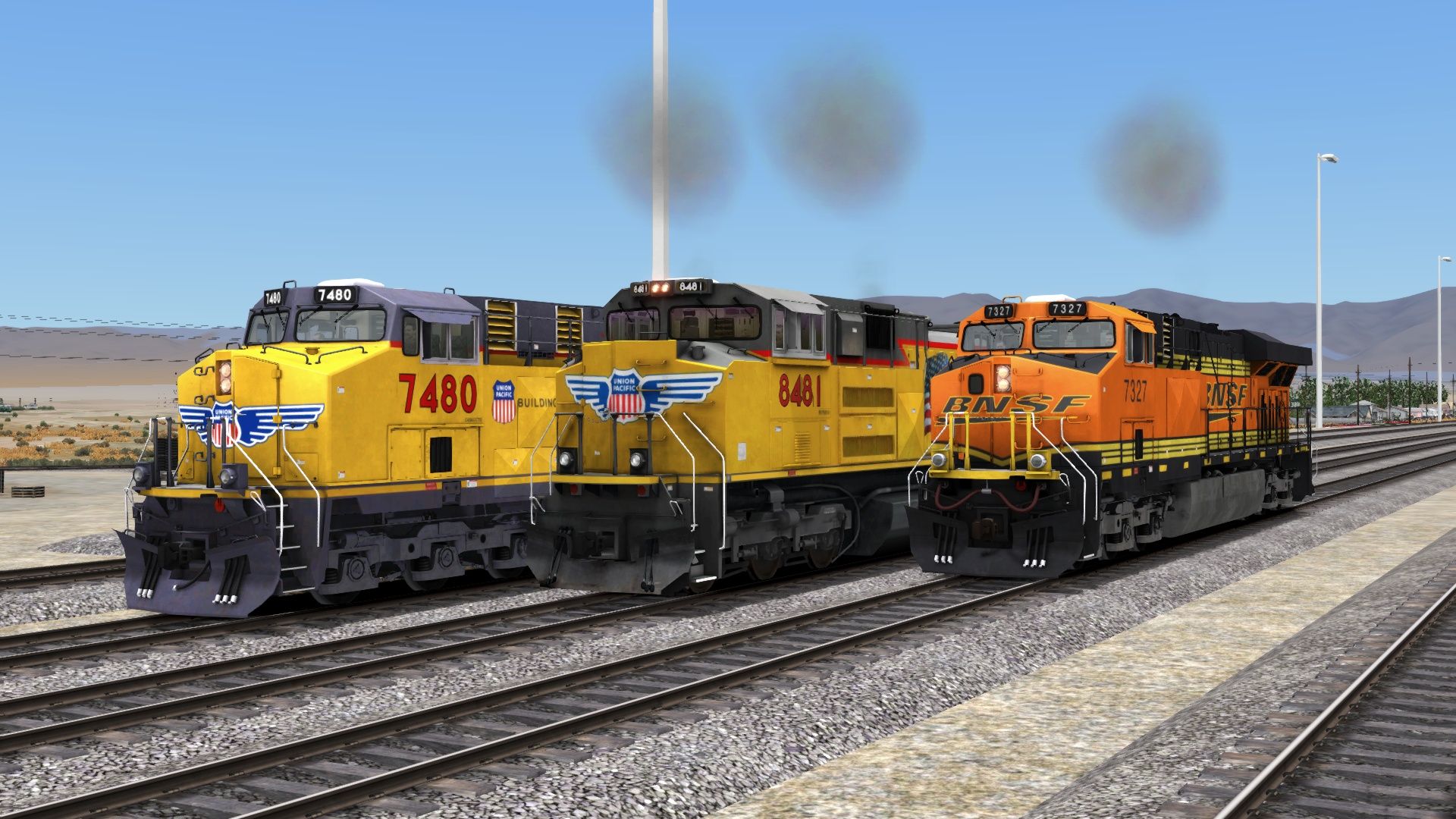
This patch applies the Searchlight Simulations/MLWAudio GEVO-12 and 16N-710G3C-II enhancement packs to the BNSF and UP ES44s as well as the UP SD70ACe included with DTG's Tehachapi Pass route. The AC4400CW and GP40-2 are NOT currently supported by this mod, but the AC44 may be a bit more likely to receive support in the future thanks to other brilliant guys creating their own mods for that engine.
Tags: tehachapi
Dependencies

EMD 16N-710G3C-II | Searchlight Store
Searchlight Store
GE GEVO-12 | Searchlight Store
Searchlight Store
Tehachapi! The name and the place stand among the pantheon of American railroading. And now, the legendary and rugged rail line shared by Union Pacific and BNSF comes to Train Simulator with Dovetail Games’ Tehachapi Pass route!
Installation Instructions
CJR Tehachapi Pass ES44 and SD70ACe Searchlight Simulations Patch V1.0 (6/11/24)
This mod applies the Searchlight Simulations GEVO-12 and 16-645E Enhancement Pack to the BNSF ES44DC and GP38-2 included with the GreatNortherner/Virtual New Haven RR Montana Hi-Line route.
Requirements:
DTG Tehachapi Pass: Mojave - Bakersfield (https://store.steampowered.com/app/1560935/Train_Simulator_Tehachapi_Pass_Mojave__Bakersfield_Route_AddOn/)
SS EMD 16-710G3C-II Enhancement Pack (https://www.store.searchlight-simulations.com/products/16n-710g3c-ii-ep)
SS GE GEVO-12 Enhancement Pack (https://www.store.searchlight-simulations.com/products/ge-gevo-12-ep)
BNSF ES44 installation instructions:
Place the folder "ES44AC_BNSF" to installation directory (Usually "C:\Program Files (x86)\Steam\steamapps\common\RailWorks\Assets\DTG")
Copy the "CommonScripts" folder from:
"C:\Program Files (x86)\Steam\steamapps\common\RailWorks\Assets\GNTX\StevensPass\RailVehicles\Diesel\ES44DC\BNSF"
(You can also perform this procedure with the Marias Pass ES44DC if you own just that)
...and paste them into the following directory, respectively:
"C:\Program Files (x86)\Steam\steamapps\common\RailWorks\Assets\VNHRR\HiLine\RailVehicles\Diesel\ES44DC\BNSF"
UP loco installation instructions:
Place the folder "Tehachapi" to installation directory (Usually "C:\Program Files (x86)\Steam\steamapps\common\RailWorks\Assets\DTG")
Copy the "SD70 EngineScript.out" and "SD70 EngineScript_DP.out" from:
"C:\Program Files (x86)\Steam\steamapps\common\RailWorks\Assets\RSC\SD70Pack01\RailVehicles\Diesel\SD70ACE\Default\Engine"
...and paste them into the following directory, respectively:
"C:\Program Files (x86)\Steam\steamapps\common\RailWorks\Assets\DTG\Tehachapi\RailVehicles\Diesel\SD70ACe\Default\Engine"
- Repeat the same process with "SD70 Engine Simulation.lua" from:
"C:\Program Files (x86)\Steam\steamapps\common\RailWorks\Assets\RSC\SD70Pack01\RailVehicles\Diesel\SD70ACE\Default\Simulation"
...and paste that into here:
"C:\Program Files (x86)\Steam\steamapps\common\RailWorks\Assets\DTG\Tehachapi\RailVehicles\Diesel\SD70ACe\Default\Simulation"
- Copy the "CommonScripts" folder from:
"C:\Program Files (x86)\Steam\steamapps\common\RailWorks\Assets\RSC\ShermanHill\RailVehicles\Diesel\ES44AC\Default"
...and paste them into the following directory, respectively:
"C:\Program Files (x86)\Steam\steamapps\common\RailWorks\Assets\DTG\Tehachapi\RailVehicles\Diesel\ES44AC\Default"
Gameplay installation instructions:
Load the Tehachapi route in Scenario Editor, and enable the MLWAudio GEVO-12 and 16N-710G3C-II packs.
Enjoy!
-2024 CJR Media
Files
Comments
About this mod

- Created
- 12 Jun 2024
- Updated
- 12 Jun 2024
- Game
- Train Simulator Classic
- Type of content
- Patch


Loading comments…