P32AC-DM Super-Pack 2.0
- by 7FDL-16
- 4 upvotes
- Downloaded 774 times
Description


This pack is a complete rework of the Amtrak and Metro-North P32AC-DM locomotives, the Amfleet and Shoreliner cars from the Hudson Line route, as well as the stand-alone Metro-North P32AC-DM and its Shoreliner cars available here:
Hudson Line: New York – Croton-Harmon Route Add-On:
https://store.steampowered.com/app/896719/Train_Simulator_Hudson_Line_New_York__CrotonHarmon_Route_AddOn/
Metro-North P32 AC-DM 'Genesis' Loco Add-On:
https://store.steampowered.com/app/258655/Train_Simulator_MetroNorth_P32_ACDM_Genesis_Loco_AddOn/
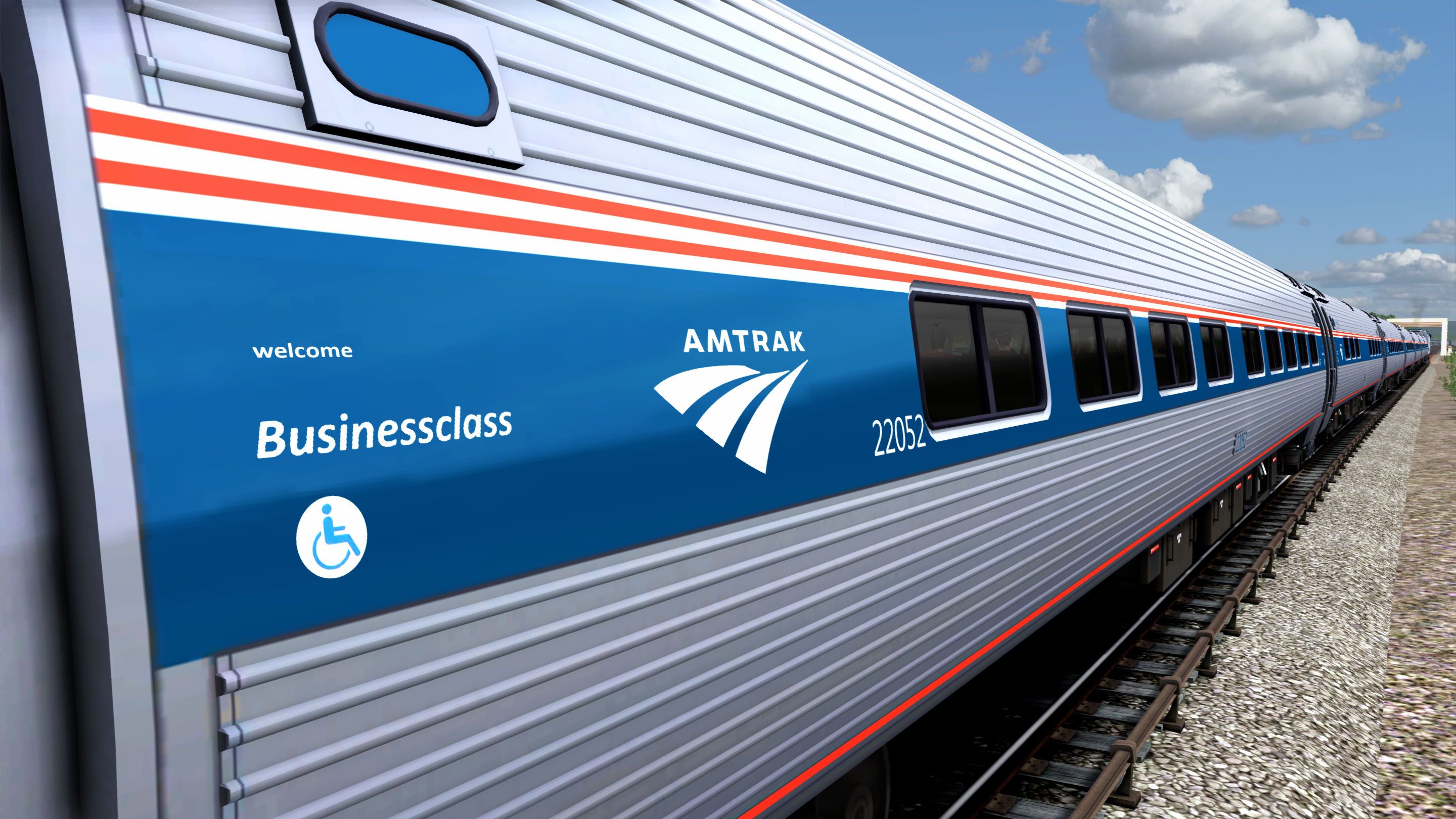
It includes the Amfleet I Business Class car.
Version 2.0 Change(s):
- Texture improvements to the locomotives and Amfleet cars.
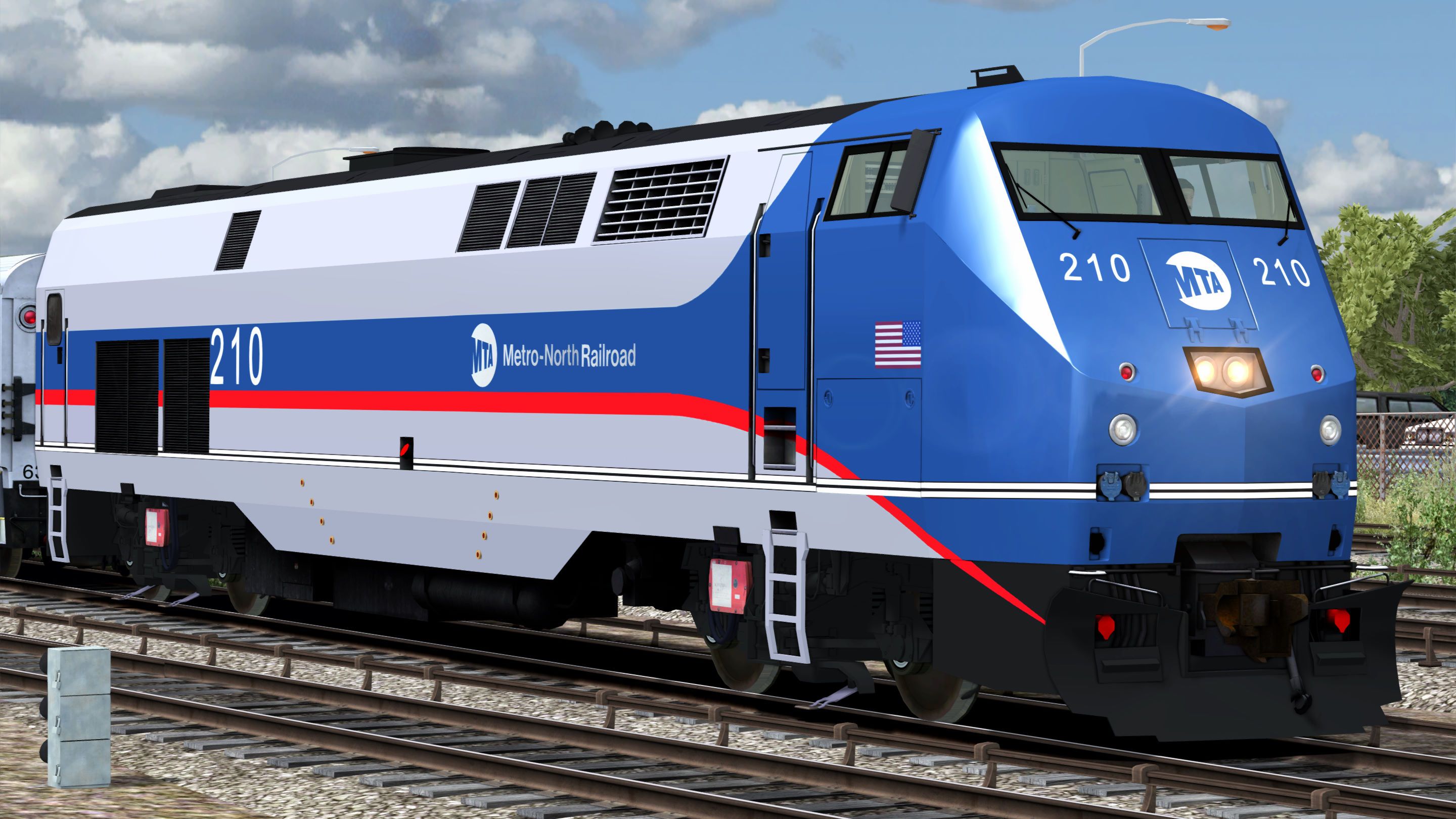
Metro-North P32AC-DM Locomotive:
- Silver body.
- White sill stripes.
- Black roof and underbody.
- Blue area covering the nose and cabin, narrowing into a stripe that goes throughout the rest of the body.
- Red stripe bordering the bottom of the blue stripe and the blue area of the cabin and nose.
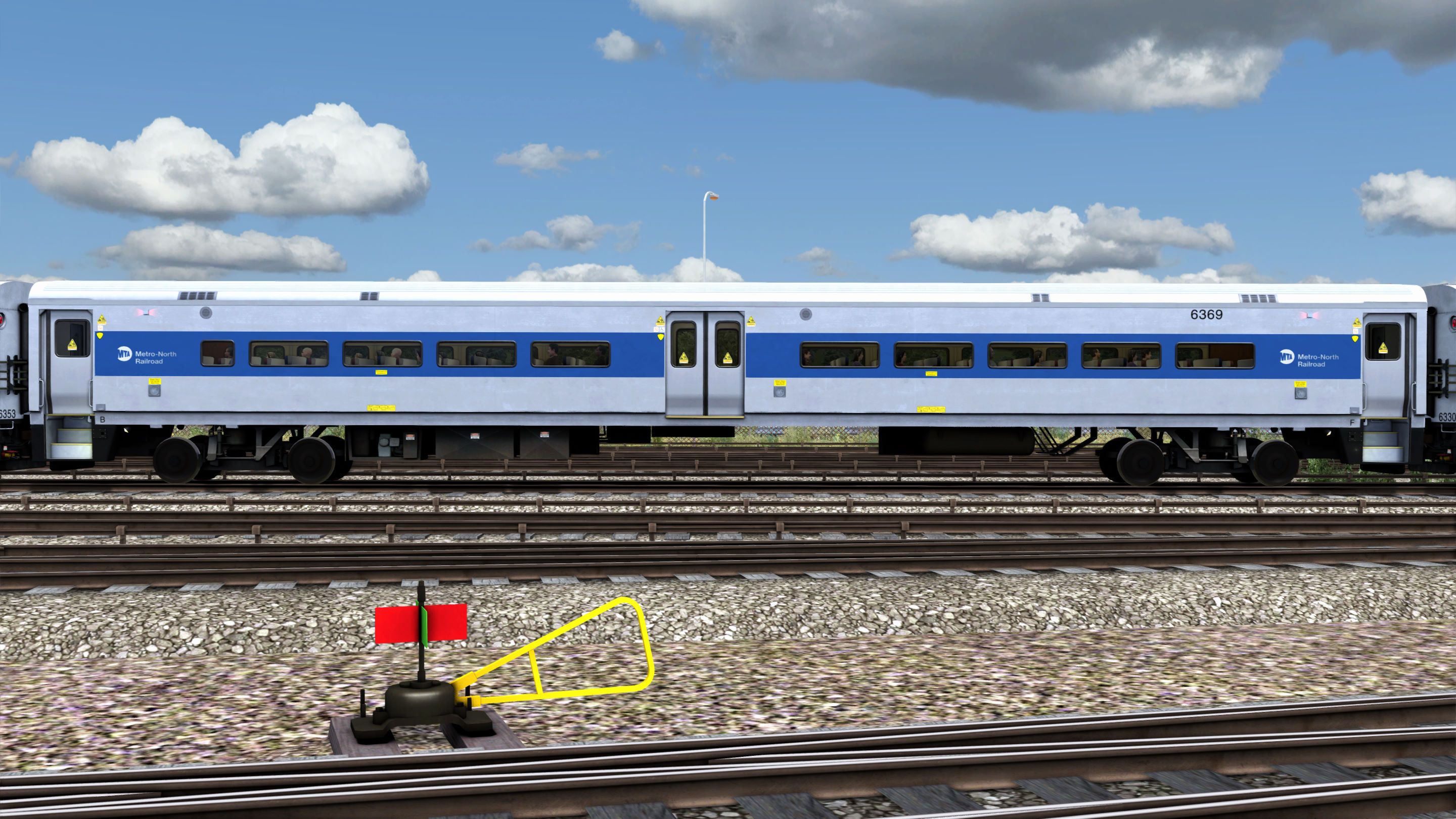
Metro-North Shoreliner Cars:
- Silver body.
- Blue stripe.
- Black underbody.
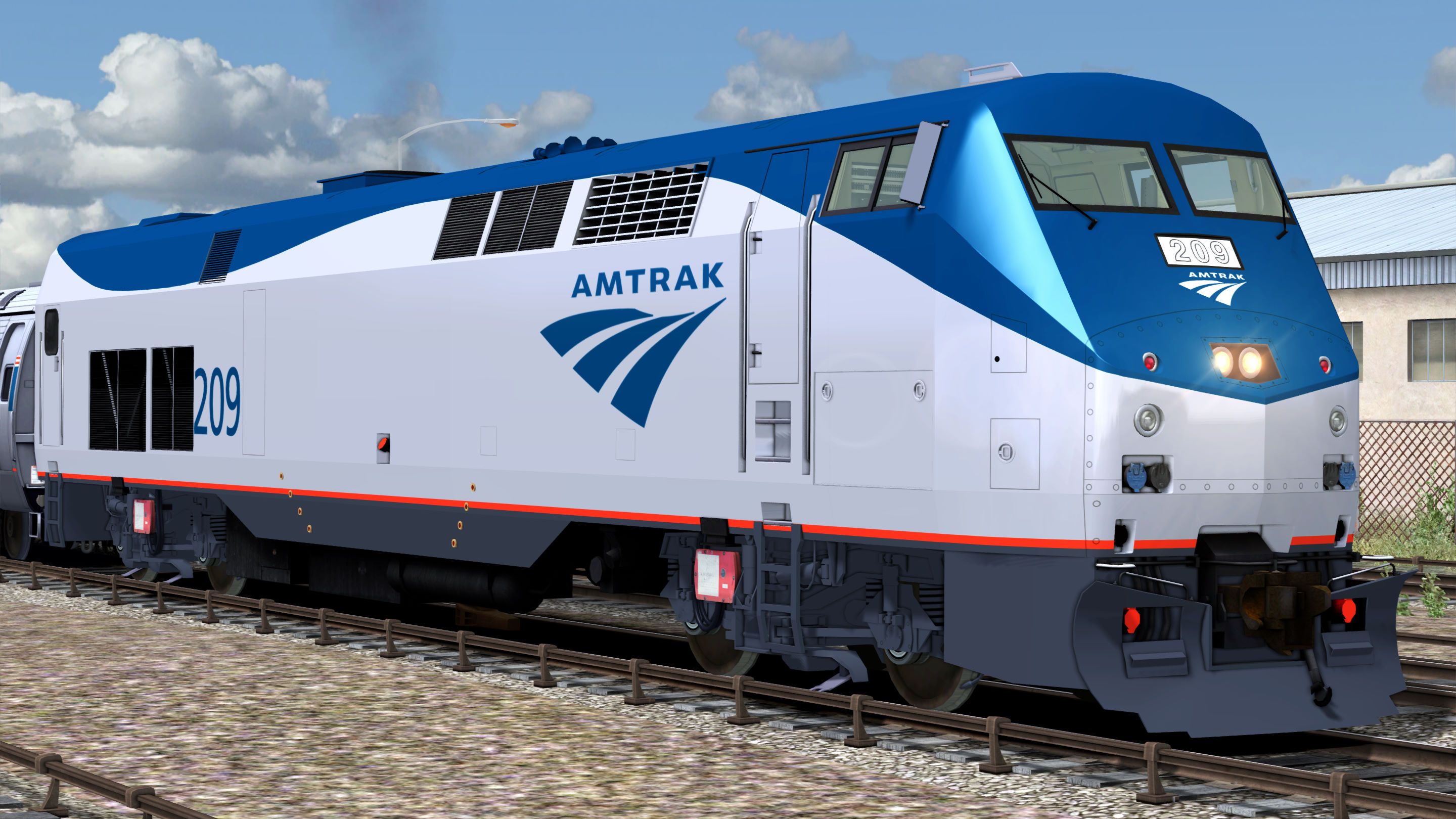
Amtrak P32AC-DM Locomotive (Phase V):
- Anthracite Gray underbody.
- Amtrak Red sill stripe.
- Platinum Mist body.
- Amtrak Blue nose, roof, “Travelmark” logo and numbers.
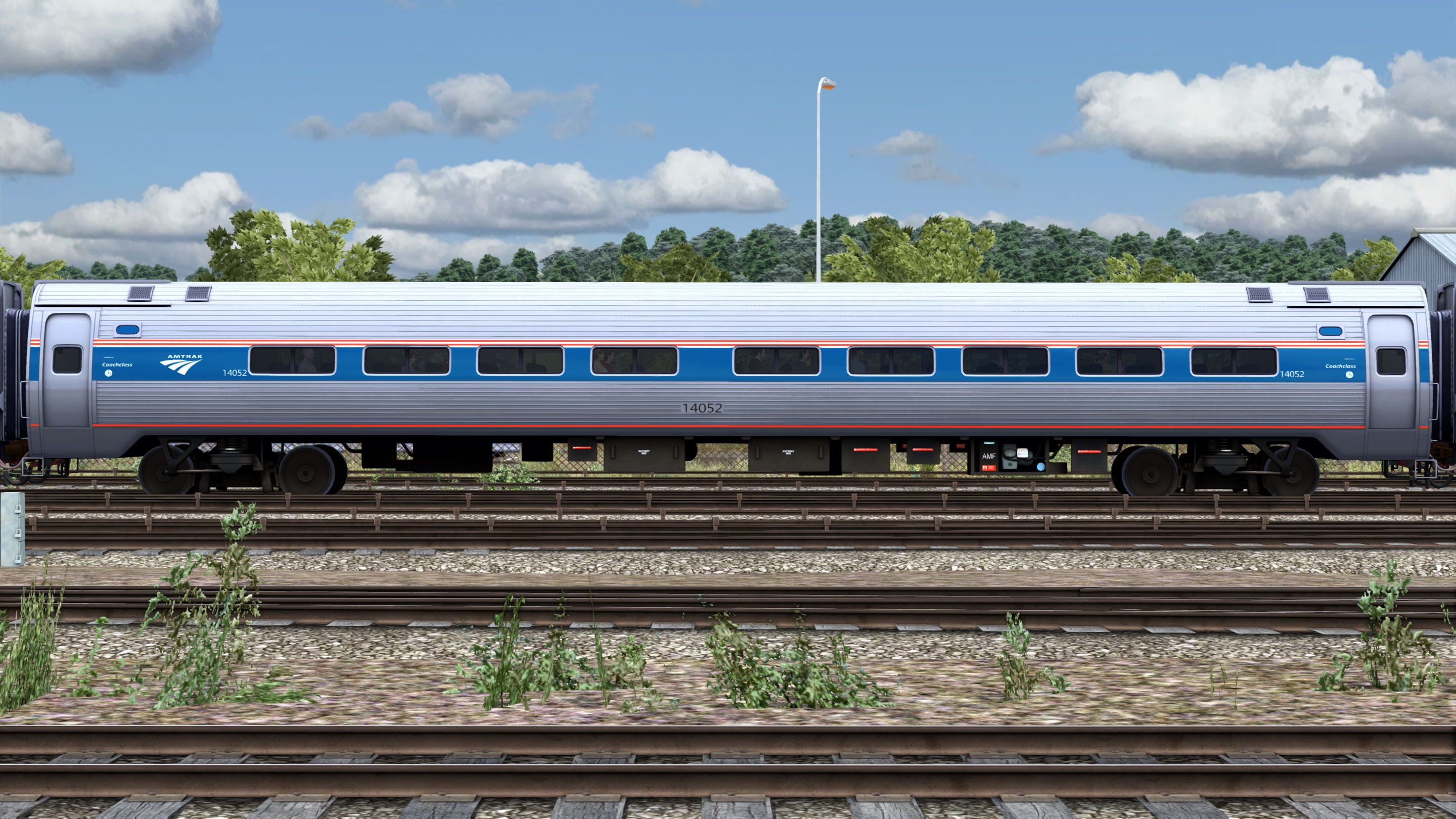
Amfleet I Cars (Phase VI):
- Stainless steel Body.
- Amtrak Red and white pin stripes.
- Amtrak Blue stripe.
- Amtrak Red sill stripe.
- Black underbody.
HEP Implementation:
Train Simulator Classic does not implement HEP capability on diesel locomotives. Coach power demand depends on coach type, season, time of day, and daily weather conditions. For instance, a train consisting of Superliner cars, including dining and sightseer lounge cars, traveling through the southern US in the middle of summer and during the dinner shift, will have a significantly greater HEP demand than a train traveling through the Midwest in autumn, but consisting of only Amfleet cars. So, implementing an accurate/realistic HEP mode for a locomotive is particularly challenging.
The more power the coaches demand from the HEP alternator, the less power is available for traction. So, to simulate the decrease in performance according to HEP demand, I provided two versions of the HEP engine—with and without driver (ND)—identified by the HEP demand in kW: 290 kW and 461 kW. To include a HEP engine, you must either edit or create a consist.
Please, bear in mind I could not find any power consumption data for the different passenger car types. So, I used the power demand estimates for different types of passenger cars found in this webpage: https://www.nwrail.com/HEP_config.html.
Car Type Power Consumption:
- Amfleet I Business Class Car: 40 kW
- Amfleet I & II Coach Class Car: 40 kW
- Amfleet I & II Cafe Car: 50 kW
- Heritage Diner Car 100 kW
- Viewliner Sleeper Car: 50 kW
- Heritage Baggage Car: 1 kW
- Superliner Transition Sleeper Car: 50 kW
- Superliner Sleeper Car: 50 kW
- Superliner Dining Car: 130 kW
- Superliner Sightseer Lounge Car: 150 kW
- Superliner Coach Class Car: 50 kW
- Superliner Coach Baggage Car: 50 kW
- Shoreliner Coach Car: 40 kW
- Shoreliner Cab Car: 50 kW
I based the different HEP demands on what I considered a “typical” Metro-North commuter train and Amtrak consists:
Metro-North Commuter Consist:
- x 6 Shoreliner Coach Cars: 240 kW
- x1 Shoreliner Cab Car: 50 kW
Total HEP Demand: 290 kW
Medium-Short Haul Consist (Amtrak’s Empire Service trains):
- x 5 Amfleet I Coach Class Cars: 200 k
- x 1 Amfleet I Cafe Car: 50 kW
- x 1 Amfleet I Business Class Car: 40 kW
Total HEP Demand: 290 kW
Eastern Long Haul Consist (Amtrak’s Lake Shore Limited train):
- x 4 Amfleet II Coach Class Cars: 160 kW
- x 1 Amfleet II Cafe Car: 50 kW
- x 1 Heritage Diner Car: 100 kW
- x 3 Viewliner Sleeper Cars: 150 kW
- x 1 Heritage Baggage Car: 1 kW
Total HEP Demand: 461 kW
NOTE: If you try to tinker with the power settings in the engine’s simulation file, please bear in mind that according to the “Train Simulator Developer Documentation” (Available here: https://web.archive.org/web/20231217020513/http://tscdevdocs.co.uk/reference-manual/blueprint-editor/diesel-simulation-blueprints/diesel-electric-subsystem.html), engine power values are expressed in kW and tractive effort in kN.
3rd-Rail Implementation:
I locked the engine’s RPM between 620 and 621, so it doesn’t rev up as you throttle up. Also, I limited the max speed to 60 mph.
NOTE: If you want to drive a Metro-North train in 3rd-rail mode, please don’t use the default consists labeled as “3rd Rail” because they come with a regular diesel engine. That’s why as you’re throttling up, you hear the engine revving up. To drive in 3rd-rail mode, you must either edit or create a consist and add an engine and cab car labeled as “3rd Rail”.
Tags: amtrak empire-service hudson-line metro-north p32ac-dm
Dependencies

Train Simulator’s Hudson Line route delivers fast-paced and challenging American commuter, passenger, and freight railroading at its contemporary best.

The dual mode P32 AC-DM comes to Train Simulator for the NEC: New York-New Haven route in Metro-North livery.
Installation Instructions
Go to your Rail Works directory
(Typically: C:\Program Files (x86)\Steam\steamapps\common\RailWorks).Drop the "Assets" folder in the directory.
Make sure that you set "Ambient Occlusion" to, at least, the "Low" setting (Preferably "Dynamic").
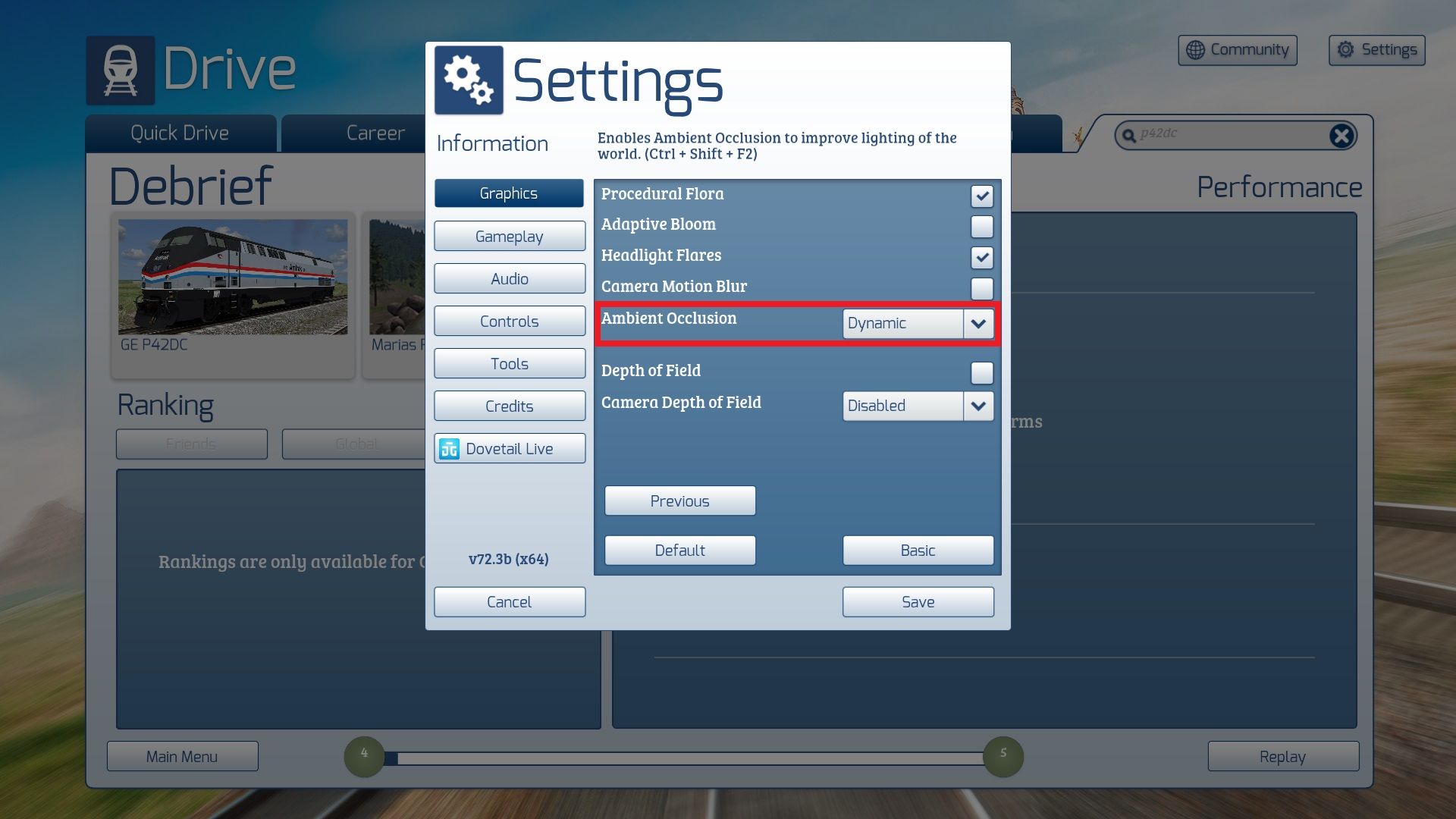
And that’s ALL you have to do.
ENJOY!!!!
Additional Comments
You can watch this pack in action here:
Files
Comments
About this mod

- Created
- 19 Jul 2025
- Updated
- 27 Mar 2026
- Game
- Train Simulator Classic
- Type of content
- Enhancement pack


Loading comments…