Tri-Rail Upgrade Pack 1.2
- by 7FDL-16 and FL Rail Creations
- 7 upvotes
- Downloaded 390 times
Description


This pack is a complete rework of the "Miami Commuter Rail F40PHL-2 Loco Add-On" you can buy here: https://store.steampowered.com/app/277756/Train_Simulator_Miami_Commuter_Rail_F40PHL2_Loco_AddOn/
Version 1.2 Change(s):
- Fixed the passenger view window bug.
CREDITS: The locomotive textures were done by FL Rail Creations. I just made some modifications to make it a little bit more accurate. The original texture upgrade can be found here: https://www.trainsimcommunity.com/mods/c1-train-sim-classic/c10-reskins/c25-north-american/c27-locomotives/i2483-tri-rail-f40phl-2
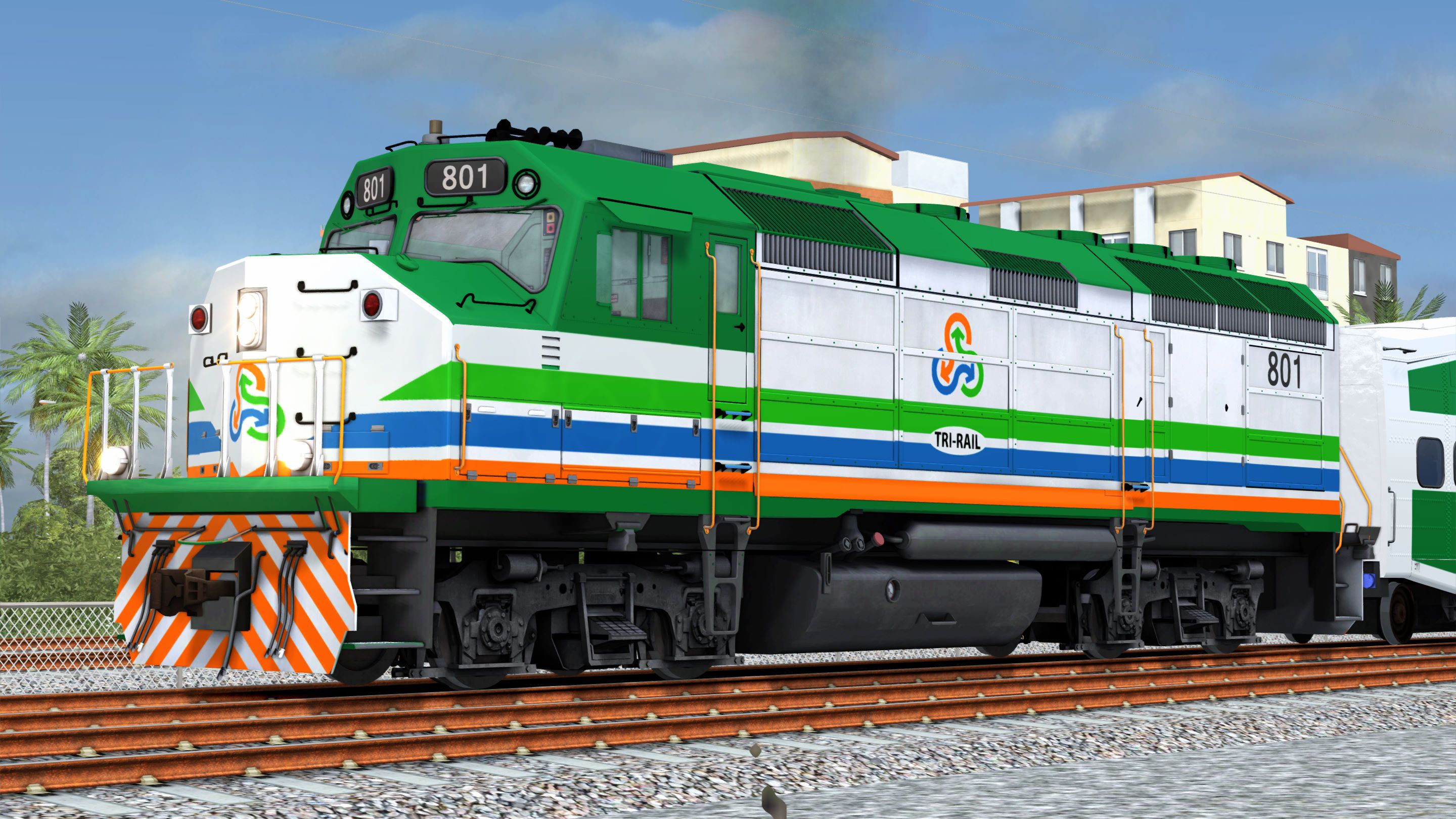
F40PHL-2 Locomotive:
- Green roof and sill.
- White body.
- Three stripes surrounding the body. From the bottom up: orange, blue and light green, ending in a V-shaped pattern at the nose.
- Tri-Rail logo in the center of the nose and both sides of the body.
- Orange and white striped front and rear pilots.
- Gray underbody.
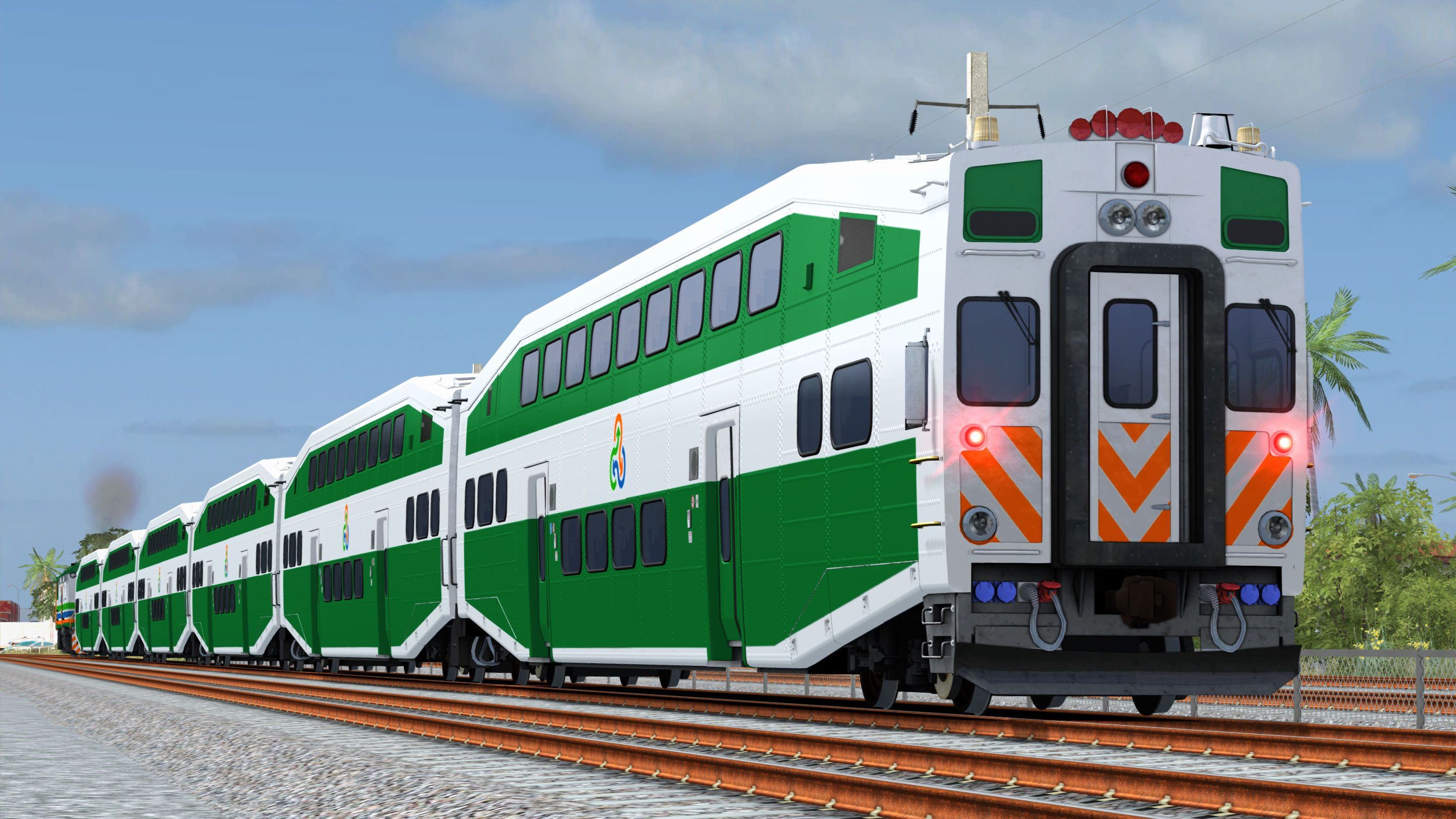
Bombardier BiLevel Cars:
- White body and roof
- Green area defining the upper and lower levels.
- Tri-Rail logo on both sides of the body, at the intermediate level, between the two green areas.
- Orange and white pattern on the bottom third at the front of the cab car.
- Green number board panels at the front of the cab car.
HEP Implementation:
Train Simulator Classic does not implement HEP capability on diesel locomotives. Coach power demand depends on coach type, season, time of day, and daily weather conditions. For instance, a train consisting of Superliner cars, including dining and sightseer lounge cars, traveling through the southern US in the middle of summer and during the dinner shift, will have a significantly greater HEP demand than a train traveling through the Midwest in autumn, but consisting of only Amfleet cars. So, implementing an accurate/realistic HEP mode for a locomotive is particularly challenging.
Regarding the F40PHL-2 locomotive, it has the HEP alternator driven by the diesel engine (prime mover). To provide a steady 480 volts of AC power at 60 Hz, the prime mover needs to run at a constant 893 RPM (max speed), regardless of the throttle position. The more power the coaches demand from the HEP alternator, the less power is available for traction. So, to simulate the decrease in performance according to HEP demand, I provided three versions of the HEP engine—with and without driver (ND)—identified by the HEP demand in kW: 90 kW, 170 kW and 250 kW. To include a HEP engine, you must either edit or create a consist.
Please, bear in mind I could not find any power consumption data for the Bombardier BiLevel cars. So, I used the power demand estimates for different types of passenger cars found in this webpage: https://www.nwrail.com/HEP_config.html.
Car Type Power Consumption:
- Bombardier BiLevel Coach Class Car: 40 kW
- Bombardier BiLevel Cab Car: 50 kW
Two-Car Consist:
- x 1 Coach Class Cars: 40 kW
- x 1 Cab Car: 50 kW
Total HEP Demand: 90 kW
Four-Car Consist:
- x 3 Coach Class Cars: 120 kW
- x 1 Cab Car: 50 kW
Total HEP Demand: 170 kW
Six-Car Consist:
- x 5 Coach Class Cars: 200 kW
- x 1 Cab Car: 50 kW
Total HEP Demand: 250 kW
NOTE: If you try to tinker with the power settings in the engine’s simulation file, please bear in mind that according to the “Train Simulator Developer Documentation” (Available here: https://www.christrains.com/tscdevdocs/reference-manual/blueprint-editor/diesel-simulation-blueprints/diesel-electric-subsystem.html#TOC-Max-Power-kW-0-20000-1kW-1.341HP-), engine power values are expressed in kW and tractive effort in kN.
Dependencies

The F40PHL-2 diesel locomotive is perfect for commuter services in sunny South Florida, and is now here for Train Simulator, complete with bi-level commuter coaches and driveable cab car.The F40PHL-2 is among the most unique and fascinating locomotives found in the U. S.
Installation Instructions
Go to your Rail Works directory.
(Typically: C:\Program Files (x86)\Steam\steamapps\common\RailWorks).Drop the “Assets” folder in the directory.
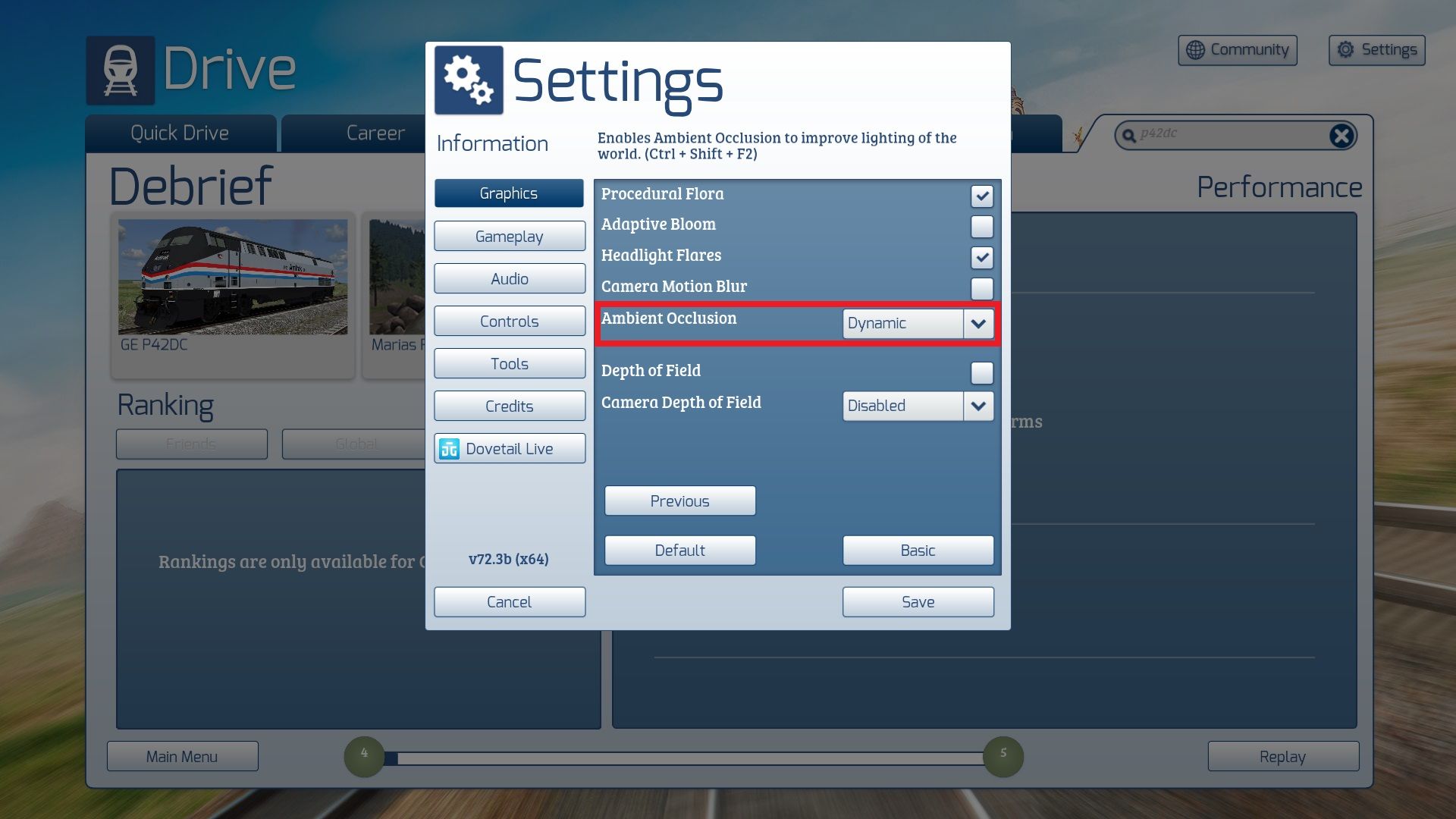
Make sure that you set “Ambient Occlusion” to, at least, the “Low” setting (preferably “Dynamic”).
And that’s ALL you have to do.
ENJOY!!!!
Additional Comments
You can watch this pack in action here:
Files
Comments
About this mod


- Created
- 7 Dec 2025
- Updated
- 2 Jun 2026
- Game
- Train Simulator Classic
- Type of content
- Enhancement pack


Loading comments…