TSW Live & Historical Weather
- by Luex
- 31 upvotes
- Downloaded 2,274 times
Description
NOW OPEN SOURCE: https://github.com/vanlueckn/TSW5Mods
This mod introduces live weather synchronization and historical weather to Train Sim World 5.
The mod queries the current position on the map and uses the API from open-meteo.com to retrieve the current weather data based on the position. While driving, the weather is updated every 5 minutes (15 minutes is the shortest interval for weather updates from the API, but changing coordinates while driving make a shorter interval useful).
If you select Live Weather, the weather will reflect the current real-life conditions, regardless of the date or time used in the simulator. The second mode is Historical Weather. In this mode, the mod queries the weather based on your selected date and time in the simulator. If you select the historical weather mode and choose a future date, the mod queries the weather based on the current or last year. The month, day, and time will remain the same.
The API may be used free of charge for non-commercial purposes. There is a limit of 10,000 API requests per day, but this should not be exhausted by this mod.
Please install the dependency (UE4SS) before installing this mod.
Important: This is a beta release of the mod. If you have any problems or suggestions for improvement, please use the comment function.
How to use
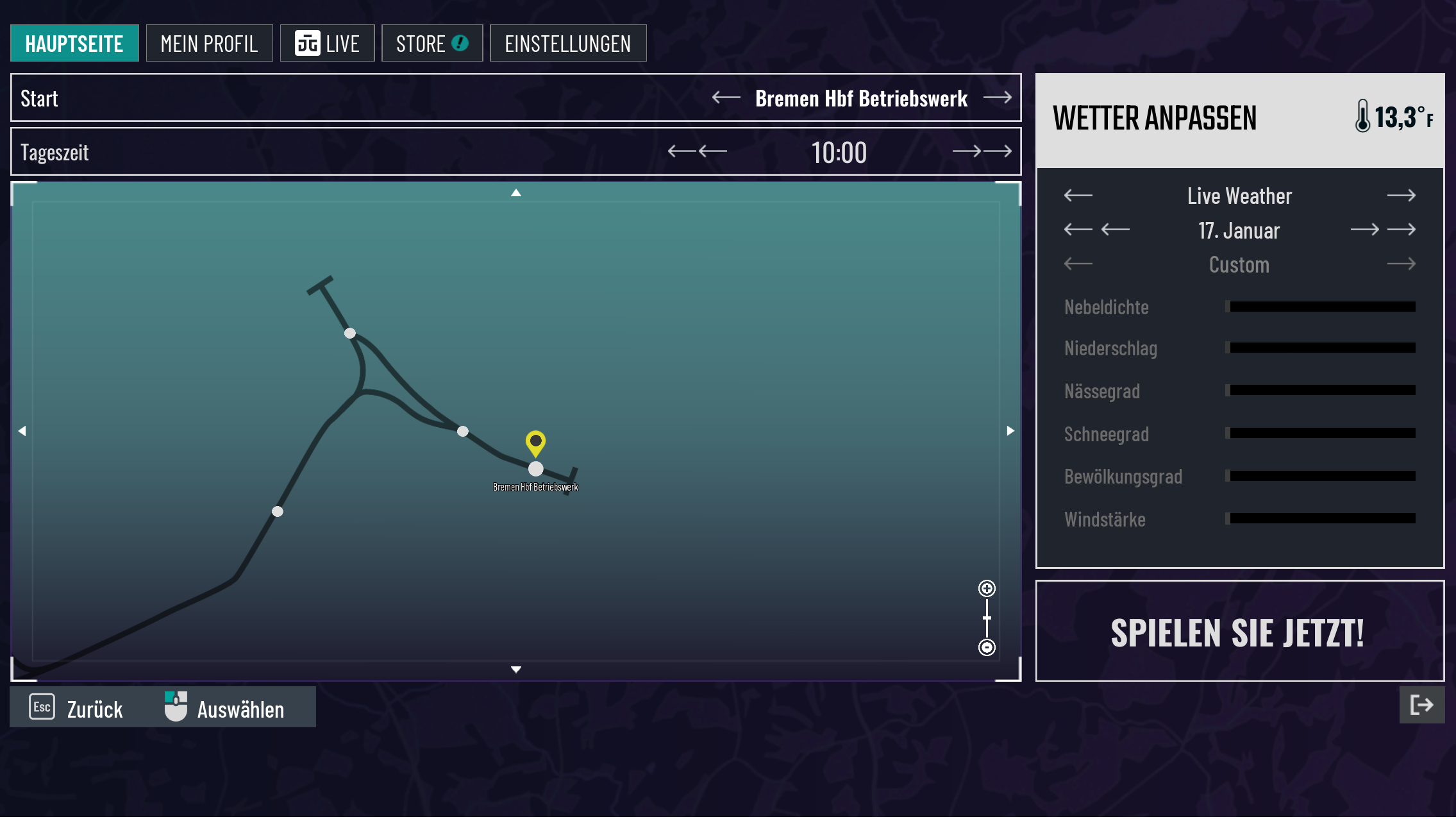
After installing, you will find two new options in the weather settings menu. Choose Live Weather or Historical Weather instead of Dynamic Weather or Custom Weather to activate the mod for your journey. After starting, the first synchronization will occur after ~60 seconds.
If you are in historical mode and change the date using the God Mode mod or time-related console commands, the mod will force a weather synchronization.
Known issues
- Sometimes the game crashes after the journey
- After starting a journey, it takes up to 60 seconds for the weather to synchronize.
- At the beginning there is no snow on the ground and it only appears gradually. I will adjust this with historical data in the future.
Roadmap
- Add possibility to keep irl time in sync
- Add more realistic sunset and sunrise behaviour
License & Contributing
This mod is now open source! Everyone is allowed to participate, the repository is available on github.
Changelog
- Version 0.4: Update dependencies of the mod (Currently idk why this mod crashes for some users)
- Version 0.3: Fix issue with floating points on different platforms (for some users it was always raining)
- Version 0.2: Changed sync interval to 5 minutes, fixed random crash, added historical weather, renamed mod to
TSW Live & Historical Weather, fixed rain level bug, date changes via god mode mod or command force sync weather - Version 0.1: Initial release
Dependencies

Installation Instructions
The downloaded ZIP archive must be unpacked into the folder \WindowsNoEditor\TS2Prototype\Binaries\Win64\ue4ss\Mods.
If you are playing on XBox Games the Mods folder location may differ.
YouTube Tutorial:
Files
v0.4 - Warning: Some users experience crashes, currently idk why and the reverse engineering is very time consuming
Comments
About this mod

- Created
- 11 Jan 2025
- Updated
- 13 May 2025
- Game
- Train Sim World
- Type of content
- Other
- Train Sim World Version
- Train Sim World 5
![Hauptstrecke Rhein-Ruhr May 2025 24h Timetable [Beta]](https://images.trainsimcommunity.com/4lIx_EiUXa77hKtNSjc3Yoynl3s=/64x36/tscmr-prod/images/1370038101220155392.jpg)
![Hauptstrecke Rhein-Ruhr Duisburg construction site scenery overlay [Beta]](https://images.trainsimcommunity.com/ArJkPPa1sC6ITaZoAGJa7Cmd_e0=/64x36/tscmr-prod/images/1371962653483069440.jpg)

Loading comments…