Speedometer Original (smaller) HUD Size
- by annadess
- 10 upvotes
- Downloaded 2,547 times
Description
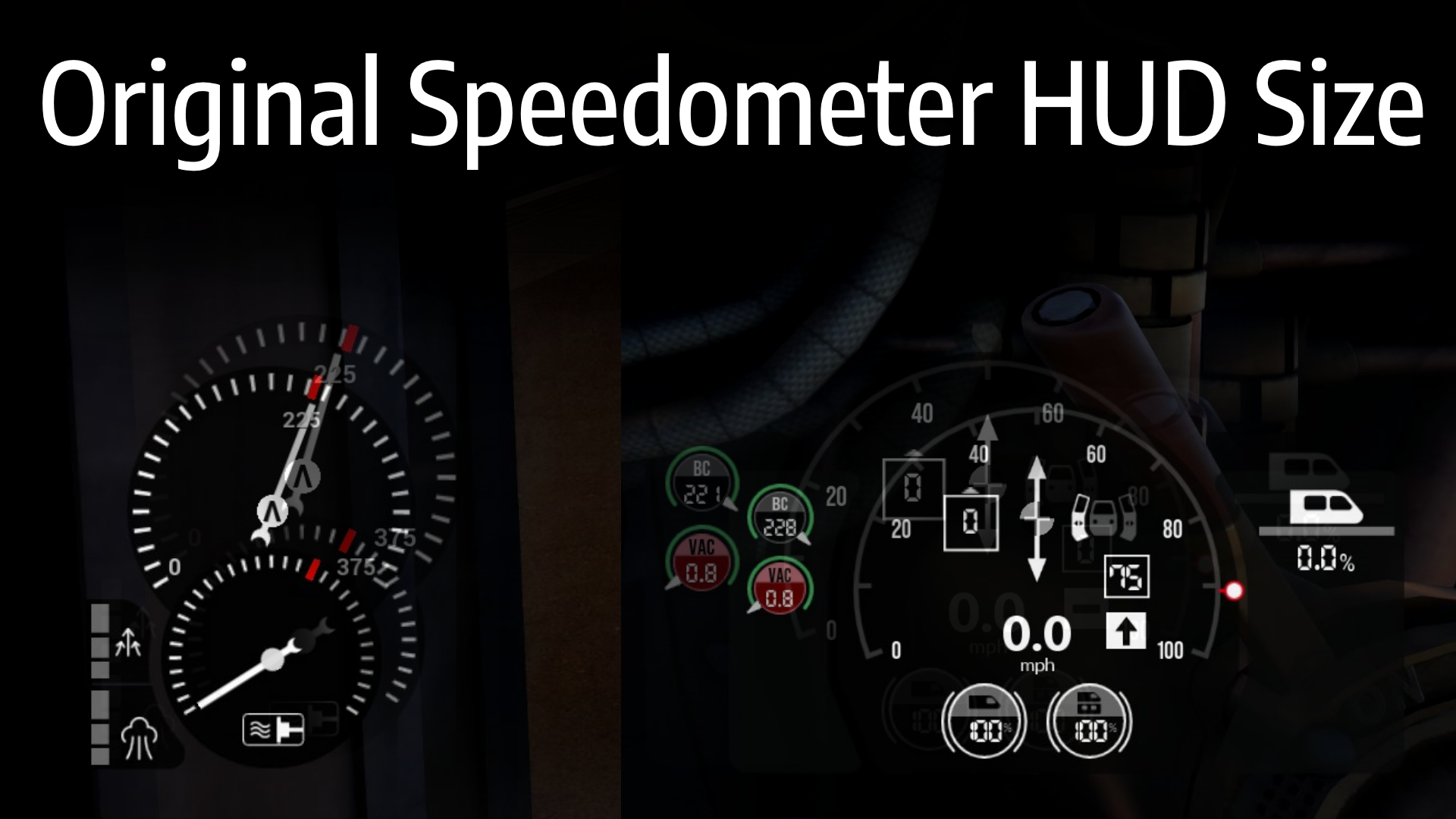
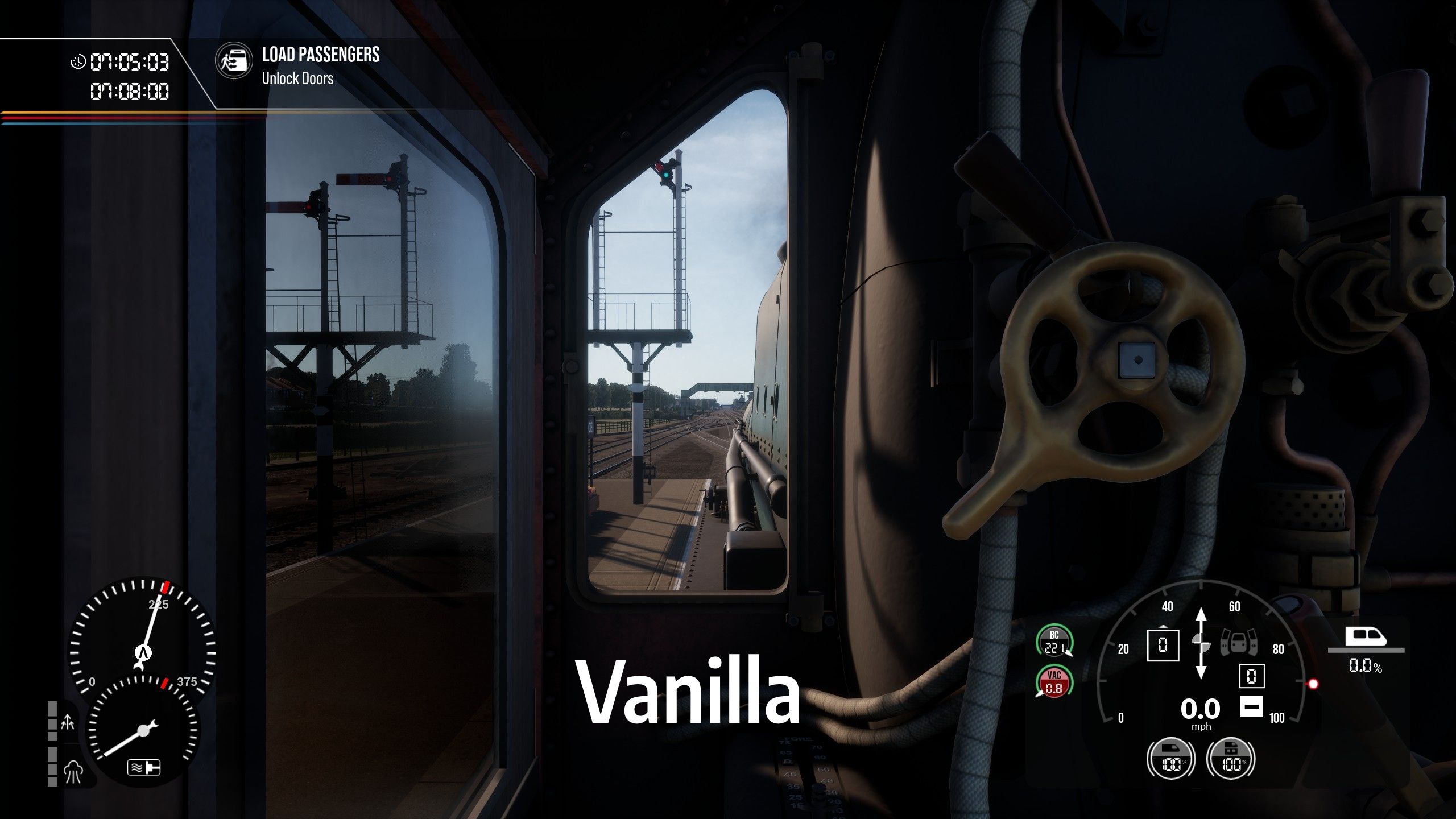
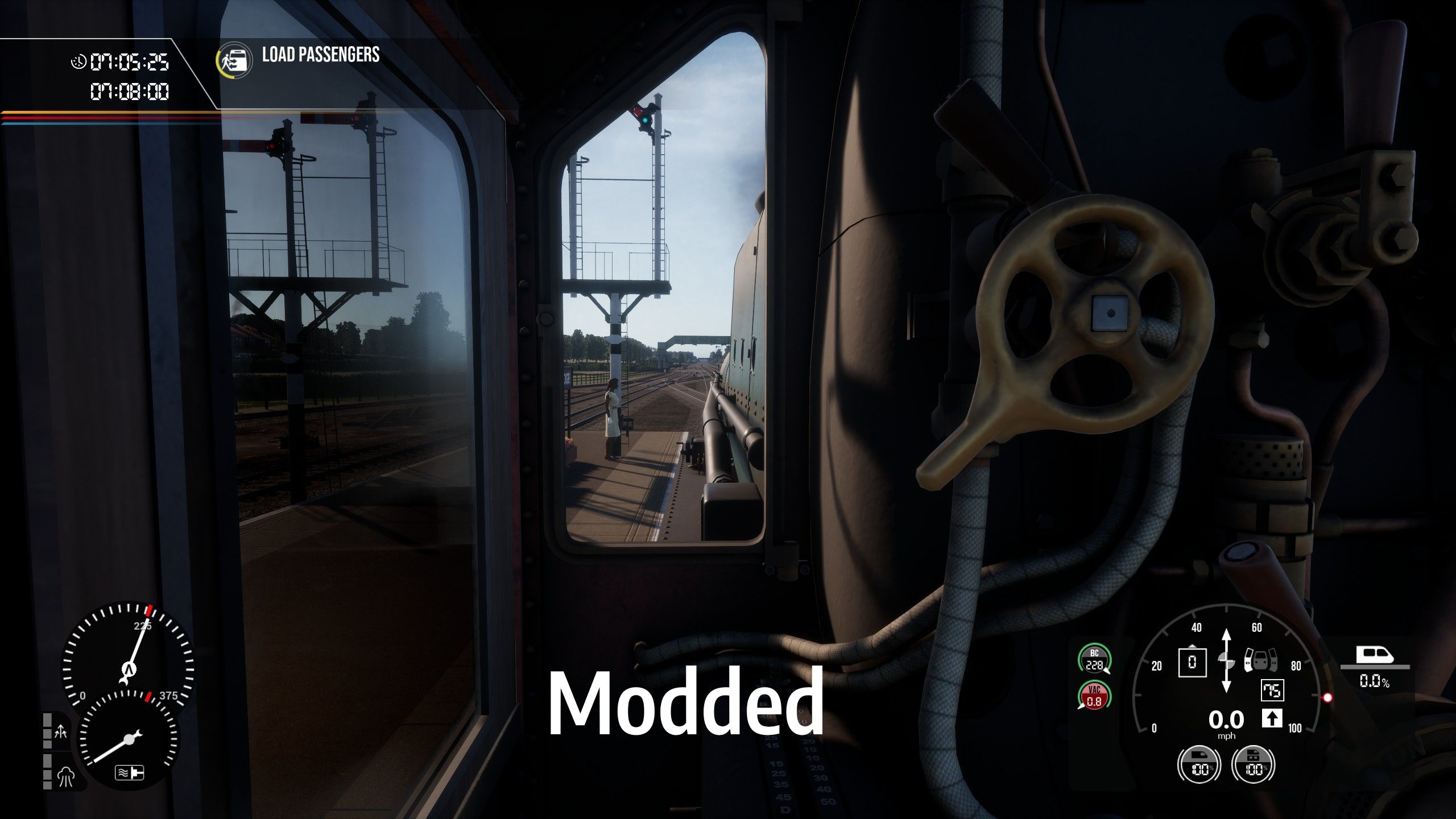
Short description: This mod changes the Speedometer HUD size to be closer to the size it used to be before the SoS update.
After you install the mod, make sure to go into Settings -> Game -> Speedometer HUD Scale -> set it to "Small". It will flip whatever setting you had so make sure to double check this if you want to see a difference. If you want an explanation: basically I made the "large" setting make the HUD smaller instead of larger, and then renamed the labels associated with these settings, to have them make a bit more sense. Hope this little extra work is worth the effort to you! ;)
Special thanks to CrAzZyKiLLa for letting me use their screenshots!
Known issues
Let me know if there are any bugs or crashes with this mod!
Support my work
If you like what I make, consider leaving a tip at https://ko-fi.com/aurora_bee thanks <3
Have fun with my mod!
-Aurora Bee
Tags: gui hud speedometer tacho tachometer ui
Installation Instructions
Recommended: Use the TSW Mod Manager. Then go to Settings -> Game -> Speedometer HUD Scale -> set it to "Small" (It could have changed to "Large" after the install)
Manual:
- Find your install directory/folder for TSW2
- Copy the .pak file into the "[install path]\TrainSimWorld2\TS2Prototype\Content\DLC" folder
- Start the game.
- Go to Settings -> Game -> Speedometer HUD Scale -> set it to "Small" (It can change to "Large" after the install)
Files
Comments
About this mod

- Created
- 7 Jun 2022
- Updated
- 7 Jun 2022
- Game
- Train Sim World
- Type of content
- Patch
- Train Sim World Version
- Train Sim World 2: Steam version (UE4 4.26), Train Sim World 2: Epic Games Store version (UE4 4.26)


![[Rapid Transit] Talent 2 MD - closed MCB by default (formerly PZB & MCB fix)](https://images.trainsimcommunity.com/-H3_hxrg6WLzZZM_WovUGBlqS_I=/64x36/tscmr-prod/images/944278644611809280.png)
Loading comments…